
On Home Assistant 2026.10 or older? Open it in HACS
- Installs
- 50 sharing analytics
- GitHub stars
- 22
- Connection
- Works locally
- Upkeep
- Updated in the last 6 months
- Version
- v1.4.4,
- Category
- Computers and network, Routers and network
- Kind
- Marketplace integration
- Brand
- Ubiquiti
- Needs
- Needs the Marketplace (HACS on 2026.10 and older)
- Domain
unifi_play- Issues
- Report an issue
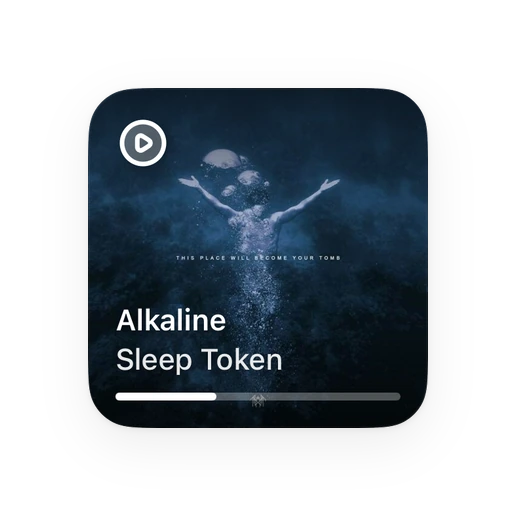
Shows in Vulpo Quick Toggle card, Media Player card, Button card, Select card, Apple Watch, Control Center.


Scan with your iPhone
DownloadIndependent directory, made by the developer of Vulpo. Not affiliated with Home Assistant or the Open Home Foundation.
About
Home Assistant custom integration for UniFi Play devices (PowerAmp, In-Wall)
Description from willbeeching/ha-unifiplay

Shows in Vulpo
Quick Toggle card, Media Player card, Button card, Select card, Apple Watch, Control Center.Installs over time
#1,673 of 1,684 Marketplace integrations, down 44 places in 30 days. Installs sharing analytics.
Supports
- Works locallyTalks to your devices on your own network. No vendor cloud in between.
- From the MarketplaceInstalled through the Marketplace, formerly HACS.
- Actively maintainedIts author released or pushed a change in the last six months.
Provides
- Media
- Switches
- Sensors
Setting it up
Install it from the Marketplace and restart Home Assistant, then add it under Settings, Devices and services.
Connect via UniFi OS Console
- Controller Host
- API Key
- Verify the console's TLS certificateTurn this off only for a console that presents its own self-signed certificate. The connection is still encrypted; what is not checked is that the console on the other end is the one you meant.
Direct connection
- Device IP addresses (optional)
Re-enter your UniFi Play API key
- API Key
Change console address
- Controller Host
- API Key (optional)
- Verify the console's TLS certificateShows what this entry is doing now. Entries added before this option existed connect without verification.
Change device addresses
- Device IP addresses
After setup
- Zone name
- DevicesSelect at least 2 devices.
- Zone
- New name
- Device to add
- Device to remove
- Audio source
- Source device
- Input type
- Display order (0 = first)
Texts from the code of willbeeching/ha-unifiplay.
Entities
- Binary sensorsConnected, Admin Lock, Announcing, In Zone, Broadcast Wired Source Active
- ButtonsLocate, Restart, Reset EQ
- NumbersBalance, Volume Limit, Screen Brightness, LED Brightness, Sub Crossover, Sub Level, Announcement Volume
- SelectsAudio Input, Audio Output, EQ Preset, Sub Phase, Channels, Streaming Timeout, Announcement Chime, Stream Broadcasting
- SensorsFirmware Status, Streaming Service, Alarms, Quiet Hours, Announcements, Uptime, Space
- SwitchesDynamic Boost, Dolby Atmos / Equalizer, Persistent Dashboard, Voice Enhancement, Alarm Sound Test
- TextsLED Color
Actions
- Play announcementPlay a prerecorded announcement clip immediately. The clip must already be on the speaker — upload it in the UniFi Play app first. Whatever is streaming is paused for the duration.
- Device
- File name
- Length
- Play across zone
- Stop announcementStop an announcement that is currently playing and resume whatever was interrupted.
- Device
- Delete announcement clipRemove a prerecorded announcement clip from the speaker. Clips can only be added from the UniFi Play app.
- Device
- File name
- Create or update alarmCreate an alarm on the speaker, or update an existing one by passing its ID. Alarms are scheduled and fired by the speaker itself, so they work whether or not Home Assistant is running.
- Device
- Alarm ID
- Name
- Hour
- Minute
- Sound
- Volume
- Duration
- Repeat on
- Enabled
- Delete alarmDelete an alarm from the speaker by its ID.
- Device
- Alarm ID
- Create or update quiet hoursCreate a quiet-hours window on the speaker, or update an existing one by passing its ID. During the window the speaker limits or silences playback.
- Device
- Quiet hours ID
- Start hour
- Start minute
- End hour
- End minute
- Repeat on
- Wind down
- Delete quiet hoursDelete a quiet-hours window from the speaker by its ID.
- Device
- Quiet hours ID
- Save EQ presetSave the speaker's current 10-band equalizer settings as a named preset. The preset then appears in the EQ Preset selector.
- Device
- Preset name
- Delete EQ presetDelete a saved custom EQ preset from the speaker.
- Device
- Preset name
- Rename EQ presetRename a saved custom EQ preset.
- Device
- Preset name
- New name
- Create zoneGroup two or more UniFi Play devices into a multi-room zone. All devices play in sync. Any device's physical input can optionally be broadcast to the rest of the zone. Note: if the UniFi Play mobile app is open at the same time, its zone writes may overwrite changes made here, as both use the same MQTT channel.
- Zone name
- Zone host
- Member devices
- Delete zoneDelete a zone. All devices return to standalone mode.
- Zone
- Add zone memberAdd a device to an existing zone. A device can only be in one zone at a time — it must be removed from its current zone before it can join another.
- Zone
- Device
- Remove zone memberRemove a device from a zone. If it is the device currently hosting the zone, another member takes over automatically. A zone needs at least 2 devices, so removing the second-to-last one is refused — delete the zone instead.
- Zone
- Device
- Rename zoneRename a zone.
- Zone
- New name
- Play zone announcementPlay a prerecorded announcement clip across every device in a zone simultaneously. The clip must already be on the host device — upload it in the UniFi Play app first.
- Zone
- File name
- Length
- Stop zone announcementStop an announcement currently playing across a zone and resume whatever was interrupted on each device.
- Zone
- Set zone display orderChange the display order of a zone. Lower numbers appear first in the UniFi Play app.
- Zone
- Display order
Troubleshooting
- DiagnosticsDownloads a diagnostics file to attach to a bug report.
- Repair noticesNotices it can show in Settings, Repairs:Is offline, Speakers already set up by another entry
From the README
A Home Assistant custom integration for UniFi Play devices (PowerAmp, In-Wall, etc.) — with or without a UniFi OS Console. Since v1.1.0 the integration can discover and control speakers directly, so it works even on consoles that never get the Apollo application (UCG-Fiber, Cloud Key, …), or with no console at all.
- Media player — volume, mute, now-playing metadata (song, artist, album), cover art, and transport control (play / pause / next / previous) while streaming
- Zones — create and manage multi-room groups; zone volume, mute, and broadcast wired source control via a dedicated zone media player entity; full zone CRUD through the integration's Configure button…
- Selects — audio input, audio output (Ports), EQ preset, sub phase, channels (stereo/mono)
- Switches — Dynamic Boost, Dolby Atmos / Equalizer, persistent dashboard
- Number controls — balance, volume limit, screen brightness, LED brightness, sub crossover, sub level
- Text — LED color (hex)
- Buttons — locate (flash LEDs), restart
- Sensors — firmware update status, streaming service, alarms, quiet hours, announcements
- Binary sensors — announcing, admin lock, in-zone status per device, broadcast wired source active per zone
- Real-time state via direct MQTT connection to each device
Information
- Installs
- 50 sharing analytics
- GitHub stars
- 22
- Connection
- Works locally
- Upkeep
- Updated in the last 6 months
- Version
- v1.4.4,
- Category
- Computers and network, Routers and network
- Kind
- Marketplace integration
- Brand
- Ubiquiti
- Needs
- Needs the Marketplace (HACS on 2026.10 and older)
- Domain
unifi_play- Issues
- Report an issue
More from Ubiquiti



You might also like









Try it with your own Home Assistant.
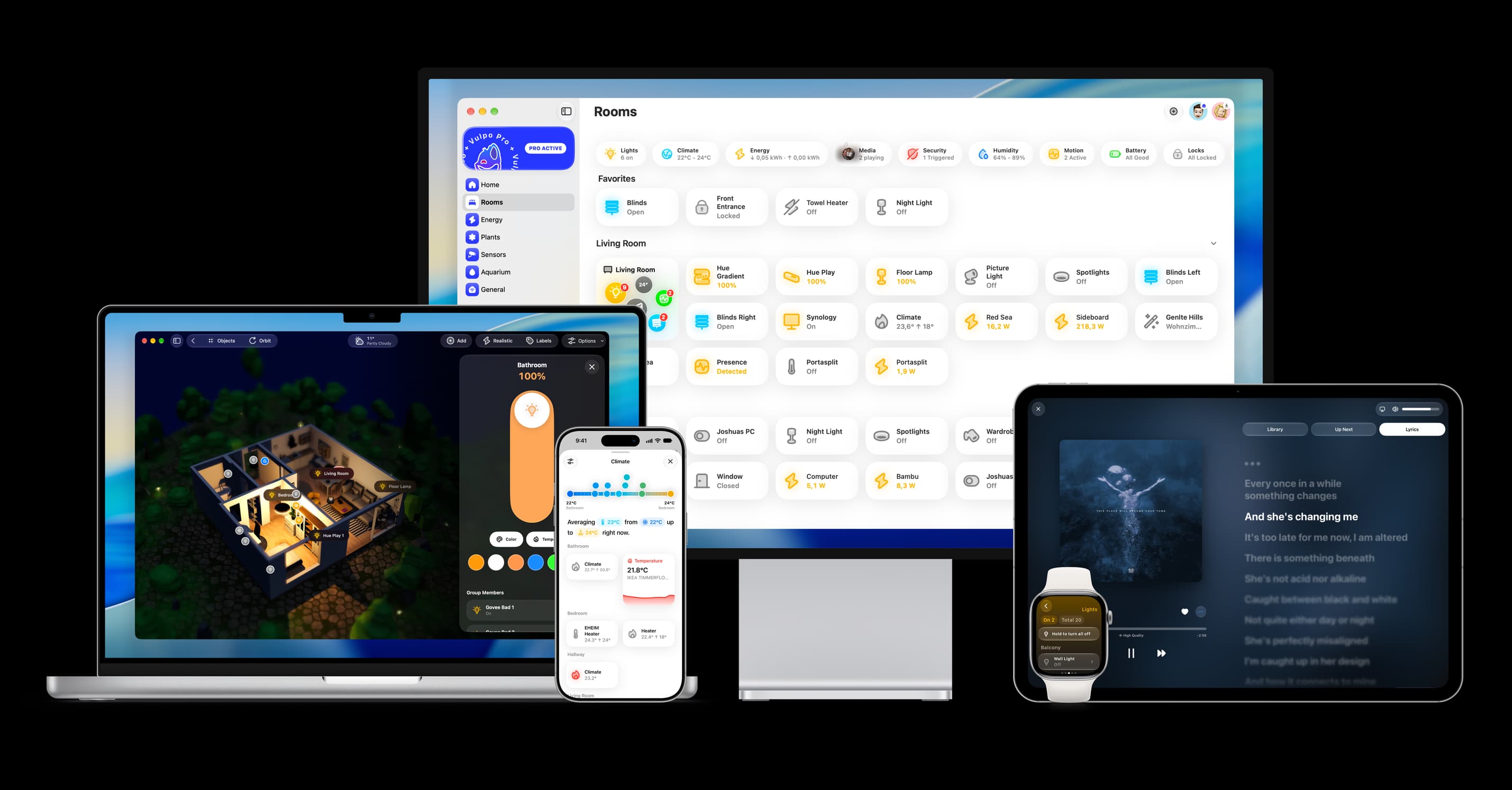
- Free to download
- iPhone, iPad, Mac and Apple Watch
- 40+ native card types
- Connects to your own Home Assistant