On Home Assistant 2026.10 or older? Open it in HACS
- Installs
- 139 sharing analytics
- GitHub stars
- 35
- Connection
- Works locally
- Upkeep
- Updated in the last 6 months
- Version
- v1.12.3,
- Category
- Computers and network, Routers and network
- Kind
- Marketplace integration
- Brand
- Ubiquiti
- Needs
- Needs the Marketplace (HACS on 2026.10 and older)
- Domain
unifi_wan- Issues
- Report an issue
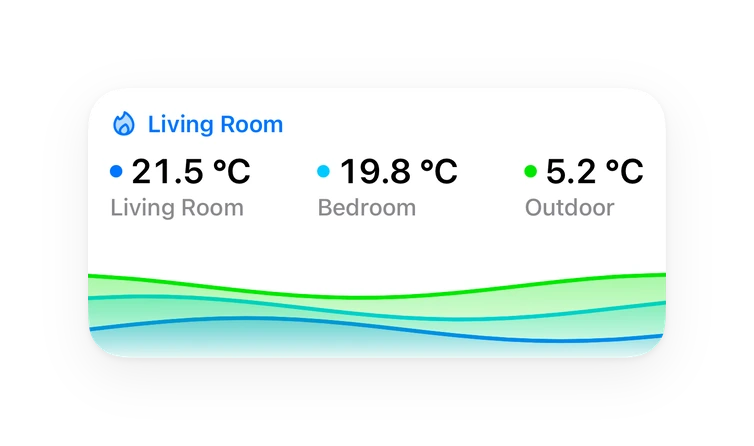
Shows in Vulpo Quick Toggle card, Button card, Chart card, Apple Watch, Control Center.
Independent directory, made by the developer of Vulpo. Not affiliated with Home Assistant or the Open Home Foundation.
About
UniFi WAN is a Marketplace integration that pulls WAN metrics from a local UniFi OS console. It adds sensors for WAN status, IPv4 and IPv6 addresses, and download and upload rates, with one rate set refreshed on a fast interval and another on the scan interval. Speedtests can run automatically on a set interval or be started manually through an action, and binary sensors follow the test lifecycle. Each speedtest also records the server and the ISP details for the WAN. Expected download and upload speeds can be entered with a tolerance, and status sensors then report whether a test came out as Expected, Faster or Slower. Setup happens in the UI with the console address and an API key, and a diagnostics download and a raw data dump are available for troubleshooting.
Automatic summary of the README and code of holdestmade/Unifi-WAN. Something wrong, or are you the maintainer and want your own text here? Get in touch

Shows in Vulpo
Quick Toggle card, Button card, Chart card, Apple Watch, Control Center.Supports
- Works locallyTalks to your devices on your own network. No vendor cloud in between.
- From the MarketplaceInstalled through the Marketplace, formerly HACS.
- Actively maintainedIts author released or pushed a change in the last six months.
Provides
- Switches
- Sensors
Setting it up
Install it from the Marketplace and restart Home Assistant, then add it under Settings, Devices and services.
UniFi WAN
- Host / IP
- API Key
- Site
- Verify SSL Certificate
- Run Speedtest Automatically
- Auto Speedtest Interval (minutes)
Re-authenticate UniFi WAN
- API Key
Reconfigure UniFi WAN
- Host / IP
- API Key
- Site
- Verify SSL Certificate
After setup
- Host / IP
- API Key (leave blank to keep current)
- Site
- Verify SSL Certificate
- Scan Interval (seconds)
- Rate Interval (seconds, 0 to disable)
- Run Speedtest Automatically
- Auto Speedtest Interval (minutes)
- ISP Expected Download Speed (Mbit/s, 0 to disable)What your line is sold as. The ISP Download Speed Status sensor compares each speedtest against it and reports Expected, Faster or Slower. Leave at 0 if you would rather not compare.
- ISP Expected Upload Speed (Mbit/s, 0 to disable)What your line is sold as. The ISP Upload Speed Status sensor compares each speedtest against it and reports Expected, Faster or Slower. Leave at 0 if you would rather not compare.
- ISP Speed Tolerance (%)How far either side of the expected speed still counts as meeting it. At 2%, a 500 Mbit/s line reads Expected between 490 and 510. Widen it for a connection that varies by time of day; 0 means only an exact match counts.
Texts from the code of holdestmade/Unifi-WAN.
Actions
- Run SpeedtestTrigger a manual speedtest on the active UniFi Gateway immediately.
- WAN interface
- Dump raw dataWrite an unredacted JSON file of everything the controller returns, to config/unifi_wan_dumps/, for your own inspection. Contains IP addresses, MAC addresses, serial numbers and the ISP lookup - do not post it publicly; use Download diagnostics for that.
- Files to keep
Troubleshooting
- DiagnosticsDownloads a diagnostics file to attach to a bug report.
From the README
Pull WAN metrics from a UniFi OS console.
(UDM / UDR / UXG (with a separate cloud key) / UGW / EFG / UCG-Ultra etc.)
- Live WAN status, IP information and throughput sensors
- Speedtest automation with manual triggers and binary sensors for insight into the test lifecycle
- Speedtest server identification per WAN — which provider, host and location the test ran against
- ISP identification per WAN — provider, organisation, ASN and location, from the lookup the gateway performs against each WAN's own public address
- Redacted diagnostics for bug reports, and unredacted raw JSON dumps for looking at your own data
Information
- Installs
- 139 sharing analytics
- GitHub stars
- 35
- Connection
- Works locally
- Upkeep
- Updated in the last 6 months
- Version
- v1.12.3,
- Category
- Computers and network, Routers and network
- Kind
- Marketplace integration
- Brand
- Ubiquiti
- Needs
- Needs the Marketplace (HACS on 2026.10 and older)
- Domain
unifi_wan- Issues
- Report an issue