
 Vulpo 1.4Updated
Vulpo Lumen: 3D Room Scan for Home Assistant
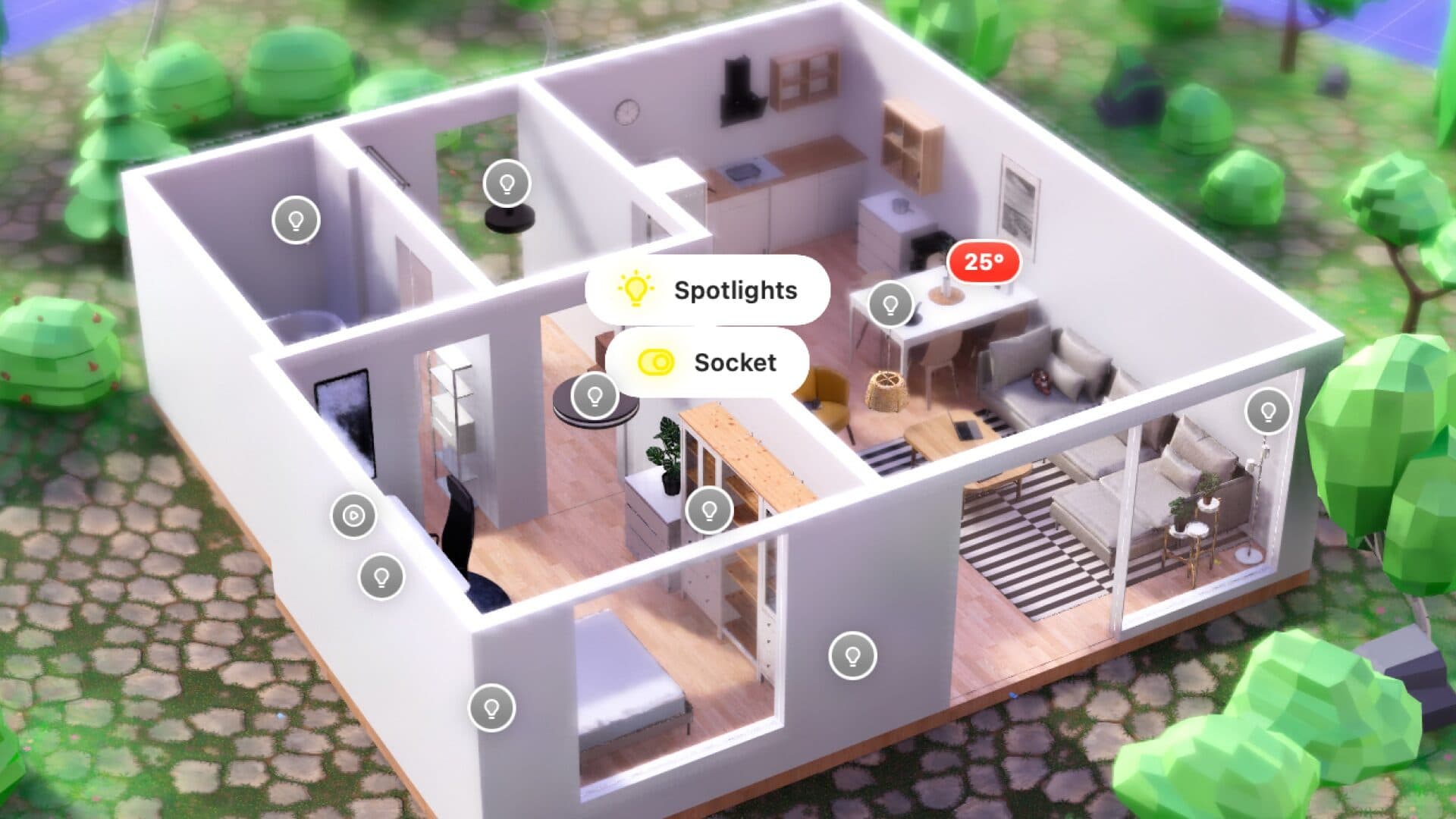
Vulpo Lumen is a 3D view of your home linked to Home Assistant. You scan a room with the LiDAR sensor of an iPhone or iPad, place furniture from a built-in catalog, link objects to entities and then control lights, media and more inside the scene. Lights render with their real color and brightness, and devices with hardware ray tracing use a real-time path tracer. Lumen is part of Vulpo Pro.
How it works
Lumen uses Apple RoomPlan to capture walls, doors, windows and furniture outlines, then rebuilds the room as a 3D scene.
Scan
Walk the room with a LiDAR iPhone or iPad (iPhone Pro models since iPhone 12 Pro, iPad Pro models with LiDAR)
Furnish
Place over 200 furniture and decor models from the object browser, move, rotate and scale them
Link
Tap any object and attach a Home Assistant entity, including wall outlets, switches and smart plugs for TVs and speakers
Control
Adjust lights, play media and watch state changes inside the room
Multi-floor
Explore multi-story scans floor by floor, with walls fading away dollhouse-style as you move close
Rendering
Lumen simulates daylight by time of day and renders each light with the color and brightness Home Assistant reports. On devices with hardware ray tracing and at least 6 GB of memory it runs a real-time path tracer for physically based reflections, soft shadows and global illumination; other devices use a hybrid renderer. Scenes can be exported as images up to 2560 by 1600 pixels and shared.
Lumen in Vulpo 1.4
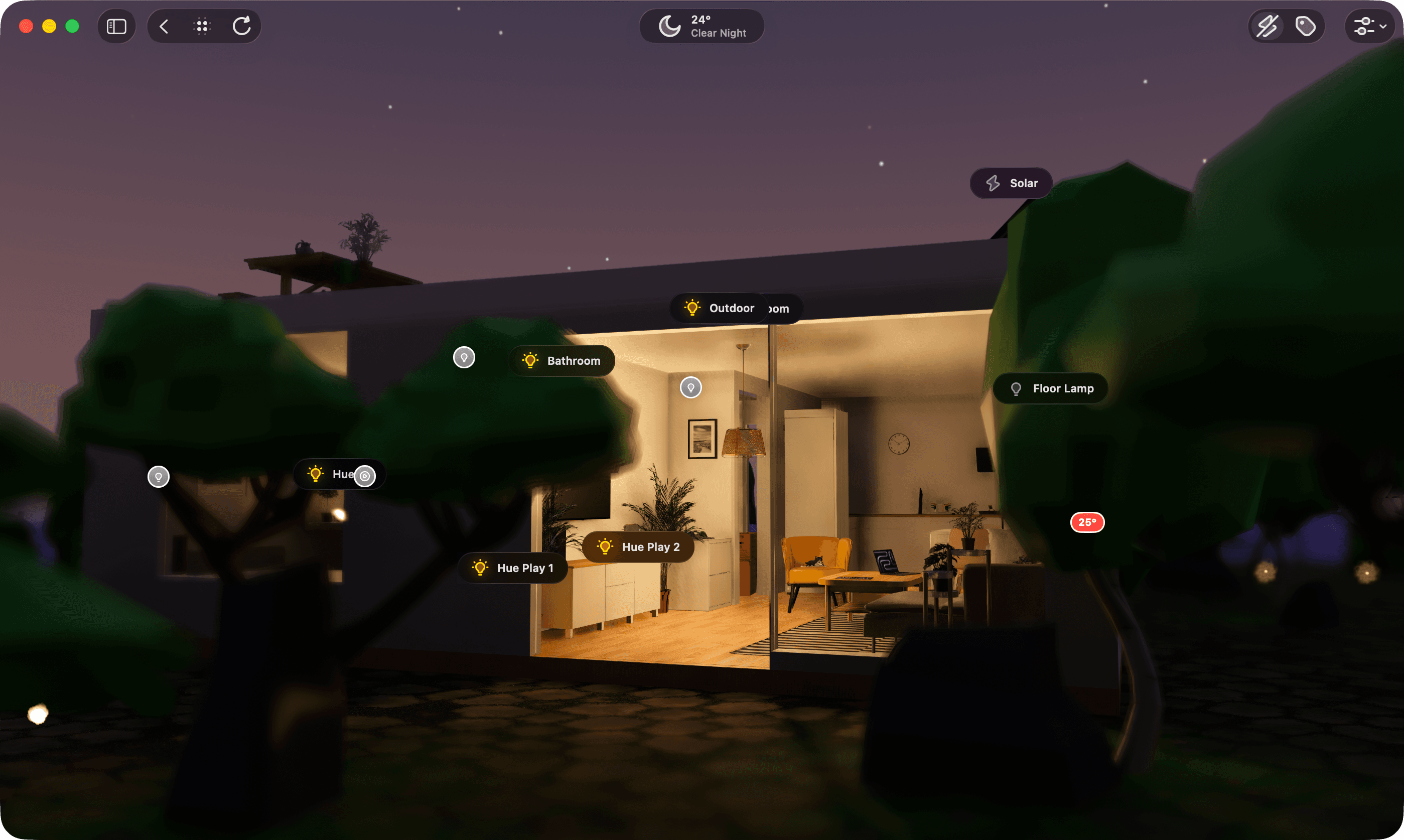
Vulpo 1.4 redesigned Lumen around the room. Panels are glass over the scene, and the library, settings, links and photos open in a side panel instead of covering it.
Controls in the room
Tap a label to open that device's controls right there
Time of day
The whole app turns light or dark with the scene's time of day
Faster
A room you have opened before is back in under three seconds on a recent iPhone, and older iPads draw more smoothly
Sun shadows
Devices without hardware ray tracing get real sun shadows
iPhone Duo
The room in one half, with tiles, settings and the object library in the other
Fast mode
A Resolution choice, and Clear Render Cache shows and frees the space Lumen uses
Availability
Vulpo Lumen is part of Vulpo Pro. Scanning requires a LiDAR device; viewing and controlling scanned rooms works on iPhone, iPad and Mac, and scans sync through iCloud.
Questions
Which devices can scan rooms in Vulpo?
Room scanning uses the LiDAR sensor, available on iPhone Pro models since iPhone 12 Pro and on iPad Pro models with LiDAR. Devices without LiDAR, including Macs, can still view and control rooms that were scanned on another device and synced through iCloud.