
Updated
Automations
New in Vulpo 1.3Home Assistant Automations on iPhone, iPad and Mac
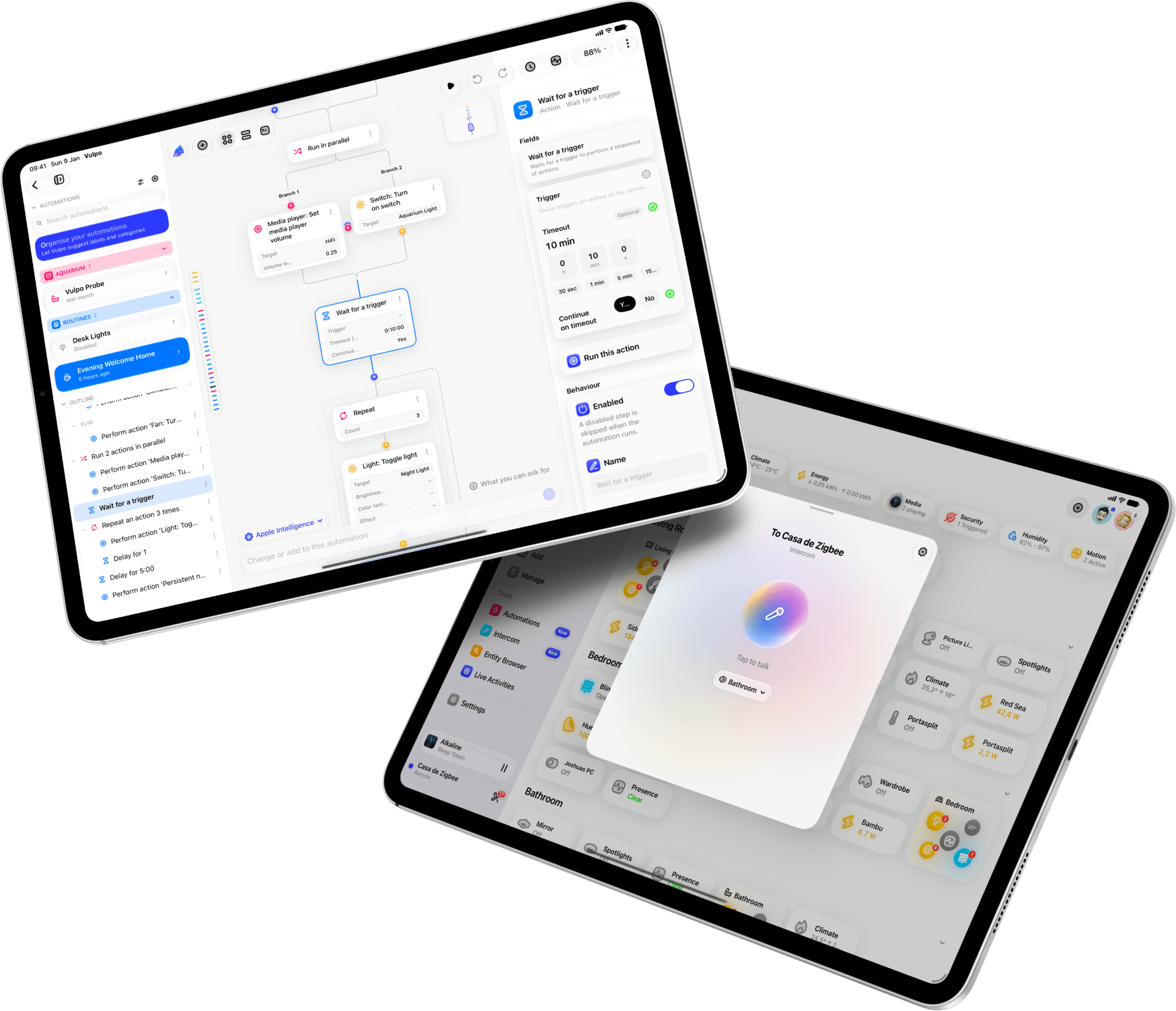
Vulpo edits Home Assistant automations on iPhone, iPad and Mac without the web frontend. The same automation opens as a node canvas, a step list or a YAML editor, and you can describe what you want in a sentence and get a draft back as tappable pills you can change. New in Vulpo 1.3.
Automate your home without writing YAML.
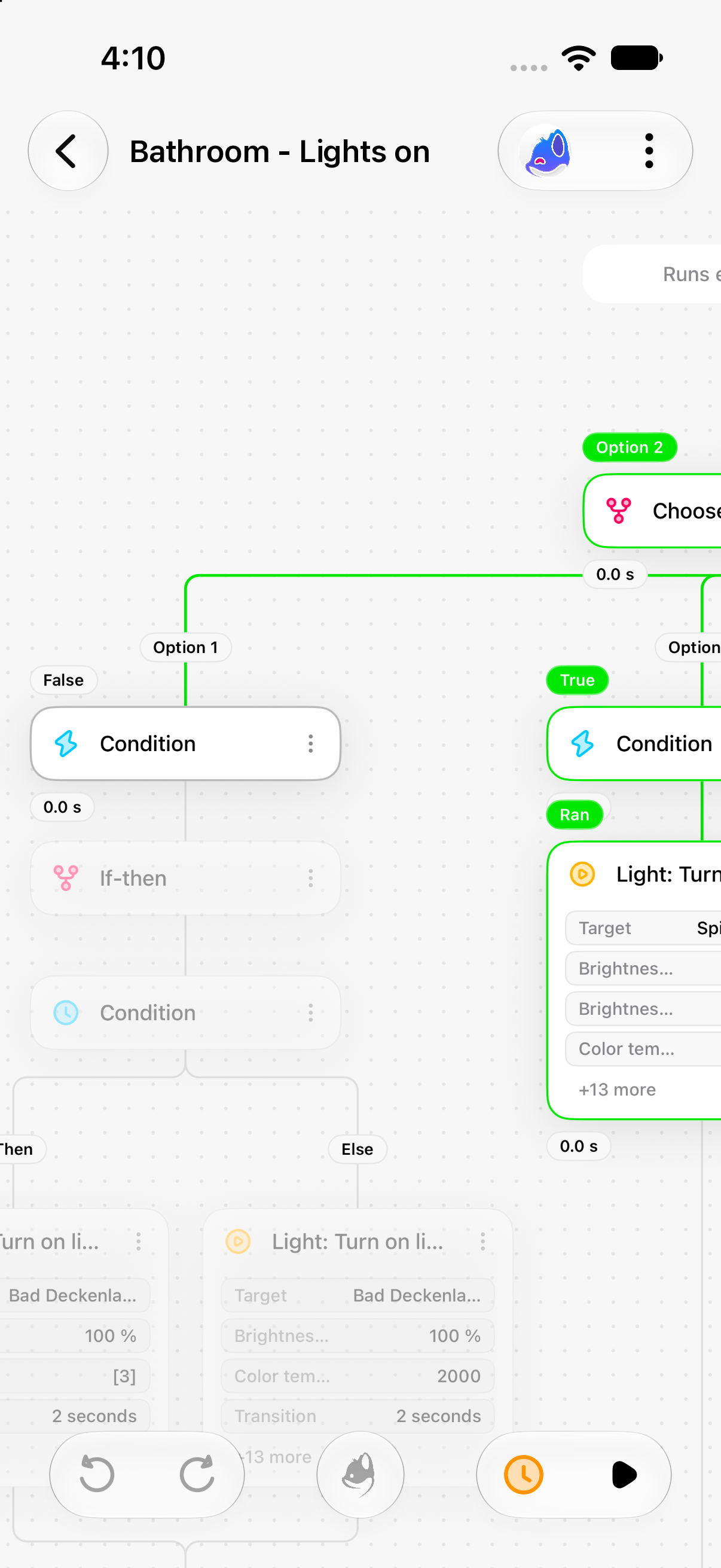
Read a whole automation at a glance, every branch included.
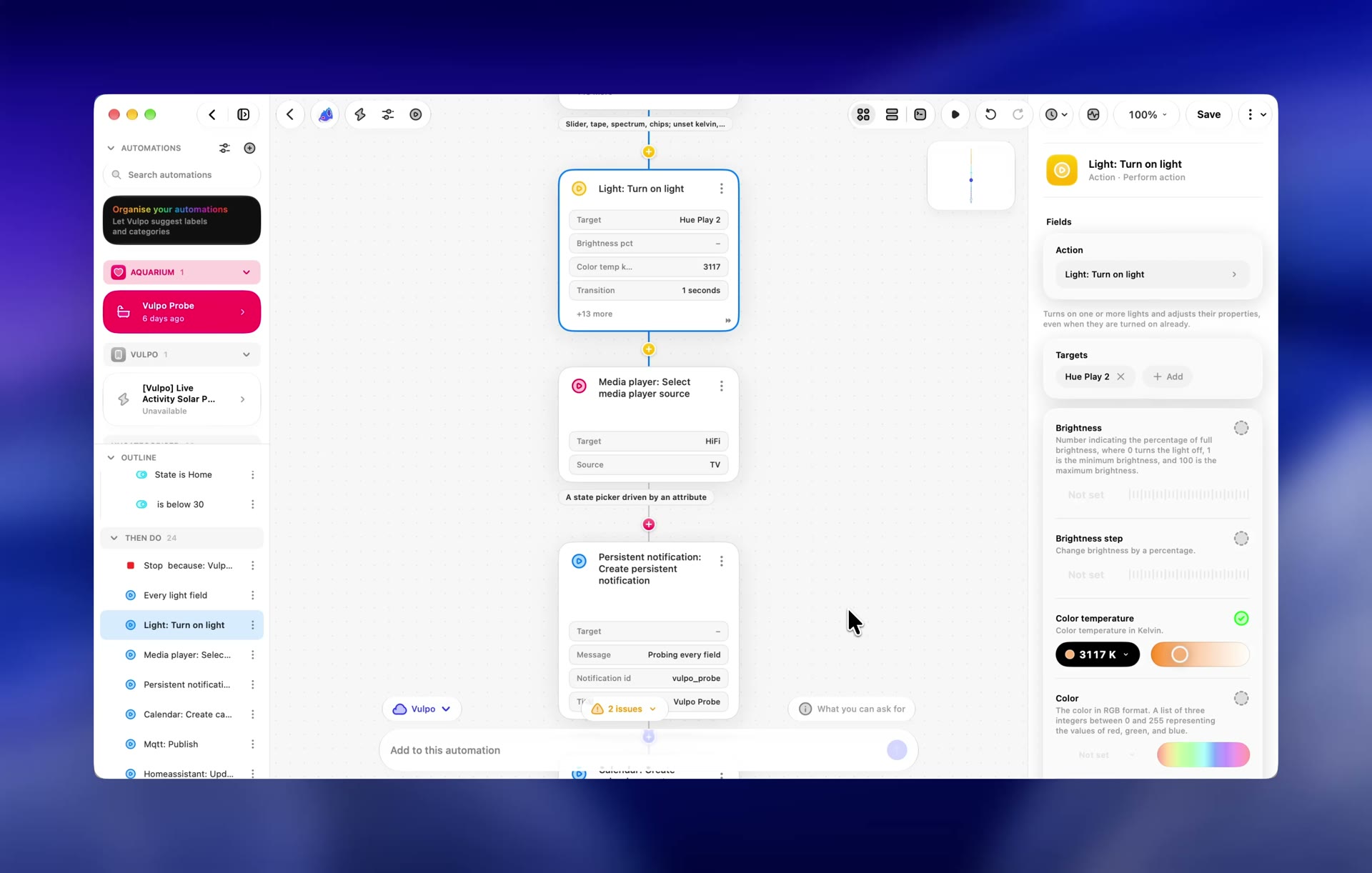
Choices, conditions and branches on one canvas. Select a step and every field is right there in the inspector.
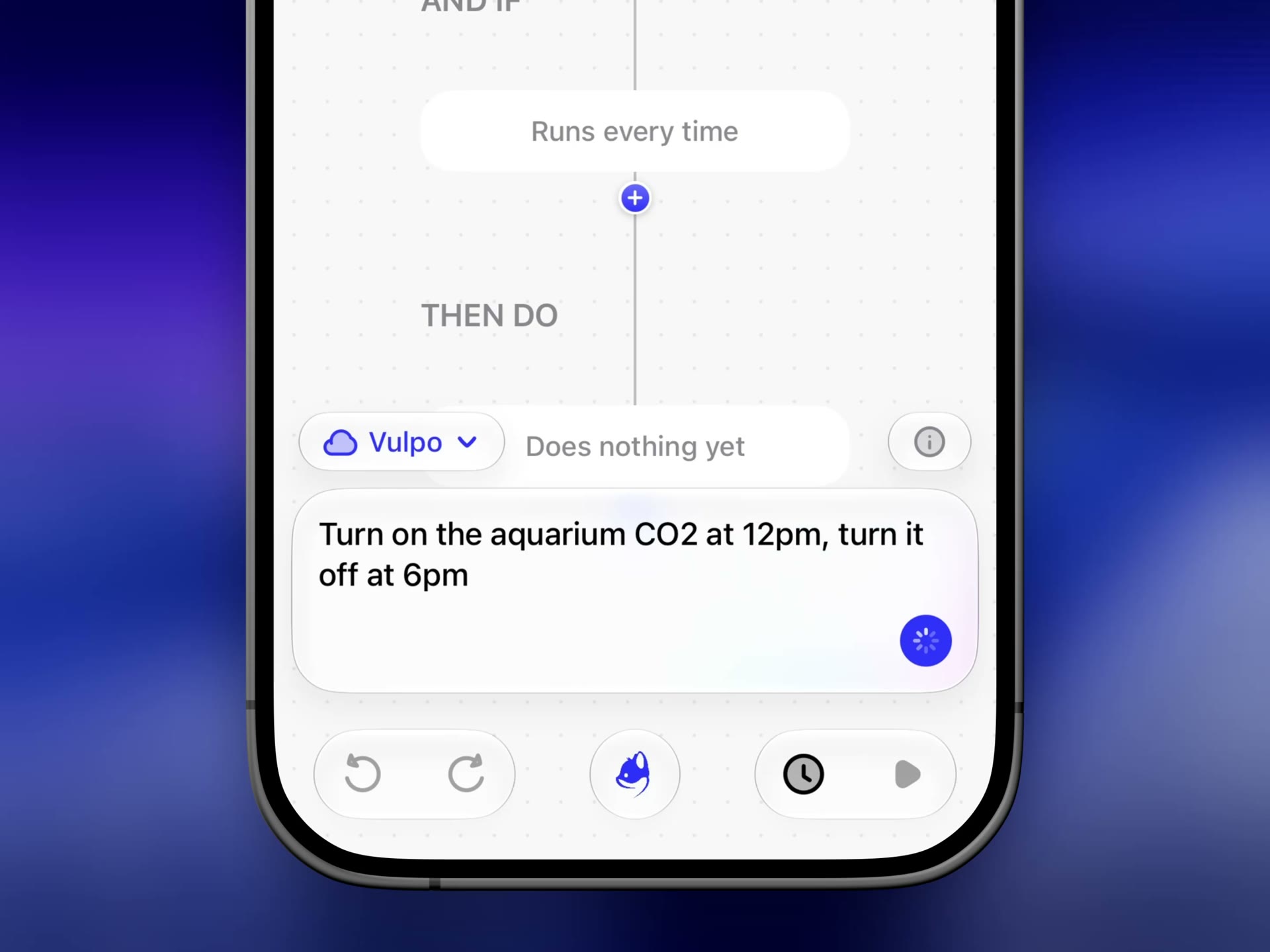
Say it in a sentence.
Vulpo drafts the steps, you check them, and one tap adds them to the automation.
One automation, three views.
Lay it out on the canvas, read it as steps, or edit the YAML Home Assistant runs.
Three views of one automation
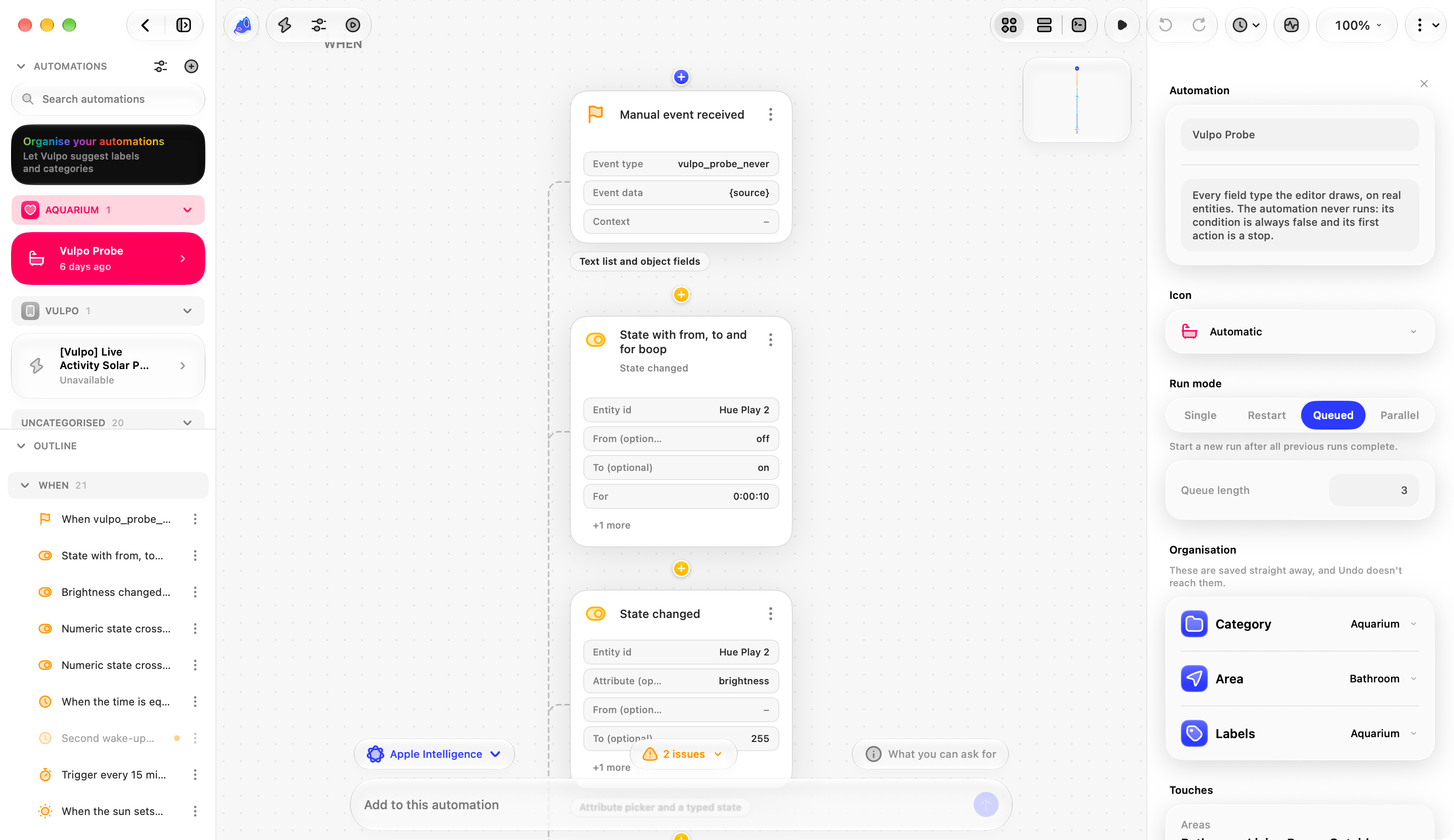
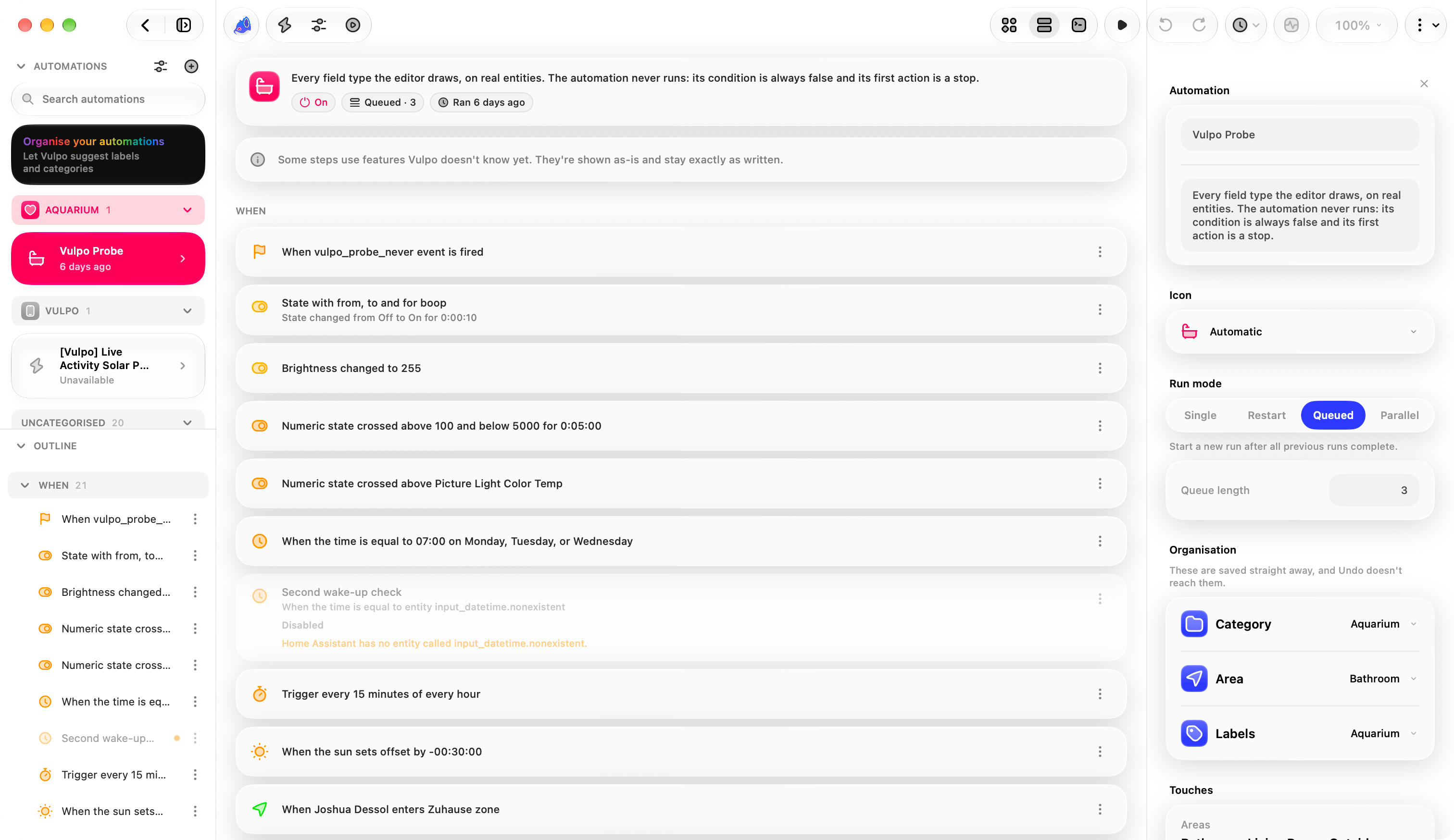
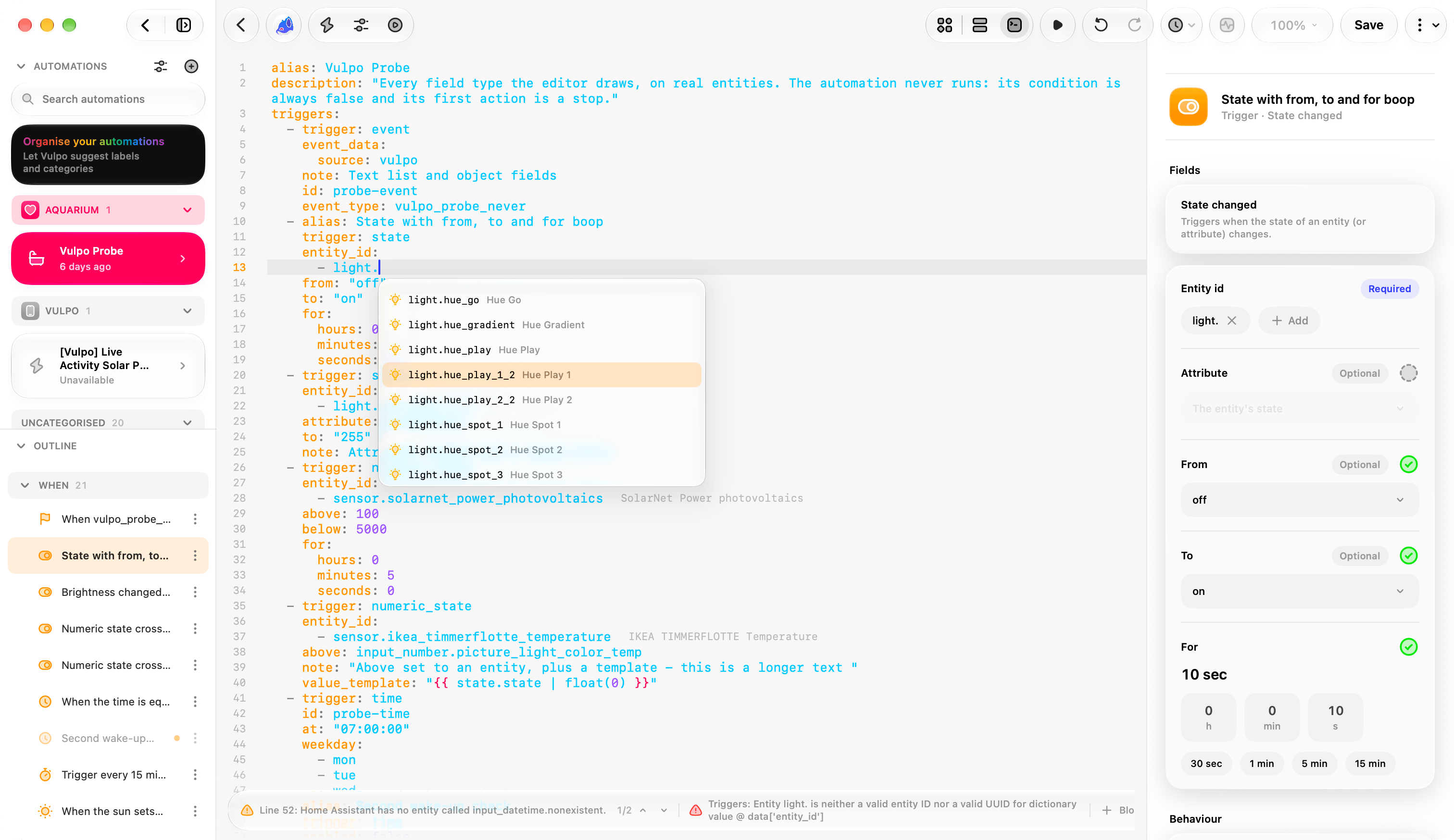
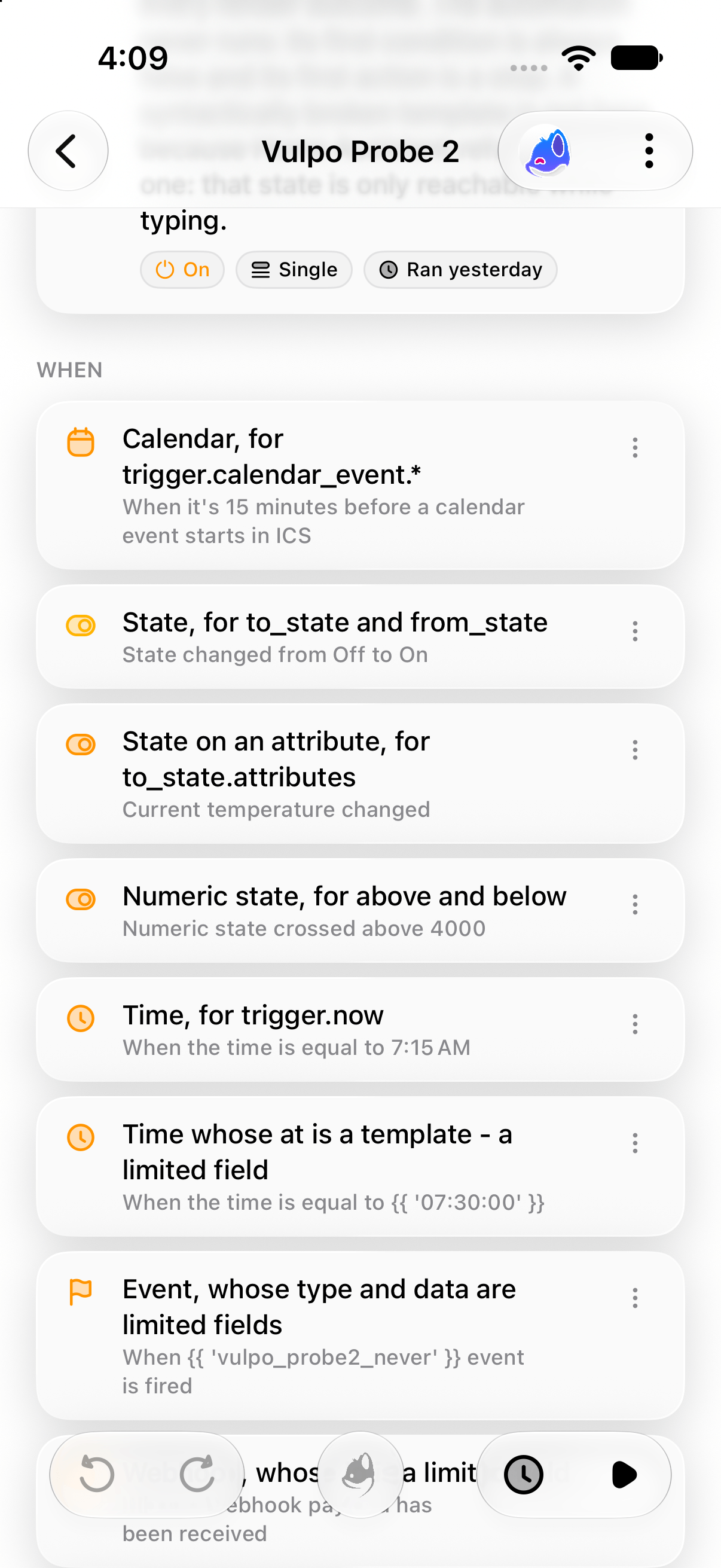
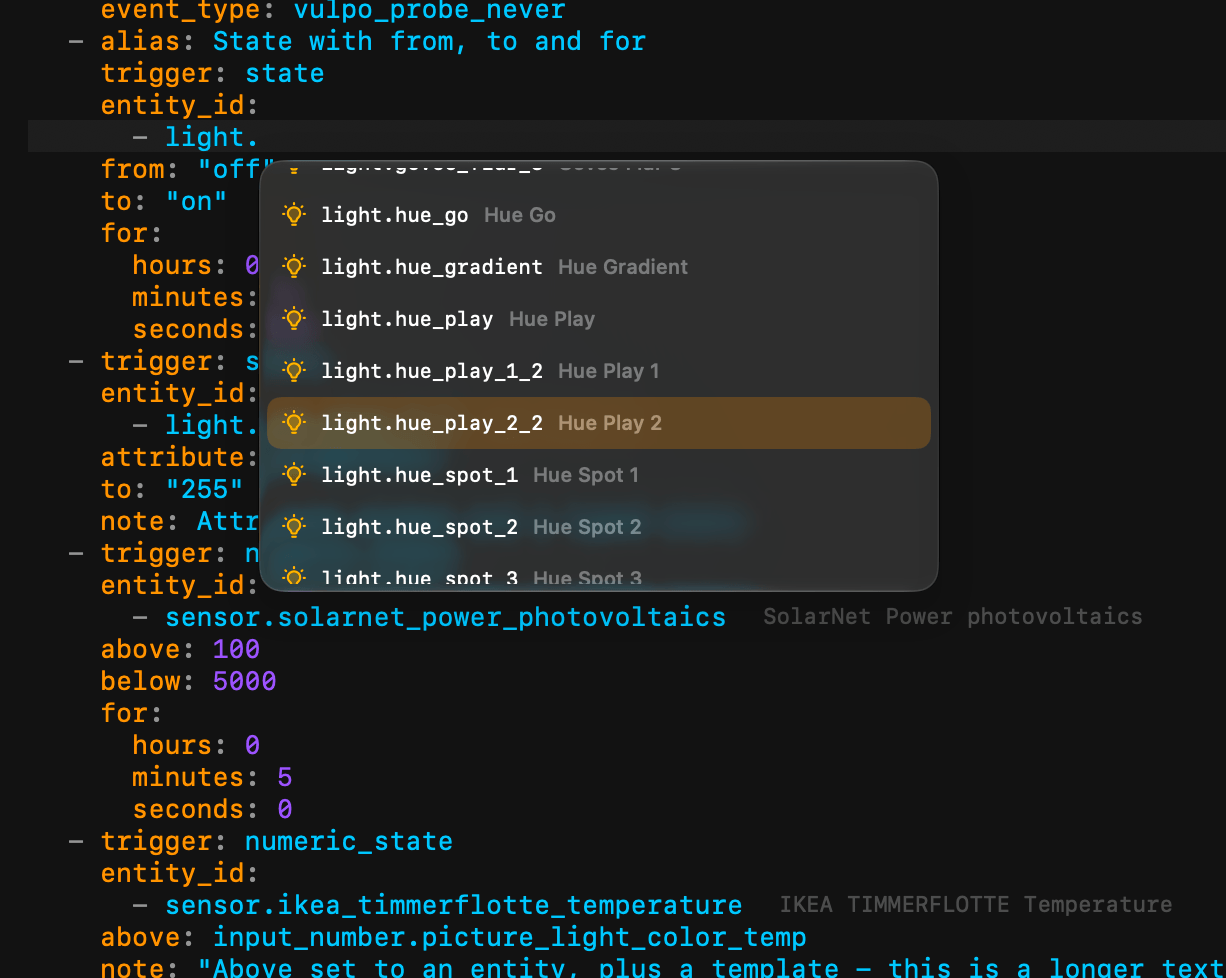
The canvas, the list and the code editor are three ways to look at the same document, and they share a selection. Pick a step on the canvas and the code editor scrolls to its line; fix a problem in the YAML and the canvas redraws around it.
- Canvas A node graph with pan, zoom and an insertion layer, so a branch is something you can see
- List An outline with an inspector column, sized for a Mac window or an iPad split view
- Code A YAML editor with a gutter, folds, completion and lint, and Jinja coloured inside the YAML
- Shared selection The step you picked stays picked when you change view
Describe it in a sentence
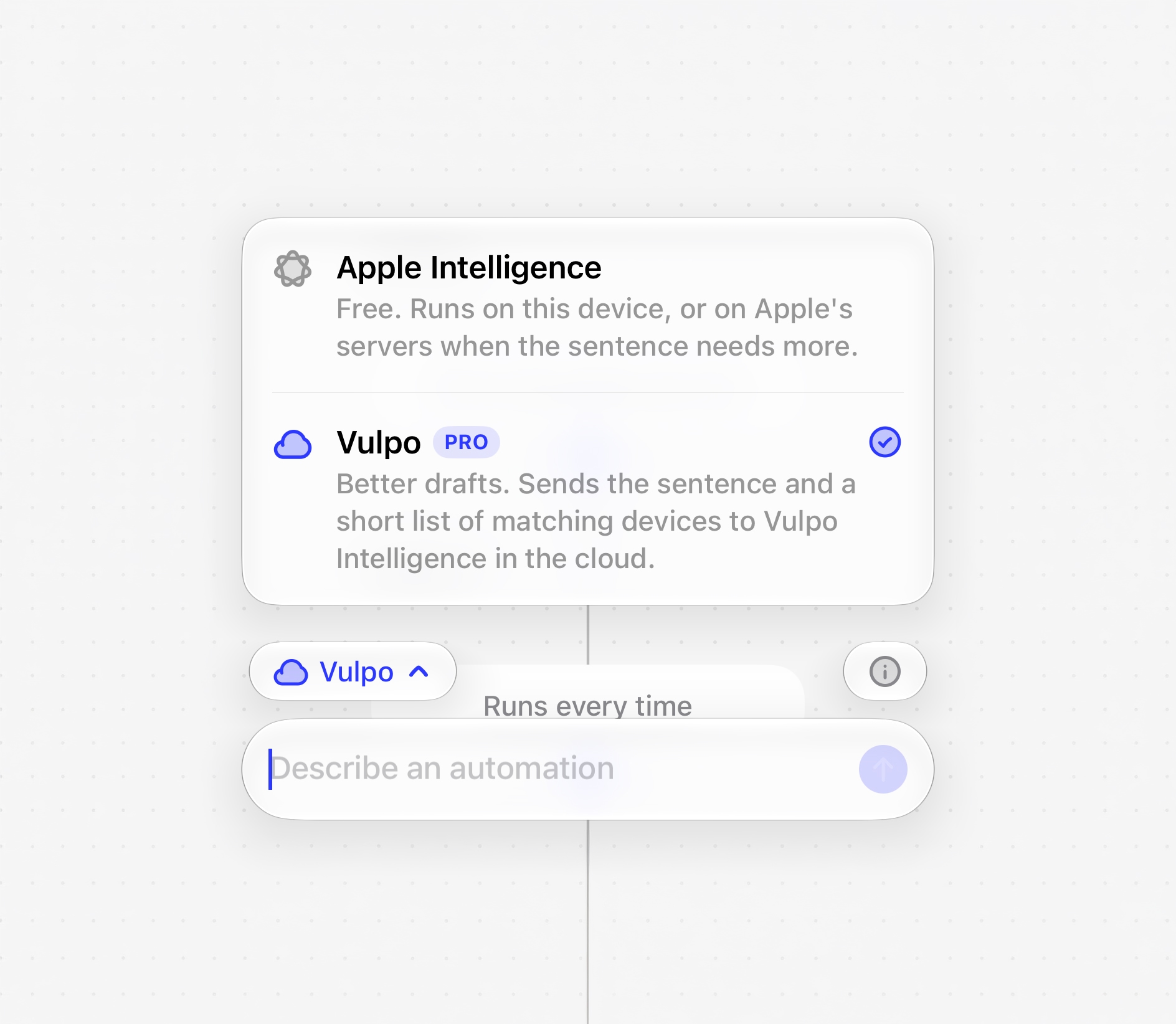
Type what the automation should do and Vulpo drafts it, from a single step to the complete YAML. Every name in the draft is one of your own entities, areas and devices, and every step is built through the same catalog a tapped step uses. The draft comes back as a sentence of pills, and every pill is a decision you can change.
- Three models Apple's on-device model, Private Cloud Compute on iOS 27 and Vulpo Intelligence, chosen in one picker
- Reviewable A dashed pill is a choice it could not make, and the draft cannot be accepted while one stands
- Editable Tap any pill to swap the light, the time, the temperature or the message
- Offline Apple's on-device model drafts without a subscription and without a network
Templates without curly braces
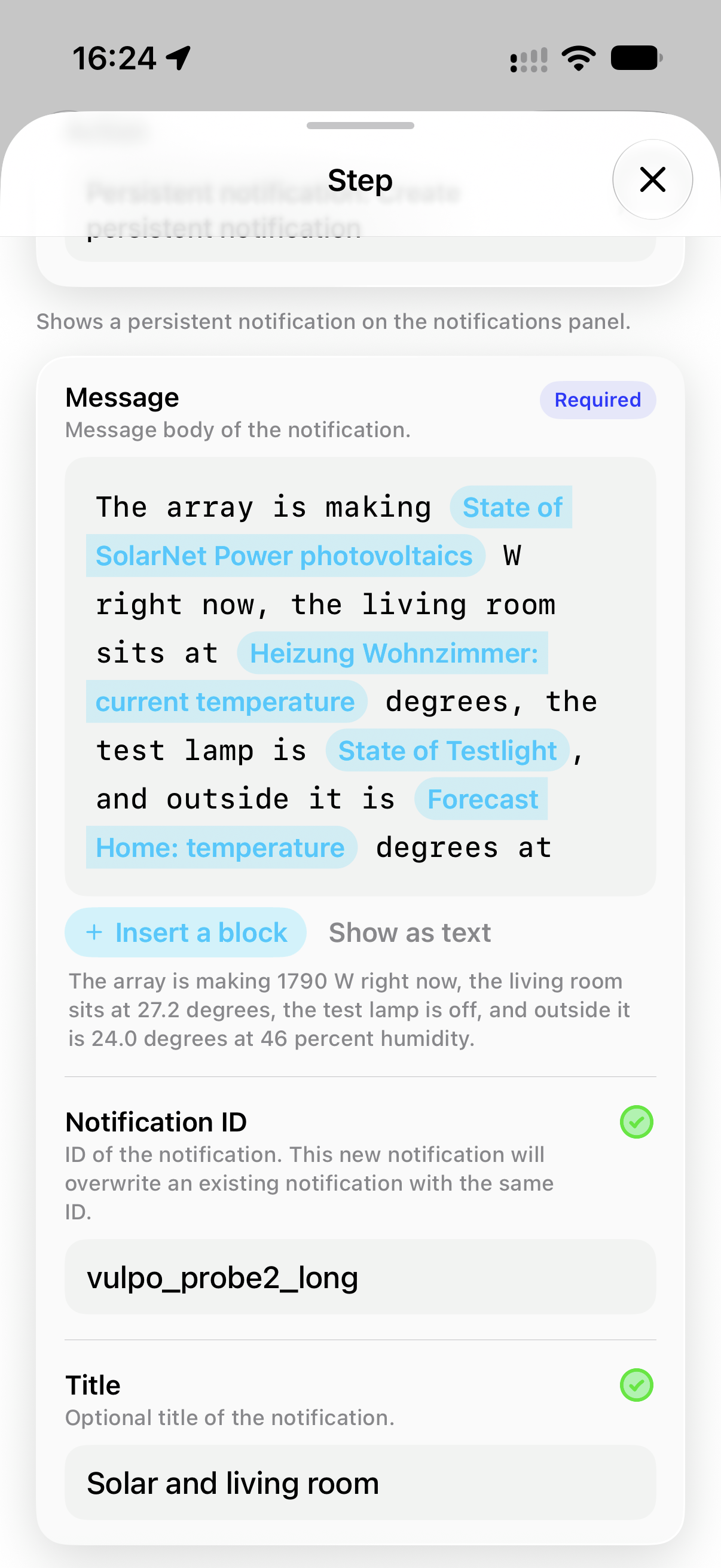
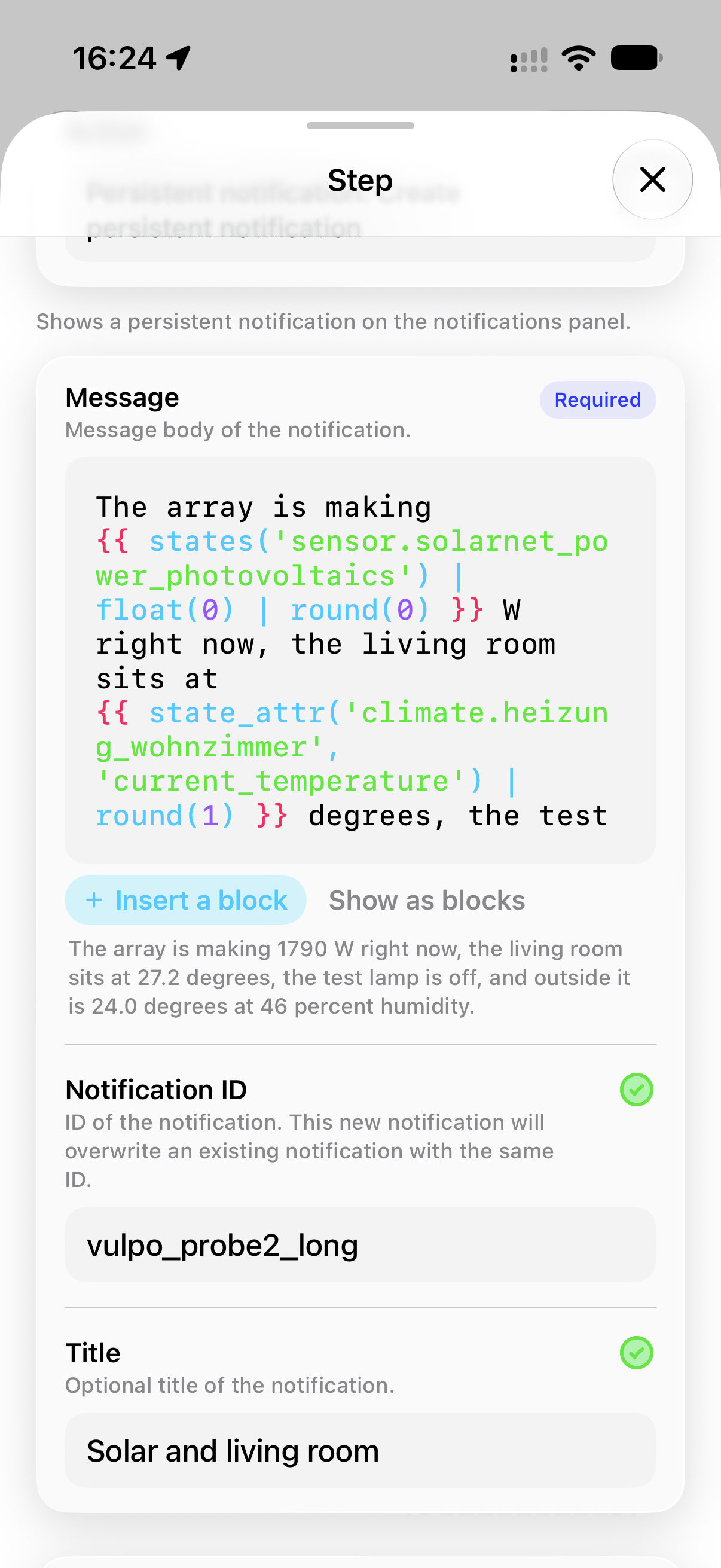
Home Assistant templates are Jinja, and Jinja is where a lot of automations stop being approachable. Vulpo gives every template field a palette of building blocks, colours the template as you type, and shows what it renders to right now, asked of your own server.
- Palette Pick a building block instead of typing the braces
- Rendered line The live value, from your own server's render_template
- Chips A finished template reads back as tappable spans rather than a wall of text
- Colour The same Jinja highlighting inside the YAML code view
Start from a recipe, or from the thing itself
Two ways in that are not a blank document. The recipe wizard asks one question per screen and knows which rooms you have. The add-step catalog asks for the thing first and then for what that thing can do, reading the answer from Home Assistant rather than from a list Vulpo guessed at.
- Recipes A door or window left open, lights that follow presence, a safety alert, a temperature alert
- Catalog Pick the device, then pick the capability, and get a complete step back
- Forms Every step form is drawn from Home Assistant's own selectors and schemas
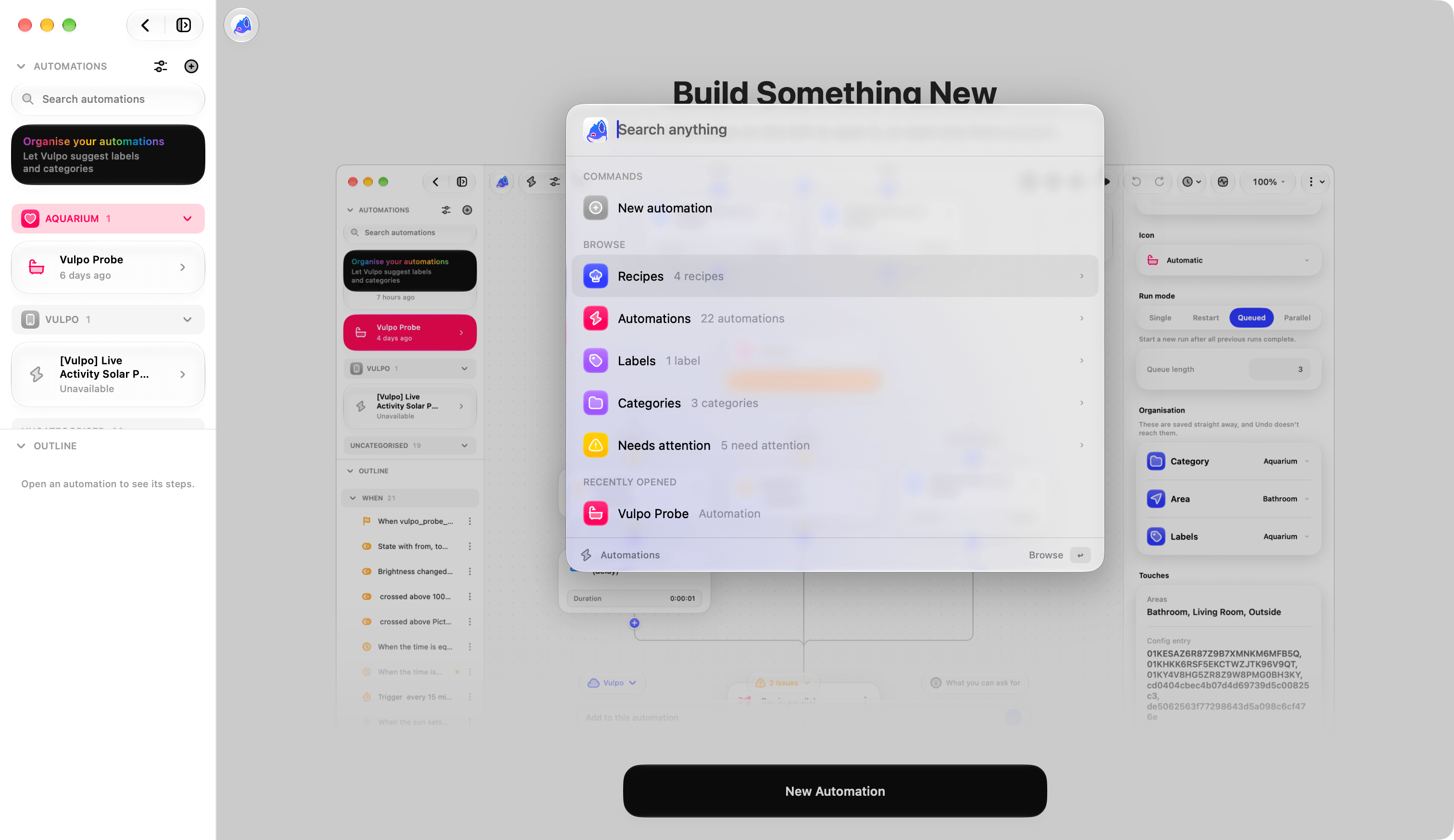
- Command bar A search field that ranks every action in the editor, for the keyboard


See it run
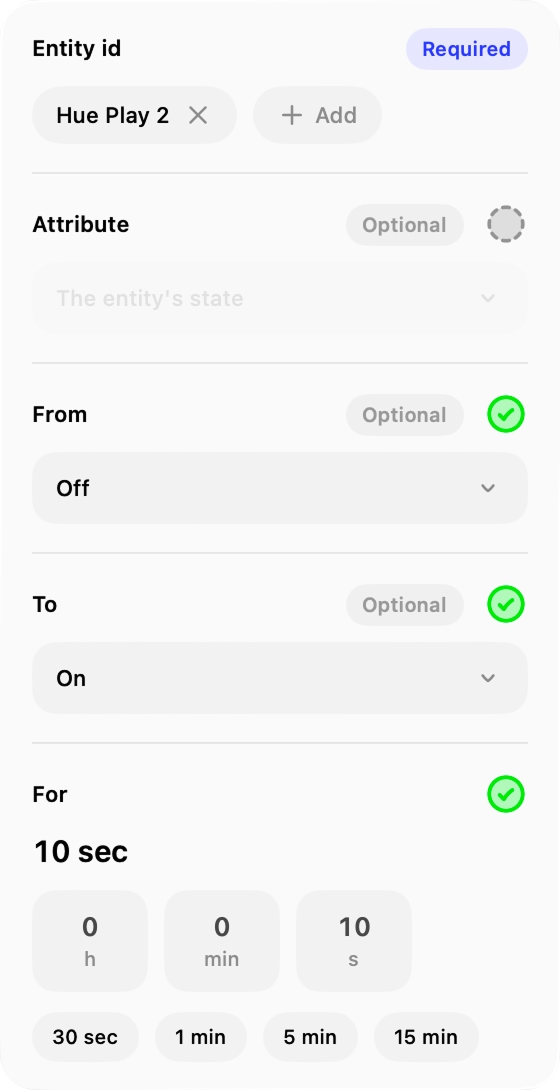
An automation you cannot watch is an automation you debug by guessing. Vulpo subscribes to the triggers and conditions of the automation on screen and lights the graph as the house moves, and it replays a past run on the same canvas.
- Live monitor The graph lights up over a websocket, only while the editor is open
- Trace replay The path a past run took is lit, the path it skipped is dimmed
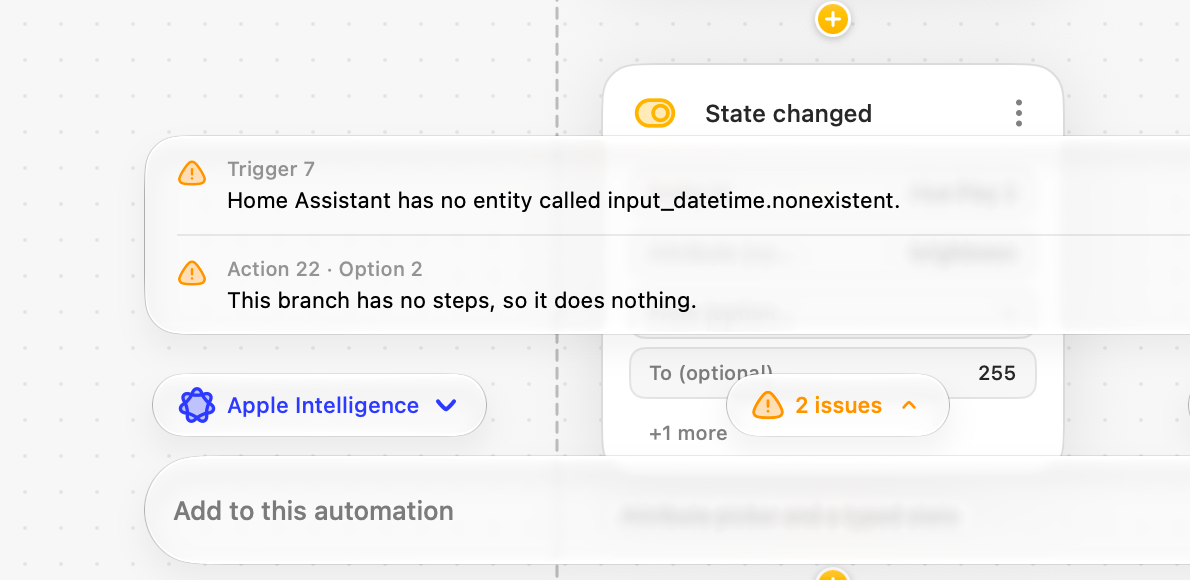
- Validation Blocking problems and warnings, shown on the canvas card, the list row, the code line and the inspector at once
- Copy and paste Move steps between automations without retyping them
Availability
The automation editor has been part of the free app since Vulpo 1.3 and needs a Home Assistant account with administrator rights, because that is what Home Assistant itself requires to read and write automations. Drafting from a sentence needs a device that supports Apple Intelligence.
- Free, since Vulpo 1.3
- Admin rights in Home Assistant
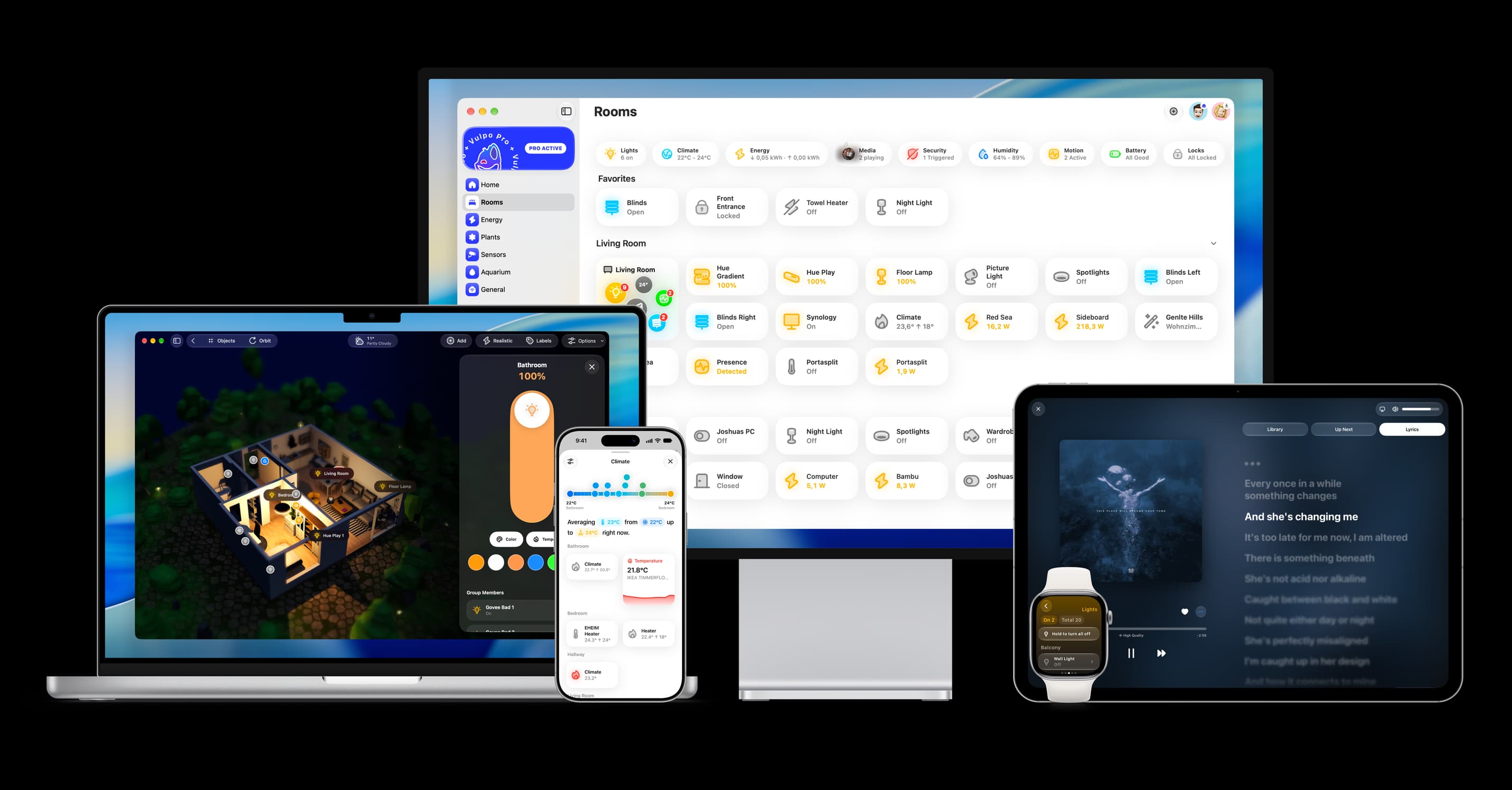
- iPhone, iPad and Mac
- Apple Intelligence to draft from a sentence
Questions
Does Vulpo write Home Assistant YAML directly?
Yes, and it is the same YAML Home Assistant stores. The code view edits the document, the canvas and the list edit that same document through forms, and an automation saved from Vulpo opens unchanged in the Home Assistant web editor.
Can the AI change my house on its own?
No. A draft is a draft. Nothing is saved until you accept it, the model cannot name a device it was not shown, and any choice it could not make blocks acceptance until you answer it yourself.
Do I need a subscription to draft an automation from a sentence?
No. Apple's on-device model is free and works offline. On iOS 27, Private Cloud Compute handles longer sentences within Apple's own allowance and is also free. A third option that writes whole documents with a larger model is part of Vulpo Pro and is off by default.
Does the automation editor work on Mac and iPad?
Yes. It is built around a split view with columns on Mac and iPad and falls back to a single column on iPhone. The canvas, the list, the code editor and the composer are the same on all three.