Philips Shaver
On Home Assistant 2026.11 or newer? Open it in the Marketplace
- Installs
- 57 sharing analytics
- GitHub stars
- 29
- Connection
- Works locally
- Upkeep
- Updated in the last 6 months
- Version
- v0.31.0,
- Category
- Lighting
- Kind
- Marketplace integration
- Brand
- Philips
- Needs
- Needs the Marketplace (HACS on 2026.10 and older)
- Domain
philips_shaver- Issues
- Report an issue
Independent directory, made by the developer of Vulpo. Not affiliated with Home Assistant or the Open Home Foundation.
Screenshots From the README of mtheli/philips_shaver.
About
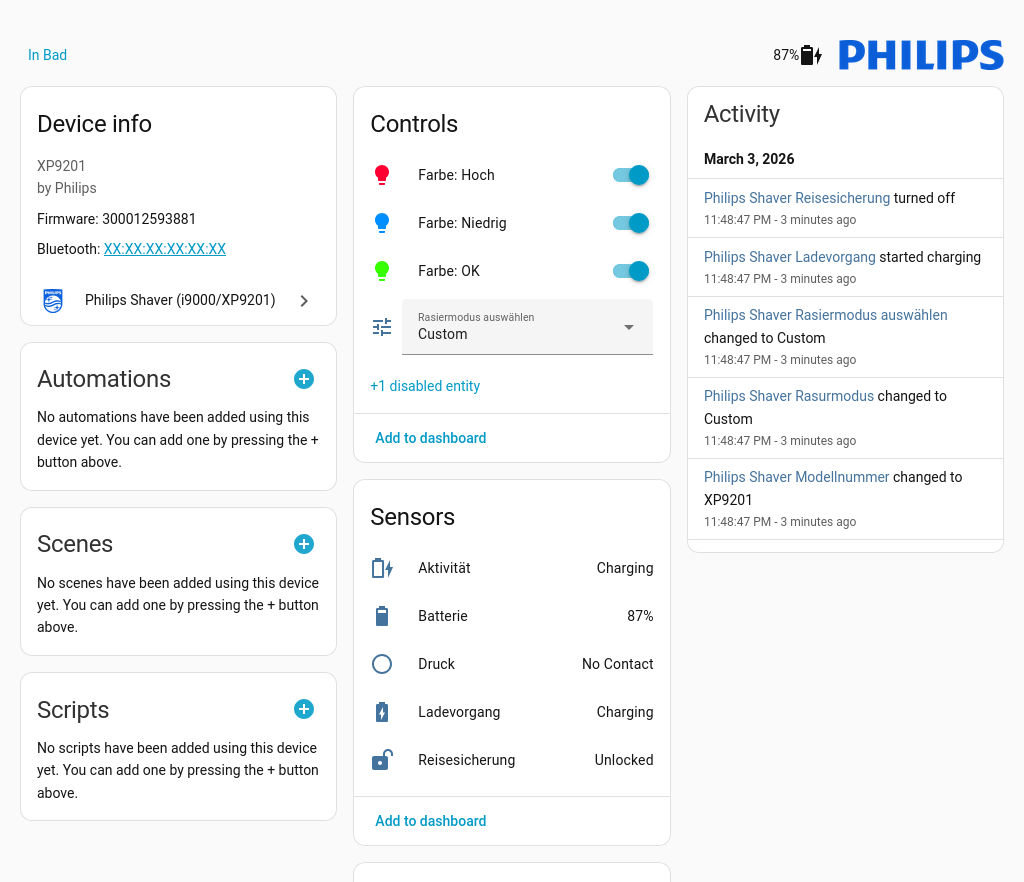
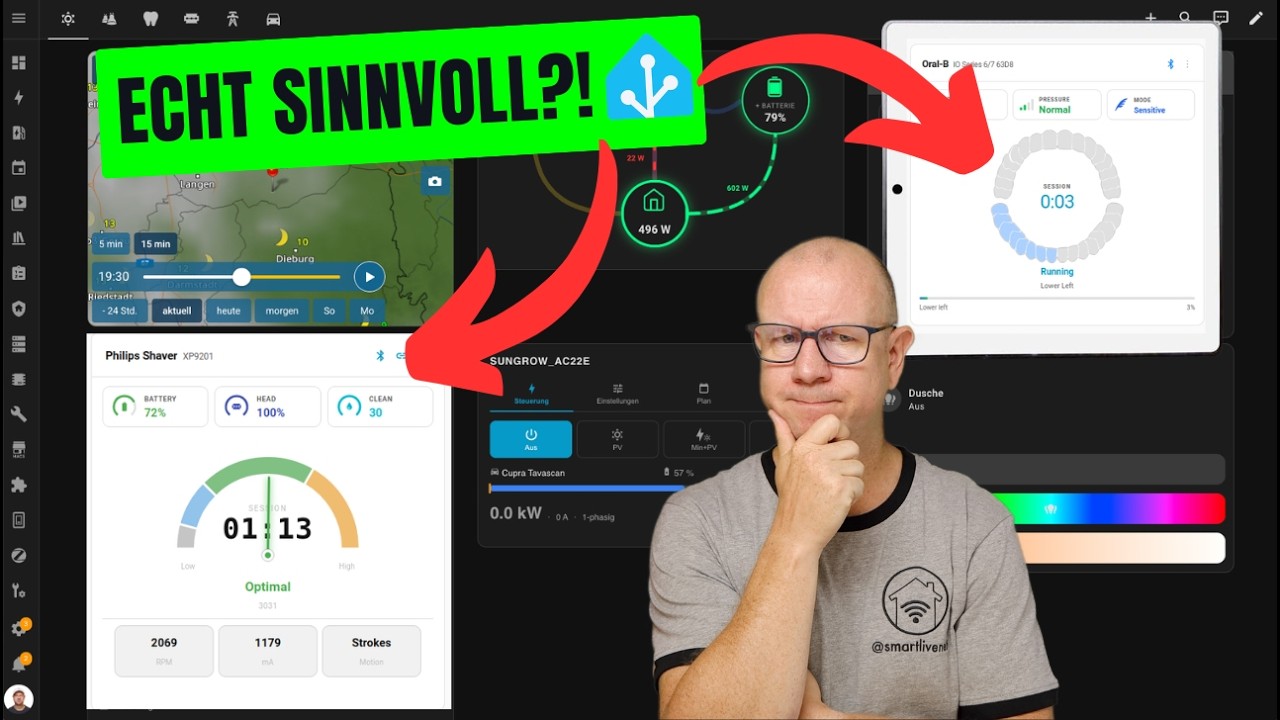
Philips Shaver is an integration that connects Philips Bluetooth shavers and OneBlade devices to Home Assistant over Bluetooth Low Energy. It runs locally and adds a device for the shaver with sensors for battery, remaining shaves, charge cycles, shaver head life and days since last use. It also provides binary sensors for charging, travel lock and cleaning reminders, buttons that reset maintenance notices, a light ring switch and brightness selector, and a shaving mode selector. Connection is either direct from the Home Assistant Bluetooth adapter or through an ESP32 running ESPHome as a relay, which suits a shaver out of range of the host. Entities are created only for features the detected model supports, and a dashboard card is registered automatically with the integration. Setup is done in the UI, and the shaver can be found automatically on the network.
Automatic summary of the README and code of mtheli/philips_shaver. Something wrong, or are you the maintainer and want your own text here? Get in touch
Supports
Works locally Talks to your devices on your own network. No vendor cloud in between.
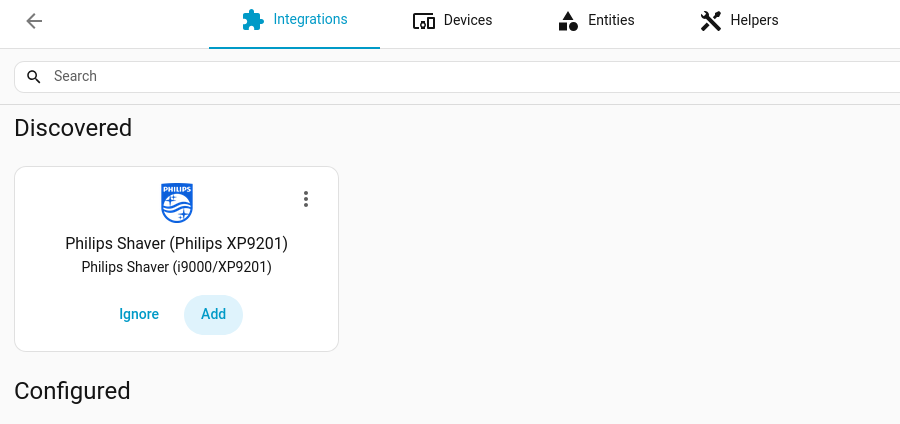
Found by itself Home Assistant spots it on the network and offers to add it.
From the Marketplace Installed through the Marketplace, formerly HACS.
Actively maintained Its author released or pushed a change in the last six months.
Provides
- Lights
- Switches
- Sensors
Setting it up
Install it from the Marketplace and restart Home Assistant, then add it under Settings, Devices and services.
Direct Bluetooth
- MAC Address
ESP32 Bridge (ESPHome)
- ESPHome Bridge DeviceLegend: ⚪ ESP unreachable • 🔗 paired slot • 🟢 empty slot
Select BLE Device
- BLE DeviceEntries without status icons are empty bridges in pair-mode. Switch on the shaver you want to bond before submitting.
Show capabilities
- NameHow this shaver appears in Home Assistant. Pick something that distinguishes it from any other shavers you have (e.g., "Bathroom", "John's").
After setup
- Notification ThrottleMinimum interval between BLE notification events forwarded by the ESP bridge (in milliseconds). Lower values give faster updates but may overload the ESP API buffer. Only applies to ESP32 bridge connections.
- Pipelined GATT readsSend the poll cycle's GATT reads to the ESP bridge as one batch instead of one at a time (much faster reconnects). Requires bridge firmware 1.10.0 or newer — on older firmware reads always stay sequential, regardless of this setting. Disable only if you see repeated read timeouts or ATT watchdog messages in the bridge logs. Only applies to ESP32 bridge connections.
Texts from the code of mtheli/philips_shaver.
Entities
- Binary sensorsCharging, Travel Lock, BLE Connected, ESP Connected, Motor Blocked, Clean Reminder, Head Replacement, Battery Overheated, Unplug Required
- ButtonsBlade Replacement, Reset Cleaning Cartridge, Reset Clean Reminder, Reset All Notifications
- LightsColor: Low, Color: OK, Color: High, Color: Motion
- SelectsSelect Shaving Mode, Light Ring Brightness
- SensorsBridge Version, ESP Build, ESP Chip, ESP Last Boot, Adapter, Battery, Charging status, Remaining Shaves, Charge Cycles, Number of Uses, Firmware, Shaver Head Remaining, and 25 more
- SwitchesLight Ring
- UpdatesBridge Firmware
Troubleshooting
- Repair noticesNotices it can show in Settings, Repairs:ESP bridge firmware update required, Standalone Philips Shaver Card is still installed
From the README
This is a custom component for Home Assistant to integrate Philips Bluetooth-enabled shavers.
The integration connects to your shaver via Bluetooth Low Energy (BLE) to provide status, usage, and advanced telemetry data. It automatically detects the capabilities of your specific model during setup to only show relevant entities.

Shows in Vulpo
Light card, Quick Toggle card, Button card, Select card, Apple Watch, Control Center.Information
- Installs
- 57 sharing analytics
- GitHub stars
- 29
- Connection
- Works locally
- Upkeep
- Updated in the last 6 months
- Version
- v0.31.0,
- Category
- Lighting
- Kind
- Marketplace integration
- Brand
- Philips
- Needs
- Needs the Marketplace (HACS on 2026.10 and older)
- Domain
philips_shaver- Issues
- Report an issue
More from Philips
Philips AirPurifier (with CoAP)3k installs · 💨 Philips AirPurifier custom component for Home Assistant. Suppo…Open Philips Hue Play Sync devices2.2k installs · Custom integration for Home Assistant to control the Philips Hu…Open