About
LG webOS TV Classic is an alternative LG webOS TV integration that keeps the TV showing as off when it is disconnected. The TV entity reads as off instead of unavailable while the TV is in standby, so automations and scripts that depend on the off state keep working. It provides media player controls, source selection for inputs and apps, button presses, custom commands, sound output selection and notifications. A device trigger starts automations when the TV is requested to turn on. It works locally, and Home Assistant can find the TV on the network and offer to add it, with setup done in the UI by entering the host. The options let the list of enabled sources be chosen, and it uses a separate domain, so it can run alongside the built-in integration.
Automatic summary of the README and code of loryanstrant/HA-LG-webOSTV. Something wrong, or are you the maintainer and want your own text here? Get in touch
Supports
Works locally Talks to your devices on your own network. No vendor cloud in between.
Found by itself Home Assistant spots it on the network and offers to add it.
Device triggers Its devices can start automations directly.
From the Marketplace Installed through the Marketplace, formerly HACS.
Actively maintained Its author released or pushed a change in the last six months.
Provides
- Media
Setting it up
Install it from the Marketplace and restart Home Assistant, then add it under Settings, Devices and services.
Connect
- HostHostname or IP address of your LG webOS TV.
Change the connection
- Host
After setup
- Sources listList of sources to enable
Texts from the code of loryanstrant/HA-LG-webOSTV.
Actions
- ButtonSends a button press command.Fields: Button, Entity
- CommandSends a command.Fields: Command, Entity, Payload
- Select sound outputSends the TV the command to change sound output.Fields: Entity, Sound output
Troubleshooting
- DiagnosticsDownloads a diagnostics file to attach to a bug report.
From the README
An alternative implementation of the LG webOS TV integration for Home Assistant with classic availability behavior.
- Media player controls (play, pause, stop, volume, etc.)
- Source selection (inputs, apps)
- Send button presses
- Send custom commands
- Sound output selection
- Notifications
- Device automation triggers (turn on)

Shows in Vulpo
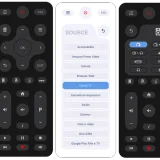
Media Player card, Apple Watch.Information
- Installs
- 66 sharing analytics
- GitHub stars
- 9
- Connection
- Works locally
- Upkeep
- Updated in the last 6 months
- Version
- v0.2.3,
- Category
- Media and entertainment, TV and streaming
- Kind
- Marketplace integration
- Brand
- LG
- Needs
- Needs the Marketplace (HACS on 2026.10 and older)
- Domain
webostv_classic- Issues
- Report an issue