
Built-in integration
Sonos
- Installs
- 93.7k sharing analytics
- Connection
- Works locally
- Upkeep
- Part of Home Assistant
- Quality
- Bronze on the quality scale
- Category
- Media and entertainment, Speakers and audio
- Kind
- Built-in integration
- Brand
- Sonos
- Needs
- Built into Home Assistant
- Domain
sonos
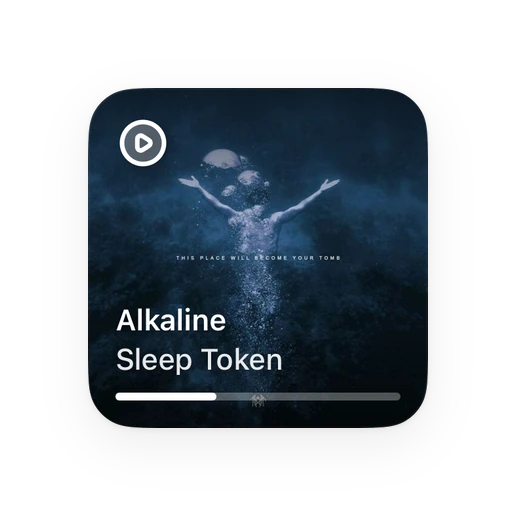
Shows in Vulpo Media Player card, Up Next queue, Move playback by grouping speakers, Intercom volume.
Independent directory, made by the developer of Vulpo. Not affiliated with Home Assistant or the Open Home Foundation.
About
Sonos is a built-in integration that controls Sonos speakers locally from Home Assistant. Home Assistant finds the speakers on the network and offers to add them, and the integration is then set up in the UI. Besides media player control, it adds number controls for audio delay, balance, bass, treble, surround levels and subwoofer gain and crossover frequency. Switches cover settings such as crossfade, loudness, night sound, speech enhancement, touch controls and the status light, and a sensor reports the audio input format and power source. Actions can take and restore a snapshot of a media player, set or clear a timer, update an alarm, and read or change the playback queue. New devices appear without repeating setup, and repair notices flag networking problems such as failed subscriptions or disabled UPnP.
Automatic summary of Home Assistant's source code. Something wrong? Get in touch

Shows in Vulpo
Media Player card, Up Next queue, Move playback by grouping speakers, Intercom volume.Installs over time
#18 of 1,090 built-in integrations. Growing 0.2% slower than Home Assistant overall. Installs sharing analytics.
Supports
- Works locallyTalks to your devices on your own network. No vendor cloud in between.
- Set up in the UIAdd it in Settings, Devices and services. Nothing to download.
- Found by itselfHome Assistant spots it on the network and offers to add it.
- Adds new devicesNew devices show up without setting it up again.
- Bronze qualityHome Assistant's own rating of its code and setup experience.
- Updated with Home AssistantShips and updates with every Home Assistant release.
Provides
- Media
- Switches
- Sensors
Setting it up
Home Assistant usually finds it on the network and offers to add it. It can also be added by hand under Settings, Devices and services.
Blueprints for Sonos ready-made automations that use it.
Entities
- Binary sensorsMicrophone
- ButtonsCancel announcement
- NumbersAudio delay, Balance, Bass, Music surround level, Sub crossover frequency, Sub gain, Surround level, Treble
- SelectsSpeech enhancement
- SensorsAudio input format, Power source
- SwitchesTouch controls, Crossfade, Speech enhancement, Loudness, Night sound, Status light, Subwoofer enabled, Surround enabled, Surround music full volume, TV autoplay, Ungroup on autoplay
Actions
- Clear timerClears a Sonos timer.
- Get queueReturns the contents of the queue.
- Play queueStarts playing the queue from the first item.
- Queue position
- Remove from queueRemoves an item from the queue.
- Queue position
- RestoreRestores a snapshot of a media player.
- With group
- Set timerSets a Sonos timer.
- Sleep Time
- SnapshotTakes a snapshot of a media player.
- With group
- Update alarmUpdates an alarm with new time and volume settings.
- Alarm ID
- Alarm enabled
- Include linked zones
- Time
- Volume
Troubleshooting
- DiagnosticsDownloads a diagnostics file to attach to a bug report.
- Repair noticesNotices it can show in Settings, Repairs:Networking error: subscriptions failed, Networking error: UPnP disabled
Information
- Installs
- 93.7k sharing analytics
- Connection
- Works locally
- Upkeep
- Part of Home Assistant
- Quality
- Bronze on the quality scale
- Category
- Media and entertainment, Speakers and audio
- Kind
- Built-in integration
- Brand
- Sonos
- Needs
- Built into Home Assistant
- Domain
sonos