
HACS becomes the Marketplace in the Home Assistant 2026.11 beta
HACS becomes the Marketplace in the Home Assistant 2026.11 beta, entity names change, Matter cameras arrive, and a new tool catches dead sensors.
HACS becomes the Marketplace in the Home Assistant 2026.11 beta
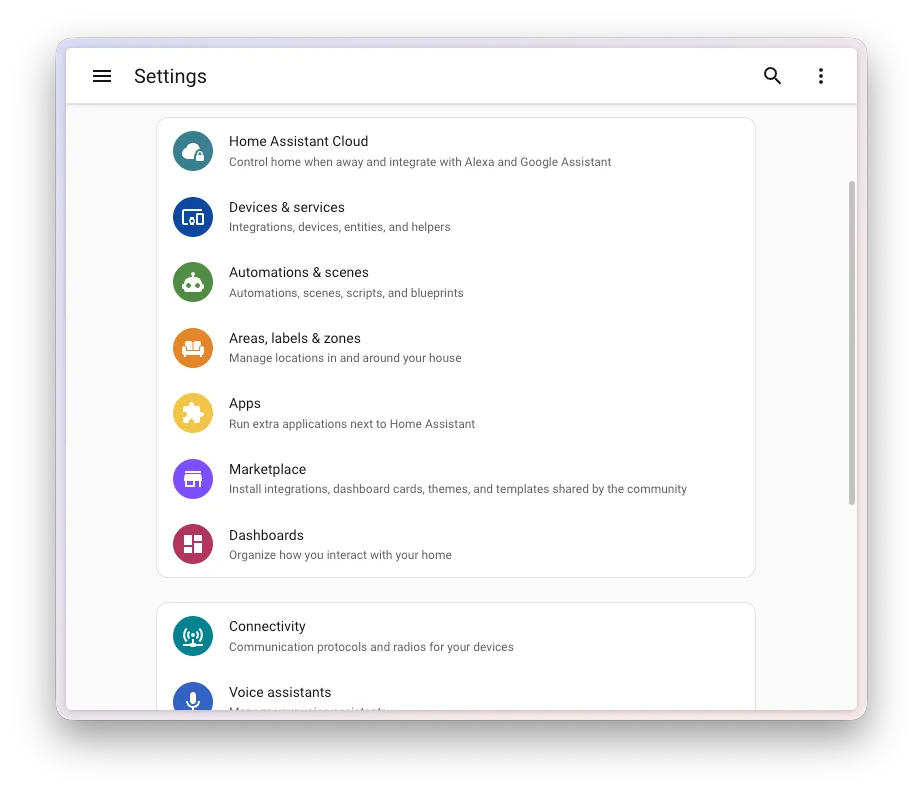
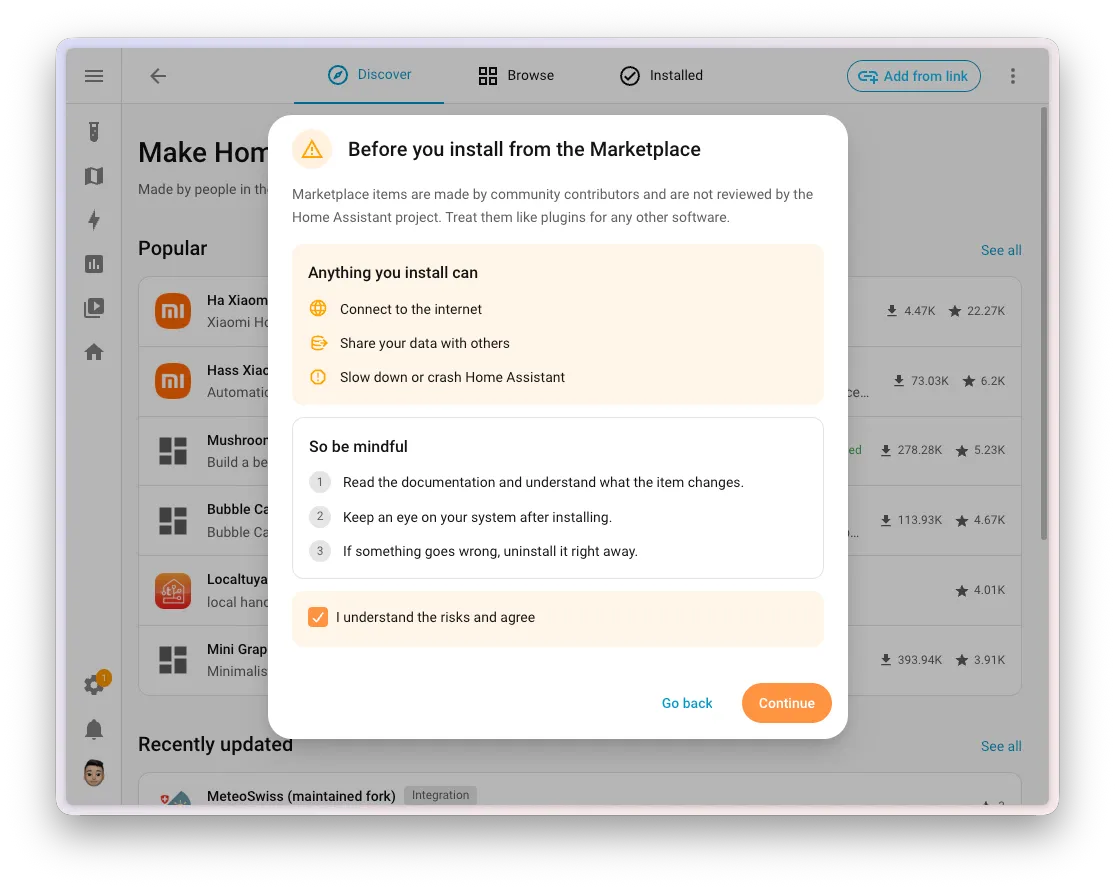
If you run anything from HACS, and most people do, Wednesday's 2026.11 beta is the one to read about. HACS is now part of Home Assistant itself, renamed the Marketplace and tucked under Settings. According to the beta release notes, Home Assistant moves your HACS setup across the first time it starts after the update. Nothing you added disappears and its updates keep arriving, your custom repositories and update entities carry over, and old HACS bookmarks open the Marketplace.
Installing also gets shorter. You pick Install and land straight in the integration's setup flow, with no restart in between (updates still want one for now). You don't need a GitHub account to install from the catalog, only to add custom repositories, and it behaves the same on Container installs, where HACS used to mean unzipping files by hand. Frenck, who leads Home Assistant, took on the worries about the new name in a post on Monday: nothing in there costs money, and that isn't going to change.
Some things do work differently. The HACS documentation says AppDaemon apps and Python scripts aren't managed anymore. Their files stay put and keep running, but they stop getting updates, and a repair tells you which ones are affected. Dashboard resources now come from /local/community/, with the old /hacsfiles/ paths still answering. Once you're on 2026.11, the old HACS can't be installed at all, because Home Assistant blocks it.
Before your first install, you tick a notice saying community projects aren't tested, audited or supported by the Home Assistant project. That's fair, given the code runs inside your Home Assistant. The final release is due Wednesday, November 4. If you lean on AppDaemon apps or card resources written in YAML, try the beta on a spare install and read those repairs first; for everyone else, the migration should mostly take care of itself.
Picks
Your dashboard names will look different in 2026.11
The other change you'll notice the minute you update is how entities get their names. You give an entity its own name, say Temperature, and Home Assistant adds the device name where it helps, plus the area on cards that ask for it. Rename the device and every entity on it follows.
Here's what to plan for. Cards, badges and rows without a name of their own now put the device name in front of the entity name, where they used to show the friendly name, so Off-peak consumption on a Power meter turns into Power meter Off-peak consumption. The release notes are upfront that this is backward-incompatible. Entity IDs stay the same, so automations and scripts keep working, and changed names live on as aliases for voice assistants. Templates that read friendly_name should move to entity_name(), device_name() and area_name(), since that attribute is headed for deprecation. Update your custom cards before you judge the result: the team sent changes to the makers of dozens of popular ones.
Finding out why a light turned itself on gets easier
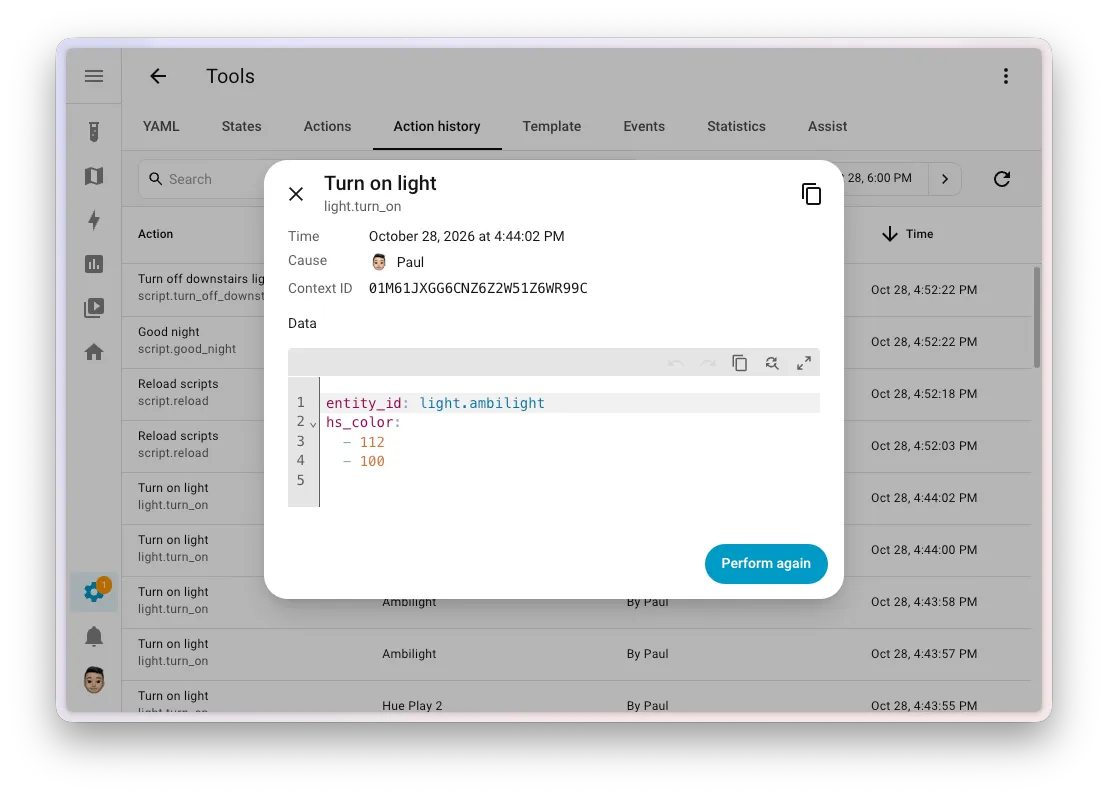
Ever stared at a lamp that switched on with nobody home? The beta brings a whole set of tools for that question. Tools gets an Action history tab listing the actions that were called, with their targets, the cause, the user and the data, which you can copy as YAML with one button. The Activity panel adds a Triggered by filter, so you can show only what a person, an automation or an integration like HomeKit did.
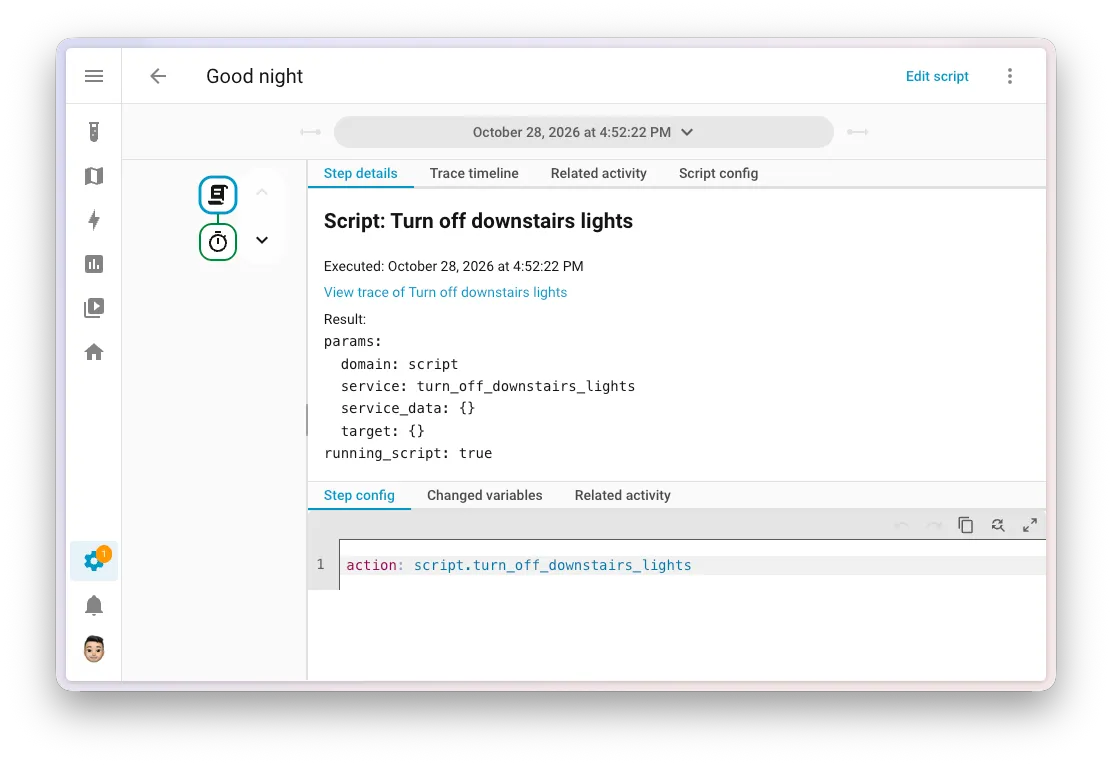
Traces now link into the exact run of the script they called, so you stop matching timestamps by hand. And a single bad reading no longer means wiping a whole statistic: in Tools, Statistics, you can delete just a time range and keep the rest. Of everything in 2026.11, this is the part to try first on a test install.
Matter cameras arrive, and cameras learn to talk back
The Matter integration in the beta supports Matter 1.5 cameras: live video over WebRTC straight between your browser and the camera, snapshots, and a camera entity that follows the privacy mode. You'll need a Matter server new enough to know about cameras, since Home Assistant only discovers them when the connected server does. The Matter Server app was the directory's biggest mover this week, too, with 2,455 new installs.
Two-way audio comes along as a Labs preview you switch on under Settings, System, Labs. It puts a talk button on the live stream for Matter cameras and Reolink, and a Reolink camera has to use RTSP for it, because RTMP and FLV can't carry audio back. Browsers only hand over the microphone on a secure connection, so you'll need to open Home Assistant over HTTPS.
Device Sentinel catches sensors that died quietly
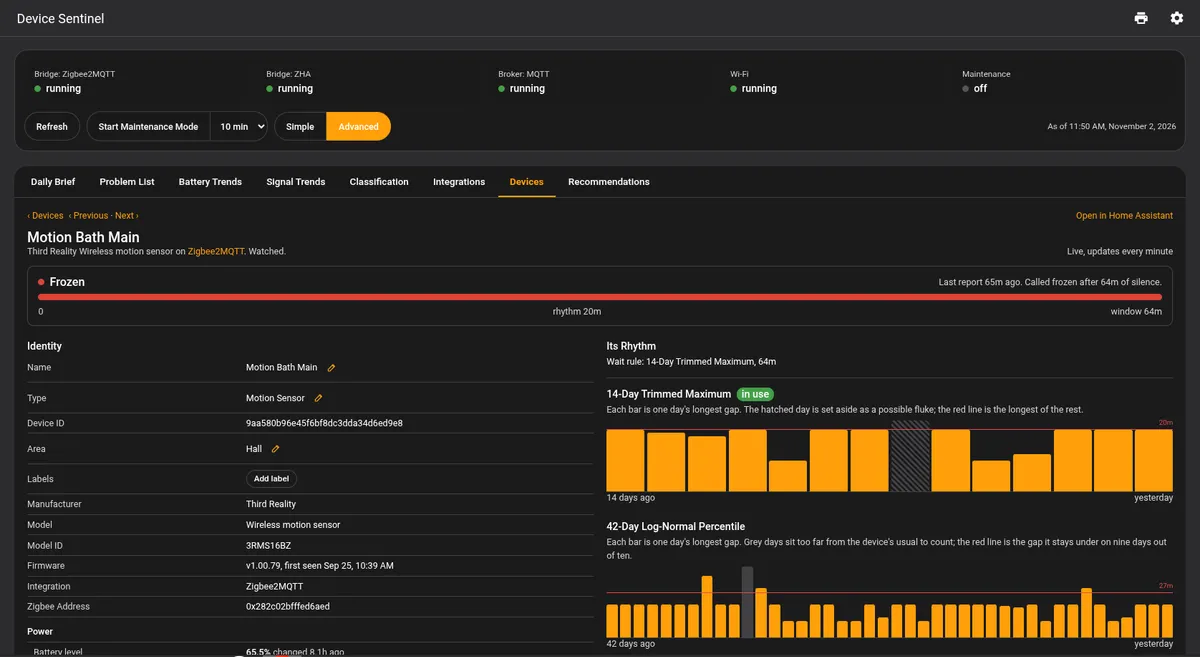
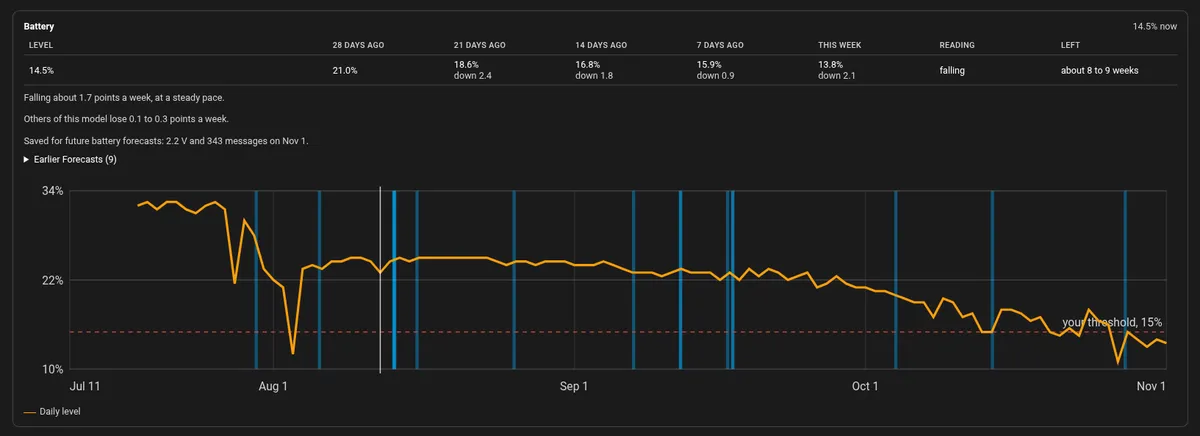
A frozen sensor is the sneaky kind of broken: the dashboard keeps showing minus 18 degrees while the freezer thaws. Device Sentinel, new in the directory this week, learns how often each device really reports and flags it when it stays silent longer than its own rhythm allows. A chatty motion sensor gets a tight window, a twice-a-day rain gauge a loose one.
Its repository says it judges batteries against a level you set and against how fast they're draining, and turns a dead Zigbee2MQTT bridge, ZHA coordinator or MQTT broker into one alert instead of sixty. Problems land in a single to-do list. It's a pre-release with breaking changes expected, and it needs patience: freeze detection arms after a week, and signal baselines take three.
In VulpoVulpo shows Device Sentinel's sensors on its Button and Chart cards and on Apple Watch.
From the community

Flightradar24 fixes an import error on 2026.11
Flightradar24 2.4.1
If you're trying the beta, update this one first: version 2.4.1 fixes an error importing RestoreEntity that broke the integration on Home Assistant 2026.11. Tracked flights also refresh their details every few minutes now, so the estimated arrival stops sitting at its take-off value for the whole trip.

Tuya Local drops the entities it deprecated in March
Tuya Local 2026.10.0
Tuya Local 2026.10.0 fixes lights that send invalid hex colour values and JSON fields that go missing, both of which could stop a device processing updates. Check first if you own the Electriq DES-D9LW dehumidifier, the Globe ceiling fan with RGBCW light, the Haier air-water heat pump or the Klarstein Bornholm heater, because their deprecated entities are gone. Some select options were merged without migration, and Flow sensors become Water flow.

Navbar card templates now travel between dashboards
Navbar card 1.8.0
With Navbar card 1.8.0 you build a shared template in the editor once and reuse it across all your dashboards; change it later and each navbar built on it follows along. The card keeps those templates in a hidden dashboard it creates for itself, so leave that one alone. YAML templates still work but are deprecated, with a button to move each over.