
Screenshots From the README of Greminn/ha-spatial-context.
About
Trace your floor plans, place your real devices on them, and see your Zigbee, Wi-Fi, Matter, Thread and Bluetooth links where they physically are. A floor-plan map of your home for Home Assistant...
Description from Greminn/ha-spatial-context
Supports
Works locally Talks to your devices on your own network. No vendor cloud in between.
From the Marketplace Installed through the Marketplace, formerly HACS.
Actively maintained Its author released or pushed a change in the last six months.
Setting it up
Install it from the Marketplace and restart Home Assistant, then add it under Settings, Devices and services.
Actions
- Get mapReturns the full spatial context map, including floors, rooms, walls, and devices.
- Refresh Zigbee meshForces a fresh Zigbee2MQTT network scan and caches the result, so the panel's own "Load Mesh" can serve it instantly. Intended for a scheduled/overnight automation, not interactive use (a scan can take 1–2 minutes).
From the README
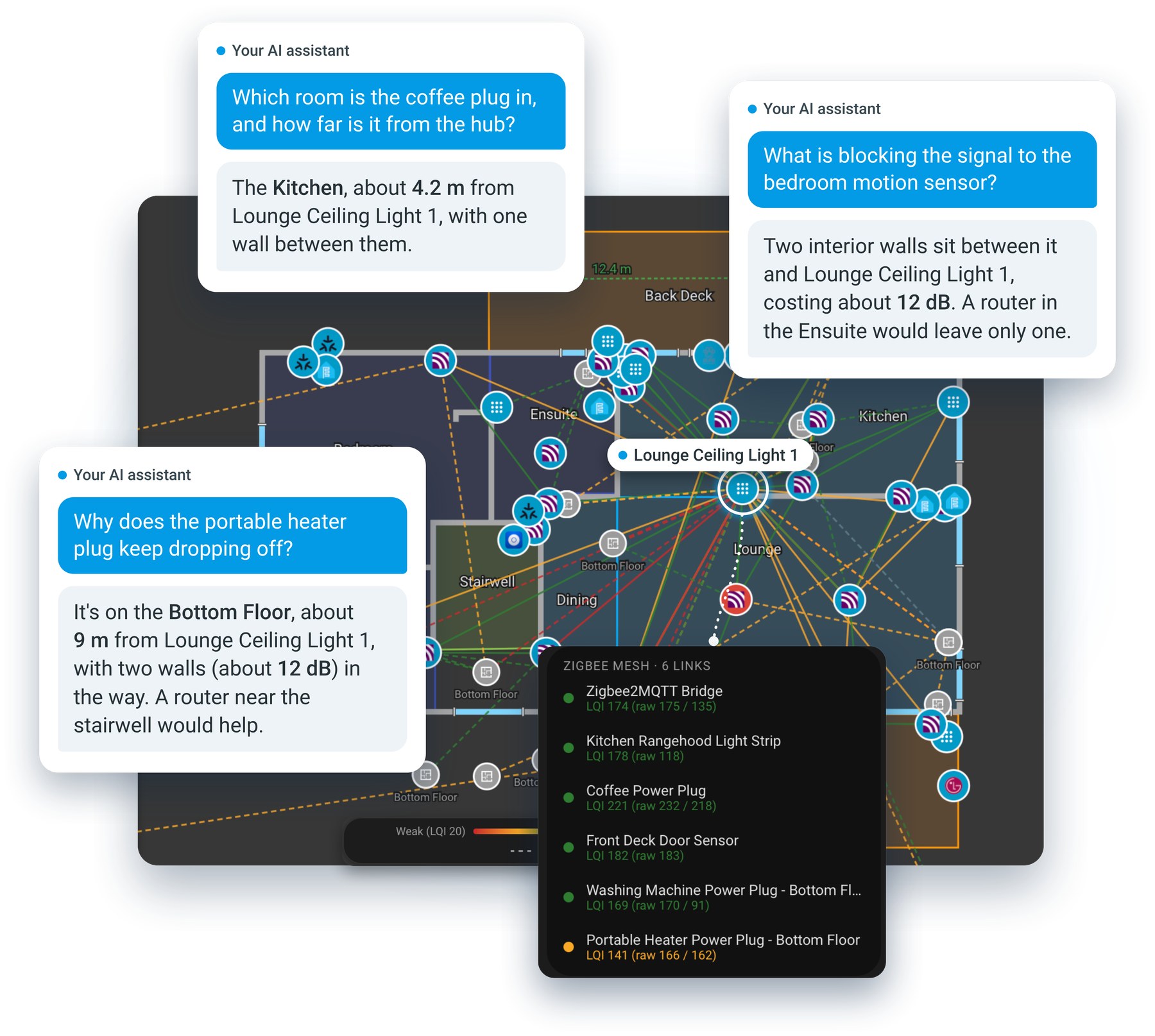
Home Assistant knows your devices by name and area, but not where anything actually is: how far the hallway sensor is from the router, which walls sit between a Zigbee bulb and its parent, what's on the other side of the garage door. Spatial Context lets you trace your floor plans over the top of your house plans, place your real devices on them, and hand the result to an AI assistant, an automation or a script as real-world, measured data.
An AI assistant answering questions about the home from its floor plan, beside the Top Floor with the Zigbee mesh layer on. The conversations are illustrations of what the map makes possible.
Information
- Installs
- 69 sharing analytics
- GitHub stars
- 121
- Connection
- Works locally
- Upkeep
- Updated in the last 6 months
- Version
- v1.0.0,
- Category
- Hubs and protocols, Wireless protocols
- Kind
- Marketplace integration
- Needs
- Needs the Marketplace (HACS on 2026.10 and older)
- Domain
spatial_context- Issues
- Report an issue










