On Home Assistant 2026.11 or newer? Open it in the Marketplace
- Installs
- 55 sharing analytics
- GitHub stars
- 13
- Connection
- Works locally
- Upkeep
- Updated in the last 6 months
- Version
- 3.0.7,
- Category
- Energy, EV charging
- Kind
- Marketplace integration
- Brand
- GoodWe
- Needs
- Needs the Marketplace (HACS on 2026.10 and older)
- Domain
sems_wallbox- Issues
- Report an issue
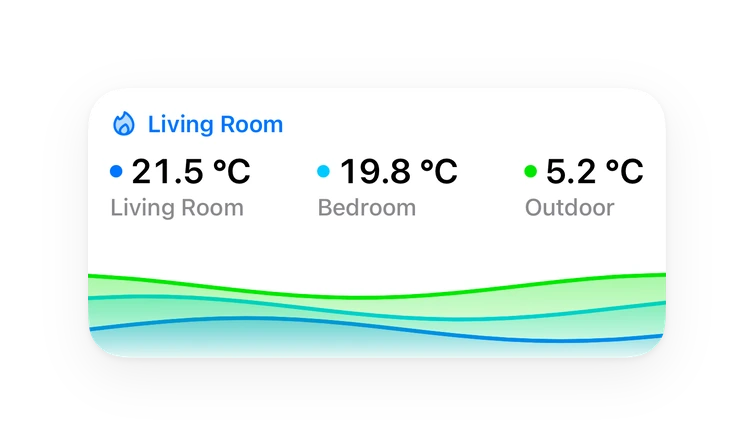
Shows in Vulpo Quick Toggle card, Button card, Select card, Chart card, Apple Watch, Control Center.
Independent directory, made by the developer of Vulpo. Not affiliated with Home Assistant or the Open Home Foundation.
About
GoodWe Wallbox is a custom integration that monitors and controls GoodWe EV chargers from Home Assistant. It supports cloud access through the SEMS portal, local Modbus TCP, and an optional native TCP connection that is marked as development. It adds a charging status binary sensor, a refresh button, number controls for charging power, import current, session energy and battery SOC, selects for charge mode and duration, switches, and sensors for status, power, energy, voltage and current. Switches cover charging, Plug & Charge, dynamic load management, phase switching and the local TCP connection, with availability depending on the model and the values the API reports. An option can restore the charging mode last selected in Home Assistant before each start from Home Assistant, and the native TCP link can take over automatically when the cloud fails. Setup is done in the UI, and a diagnostics download is available for bug reports.
Automatic summary of the README and code of prezervos/goodwe-wallbox-sems-home-assistant. Something wrong, or are you the maintainer and want your own text here? Get in touch

Shows in Vulpo
Quick Toggle card, Button card, Select card, Chart card, Apple Watch, Control Center.Installs over time
#1,426 of 1,483 Marketplace integrations. Installs sharing analytics.
Supports
- Works locallyTalks to your devices on your own network. No vendor cloud in between.
- From the MarketplaceInstalled through the Marketplace, formerly HACS.
- Actively maintainedIts author released or pushed a change in the last six months.
Provides
- Switches
- Sensors
Setting it up
Install it from the Marketplace and restart Home Assistant, then add it under Settings, Devices and services.
Connection type
- Connection type
- Restore the mode selected in HA before chargingEnabled: before Start from HA, restore and verify the last charging mode selected in HA. The saved preference survives integration reloads and HA restarts. If no preference has been saved, keep the mode reported by the wallbox. Disabled: keep the current wallbox mode. SolarGo changes do not replace the saved HA preference. No mode is forced at startup or periodically. TCP power-limit protection remains active independently.
Connect to SEMS portal
- Username (e-mail)
- Password
Local Modbus TCP
- IP address or hostname
- Port
- Modbus device ID (0 = auto-detect)Leave 0 to auto-detect. GoodWe Wallbox Gen2 uses 247 (0xF7).
Select plant / station
- Plant / station
Select wallbox
- Wallbox
Enter wallbox serial number
- Wallbox serial number
- Plant ID (optional)
Product model
- Product model (e.g. GW11K-HCA)
Native TCP connection
- Wallbox IPv4 address
- Home Assistant IPv4 address reachable from the wallbox
- TCP listener port
- Verify identity using LAN discovery
- Serial number (optional with discovery)
- Trusted TCP proxy IPv4 (optional; for Docker source NAT only)
- Automatically use TCP when cloud failsRequires a cloud account. Automatic takeover requires at least three failures and 90 seconds from the first detected failure. A return trial is attempted after 30 minutes when idle and after a successful preliminary check; fresh cloud data must arrive within 60 seconds. Failed trials increase the delay up to two hours. Manual TCP stays selected across reloads and pauses automatic return until you select cloud. Selecting cloud manually pauses automatic fallback until reload.
After setup
- Idle update interval (seconds)Normal cloud/Modbus polling interval when idle. Local TCP uses 5 seconds, or 2 seconds while power protection is active. Verified MQTT telemetry can temporarily double the backup HTTP interval; control actions can request an earlier update.
- Charging update interval (seconds)Normal cloud/Modbus polling interval while charging. Local TCP uses its own 2/5-second safety polling. Verified MQTT telemetry can temporarily double the backup HTTP interval.
- Plant IDShows the known or manually overridden value. You can edit it; leave empty to use automatic detection.
- Product modelShows the known or manually overridden value. You can edit it; leave empty to use automatic detection.
- Restore the mode selected in HA before chargingWhen you enable this option, the currently reported wallbox mode becomes the saved preference; if it cannot be read, the change is not saved. Afterwards, each Start from HA restores and verifies the saved mode. Selecting a mode in HA updates this preference. SolarGo changes do not replace it. The preference survives reloads/restarts. Disabled: keep the current wallbox mode. No mode is forced at startup or periodically. TCP power protection remains active independently.
- Enable native TCP controls (development)Enabled: continue to the TCP and automatic fallback settings on page 2. Disabled: save on this page.
- Wallbox IPv4 address
- Home Assistant IPv4 address reachable from the wallbox
- TCP listener port
- Verify identity using LAN discovery
- Serial number (optional with discovery)
- Trusted TCP proxy IPv4 (optional; for Docker source NAT only)
- Automatically use TCP when cloud failsRequires a cloud account. Automatic takeover requires at least three failures and 90 seconds from the first detected failure. A return trial is attempted after 30 minutes when idle and after a successful preliminary check; fresh cloud data must arrive within 60 seconds. Failed trials increase the delay up to two hours. Manual TCP stays selected across reloads and pauses automatic return until you select cloud. Selecting cloud manually pauses automatic fallback until reload.
Texts from the code of prezervos/goodwe-wallbox-sems-home-assistant.
Entities
- Binary sensorsCharging status
- ButtonsRefresh
- NumbersMax charging power, Import current limit, Max session energy, Min session energy, Min. battery SOC, Output power limit
- SelectsCharge mode, Charge duration
- SensorsWallbox status, Vehicle state, Charging power, Session energy, Wallbox-reported power limit, Charge duration, Charging station status, Car connection, Phase A voltage, Phase B voltage, Phase C voltage, Phase A current, and 12 more
- SwitchesCharging, Ensure minimum charging power, Plug & Charge, Dynamic load management, Automatic phase switching, EMS minimum power mode, Local TCP connection
Troubleshooting
- DiagnosticsDownloads a diagnostics file to attach to a bug report.
From the README
Home Assistant custom integration for the GoodWe Wallbox.
3.0.7 also handles transient cloud state after Stop. It addresses cloud data changes after the SEMS update, adds bounded B0001 read recovery and improves opted-in native TCP control fallback. Beta availability does not mean GoodWe's cloud command backend is fixed. See release notes for validation and known limitations.
Information
- Installs
- 55 sharing analytics
- GitHub stars
- 13
- Connection
- Works locally
- Upkeep
- Updated in the last 6 months
- Version
- 3.0.7,
- Category
- Energy, EV charging
- Kind
- Marketplace integration
- Brand
- GoodWe
- Needs
- Needs the Marketplace (HACS on 2026.10 and older)
- Domain
sems_wallbox- Issues
- Report an issue