On Home Assistant 2026.10 or older? Open it in HACS
- Installs
- 82 sharing analytics
- GitHub stars
- 12
- Connection
- Uses the vendor's cloud
- Upkeep
- Updated in the last 6 months
- Version
- v2.0.29,
- Category
- Media and entertainment, Gaming
- Kind
- Marketplace integration
- Brand
- Microsoft
- Needs
- Needs the Marketplace (HACS on 2026.10 and older)
- Domain
microsoft_family_safety- Issues
- Report an issue
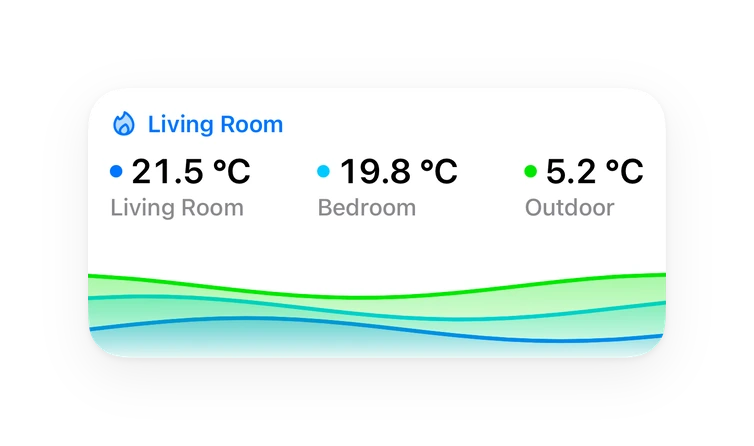
Shows in Vulpo Quick Toggle card, Button card, Chart card, Apple Watch, Control Center.
Independent directory, made by the developer of Vulpo. Not affiliated with Home Assistant or the Open Home Foundation.
Screenshots From the README of noiwid/HAFamilySafety.
About
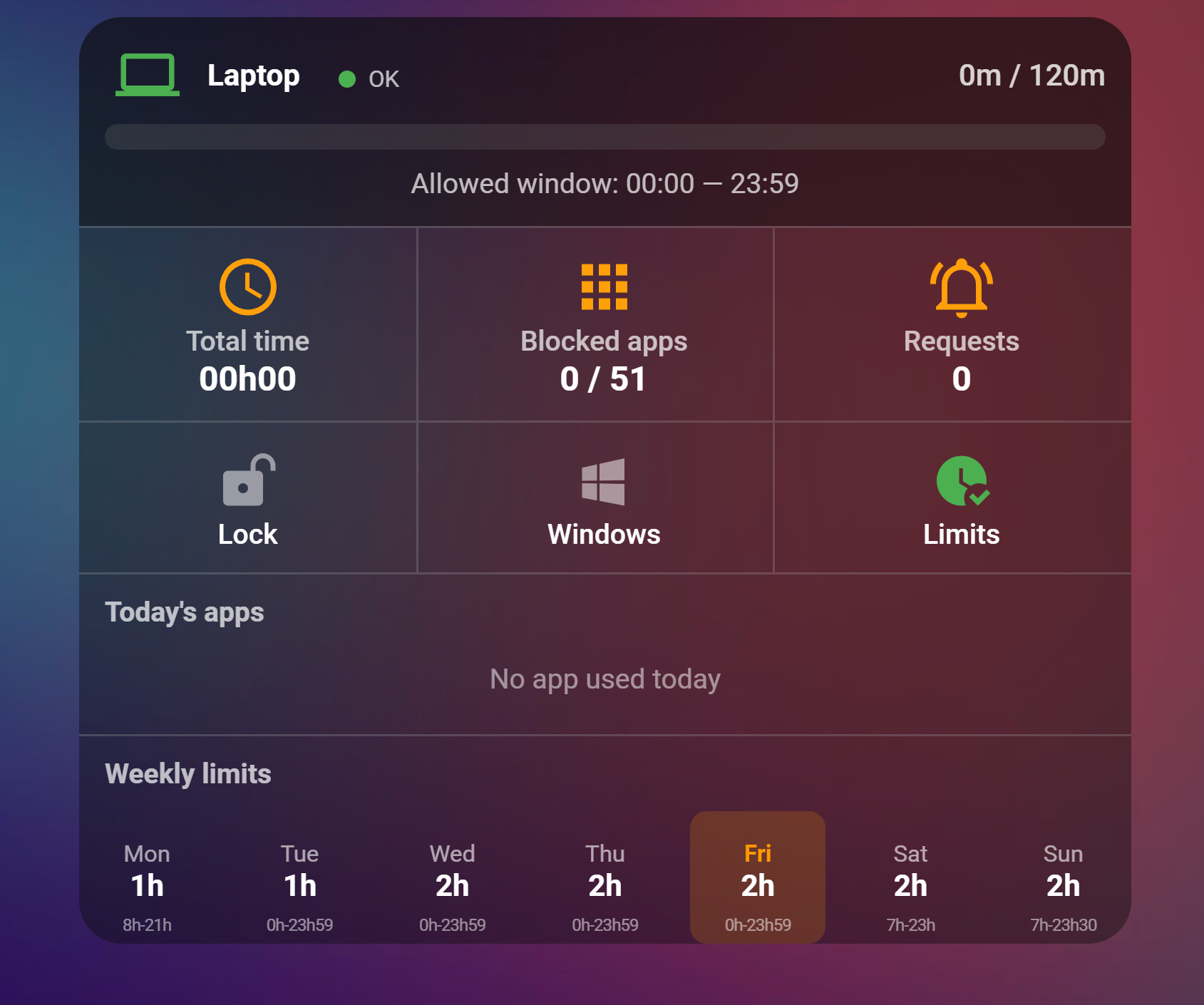
Microsoft Family Safety is an integration that controls children's Windows, Xbox and mobile devices through Microsoft Family Safety. It adds buttons, numbers, sensors, switches and time entities, plus actions to lock or unlock a platform or account, set daily screen time limits and allowed time windows, and block or unblock apps. Further actions cover app time limits, website blocking and allowing, web filtering, age rating, purchase approval, and approving or denying pending screen time extension requests. Options let the user choose which platforms to monitor, set the update interval, and restrict control to selected users so a child's non-administrator account is refused. Sign-in to Microsoft happens natively inside Home Assistant, the connection depends on the vendor's cloud, and the integration is configured in the UI. It relies on unofficial, undocumented Microsoft APIs.
Automatic summary of the README and code of noiwid/HAFamilySafety. Something wrong, or are you the maintainer and want your own text here? Get in touch

Shows in Vulpo
Quick Toggle card, Button card, Chart card, Apple Watch, Control Center.Supports
- Uses the vendor's cloudNeeds an internet connection and an account with the vendor.
- From the MarketplaceInstalled through the Marketplace, formerly HACS.
- Actively maintainedIts author released or pushed a change in the last six months.
Provides
- Switches
- Sensors
Setting it up
Install it from the Marketplace and restart Home Assistant, then add it under Settings, Devices and services.
Microsoft Family Safety
- Update interval (seconds)
- Monitored platformsWindows, Xbox, Mobile: one lock switch per ticked platform. Ticking Xbox also turns on Xbox play time and the Xbox lock, which need the Microsoft web session (some accounts must renew it with a sign-in every 24 hours). Leave Xbox unticked if the children have no Xbox: the integration then runs on the mobile token only, with a shorter sign-in.
- Allow insecure local HTTP authentication (testing only)
Manual Microsoft Family Safety authentication
- Redirect URL
Reauthenticate Microsoft Family Safety
- Allow insecure local HTTP authentication (testing only)
After setup
- Update interval (seconds)
- Monitored platformsWindows, Xbox, Mobile: one lock switch per ticked platform. Ticking Xbox also turns on Xbox play time and the Xbox lock, which need the Microsoft web session (some accounts must renew it with a sign-in every 24 hours). Leave Xbox unticked if the children have no Xbox: the integration then runs on the mobile token only, with a shorter sign-in.
- Allow insecure local HTTP authentication (testing only)
- Users allowed to control Microsoft Family SafetyLeave empty to let every user use the buttons and settings (default). As soon as users are ticked, only they and the administrators can: a child's non-administrator account is refused on every button, switch, limit and time window, and on the microsoft_family_safety actions. Automations and scripts run by Home Assistant are not affected. Give the child a non-administrator account: an administrator can change this option.
Texts from the code of noiwid/HAFamilySafety.
Actions
- Block ApplicationBlock an application for a child account.
- Account ID
- Application ID
- Unblock ApplicationUnblock an application for a child account.
- Account ID
- Application ID
- Lock PlatformLock a platform (Windows/Xbox/Mobile) for a child account.
- Account ID
- Platform
- Duration (hours)
- Unlock PlatformUnlock a platform (Windows/Xbox/Mobile) for a child account.
- Account ID
- Platform
- Approve Pending RequestApprove a pending screen time extension request.
- Request ID
- Extension (minutes)
- Deny Pending RequestDeny a pending screen time extension request.
- Request ID
- Set Screen Time LimitSet the daily screen time allowance for a specific day of the week.
- Account ID
- Day of Week
- Hours
- Minutes
- Set Screen Time IntervalsSet the allowed time window for screen time on a specific day.
- Account ID
- Day of Week
- Start Hour
- Start Minute
- End Hour
- End Minute
- Set App Time LimitSet a daily time limit for a specific application.
- Account ID
- Application ID
- Application Name
- Platform
- Hours
- Minutes
- Start Time
- End Time
- Remove App Time LimitRemove the time limit for a specific application.
- Account ID
- Application ID
- Application Name
- Platform
- Block WebsiteBlock a website for a child account.
- Account ID
- Website
- Remove WebsiteRemove a website from blocked/allowed list.
- Account ID
- Website
- Toggle Web FilterEnable or disable web filtering for a child account.
- Account ID
- Enabled
- Set Age RatingSet the content age rating restriction.
- Account ID
- Age Rating
- Set Ask-to-Buy PolicyEnable or disable purchase approval for a child account.
- Account ID
- Require Approval
- Lock AccountLock a child account by setting all screen time to zero. Saves current policy for later restoration.
- Account ID
- Unlock AccountUnlock a child account by restoring previously saved screen time policy.
- Account ID
- Request reauthenticationStart the Microsoft sign-in flow now, for example from a dashboard button, instead of waiting for the integration to detect an expired session.
- Allow WebsiteAdd a website to the allowed list of a child account.
- Account ID
- Website
From the README
A full-featured Home Assistant custom integration for Microsoft Family Safety. Monitor screen time, manage app restrictions, lock accounts, control web filtering, and adjust daily limits — all from your Home Assistant dashboard.
Authentication is native: you sign in to Microsoft from Home Assistant itself. The Playwright auth add-on is no longer required and is kept only as a legacy fallback.
Information
- Installs
- 82 sharing analytics
- GitHub stars
- 12
- Connection
- Uses the vendor's cloud
- Upkeep
- Updated in the last 6 months
- Version
- v2.0.29,
- Category
- Media and entertainment, Gaming
- Kind
- Marketplace integration
- Brand
- Microsoft
- Needs
- Needs the Marketplace (HACS on 2026.10 and older)
- Domain
microsoft_family_safety- Issues
- Report an issue