
SwitchBot Remote IR
On Home Assistant 2026.11 or newer? Open it in the Marketplace
- Installs
- 512 sharing analytics
- GitHub stars
- 102
- Connection
- Uses the vendor's cloud
- Upkeep
- Updated in the last 6 months
- Version
- 1.3.7,
- Category
- Buttons and remotes
- Kind
- Marketplace integration
- Brand
- SwitchBot
- Needs
- Needs the Marketplace (HACS on 2026.10 and older)
- Domain
switchbotremote- Issues
- Report an issue
Independent directory, made by the developer of Vulpo. Not affiliated with Home Assistant or the Open Home Foundation.
Screenshots From the README of KiraPC/ha-switchbot-remote.
About
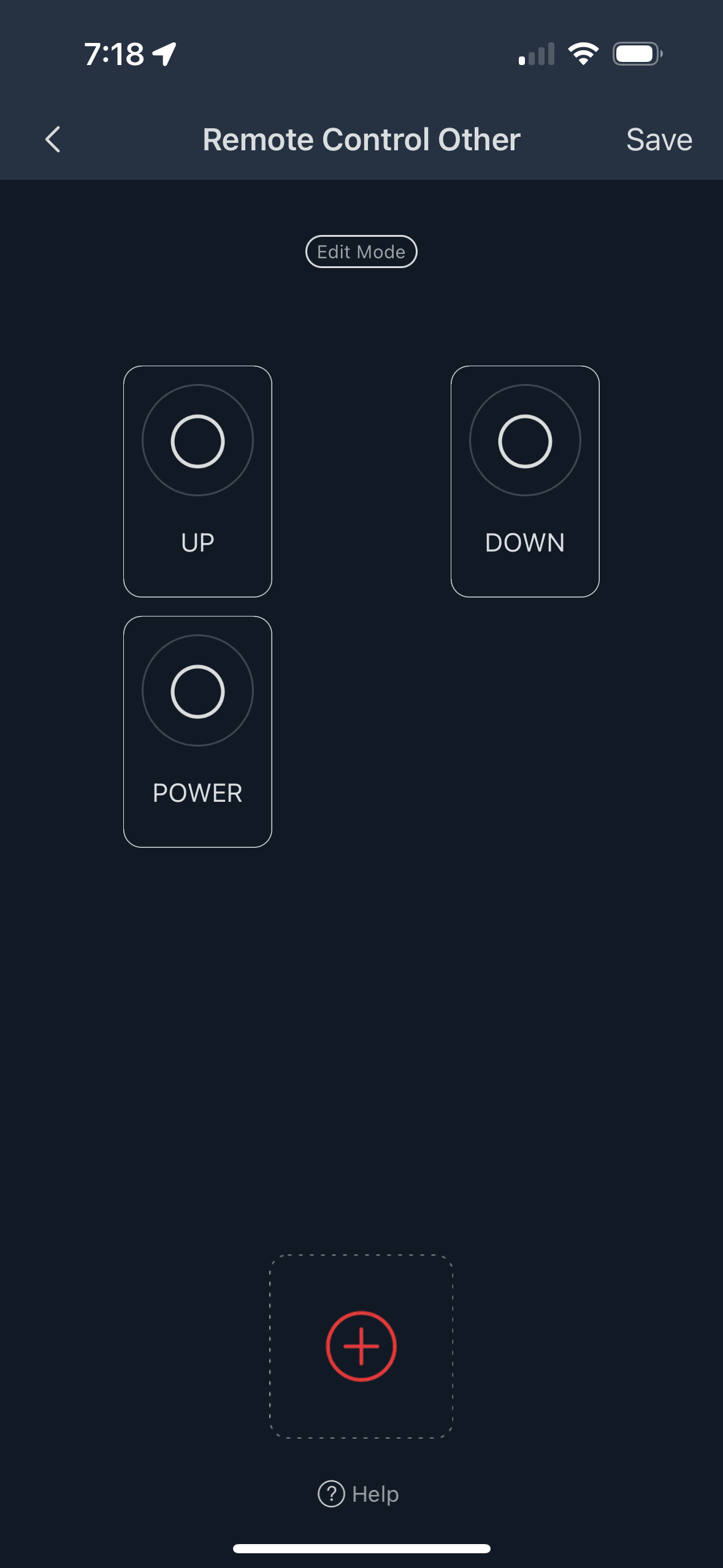
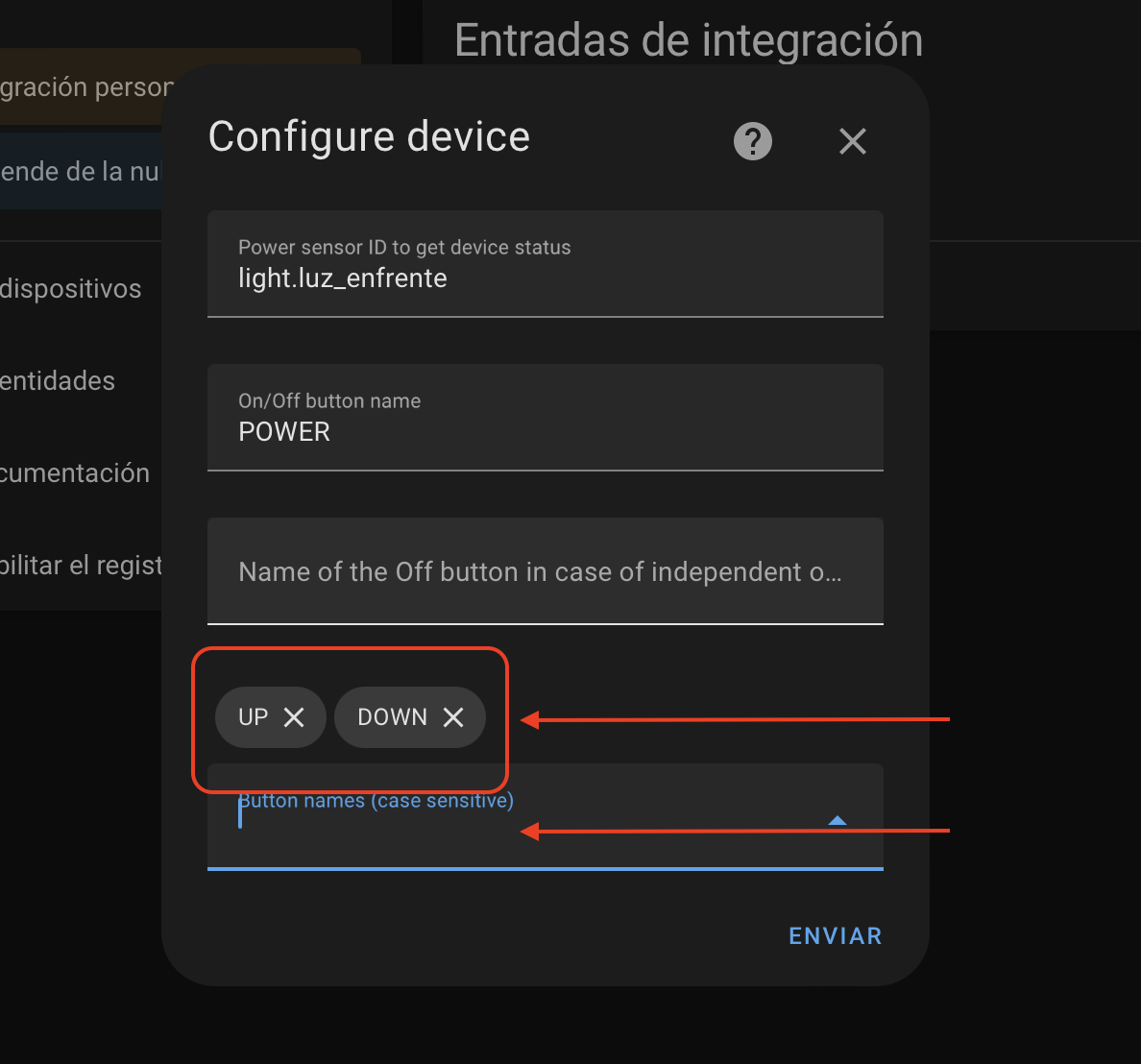
SwitchBot Remote IR controls virtual infrared remote devices through a SwitchBot Hub using the SwitchBot cloud API. It adds the hub's remotes to Home Assistant as buttons, climate, fan, light, media, remote, vacuum and water heater entities. Air conditioners get on and off control, temperature and mode control, fan control, and adjustable minimum, maximum and step values. Optional sensors can be assigned to track power, temperature and humidity status for a device. Devices can be set up as custom types with extra buttons or separate on and off commands, and button names must match the SwitchBot app exactly, including case. Setup runs in the UI and asks for a hub name, a SwitchBot developer token and a secret.
Automatic summary of the README and code of KiraPC/ha-switchbot-remote. Something wrong, or are you the maintainer and want your own text here? Get in touch
Supports
Uses the vendor's cloud Needs an internet connection and an account with the vendor.
From the Marketplace Installed through the Marketplace, formerly HACS.
Actively maintained Its author released or pushed a change in the last six months.
Provides
- Lights
- Climate
- Water heaters
- Fans
- Media
- Remotes
- Vacuums
Setting it up
Install it from the Marketplace and restart Home Assistant, then add it under Settings, Devices and services.
Connect
- Name of the SwitchBot Hub - This has to be unique per Home Assistant installation
- Insert your SwitchBot developer token
- Insert your SwitchBot developer secret
After setup
- Discovered Devices
- Temperature sensor ID to be used as air conditioner actual sensor
- Humidity sensor ID to be used as air conditioner actual humidity
- Power sensor ID to get device status
- Button names (case sensitive)
- Supported modes
- Minimum temperature
- Maximum temperature
- Temperature step factor
- Enable fan speeds
- Enable 'ION' button
- Enable 'Timer' button
- Enable 'Swing' button
- Enable brightness control buttons
- Enable temperature color buttons
- On/Off button name
Texts from the code of KiraPC/ha-switchbot-remote.
From the README
An Home Assistant Custom Integration that interact via SwitchBot API to your SwitchBot Hub to control virtual remote IR devices.
All above devices support DIY types and add custom buttons/commands in device settings

Shows in Vulpo
Light card, Climate card, Fan card, Media Player card, Apple Watch, Control Center, Climate Live Activity, Vacuum Live Activity.Information
- Installs
- 512 sharing analytics
- GitHub stars
- 102
- Connection
- Uses the vendor's cloud
- Upkeep
- Updated in the last 6 months
- Version
- 1.3.7,
- Category
- Buttons and remotes
- Kind
- Marketplace integration
- Brand
- SwitchBot
- Needs
- Needs the Marketplace (HACS on 2026.10 and older)
- Domain
switchbotremote- Issues
- Report an issue