
On Home Assistant 2026.10 or older? Open it in HACS
- Installs
- 81 sharing analytics
- GitHub stars
- 38
- Connection
- Works locally
- Upkeep
- Updated in the last 6 months
- Version
- v2.3.0,
- Category
- Presence and location, Trackers
- Kind
- Marketplace integration
- Brand
- Zigbee2MQTT
- Needs
- Needs the Marketplace (HACS on 2026.10 and older)
- Domain
z2m_tracker- Issues
- Report an issue


Independent directory, made by the developer of Vulpo. Not affiliated with Home Assistant or the Open Home Foundation.
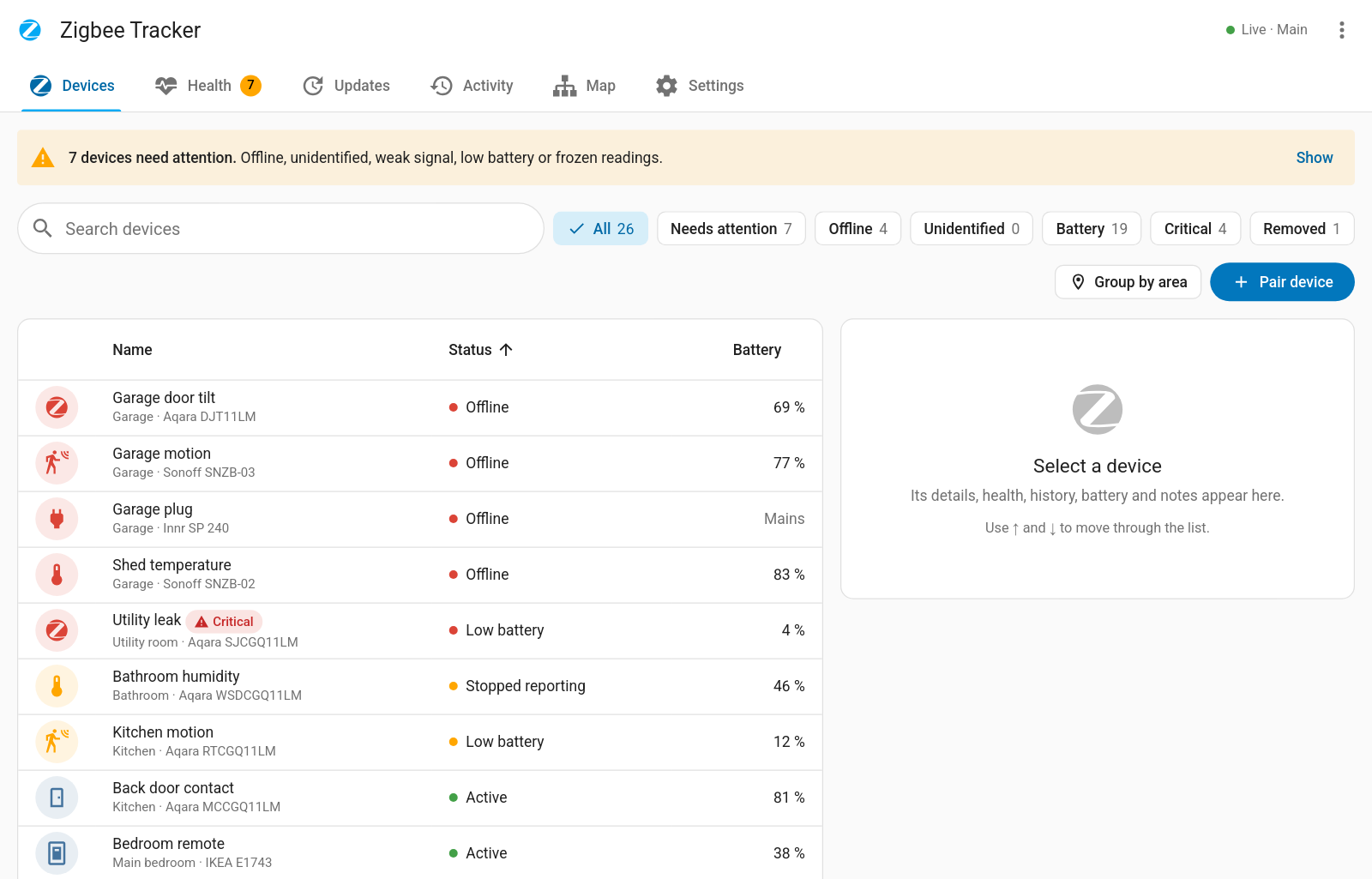
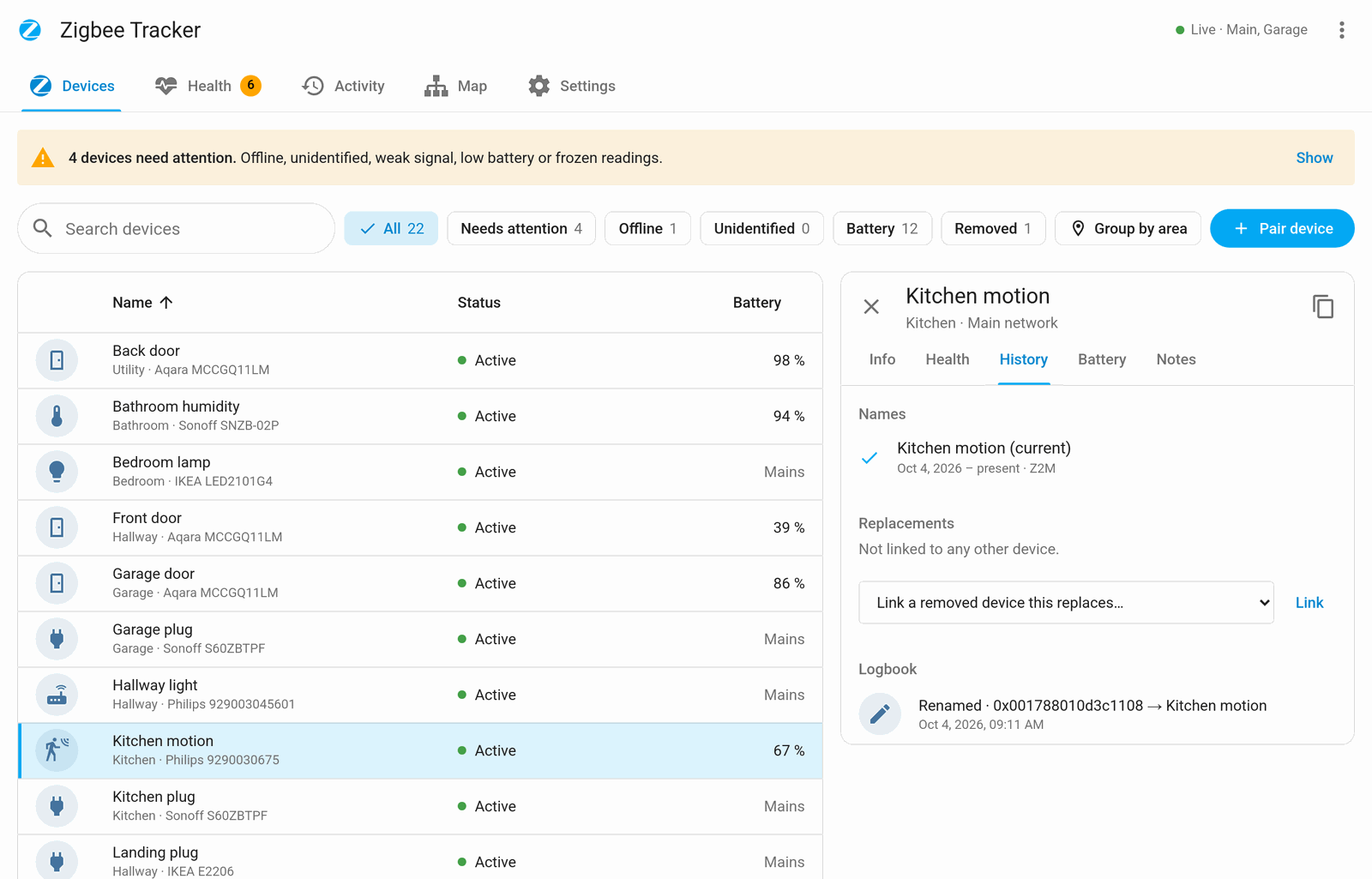
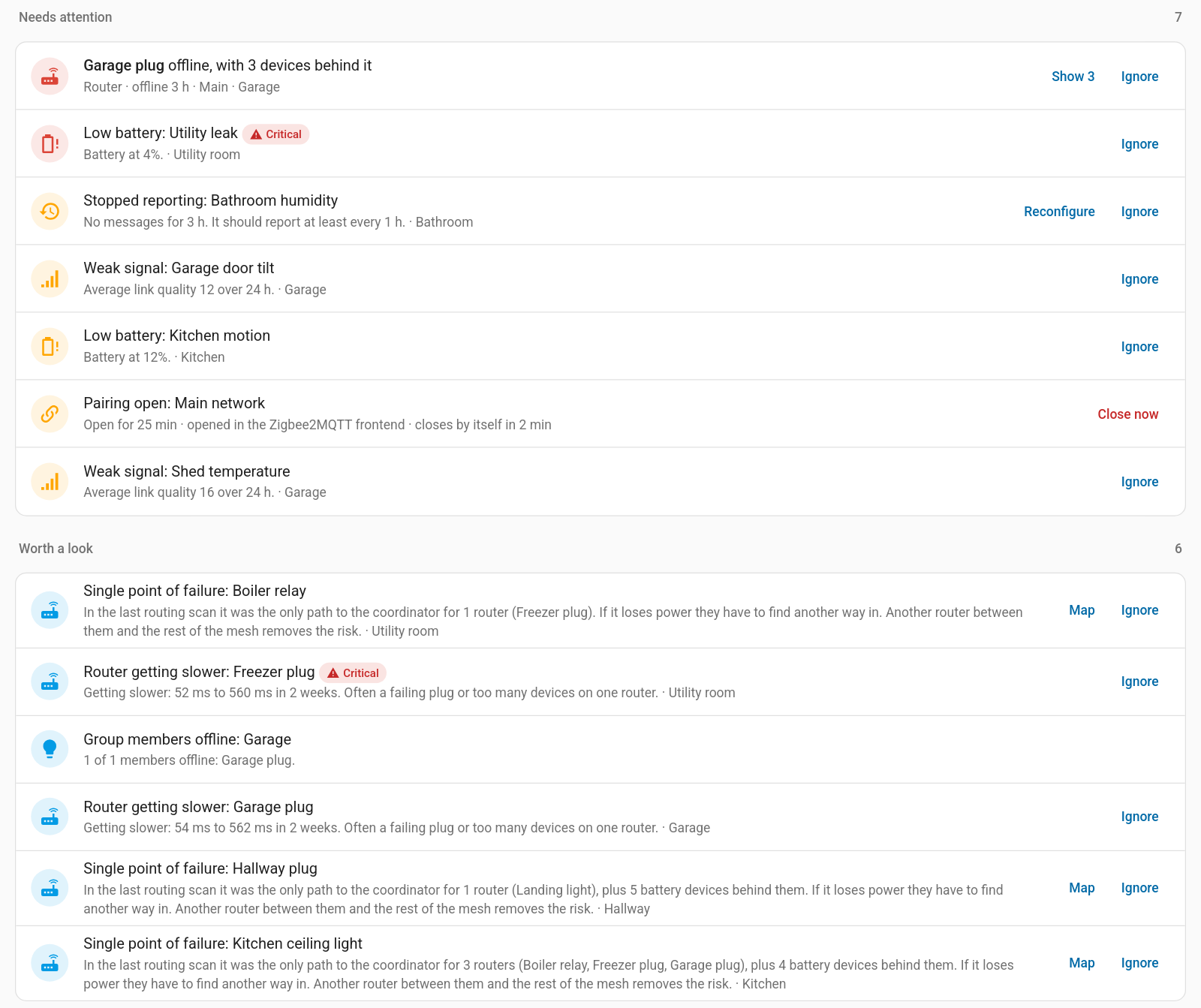
Screenshots From the README of tempus2016/z2m-device-tracker.
About
Home Assistant app + HACS integration: history, health, alerts, network map and batteries for every Zigbee2MQTT device
Description from tempus2016/z2m-device-tracker

Shows in Vulpo
Calendar card, Chart card, Apple Watch.Supports
- Works locallyTalks to your devices on your own network. No vendor cloud in between.
- From the MarketplaceInstalled through the Marketplace, formerly HACS.
- Actively maintainedIts author released or pushed a change in the last six months.
Provides
- Sensors
- Calendars
Setting it up
Install it from the Marketplace and restart Home Assistant, then add it under Settings, Devices and services.
Z2M Device Tracker
- App URL
- API tokenOnly for the app in plain Docker (Home Assistant Container): the contents of /data/api_token in the app's container. Leave empty when the app is installed from the app store.
After setup
- App URL
- API tokenOnly for the app in plain Docker (Home Assistant Container): the contents of /data/api_token in the app's container. Leave empty when the app is installed from the app store.
- Show problems in Settings > RepairsMirrors the app's warnings and the checks set to notify. Each one clears itself when the problem is fixed. Nothing shows while alerts, or Show problems in HA Repairs, are off in the app's settings.
- Battery and maintenance calendars and to-do listsHome Assistant adds Calendar and To-do to the sidebar while any integration provides them. After turning this off, restart Home Assistant to remove them from the sidebar (unless another integration still uses them). To keep the lists but hide the sidebar items, long-press the Home Assistant title at the top of the sidebar.
Texts from the code of tempus2016/z2m-device-tracker.
Entities
- CalendarsZigbee batteries, Zigbee maintenance
- To-do listsZigbee batteries, Zigbee maintenance
Actions
- Import historyAsk the app to re-scan Z2M databases, configuration backups, logs and Home Assistant registries for devices and names, and merge them into the history.
- Battery replacedRecord a battery change for a Zigbee device. Also updates Battery Notes when it tracks the device.
- Device
- IEEE address
- Date
- Battery type
- Brand
- Mute deviceStop the tracker flagging problems with a Zigbee device.
- Device
- IEEE address
- Checks
- Duration
- Run network scanStart a routing scan (network map) in Zigbee2MQTT. It runs in the background and can take a few minutes.
- Base topic
- ReconfigureAsk Zigbee2MQTT to reconfigure a device. This re-creates its reporting bindings. Wake battery devices first.
- Device
- IEEE address
- Firmware updateStart a firmware (OTA) update. Leave the device empty to update every device that has an update available.
- Device
- IEEE address
- Pause alertsStop the tracker sending alerts for a while, for example during Zigbee2MQTT work. Health still lists issues. When the pause ends, issues that are still there are sent once.
- Minutes
- Resume alertsEnd a pause now. Issues found during the pause that are still there are sent.
- Add noteAdd a line to a Zigbee device's note in the tracker.
- Device
- IEEE address
- Text
Troubleshooting
- DiagnosticsDownloads a diagnostics file to attach to a bug report.
- Repair noticesNotices it can show in Settings, Repairs:Is offline (critical device)
From the README
History, health and alerts for every Zigbee2MQTT device.
A Home Assistant app and integration that keeps a full history of every device on your Zigbee2MQTT networks, watches their health, and tells you when something needs attention.
- Device history: names, renames, model, firmware, area, joins, leaves and removals, with notes and asset details.
- Health checks and alerts: offline, silent, frozen readings, weak or dropping signal, low battery, failed interviews, unidentified devices. Alerts go to HA notifications, events or a notify service.…
- More checks: flapping devices, chatty devices, fast battery drain, lost bindings, single points of failure (routers), end devices that keep changing router, routers getting slower, Zigbee group…
- Bindings and traffic: each device's current and lost bindings with a history of changes and a Restore button for each lost one, its message rates, and Zigbee2MQTT's own message, leave and…
- Coordinator health: Zigbee2MQTT version, coordinator firmware, uptime, restarts, outages and coordinator backup, how Zigbee2MQTT reaches the coordinator, Zigbee2MQTT's own memory and MQTT traffic,…
- Radio channels: shows your Zigbee channels against your 2.4 GHz Wi-Fi channels and warns about overlap.
- Network map: interactive map with advice on which router a device should use and which routers are a single point of failure, nightly routing scans, a before/after comparison between scans, and a…
Information
- Installs
- 81 sharing analytics
- GitHub stars
- 38
- Connection
- Works locally
- Upkeep
- Updated in the last 6 months
- Version
- v2.3.0,
- Category
- Presence and location, Trackers
- Kind
- Marketplace integration
- Brand
- Zigbee2MQTT
- Needs
- Needs the Marketplace (HACS on 2026.10 and older)
- Domain
z2m_tracker- Issues
- Report an issue
More from Zigbee2MQTT

You might also like











Try it with your own Home Assistant.
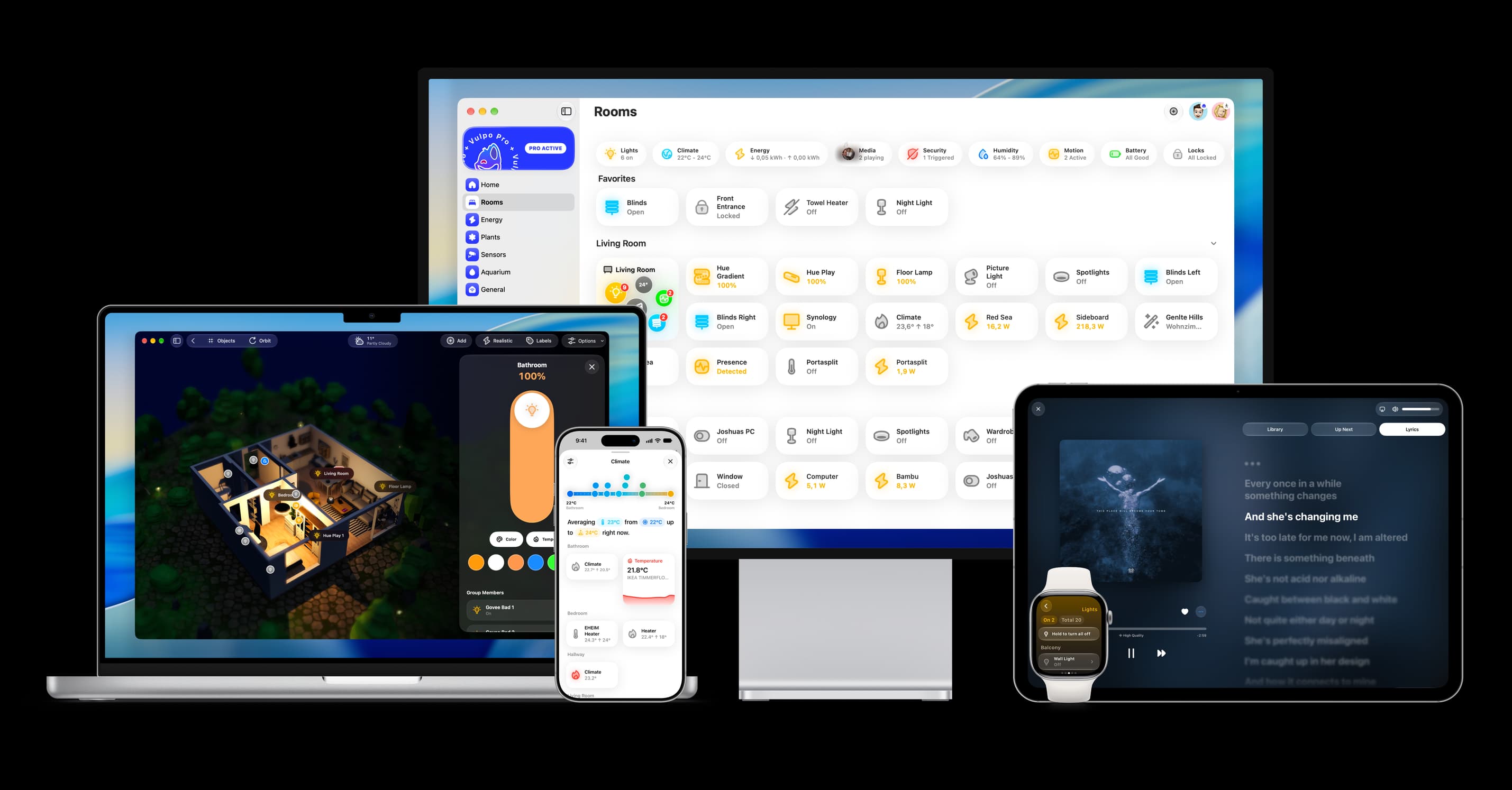
- Free to download
- iPhone, iPad, Mac and Apple Watch
- 40+ native card types
- Connects to your own Home Assistant