
Bravia Theatre
On Home Assistant 2026.11 or newer? Open it in the Marketplace
- Installs
- 88 sharing analytics
- GitHub stars
- 18
- Connection
- Works locally
- Upkeep
- Updated in the last 6 months
- Version
- v2.2.1,
- Category
- Media and entertainment, TV and streaming
- Kind
- Marketplace integration
- Brand
- Sony
- Needs
- Needs the Marketplace (HACS on 2026.10 and older)
- Domain
bravia_quad- Issues
- Report an issue
Independent directory, made by the developer of Vulpo. Not affiliated with Home Assistant or the Open Home Foundation.
Screenshots From the README of steamEngineer/bravia-quad-homeassistant.
About
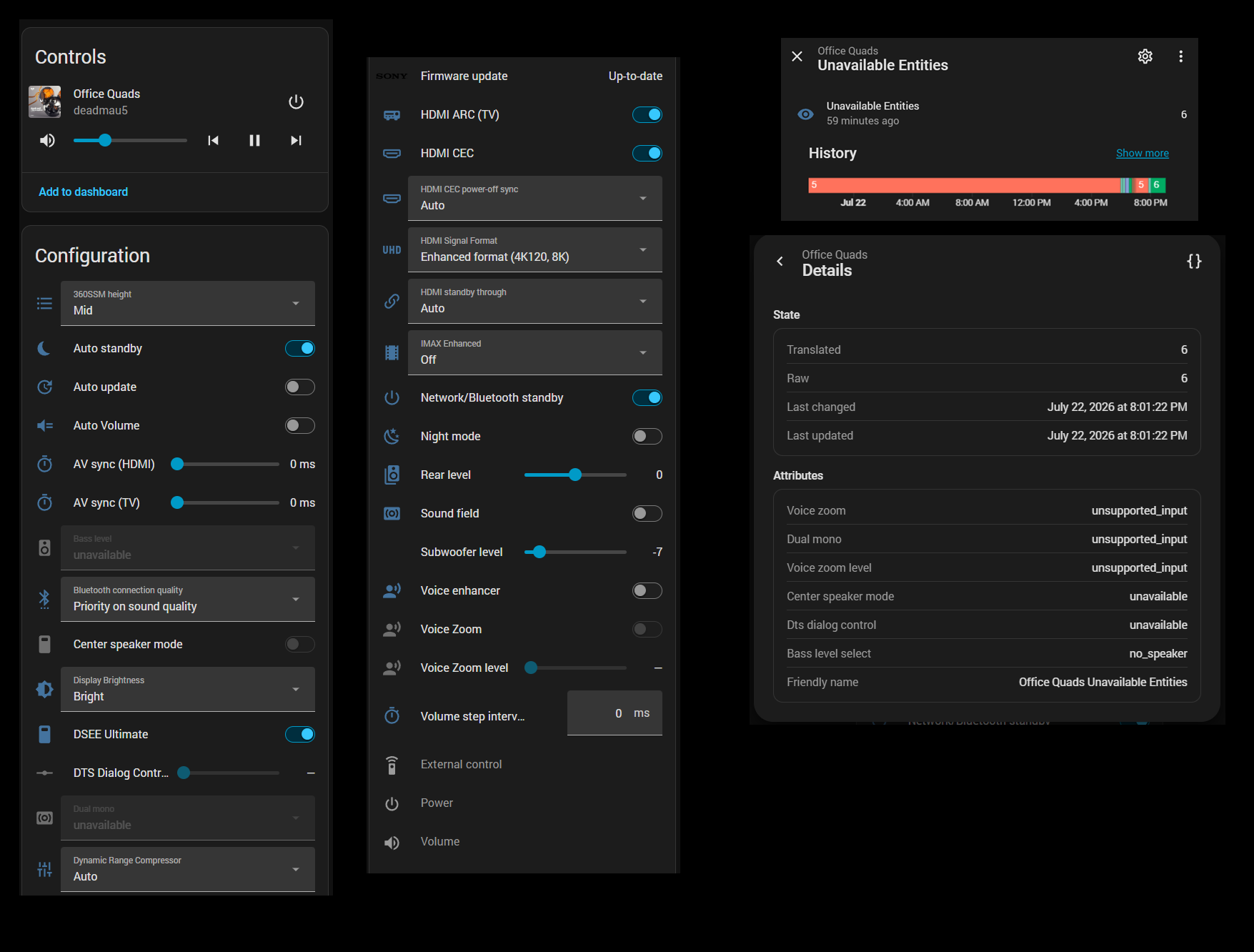
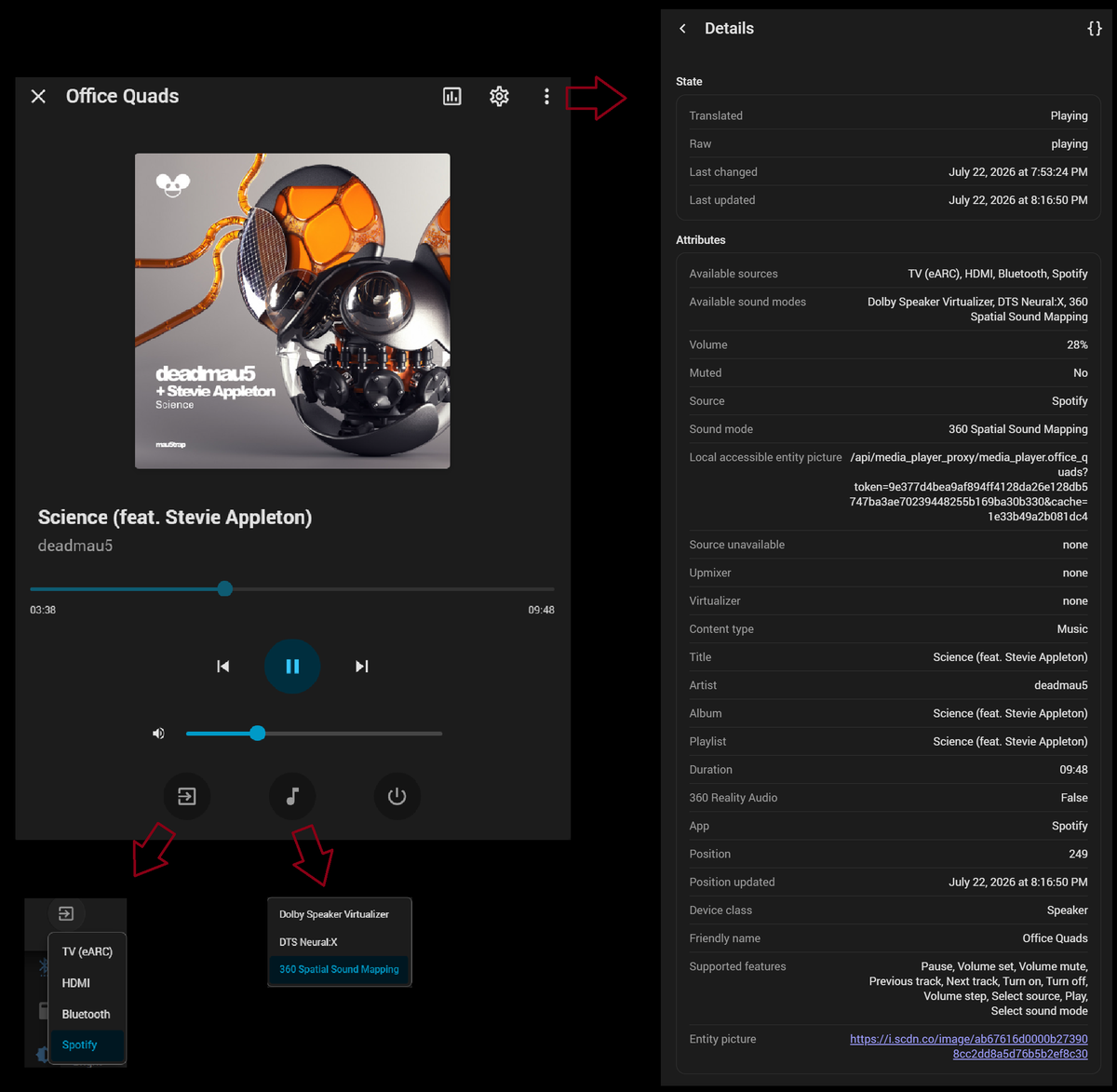
Bravia Theatre is a custom integration that controls Sony Bravia Theatre sound systems locally from Home Assistant. Home Assistant can discover the device on the network and offer to add it, and setup then runs in the UI with a choice of connection method. It adds a media player with power, volume, mute and source control, plus buttons, numbers, selects, sensors, switches and a firmware update entity. Audio settings such as voice enhancer, sound field, night mode, auto volume, HDMI CEC and auto standby are exposed as switches, and rear, bass and subwoofer levels as numbers. Where the connection supports it, the device pushes updates, and the gRPC option adds now-playing metadata. Several Theatre devices can be added, each with its own config entry and device.
Automatic summary of the README and code of steamEngineer/bravia-quad-homeassistant. Something wrong, or are you the maintainer and want your own text here? Get in touch
Supports
Works locally Talks to your devices on your own network. No vendor cloud in between.
Found by itself Home Assistant spots it on the network and offers to add it.
From the Marketplace Installed through the Marketplace, formerly HACS.
Actively maintained Its author released or pushed a change in the last six months.
Provides
- Media
- Switches
- Sensors
Setting it up
Install it from the Marketplace and restart Home Assistant, then add it under Settings, Devices and services.
Bravia Theatre setup
- IP address
Also asked when signing in again.
Connection method
- Connection method
Paste Sony sign-in redirect
- Redirect URL or authorization code
Choose Sony device
- Sony device
After setup
- Verbose gRPC debug logging
- Read notify-only settings from Sony Seeds cloud
Texts from the code of steamEngineer/bravia-quad-homeassistant.
Entities
- ButtonsDetect subwoofer, Bluetooth pairing
- NumbersVolume, Rear level, Bass level, Subwoofer level, Volume step interval, AV sync (HDMI), AV sync (TV), Voice Zoom level, DTS Dialog Control
- SelectsSource, Bass level, Dynamic Range Compressor, Display Brightness, IMAX Enhanced, HDMI signal pass through, Dual mono, Bluetooth connection quality, HDMI standby through, HDMI CEC power-off sync, HDMI Signal Format, Audio Return Channel, and 4 more
- SensorsTemperature, Timezone, 360 Spatial Sound Mapping, Voice Zoom level, Network mode, IP address, Device name, Region, Language, DHCP, Internet, IP address (IPv6), and 7 more
- SwitchesPower, HDMI CEC, Auto standby, Voice enhancer, Sound field, Night mode, Auto Volume, Auto update, Network/Bluetooth standby, Voice Zoom, External control, DSEE Ultimate, and 3 more
- UpdatesFirmware update
From the README
- Auto-discovery via mDNS/zeroconf — no manual IP required
- Power, volume, mute, and source control via media player and companion entities
- Rear and bass level — bass adapts automatically (slider with subwoofer, MIN/MID/MAX without)
- Audio settings — voice enhancer, sound field, night mode, DRC, auto volume, HDMI CEC, auto standby
- Real-time updates from the device where the transport supports notify/push
- gRPC extras — now-playing metadata, sound field mode select, play/pause/next on Spotify/Bluetooth/AirPlay, DSEE Ultimate, 360SSM height, and more (see docs/entities.md)
- Multiple Theatres — zeroconf rediscovery matches by host or MAC so each device gets its own config entry; entities nest under one HA device per Theatre

Shows in Vulpo
Quick Toggle card, Media Player card, Button card, Select card, Apple Watch, Control Center.Information
- Installs
- 88 sharing analytics
- GitHub stars
- 18
- Connection
- Works locally
- Upkeep
- Updated in the last 6 months
- Version
- v2.2.1,
- Category
- Media and entertainment, TV and streaming
- Kind
- Marketplace integration
- Brand
- Sony
- Needs
- Needs the Marketplace (HACS on 2026.10 and older)
- Domain
bravia_quad- Issues
- Report an issue