
Bosch Indego Mower
On Home Assistant 2026.11 or newer? Open it in the Marketplace
- Installs
- 204 sharing analytics
- GitHub stars
- 105
- Connection
- Uses the vendor's cloud
- Upkeep
- Updated in the last 6 months
- Version
- 6.2.0,
- Category
- Garden and plants
- Kind
- Marketplace integration
- Brand
- Bosch
- Needs
- Needs the Marketplace (HACS on 2026.10 and older)
- Domain
indego- Issues
- Report an issue
Independent directory, made by the developer of Vulpo. Not affiliated with Home Assistant or the Open Home Foundation.
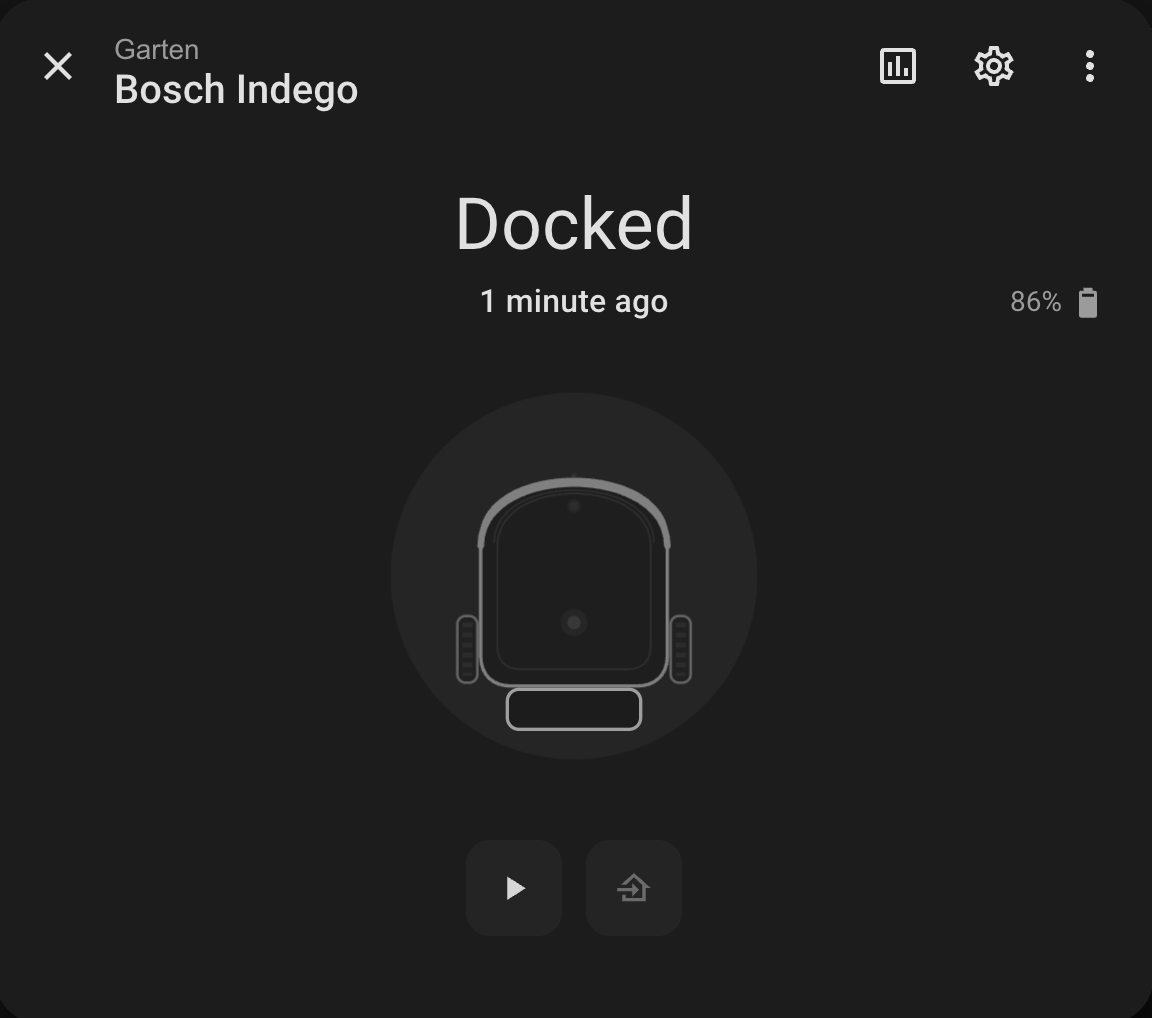
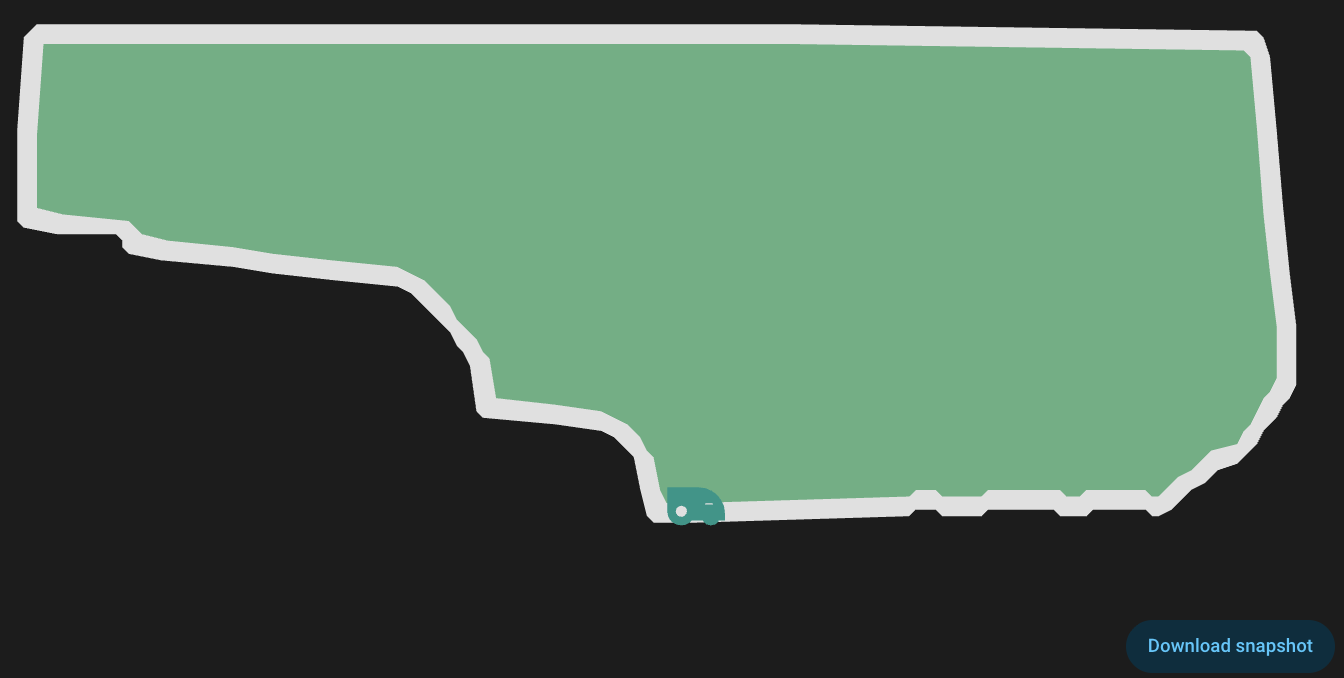
Screenshots From the README of sander1988/Indego.
About
Bosch Indego Mower is an integration that monitors and controls Bosch Indego robotic lawn mowers through the Bosch cloud. It adds a lawn mower entity, with an optional vacuum entity, plus sensors for state, battery and mowing times, a mowing map camera, and a weather entity for SmartMowing. Switches cover SmartMowing, PIN protection, keypad lock and automatic updates, and buttons delete or mark alerts as read. Actions send mow, pause and return-to-dock commands, set calendar slots and the SmartMowing mowing window, adjust bump sensitivity, and change the PIN. Sign-in goes through the Bosch sign-in page, and a custom User-Agent can be set if the cloud rejects requests. Setup is done in the UI, and repair notices appear when authentication expires or the connection fails.
Automatic summary of the README and code of sander1988/Indego. Something wrong, or are you the maintainer and want your own text here? Get in touch
Supports
Uses the vendor's cloud Needs an internet connection and an account with the vendor.
Sign in with the vendor Connects through the vendor's own sign-in page.
From the Marketplace Installed through the Marketplace, formerly HACS.
Actively maintained Its author released or pushed a change in the last six months.
Provides
- Cameras
- Vacuums
- Switches
- Sensors
- Weather
Setting it up
Install it from the Marketplace and restart Home Assistant, then add it under Settings, Devices and services.
Advanced
- User-AgentIn case of HTTP 4XX errors (especially Reason: 403, message='Forbidden') it might help to change the User Agent. Should not contain Homeassistant or HA.
- Expose Indego mower as mower entity in Home Assistant
- Expose Indego mower as vacuum entity in Home Assistant
Mower
- Mower serial
- Mower name
After setup
- User-AgentCustom User-Agent header for API requests to Bosch Indego Cloud. Leave empty to use default. Some users may need to set a custom value if their account has API access restrictions.
- Expose Indego mower as mower entity in Home Assistant
- Expose Indego mower as vacuum entity in Home Assistant
- Show the full alert history in Home Assistant. This is not recommended for most users, as it might have a significant impact on the Home Assistant database size!
Texts from the code of sander1988/Indego.
Entities
- Binary sensorsOnline, Update Available, Mower Stuck, Service Status, Charge Status
- ButtonsDelete All Alerts, Delete Last Alert, Mark All Alerts as Read, Mark Last Alert as Read
- CamerasMowing Map
- SensorsMower State, Mower State Detail, Battery, Lawn Mowed, Lawn Mowed Size, Last Completed, Next Mow, Mowing Mode, Mow Time Total, Garden Size, Mower Position X, Mower Position Y, and 17 more
- SwitchesSmartMowing, PIN protection, Keypad lock, Automatic updates
- WeatherWeather SmartMowing
Actions
- Send commandSends a control command to the mower. Valid commands are "mow" (start mowing), "returnToDock" (return to charging station) and "pause" (pause mowing).Fields: Serial number, Entity, Command
- Toggle SmartMowingEnables or disables the SmartMowing feature, which automatically adjusts the mowing schedule based on weather conditions and lawn growth.Fields: Serial number, Entity, Activate/Deactivate
- Delete alertDeletes a specific alert by its index. Index 0 refers to the most recent alert.Fields: Serial number, Entity, Alert index
- Delete all alertsDeletes all existing alerts for the mower at once.Fields: Serial number, Entity
- Mark alert as readMarks a specific alert as read by its index. Index 0 refers to the most recent alert.Fields: Serial number, Entity, Alert index
- Mark all alerts as readMarks all existing alerts for the mower as read.Fields: Serial number, Entity
- Download mowing mapDownloads the current mowing map from the Bosch Cloud API and saves it locally as "www/indego_map_base.svg". The map reflects the most recently recorded mowing route.Fields: Serial number, Entity
- Set calendar slotSet a calendar slot when you use a manual schedule instead of SmartMowing.Fields: Serial number, Entity, Days, Slot, Activate/Deactivate, Start time, End time
- Set SmartMowing mowing windowSet the allowed mowing window for SmartMowing.Fields: Serial number, Entity, Earliest start, Latest end
- Set lawn conditionsSet the mower bump sensitivity.Fields: Serial number, Entity, Lawn conditions
- Change PIN codeChange the mower PIN code.Fields: Serial number, Entity, PIN code
Troubleshooting
- DiagnosticsDownloads a diagnostics file to attach to a bug report.
- System healthAdds its status to Home Assistant's system information.
- Repair noticesNotices it can show in Settings, Repairs:Bosch Indego authentication expired, Bosch Indego connection problems
From the README
Home Assistant Custom Component for Bosch Indego robotic lawn mowers
A comprehensive Home Assistant integration that provides full control and monitoring of your Bosch Indego lawn mower. Get real-time status, battery information, mowing schedules, calendar slot configuration, and more.
- 🎮 Full Mower Control - Start, pause, dock, and schedule mowing
- 📊 Real-time Monitoring - Battery, location, alerts, and more
- 📍 Lawn Mapping - Visual SVG map with mower position overlay (dynamic streaming based on movement)
- 🤖 SmartMowing Switch - Toggle automatic schedule optimization based on weather
- ⚠️ Alert Management - Monitor and manage mower alerts with action buttons and complete error list extraction
- 📅 Calendar Slot Configuration - Set and track mowing time slots via dedicated service and sensors
- 🌍 Multi-language Support - German, English, Dutch, French, Spanish, Italian, Danish, Norwegian, Polish, Swedish, Slovak, and more
- 🏠 Native Entities - Lawn Mower and Vacuum entities for seamless Home Assistant integration
- 📱 Multiple Mowers - Support for multiple mowers in one Home Assistant instance
- 🔌 Service Monitoring - Bosch Cloud API availability detection with HTTP 5xx error tracking
- 🔋 Advanced Battery Info - Detailed battery metrics (voltage, temperature, cycles, discharge in Wh)
- 🛡️ Intelligent Offline Detection - 3-layer system (error codes, timeout, successful updates)

Shows in Vulpo
Quick Toggle card, Robot Vacuum card, Camera card, Button card, Lumen sky, Apple Watch, Control Center, Vacuum Live Activity.Information
- Installs
- 204 sharing analytics
- GitHub stars
- 105
- Connection
- Uses the vendor's cloud
- Upkeep
- Updated in the last 6 months
- Version
- 6.2.0,
- Category
- Garden and plants
- Kind
- Marketplace integration
- Brand
- Bosch
- Needs
- Needs the Marketplace (HACS on 2026.10 and older)
- Domain
indego- Issues
- Report an issue