
TP-Link Router
On Home Assistant 2026.11 or newer? Open it in the Marketplace
- Installs
- 2.5k sharing analytics
- GitHub stars
- 396
- Connection
- Works locally
- Upkeep
- Updated in the last 6 months
- Version
- v2.44.0,
- Category
- Computers and network, Routers and network
- Kind
- Marketplace integration
- Brand
- TP-Link
- Needs
- Needs the Marketplace (HACS on 2026.10 and older)
- Domain
tplink_router- Issues
- Report an issue
Independent directory, made by the developer of Vulpo. Not affiliated with Home Assistant or the Open Home Foundation.
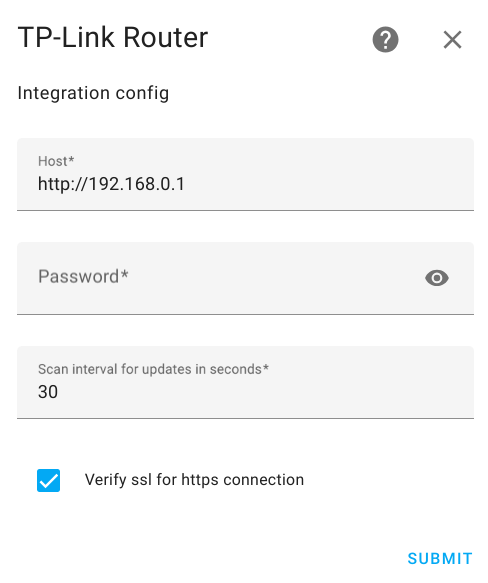
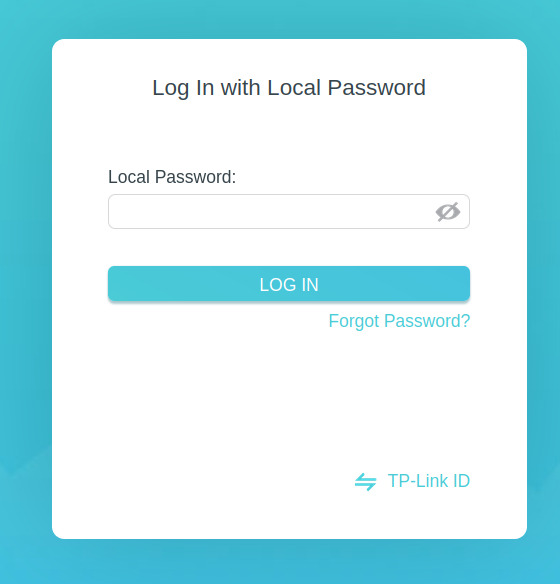
Screenshots From the README of AlexandrErohin/home-assistant-tplink-router.
About
TP-Link Router is a Marketplace integration for administering TP-Link and Mercusys routers from Home Assistant. It communicates with the router locally and is set up in the UI, with options for host, login, scan interval, retries and SSL verification. It adds a reboot button, switches for Wi-Fi networks on each band, a VPN client, the DHCP server and pausing data fetching, plus sensors for client counts, CPU, memory, WAN and LAN addresses. Device tracking follows connected clients by MAC address, and on mesh networks it also creates a tracker for each node. LTE routers get sensors for signal, network type, SIM status and unread SMS, along with an action to send SMS. Further actions add or delete DHCP reservations, and events fire when devices appear, go online or offline, or when an SMS arrives.
Automatic summary of the README and code of AlexandrErohin/home-assistant-tplink-router. Something wrong, or are you the maintainer and want your own text here? Get in touch
Supports
Works locally Talks to your devices on your own network. No vendor cloud in between.
From the Marketplace Installed through the Marketplace, formerly HACS.
Actively maintained Its author released or pushed a change in the last six months.
Provides
- Switches
- Sensors
- Presence
Setting it up
Install it from the Marketplace and restart Home Assistant, then add it under Settings, Devices and services.
Connect
- Host
- Login
- Password
- Scan interval for updates in seconds
- Number of attempts for each data update
- Seconds between retries
- Minutes before data fetching re-enables automatically (0 = never)
- Seconds a missing device stays 'home' before going offline (0 = immediate)
- Verify SSL for https connection
Custom
- Include support for VPN server and client
- Include device trackers (disable for non-access-point routers to avoid duplicates)
- Give each tracked client its own device entry (off by default; can add many devices on busy networks)
- Include DHCP reservations sensor and add/delete services
- Include LTE serving cells sensors
After setup
- Host
- Login
- Password
- Scan interval for updates in seconds
- Number of attempts for each data update
- Seconds between retries
- Minutes before data fetching re-enables automatically (0 = never)
- Seconds a missing device stays 'home' before going offline (0 = immediate)
- Verify SSL for https connection
- Include support for VPN server and client
- Include device trackers (disable for non-access-point routers to avoid duplicates)
- Give each tracked client its own device entry (off by default; can add many devices on busy networks)
- Include DHCP reservations sensor and add/delete services
- Include LTE serving cells sensors
Texts from the code of AlexandrErohin/home-assistant-tplink-router.
Actions
- Send SMSSend SMSFields: Phone, Message, Router
- Add DHCP ReservationReserve a static IPv4 address for a device on the router.Fields: Router, MAC Address, IP Address, Description, Enabled
- Delete DHCP ReservationRemove a static IPv4 address reservation from the router.Fields: Router, MAC Address
From the README
Home Assistant component for TP-Link and Mercusys routers administration based on the TP-Link Router API

Shows in Vulpo
Quick Toggle card, Button card, Chart card, Apple Watch, Control Center.Information
- Installs
- 2.5k sharing analytics
- GitHub stars
- 396
- Connection
- Works locally
- Upkeep
- Updated in the last 6 months
- Version
- v2.44.0,
- Category
- Computers and network, Routers and network
- Kind
- Marketplace integration
- Brand
- TP-Link
- Needs
- Needs the Marketplace (HACS on 2026.10 and older)
- Domain
tplink_router- Issues
- Report an issue