Dreame Vacuum
On Home Assistant 2026.11 or newer? Open it in the Marketplace
- Installs
- 17.9k sharing analytics
- GitHub stars
- 2.3k
- Connection
- Uses the vendor's cloud
- Upkeep
- Updated in the last 6 months
- Version
- v2.0.2,
- Category
- Appliances and cleaning, Cleaning
- Kind
- Marketplace integration
- Brand
- Dreame
- Needs
- Needs the Marketplace (HACS on 2026.10 and older)
- Domain
dreame_vacuum- Issues
- Report an issue
Independent directory, made by the developer of Vulpo. Not affiliated with Home Assistant or the Open Home Foundation.
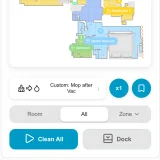
Screenshots From the README of Tasshack/dreame-vacuum.

About
Dreame Vacuum is an integration that connects Dreame robot vacuums to Home Assistant with map support. It creates vacuum, sensor, switch, select, number, button, time and camera entities, including camera entities for the current map. Cleaning can target rooms, zones or spots on the map, with per-room suction, water volume and cleaning order. Further actions cover map handling such as selecting a floor, saving, renaming, backing up and restoring maps. Setup happens in the UI with a vendor account and server country, or with a host and token for a local connection, and the cloud is needed for some modes. Options include map color scheme, icon set, square or low resolution maps and notifications.
Automatic summary of the README and code of Tasshack/dreame-vacuum. Something wrong, or are you the maintainer and want your own text here? Get in touch
Supports
Uses the vendor's cloud Needs an internet connection and an account with the vendor.
From the Marketplace Installed through the Marketplace, formerly HACS.
Actively maintained Its author released or pushed a change in the last six months.
Provides
- Cameras
- Vacuums
- Switches
- Sensors
Setting it up
Install it from the Marketplace and restart Home Assistant, then add it under Settings, Devices and services.
Connect
- Configuration Type
Enter the code
- Two-factor verification code
Local
- Host
- Token
Mi
- Username
- Password
- Server country
- Prefer cloud connection
Captcha
- Code
Dreame
- Username
- Password
- Server country
Also asked when at the mova step and at the trouver step.
After setup
- Map color scheme
- Map icon set
- Notification
- Hidden Map objects
- Low resolution map
- Square map
- Configuration type
- Prefer cloud connection
- Dreame Vacuum Card Key
Texts from the code of Tasshack/dreame-vacuum.
Entities
- Binary sensorsCharging State, LDS Status, Roller Cover Status, Problem, Maintenance
- ButtonsBackup Saved Map, Base Station Cleaning, Base Station Self Repair, Clear Warning, Empty Water Tank, Manual Drying, Manual Dust Bag Drying, Reload Shortcuts, Reset Deodorizer, and 22 more
- CamerasCurrent Map, Current Map Data
- inputRepeats, Map Name, Room Name, Shortcut Name
- NumbersAuto-Empty Area, Camera Light Brightness, Drying Time, Mop Cleaning Remainder, Self-Clean Area, Self-Clean Time, Volume, Wetness
- SelectsAuto-Empty Frequency, Auto-Empty Mode, Auto Lds Coverage, Auto Re-Cleaning, Auto Re-Washing, Battery Charge Level, Carpet Cleaning, Carpet Sensitivity, Shape, and 40 more
- SensorsAuto Empty Status, Battery Level, BSSID, Charging Status, Clean Water Tank Status, Cleaned Area, Cleaning Count, Cleaning History, Cleaning Progress, and 81 more
- SwitchesActive Suspension Crossing, AI Fluid Detection, AI Furniture Detection, AI Human Detection, AI Obstacle Detection, AI Obstacle Image Upload, Obstacle Pictures, AI Pet Avoidance, Pet Detection, and 70 more
- TimesDnD End Time, DnD Start Time, Off-Peak End Time, Off-Peak Start Time, Starting Time
Actions
- Clean SegmentStart the cleaning operation in the selected rooms.Fields: Segments, Repeats, Suction Level, Water Volume
- Clean ZoneStart the cleaning operation in the selected area.Fields: Zone, Repeats, Suction Level, Water Volume
- Clean SpotStart the cleaning operation in the selected points on the map.Fields: Points, Repeats, Suction Level, Water Volume
- Go ToGo to the coordinate of the map and stop.Fields: X, Y
- Follow PathFollow list of coordinates on the map and return to base. (Only supported on vacuums with camera)Fields: Points
- Start ShortcutStart a shortcut task. (Only on supported devices)Fields: Shortcut ID
- Remote Control Move StepRemotely control move the bot one step.Fields: Rotation, Velocity
- Install Voice PackInstall official or custom voice pack.Fields: Language ID, URL, MD5, Size
- Request MapRequest map data
- Select MapSelect current map. Used when having multiple maps/floors.Fields: Map ID
- Delete mapDelete a map.Fields: Map ID
- Save Temporary MapSave the temporary map.
- Discard Temporary MapDiscard the temporary map.
- Replace Temporary MapReplace the temporary map with another saved map.Fields: Map ID
- Rename mapRename a map.Fields: Map ID, Map Name
- Restore MapRestore a map.Fields: Map ID, Recovery Map Index
- Restore Map From FileRestore a map from file.Fields: Map ID, File Url
- Backup MapBackup a map to cloud.Fields: Map ID
- Rename SegmentRename a segment.Fields: Segment ID, Segment Name
- Set Cleaning SequenceSet room cleaning sequence. (Only on supported devices)Fields: Cleaning sequence
Troubleshooting
- DiagnosticsDownloads a diagnostics file to attach to a bug report.
From the README
Complete app replacement with Home Assistant for Dreame robot vacuums.
- Wide range of Dreame, MOVA, Mijia and Trouver robot vacuums and mops, configurable with a DreameHome, MovaHome, Xiaomi Home account or fully locally without the cloud
- Almost every setting and state exposed dynamically as auto generated entities
- Live and multi-floor map support with zone, spot and room cleaning
- Per-room suction, water volume and cleaning order for customized cleaning
- Persistent notifications and events for automations
- Cleaning/cruising history, obstacle photos, map backup & recovery and saved WiFi maps
- Backend translations for 40 languages
- Complete interactive map editor via embedded Dreame Vacuum Card
- Installation - Minimum Home Assistant version and hardware requirements, with HACS and manual setup steps
- Configuration - Adding the device with a Dreamehome, Xiaomi Home, MOVAhome or TROUVER account, or locally over the LAN
- Configuration Options - Per device settings offered during setup and from the Configure button
- Supported Devices - Model codes of every tested Dreame, MOVA, Mijia and TROUVER robot with the features it exposes

Shows in Vulpo
Quick Toggle card, Robot Vacuum card, Camera card, Button card, Apple Watch, Control Center, Vacuum Live Activity.Information
- Installs
- 17.9k sharing analytics
- GitHub stars
- 2.3k
- Connection
- Uses the vendor's cloud
- Upkeep
- Updated in the last 6 months
- Version
- v2.0.2,
- Category
- Appliances and cleaning, Cleaning
- Kind
- Marketplace integration
- Brand
- Dreame
- Needs
- Needs the Marketplace (HACS on 2026.10 and older)
- Domain
dreame_vacuum- Issues
- Report an issue