
GE Home (SmartHQ)
Not in the Marketplace catalog. Add https://github.com/simbaja/ha_gehome as a custom repository in the Marketplace.
- Installs
- 3.7k sharing analytics
- GitHub stars
- 623
- Connection
- Uses the vendor's cloud
- Upkeep
- Updated in the last 6 months
- Version
- v2026.8.0,
- Category
- Appliances and cleaning
- Kind
- Marketplace integration
- Brand
- GE
- Needs
- Added as a custom repository in the Marketplace
- Domain
ge_home- Issues
- Report an issue
Independent directory, made by the developer of Vulpo. Not affiliated with Home Assistant or the Open Home Foundation.
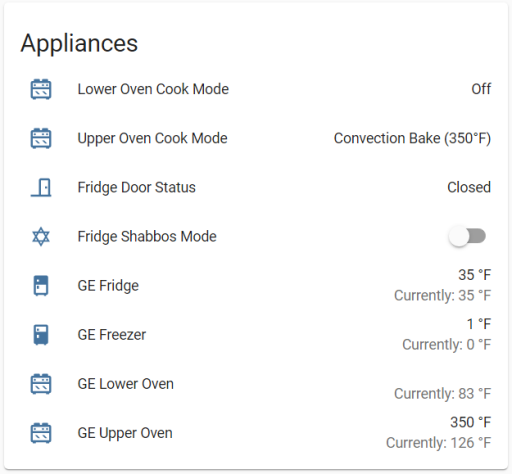
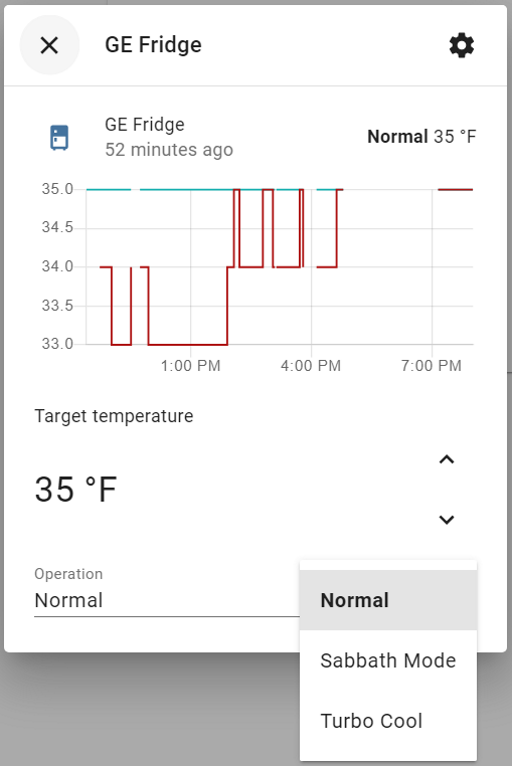
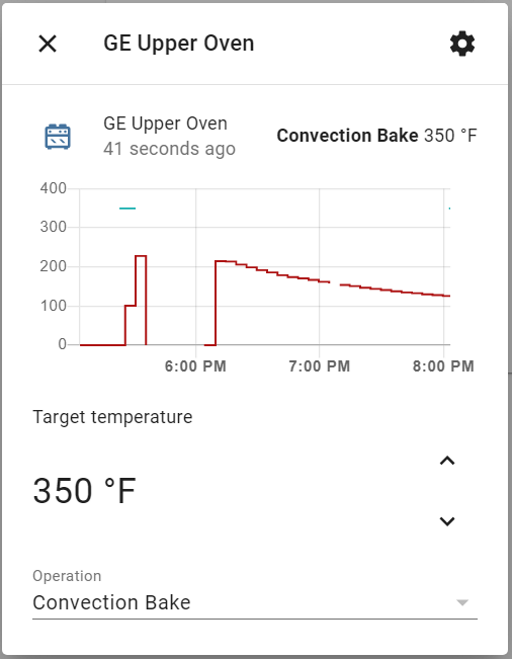
Screenshots From the README of simbaja/ha_gehome.
About
GE Home (SmartHQ) connects GE WiFi-enabled appliances to Home Assistant through the SmartHQ cloud. The README lists fridges, ovens, dishwashers, washers and dryers, air conditioners, range hoods, microwaves, water filters, softeners and heaters, ice makers, coffee makers and beverage centers among the supported devices. It provides entities across many platforms, including sensors, binary sensors, climate, fans, lights, humidifiers, water heaters, switches, selects, numbers and buttons. Range hoods appear as native fan and light entities, with low, medium and high speeds and a boost preset when the appliance reports it, which suits dashboards, voice assistants and the HomeKit Bridge. Setup happens in the UI with the SmartHQ email, password and a US or EU region, followed by an emailed verification code. An option lets the device identifier use either the serial number or the MAC address first.
Automatic summary of the README and code of simbaja/ha_gehome. Something wrong, or are you the maintainer and want your own text here? Get in touch
Supports
Uses the vendor's cloud Needs an internet connection and an account with the vendor.
From the Marketplace Installed through the Marketplace, formerly HACS.
Actively maintained Its author released or pushed a change in the last six months.
Provides
- Lights
- Climate
- Water heaters
- Humidifiers
- Fans
- Switches
- Sensors
Setting it up
Add its repository to the Marketplace as a custom repository and install it, then restart Home Assistant and add it under Settings, Devices and services.
Sign in to SmartHQ
- EmailThe email address for your SmartHQ account.
- PasswordYour SmartHQ account password (this is not your Home Assistant password).
- RegionChoose US for North America or EU for Europe.
Also asked when signing in again.
Enter your verification code
- Verification codeThe one-time code from the SmartHQ email.
- Resend codeLeave the code blank and tick this to email a fresh code.
After setup
- Device identifierserial_or_mac = serial with MAC fallback (default for existing installs); mac_or_serial = MAC with serial fallback (default for new installs)
Texts from the code of simbaja/ha_gehome.

Shows in Vulpo
Light card, Quick Toggle card, Climate card, Fan card, Apple Watch, Control Center, Climate Live Activity.Information
- Installs
- 3.7k sharing analytics
- GitHub stars
- 623
- Connection
- Uses the vendor's cloud
- Upkeep
- Updated in the last 6 months
- Version
- v2026.8.0,
- Category
- Appliances and cleaning
- Kind
- Marketplace integration
- Brand
- GE
- Needs
- Added as a custom repository in the Marketplace
- Domain
ge_home- Issues
- Report an issue