On Home Assistant 2026.11 or newer? Open it in the Marketplace
- Installs
- 50 sharing analytics
- GitHub stars
- 9
- Connection
- Works locally
- Upkeep
- Updated in the last 6 months
- Version
- v2.15.1,
- Category
- Computers and network, Routers and network
- Kind
- Marketplace integration
- Brand
- Cync
- Needs
- Needs the Marketplace (HACS on 2026.10 and older)
- Domain
cync_lan- Issues
- Report an issue
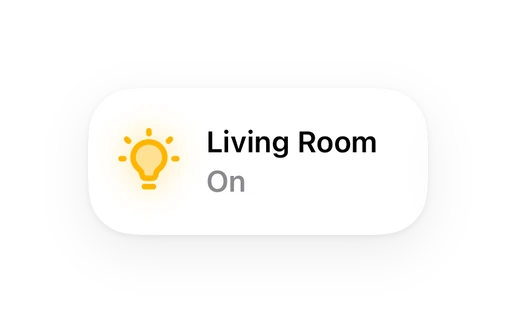
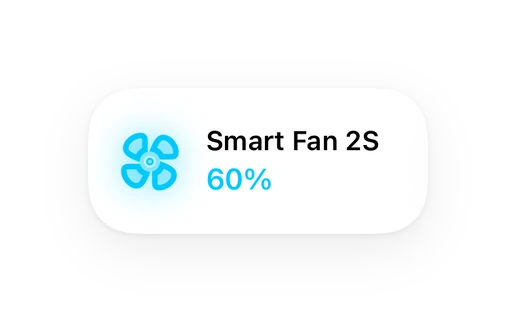
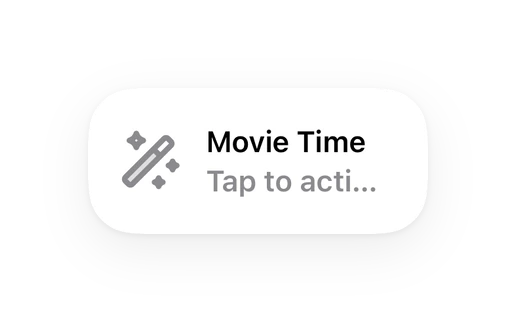
Shows in Vulpo Light card, Quick Toggle card, Fan card, Scene card, Apple Watch, Control Center.
Independent directory, made by the developer of Vulpo. Not affiliated with Home Assistant or the Open Home Foundation.
About
Local control of Cync / C by GE smart lighting in Home Assistant - no cloud, no internet required
Description from Proxy-alt/cync-lan

Shows in Vulpo
Light card, Quick Toggle card, Fan card, Scene card, Apple Watch, Control Center.Installs over time
#1,472 of 1,483 Marketplace integrations. Installs sharing analytics.
Supports
- Works locallyTalks to your devices on your own network. No vendor cloud in between.
- Found by itselfHome Assistant spots it on the network and offers to add it.
- From the MarketplaceInstalled through the Marketplace, formerly HACS.
- Actively maintainedIts author released or pushed a change in the last six months.
Provides
- Lights
- Fans
- Switches
- Sensors
Setting it up
Install it from the Marketplace and restart Home Assistant, then add it under Settings, Devices and services.
Connect your Cync account
- Password
Enter the verification code
- Verification code
Re-authenticate with Cync
- Password
After setup
- Local TCP port (devices must be redirected here via DNS)
- Hours between automatic device-list refreshes (0 to disable)
- Create one aggregate entity per Cync device group ('Living Room', etc.) - a light group if its members are lights, a switch group if they're all switches
- Hide each group's individual member entities from dashboards
- Enable experimental commands (advanced) - adds the experimental_* actions for scenes, schedules, motion-sensor tuning and mesh queries. Their wire format is predicted, not confirmed against real hardware; they may do nothing, or something unintended. Also switches group entities from controlling each member individually to a single command addressed to the whole group, unconfirmed against real hardware.
- Capture unrecognised packets to a log file (advanced) - writes the raw hex of anything connecting to the local port that isn't a Cync device. Use this to identify an unknown client; it is noisy, and needs a full Home Assistant restart to take effect, not just a reload.
- Show the indicator ring as a light instead of separate controls
- Download firmware updates for inspection (never installs them)
- Pass device traffic through to the Cync cloud (sends your traffic to the vendor)
- Use the alternate "bare" hub envelope (experiment) - hub commands (scenes, schedules, automations, groups, hub queries) drop the 7-byte routing block, matching how the phone app builds them. Unproven on our wire. Turn this on only if hub commands do nothing with it off, then report which setting worked. Applies immediately, no restart needed.
- Device
- Sensor
- Enabled
- Sensitivity
- Delay before triggering (seconds)
- Deactivation delay after motion stops (seconds)
- Automation
- Device
- Scene
- Action
- Colour temperature (0-100, warm to cool)
- Fade
- Device
- Group
- Member of this group
- Reach flag
- Device
- Slot
- Response mode
- Start hour
- Start minute
- End hour
- End minute
- Brightness (0-100)
- Colour temperature (0-100, warm to cool)
- Device
- Segment 1 position (1-120)
- Segment 1 colour
- Segment 2 position (1-120)
- Segment 2 colour
Texts from the code of Proxy-alt/cync-lan.
Entities
- Binary sensorsMotion, Cync App Active, Cync App Active (WiFi), Ready to control
- ButtonsQuery mesh credentials, Identify, Sync hub clock
- EventsMotion, Button
- LightsIndicator ring
- NumbersIndicator LED brightness, MultiColor segment count, Dimmer LED brightness
- SelectsIndicator LED mode, Indicator LED color, Dimmer LED bar
- SensorsSchedule, IP address, Connected via, Last seen, Cync device ID, Connected devices, Hub firmware version, Hub clock, Last firmware released
- SwitchesIndicator LED blink on WiFi disconnect, MITM mode, MultiColor gradient mode
Actions
- Set indicator LED (experimental)Confirmed working on real hardware (see docs/mesh_opcodes.md). Kept under the experimental_ service name since it's still a recently-corrected command. Sets a device's small status/indicator LED mode, color, and brightness.
- Device
- Mode
- Color
- Brightness
- Blink on WiFi disconnect
- Set motion/ambient sensor settings (experimental)Experimental — the outer command byte is predicted, not confirmed against a real packet capture. Tunes a motion or ambient-light sensor's enabled state, sensitivity, and timing. Please report success or failure with your device model, see docs/mesh_opcodes.md. Note: the real Cync app requires physically waking the sensor first (press and hold its off button for 5 seconds - the LED turns green when it's discoverable, and your phone should be within 40 feet) before it accepts settings edits. This isn't a special radio mode - it's the device's ordinary online status, confirmed via decompiled-source research. If this call appears to silently do nothing, the sensor is very likely still asleep - the real app itself silently no-ops this exact command family when its target is offline, rather than erroring.
- Device
- Sensor type
- Enabled
- Sensitivity
- Delay
- Deactivation delay
- Activate a Cync scene (experimental)Experimental — both the outer command byte and the target address are predicted, not confirmed against a real packet capture. Activates a saved Cync Scene (a named multi-device state snapshot configured in the Cync app). Please report success or failure with your device model, see docs/mesh_opcodes.md.
- Bridge device
- Scene ID
- Set a group's power (experimental)Experimental — unlike this integration's other experimental services, the command itself (set_power) is fully confirmed; what's unconfirmed is whether device firmware actually responds to a group address as "the whole group" rather than a single device. Please report success or failure with your device model, see docs/mesh_opcodes.md.
- Bridge device
- Group ID
- State
- Identify a raw mesh device (experimental)Experimental — same command as the confirmed-on-hardware identify behavior, but targets a raw mesh address directly instead of a configured device. For a device that answers status broadcasts on your physical mesh but isn't in this integration's device list (not owned by, or removed from, the Cync account) - there's no entity to call identify on, so this lets you address it by its raw mesh address to see which physical bulb or switch reacts. The device keeps announcing until told to stop - call again with state off to end it.
- Bridge device
- Mesh address
- State
- Set a motion sensor schedule slot (experimental)Experimental — the outer command byte is confirmed (same fix already confirmed working on real hardware for the indicator LED service), but the predicted cmd_code and this specific command have not themselves been tested against real hardware. Writes one of a group's 4 fixed motion-sensor schedule slots. Please report success or failure with your device model, see docs/mesh_opcodes.md. Note: the real Cync app requires physically waking the sensor first (press and hold its off button for 5 seconds - the LED turns green when it's discoverable, and your phone should be within 40 feet) before it accepts settings edits. This isn't a special radio mode - it's the device's ordinary online status, confirmed via decompiled-source research. If this call appears to silently do nothing, the sensor is very likely still asleep - the real app itself silently no-ops this exact command family when its target is offline, rather than erroring.
- Device
- Slot
- Mode
- Start hour
- Start minute
- End hour
- End minute
- Brightness
- Color temperature
- RGB color
- Delete a Cync scene (experimental)Experimental — the outer command byte is directly confirmed (DeleteSceneHubCommand's own op_code, not the hardcoded-0x8E relay bug), but whether this command's real wire frame even rides over the same connection cync-lan intercepts at all is unconfirmed - the app builds it via a structurally different, separately-flagged-deprecated framer. Sent through cync-lan's own confirmed envelope as an experiment. Please report success or failure with your device model, see docs/cync_automations.md.
- Bridge device
- Scene ID
- Delete a Cync schedule (experimental)Experimental — same situation as the delete-scene service: the outer command byte is directly confirmed, but whether this command's real wire frame rides over the same connection cync-lan intercepts at all is unconfirmed. Sent through cync-lan's own confirmed envelope as an experiment. Please report success or failure with your device model, see docs/cync_automations.md.
- Bridge device
- Schedule ID
- Enable or disable a Cync schedule (experimental)Experimental — same situation as the delete-scene/delete-schedule services: the outer command byte is directly confirmed, but whether this command's real wire frame rides over the same connection cync-lan intercepts at all is unconfirmed. Sent through cync-lan's own confirmed envelope as an experiment. Enables or disables a saved Schedule without deleting it. Please report success or failure with your device model, see docs/cync_automations.md.
- Bridge device
- Schedule ID
- Scene ID
- Enabled
- Set a device's group membership (experimental)Experimental — this command is dual-path depending on your device's product family: for the rare Sol/C-Reach family it uses a confirmed real op_code (the trustworthy envelope builder, same as everyday brightness/color commands); for virtually every other real device it instead uses the same 0x8E-relay-bug substitution as several other experimental commands in this integration. Either way the predicted cmd_code has not itself been captured. Adds or removes ONE device to/from a group's mesh address - this changes group membership, not a group's power/state (see Set a group's power). Please report success or failure with your device model, see docs/mesh_opcodes.md.
- Device
- Group ID
- Member
- Reach mode
- Push an automation to Cync hardware (experimental)Experimental — reads an existing HA automation's own trigger/condition/action config and pushes it onto the Cync hub as a native Scene + Schedule (create_scene, add_to_scene, create_schedule, add_automation), so it keeps running even if Home Assistant or your network goes down. Requires the automation to have exactly one plain time trigger ('at:' a fixed HH:MM:SS, no entity/template), at most one day-of-week condition (a Time condition with only 'Days' set, no before/after range), and one or more light.turn_on actions, each targeting a Cync LAN light directly (not a light group) with exactly one color set (rgb_color or color_temp_kelvin) - a Cync Scene entry has no brightness field and can't capture any other action type. The command bytes for create_scene/create_schedule/add_automation are directly confirmed from decompiled app source, but whether their real wire frame (a distinct HDLC/PPP-style framing, not this integration's usual envelope) rides over the same TCP connection cync-lan intercepts at all is UNCONFIRMED - see docs/cync_automations.md. If the hub doesn't respond to the scene or schedule step within 10 seconds, nothing (or a partial, orphaned scene) is left behind; the error message explains what to clean up. Please report success or failure with your device model.
- Automation
- Add a device's color to a Cync scene (experimental)Experimental — adds or updates this device's captured color state within an existing Cync scene (created via the Cync app, or via experimental_push_automation_to_hardware/the underlying create_scene function). Exactly one of cct or rgb must be given - a Cync scene entry has no brightness field, so it always implies "device on, at whatever brightness it was last set to," never a specific captured brightness. Confirmed via decompiled app source (AddDeviceSceneCommand), including the fade option (a coded duration bucket, not raw seconds) - the device fades to this color autonomously whenever the scene fires, using the byte captured here. Reachable standalone so it can be tested against a scene you already have, independent of the automation-push flow. Please report success or failure with your device model.
- Device
- Scene ID
- Color temperature
- RGB color
- Fade
- Remove a device from a Cync scene (experimental)Experimental — removes this device's captured state from an existing Cync scene, without deleting the scene itself or affecting its other member devices. Unlike most commands in this integration, both device product-family code paths are confirmed from decompiled app source (RemoveDeviceSceneCommand) - there's no unconfirmed format being guessed at here, only the predicted outer command length. Please report success or failure with your device model.
- Device
- Scene ID
- Set MultiColor gradient mode (experimental)Experimental — toggles gradient mode for a custom MultiColor scheme (per-segment RGB programming for segmented/dynamic light strips - a separate, bigger feature from the factory light-effect presets). This is one of 3 confirmed wire primitives for programming a custom scheme (see experimental_set_multicolor_segment_count/experimental_set_multicolor_segments for the other two) - this integration does not orchestrate the full multi-step sequence a real custom scheme needs, only these 3 confirmed primitives are exposed. Confirmed via decompiled app source (SetMultiColorSegmentsCommand); the predicted outer command length is what's unconfirmed. Please report success or failure with your device model.
- Device
- Enabled
- Set MultiColor segment count (experimental)Experimental — sets the total logical segment count for a custom MultiColor scheme - see experimental_set_multicolor_gradient_mode's description for the overall multi-step-sequence context this shares. Confirmed via decompiled app source (SetMultiColorSegmentsCommand); the predicted outer command length is what's unconfirmed, along with the real app's own upper bound for this value (not visible in the decompiled source). Please report success or failure with your device model.
- Device
- Segment count
- Set MultiColor segment position/color (experimental)Experimental — sets up to 2 segments' position and/or color in one command, for a custom MultiColor scheme - see experimental_set_multicolor_gradient_mode's description for the overall multi-step-sequence context this shares. Position and color are independently optional per segment (confirmed directly from the app's own data model, not assumed) - give either, both, or neither per segment slot. At least one of the two segment slots must be given. Confirmed via decompiled app source (SetMultiColorSegmentsCommand); the predicted outer command length is what's unconfirmed. Please report success or failure with your device model.
- Device
- Segment 1 position
- Segment 1 color
- Segment 2 position
- Segment 2 color
- Experimental: query mesh credentialsAsks a connected hub for the BTLE mesh name and password. These are what cync-lan-ble-provision needs to add a new device to your EXISTING mesh instead of only a factory-default one. Returns them as action response data - the password is your mesh's shared secret, so treat the response accordingly. EXPERIMENTAL: the response channel is unconfirmed and may simply time out on your hardware.
- Bridge device
Troubleshooting
- DiagnosticsDownloads a diagnostics file to attach to a bug report.
- Repair noticesNotices it can show in Settings, Repairs:No Cync devices have connected
From the README
Local control of Cync / C by GE smart lighting and switches, as a native Home Assistant integration. No cloud round-trip at runtime, no MQTT broker, no Docker.
Home Assistant runs a small TCP/TLS server that your Cync devices connect to instead of Cync's real cloud servers, via a DNS override you configure at your router. From then on every command and state update stays on your LAN.
Information
- Installs
- 50 sharing analytics
- GitHub stars
- 9
- Connection
- Works locally
- Upkeep
- Updated in the last 6 months
- Version
- v2.15.1,
- Category
- Computers and network, Routers and network
- Kind
- Marketplace integration
- Brand
- Cync
- Needs
- Needs the Marketplace (HACS on 2026.10 and older)
- Domain
cync_lan- Issues
- Report an issue