
Mitsubishi Electric Wi-Fi Control
On Home Assistant 2026.11 or newer? Open it in the Marketplace
- Installs
- 174 sharing analytics
- GitHub stars
- 15
- Connection
- Uses the vendor's cloud
- Upkeep
- Updated in the last 6 months
- Version
- v2026.10.1,
- Category
- Climate, Heat pumps and air conditioning
- Kind
- Marketplace integration
- Brand
- Mitsubishi
- Needs
- Needs the Marketplace (HACS on 2026.10 and older)
- Domain
melview- Issues
- Report an issue
Independent directory, made by the developer of Vulpo. Not affiliated with Home Assistant or the Open Home Foundation.
Screenshots From the README of jz-v/ha-melview.
About
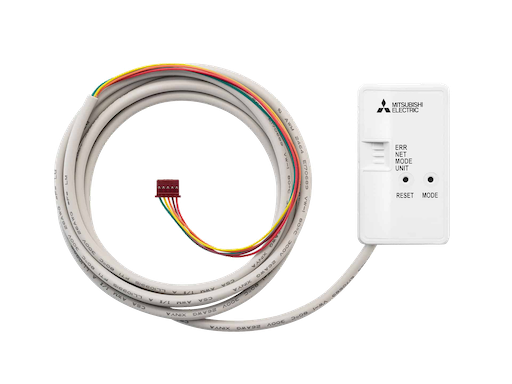
Mitsubishi Electric Wi-Fi Control is an integration for Mitsubishi Electric air conditioners and Lossnay units in Australia and New Zealand. It connects through the vendor's melview cloud service and adds climate, fan, sensor and switch entities to Home Assistant. Zone control is supported for ducted systems, along with standby and preheating detection. An option sends commands to the adapter over the local network after the cloud issues a command key, which the readme says is quicker than waiting for the adapter to check in with the server. Another option creates room temperature sensors, plus air temperature and core efficiency sensors for Lossnay units, whose support is marked experimental. Setup is done in the UI with the login of the Wi-Fi Control app, and the integration is installed through the Marketplace.
Automatic summary of the README and code of jz-v/ha-melview. Something wrong, or are you the maintainer and want your own text here? Get in touch
Supports
Uses the vendor's cloud Needs an internet connection and an account with the vendor.
From the Marketplace Installed through the Marketplace, formerly HACS.
Actively maintained Its author released or pushed a change in the last six months.
Provides
- Climate
- Fans
- Switches
- Sensors
Setting it up
Install it from the Marketplace and restart Home Assistant, then add it under Settings, Devices and services.
Connect to Mitsubishi Electric Wi‑Fi Control
- EmailThe email you use to log in to the Mitsubishi Electric Wi-Fi Control app.
- PasswordThe password for that account.
- Local commands (faster)Send commands directly to the device over LAN. Internet is still required to verify and dispatch commands.
- Current temperatureCreate sensor entities for room temperature, plus air temperature and core efficiency sensors for Lossnay units.
Re-authenticate
- PasswordThe current password for your Mitsubishi Electric Wi-Fi Control account.
Update Password
- PasswordThe new password for your Mitsubishi Electric Wi-Fi Control account.
After setup
- Local commands (faster)Send commands directly to the device over LAN. Internet is still required to verify and dispatch commands.
- Current temperatureCreate sensor entities for room temperature, plus air temperature and core efficiency sensors for Lossnay units.
Texts from the code of jz-v/ha-melview.
Troubleshooting
- DiagnosticsDownloads a diagnostics file to attach to a bug report.

Shows in Vulpo
Quick Toggle card, Climate card, Fan card, Chart card, Apple Watch, Control Center, Climate Live Activity.Information
- Installs
- 174 sharing analytics
- GitHub stars
- 15
- Connection
- Uses the vendor's cloud
- Upkeep
- Updated in the last 6 months
- Version
- v2026.10.1,
- Category
- Climate, Heat pumps and air conditioning
- Kind
- Marketplace integration
- Brand
- Mitsubishi
- Needs
- Needs the Marketplace (HACS on 2026.10 and older)
- Domain
melview- Issues
- Report an issue