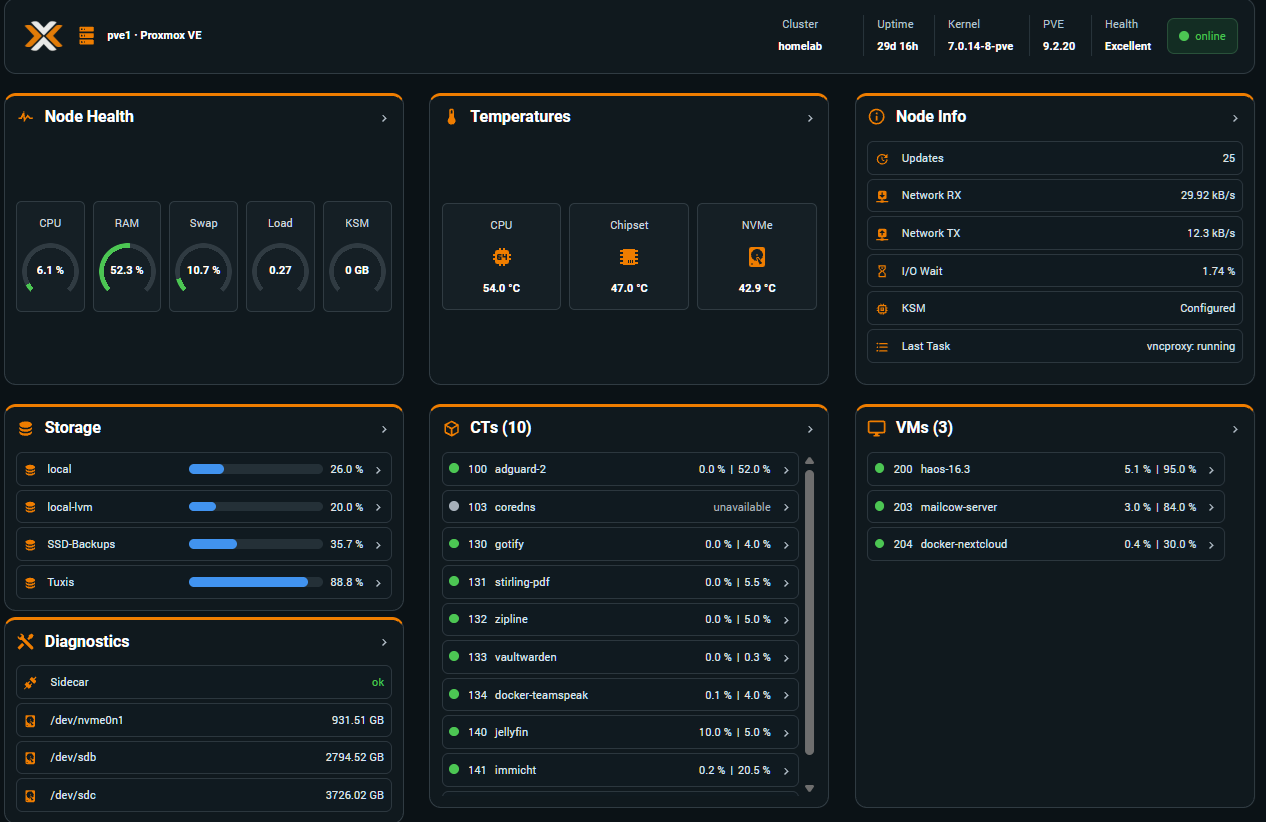
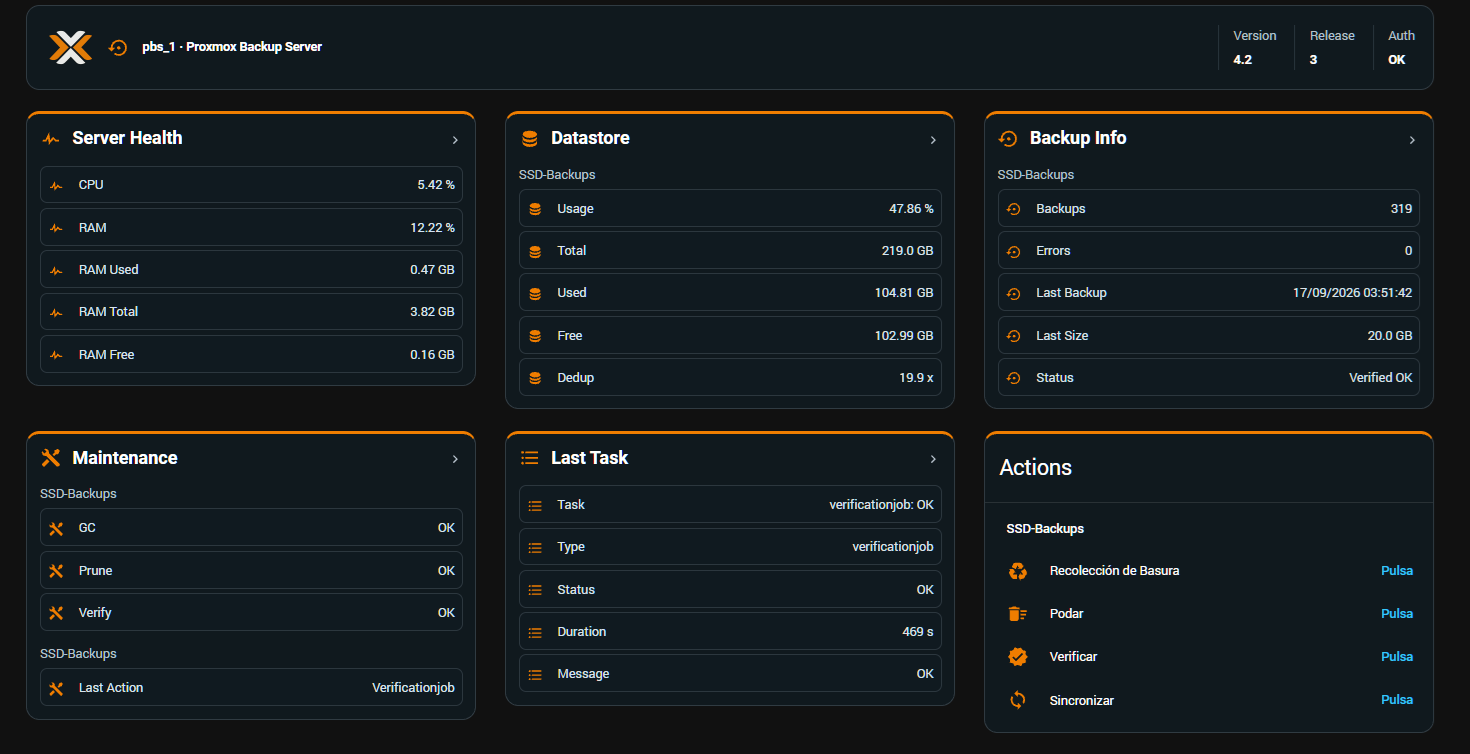
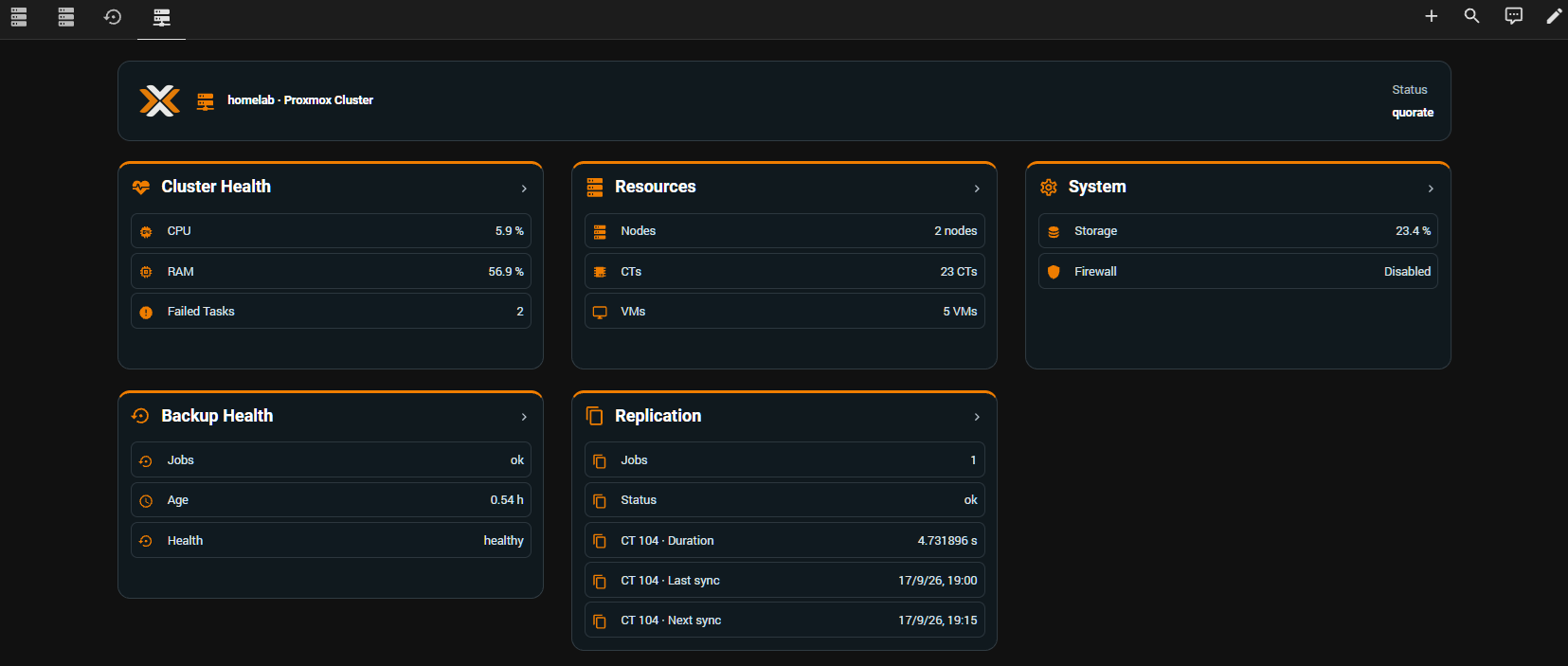
Screenshots From the README of Javisen/proxmox_sensors.
About
Proxmox Extended Sensors is an integration that brings Proxmox VE, Backup Server, Datacenter Manager and cluster monitoring into Home Assistant. It talks to the servers locally and is set up in the UI, using either an API token or a user and password. Beyond sensors, it adds binary sensors for overload and stress states, plus buttons for backup maintenance (garbage collect, prune, verify, sync) and for node shutdown, reboot and Wake-on-LAN. Actions cover starting a backup, backing up all guests on a node, and shutting down, rebooting or waking a node. A PVE node can run standalone or be tied to a configured cluster entry, so VM and container identities survive moves between nodes. An optional dashboard is generated from the discovered resources, with separate views for PVE, PBS, cluster and PDM.
Automatic summary of the README and code of Javisen/proxmox_sensors. Something wrong, or are you the maintainer and want your own text here? Get in touch
Supports
Works locally Talks to your devices on your own network. No vendor cloud in between.
From the Marketplace Installed through the Marketplace, formerly HACS.
Actively maintained Its author released or pushed a change in the last six months.
Setting it up
Install it from the Marketplace and restart Home Assistant, then add it under Settings, Devices and services.
1. Server Connection
- Server Address (IP or FQDN)
- Server Type
2. Authentication Method
- Use API Token (Recommended)
3. Access Credentials — Proxmox VE
- User (e.g., root@pam)
- Password
- Token ID (without user@pve!)
- Token Secret
- Auto-detect node from host IP
- Enable cluster-wide monitoring
- Verify SSL Certificate
3. Access Credentials — Proxmox Backup Server
- User (e.g., admin@pbs)
- Password
- Token ID
- Token Secret
- Verify SSL Certificate
3. Access Credentials — Proxmox Cluster
- User (e.g., root@pam)
- Password
- Token ID (without user@pve!)
- Token Secret
- Verify SSL Certificate
3. Access Credentials — Proxmox Datacenter Manager
- User (including realm)
- Token ID
- Token Secret
- Verify SSL Certificate
PVE entries without an associated CLUSTER
- PVE group
Confirm CLUSTER association recovery
- Recover this association
After setup
- Select Virtual Machines (VM)
- Select Containers (LXC)
- Select Storage
- Enable hardware sensors & temperatures
- Enable physical disk monitoring
- Enable SMART & NVMe health monitoring
- Enable node power controls
- Enable Guest Agent Metrics
- Enable backup progress sensor
- Enable storage list sensor
- Enable nodes list sensor
- Enable cluster-wide monitoring
- Enable PBS node power controls
- Wake-on-LAN MAC address
- Verify SSL Certificate
- Confirm cluster identity change
- Confirm CLUSTER association
Texts from the code of Javisen/proxmox_sensors.
Entities
- Binary sensorsOverloaded, Disk Overloaded, Stressed
- ButtonsGarbage Collect, Prune, Verify, Sync, Shutdown, Reboot, Wake
- SensorsCPU Usage, Uptime, Kernel Version, PVE Version, Load Average, Network RX, Network TX, Last Task, No Tasks, CPU Information, KSM Shared Memory, Memory Usage, and 78 more
Actions
- Proxmox: Start backupBackup selected VMs and/or containers to the specified storage.Fields: PVE entry ID, Node, Target storage, Guest (VM/CT ID), Backup mode, Compression method, Max concurrent, Backup interval
- Proxmox: Mass backupBackup all VMs and/or containers on the selected node.Fields: PVE entry ID, Node, Target storage, Backup mode, Compression method, Max concurrent, Backup interval, Include VMs, Include containers
- Proxmox: Shutdown nodeRequests confirmation and shuts down the selected node.Fields: PVE entry ID, Node, Confirmation
- Proxmox: Reboot nodeRequests confirmation and reboots the selected node.Fields: PVE entry ID, Node, Confirmation
- Dashboard previewReturn a read-only inventory and static dashboard plan for all Proxmox entries. Does not install or modify dashboards.
- Proxmox: Wake nodeWakes a Proxmox node using Wake-on-LAN.Fields: PVE entry ID, Node, MAC address
From the README
Advanced Proxmox VE, PBS & PDM monitoring, control and dashboard integration for Home Assistant.

Shows in Vulpo
Button card, Apple Watch.Information
- Installs
- 680 sharing analytics
- GitHub stars
- 77
- Connection
- Works locally
- Upkeep
- Updated in the last 6 months
- Version
- 5.2.0,
- Category
- Computers and network, NAS and servers
- Kind
- Marketplace integration
- Brand
- Proxmox
- Needs
- Needs the Marketplace (HACS on 2026.10 and older)
- Domain
proxmox_sensors- Issues
- Report an issue