
Solis Inverter
On Home Assistant 2026.11 or newer? Open it in the Marketplace
- Installs
- 1.7k sharing analytics
- GitHub stars
- 333
- Connection
- Uses the vendor's cloud
- Upkeep
- Updated in the last 6 months
- Version
- v4.0.3,
- Category
- Energy, Solar and batteries
- Kind
- Marketplace integration
- Brand
- Solis
- Needs
- Needs the Marketplace (HACS on 2026.10 and older)
- Domain
solis- Issues
- Report an issue
Independent directory, made by the developer of Vulpo. Not affiliated with Home Assistant or the Open Home Foundation.
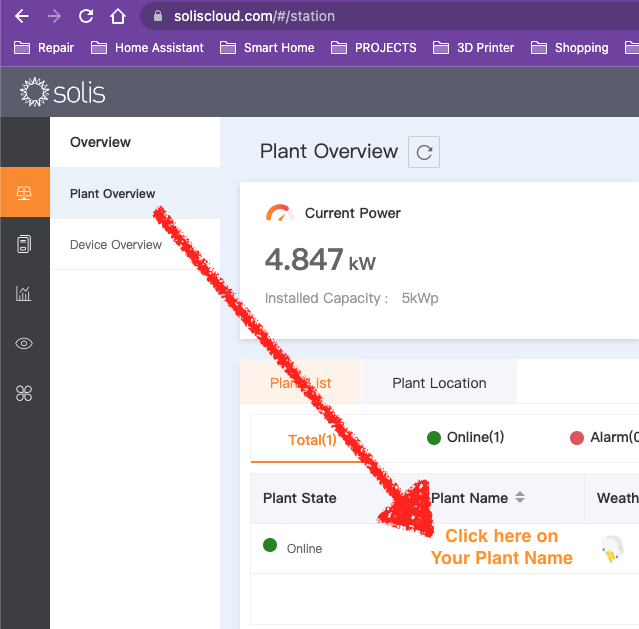
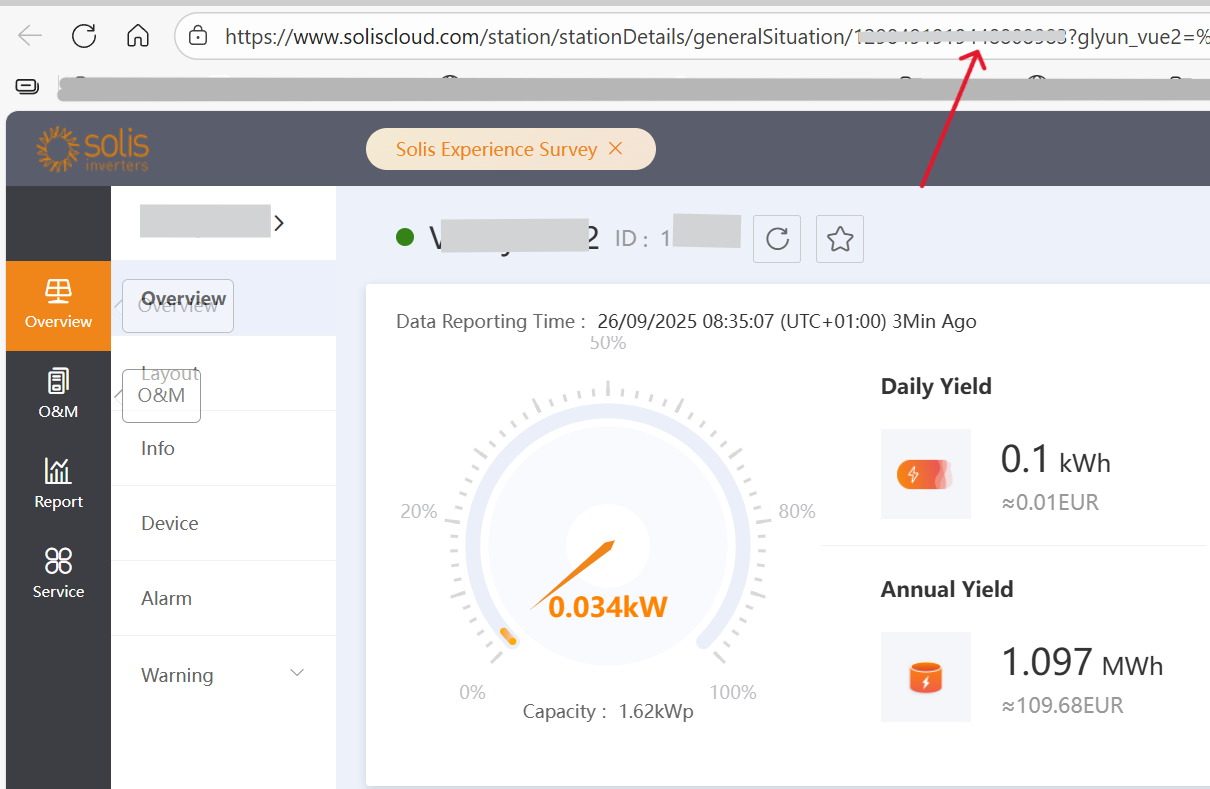
Screenshots From the README of hultenvp/solis-sensor.

About
Solis Inverter is an integration that connects Home Assistant to the SolisCloud PV monitoring portal through its API. It adds buttons, numbers, selects, sensors and time entities for Solis inverters, and it depends on the vendor's cloud to work. Setup happens in the UI, where the portal address, username, API key ID, key secret and station ID are entered. Optional control of the inverter through the API can be switched on or off, and the options also cover refresh interval, error retry interval, request timeout and inverter discovery retry interval. The README notes that the SolisCloud API can be unstable and may fail to respond, and that the older Ginlong v2 API is no longer supported since release 4.0.0. It is installed through the Marketplace, or HACS on 2026.10 and older.
Automatic summary of the README and code of hultenvp/solis-sensor. Something wrong, or are you the maintainer and want your own text here? Get in touch
Supports
Uses the vendor's cloud Needs an internet connection and an account with the vendor.
From the Marketplace Installed through the Marketplace, formerly HACS.
Actively maintained Its author released or pushed a change in the last six months.
Provides
- Sensors
Setting it up
Install it from the Marketplace and restart Home Assistant, then add it under Settings, Devices and services.
Portal selection
- Name of the inverter
- PV Portal URL, e.g. https://www.soliscloud.com:13333
- PV Portal version (SolisCloud? Read the README)
Add SolisCloud credentials
- Portal username or email address
- API Key ID provided by SolisCloud
- API Key secret provided by SolisCloud
- Station ID as found on portal website (see README)
- Enable SolisCloud control
- Refresh interval in seconds (default 300s)
- Refresh interval in seconds, after an API error (default 10s)
- API request timeout in seconds (default 30s)
- Inverter discovery retry interval in seconds (default 300s)
- Enable inverter control API
- Portal password
After setup
- PV Portal URL, e.g. https://www.soliscloud.com:13333
- Portal username or email address
- API Key ID provided by SolisCloud
- API Key secret provided by SolisCloud
- Station ID as found on portal website (see README)
- Refresh interval in seconds (default 300s)
- Refresh interval in seconds for errors (default 10s)
- API request timeout in seconds (default 30s)
- Inverter discovery retry interval in seconds (default 300s)
- Enable/disable control API
- Portal password
Texts from the code of hultenvp/solis-sensor.
Troubleshooting
- Repair noticesNotices it can show in Settings, Repairs:The Solis YAML configuration is being removed
From the README
❗As from release 4.0.0 the legacy Ginlong v2 API support has been removed. If you still use the integration for some MyEvolvecloud legacy endpoint using the v2 API then stick to the v3.x versions or fork
HomeAssistant sensor for SolisCloud portal. Still questions after the readme? Read the wiki or look at the discussions page

Shows in Vulpo
Button card, Select card, Chart card, Apple Watch.Information
- Installs
- 1.7k sharing analytics
- GitHub stars
- 333
- Connection
- Uses the vendor's cloud
- Upkeep
- Updated in the last 6 months
- Version
- v4.0.3,
- Category
- Energy, Solar and batteries
- Kind
- Marketplace integration
- Brand
- Solis
- Needs
- Needs the Marketplace (HACS on 2026.10 and older)
- Domain
solis- Issues
- Report an issue