

OpenWrt ubus
On Home Assistant 2026.11 or newer? Open it in the Marketplace
- Installs
- 178 sharing analytics
- GitHub stars
- 119
- Connection
- Works locally
- Upkeep
- Updated in the last 6 months
- Version
- v0.0.10,
- Category
- Computers and network, Routers and network
- Kind
- Marketplace integration
- Brand
- OpenWrt
- Needs
- Needs the Marketplace (HACS on 2026.10 and older)
- Domain
openwrt_ubus- Issues
- Report an issue
Independent directory, made by the developer of Vulpo. Not affiliated with Home Assistant or the Open Home Foundation.
Screenshots From the README of FUjr/homeassistant-openwrt-ubus.
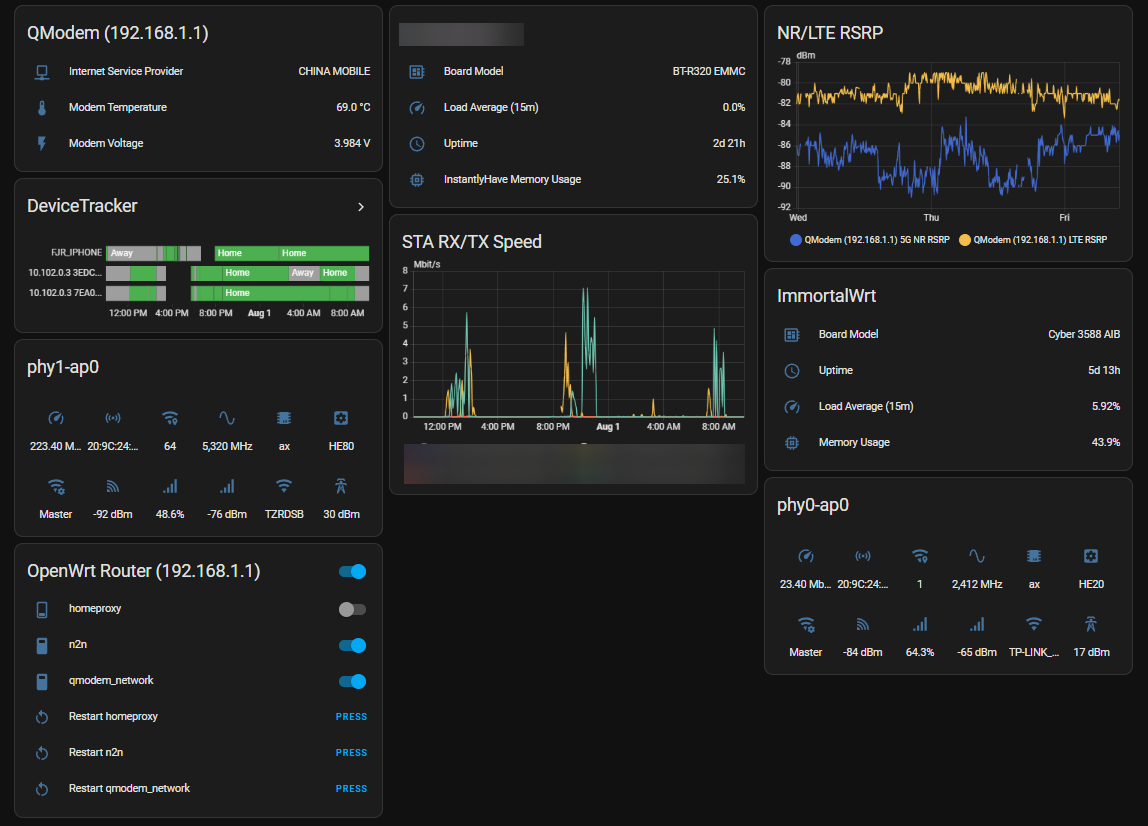
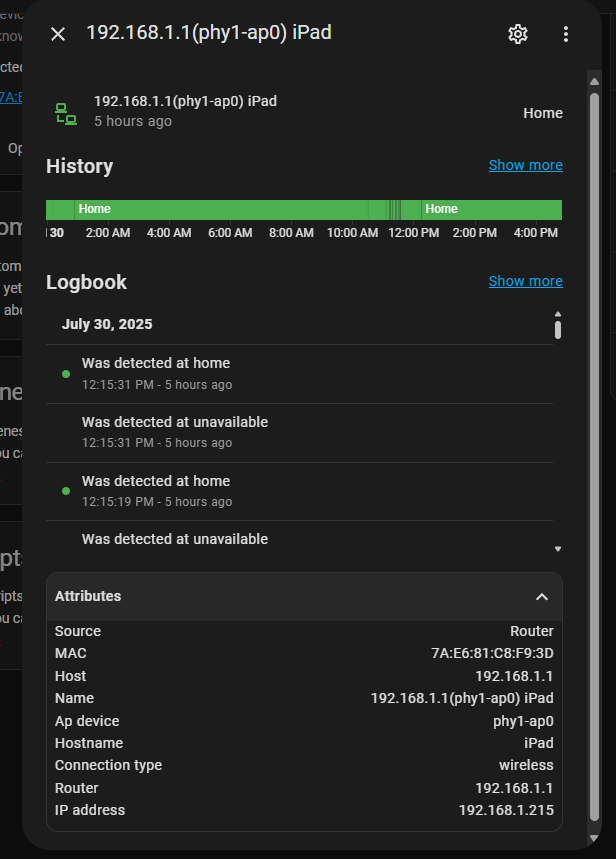
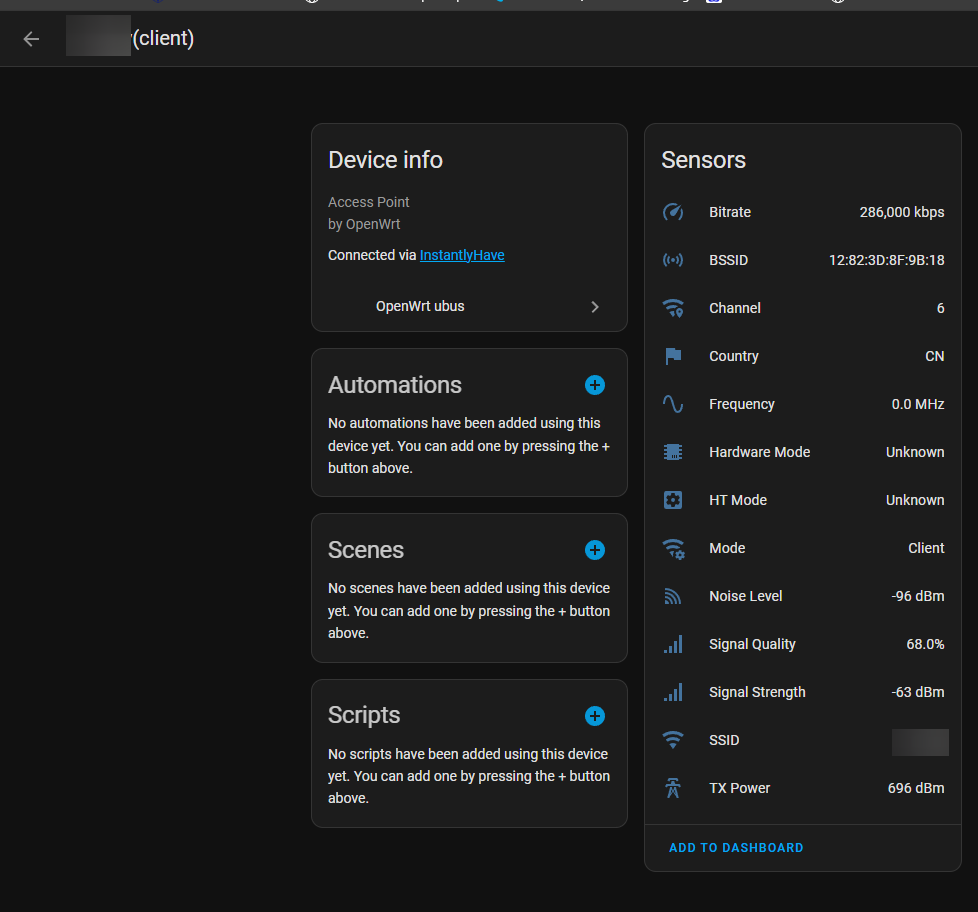
About
OpenWrt ubus is a custom integration that connects Home Assistant to OpenWrt routers through the ubus interface. It communicates with the router locally and is set up in the UI, with a connection step that covers host, port, HTTPS use, credentials, and the wireless and DHCP software in use. It adds device tracking for presence, plus sensors for system data such as uptime, load average, and memory, and optional sensors for cellular modems, WiFi stations, access points, network interfaces, and multi-WAN status. A switch controls router services, and a button reboots the router. Connected WiFi devices can be disconnected with kick buttons, which need hostapd on the router. Update intervals, tracked stations, and the services to control can be adjusted, and an action starts a manual device scan.
Automatic summary of the README and code of FUjr/homeassistant-openwrt-ubus. Something wrong, or are you the maintainer and want your own text here? Get in touch
Supports
Works locally Talks to your devices on your own network. No vendor cloud in between.
From the Marketplace Installed through the Marketplace, formerly HACS.
Actively maintained Its author released or pushed a change in the last six months.
Provides
- Switches
- Sensors
- Presence
Setting it up
Install it from the Marketplace and restart Home Assistant, then add it under Settings, Devices and services.
OpenWrt ubus - Connection
- Host
- IP Address
- Use HTTPS
- Port
- Verify SSL Certificate
- Ubus Endpoint
- Username
- Password
- Wireless Software
- DHCP Software
- Tracking Method
OpenWrt ubus - Sensor Configuration
- Enable System Sensors
- Enable QModem Sensors
- Enable Station (WiFi Device) Sensors (requires iwinfo)
- Enable Access Point Sensors
- Enable Network Interface Sensors
- Enable mwan3 Sensors (if mwan3 is installed)
- Enable NLBWMon Top Hosts Sensor
- Enable Service Controls
- Enable Device Kick Buttons (requires hostapd)
- Enable Wireless Device Tracking
- Enable Wired Device Tracking
OpenWrt ubus - Wireless Device Tracker Configuration
- Whitelist (comma-separated IP/MAC prefixes)
OpenWrt ubus - Station Sensor Device Selection
- Track all connected stations (no filter)
- Devices to Track
OpenWrt ubus - Service Selection
- Services to Control
OpenWrt ubus - Timeout Configuration
- System Sensor Update Interval (seconds)
- QModem Sensor Update Interval (seconds)
- Station Sensor Update Interval (seconds)
- Access Point Sensor Update Interval (seconds)
- Service Status Update Interval (seconds)
- mwan3 Status Update Interval (seconds)
After setup
- Use HTTPSWhether to use HTTPS (SSL/TLS) when connecting to the router
- PortCustom port number (leave empty for default: HTTP=80, HTTPS=443)
- Verify SSL CertificateWhether to verify the SSL certificate when connecting to the router
- Ubus EndpointCustom ubus endpoint path (default: ubus). Change this if your router uses a reverse proxy or custom path
- Wireless SoftwareSoftware used to get wireless information (iwinfo or hostapd)
- DHCP SoftwareSoftware used to get DHCP lease information
- Enable System SensorsMonitor router system information (uptime, memory, load)
- Enable QModem SensorsMonitor cellular modem information (if available)
- Enable Station (WiFi Device) Sensors (requires iwinfo)Monitor connected WiFi devices and their statistics (requires iwinfo)
- Track all connected stations (no filter)When enabled, sensors will be created for ALL connected devices without filtering
- Enable Access Point SensorsMonitor access point interface information (WiFi network details)
- Enable Network Interface SensorsMonitor network interface statistics
- Enable mwan3 Sensors (if mwan3 is installed)Monitor mwan3 multi-WAN load balancing status
- Enable NLBWMon Top Hosts SensorMonitor top bandwidth-consuming hosts using nlbwmon (requires /usr/sbin/nlbw and ubus file.exec permission)
- Enable Service Controls
- Track all connected stations (no filter)
- Devices to Track
Texts from the code of FUjr/homeassistant-openwrt-ubus.
Entities
- ButtonsReboot
- SensorsUptime, Load Average (1m), Load Average (5m), Load Average (15m), Total Memory, Free Memory, Buffered Memory, Shared Memory, Memory Usage, Total Swap, Free Swap, Kernel Version, and 43 more
- SwitchesService
Actions
- Scan devicesManually trigger a device scan on the OpenWrt router
From the README
📝 AI-Generated Documentation Notice This README is primarily generated and enhanced by AI to provide comprehensive documentation. We welcome contributions from the community to improve and refine this documentation. Your feedback and suggestions are highly valued!

Shows in Vulpo
Quick Toggle card, Button card, Chart card, Apple Watch, Control Center.Information
- Installs
- 178 sharing analytics
- GitHub stars
- 119
- Connection
- Works locally
- Upkeep
- Updated in the last 6 months
- Version
- v0.0.10,
- Category
- Computers and network, Routers and network
- Kind
- Marketplace integration
- Brand
- OpenWrt
- Needs
- Needs the Marketplace (HACS on 2026.10 and older)
- Domain
openwrt_ubus- Issues
- Report an issue











