Screenshots From the README of Csontikka/ha-mikrotik-extended.
About
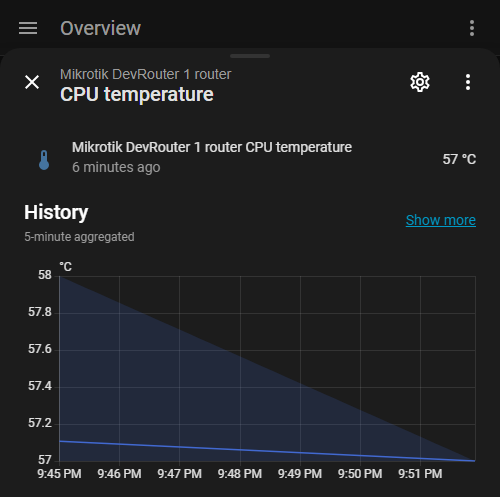
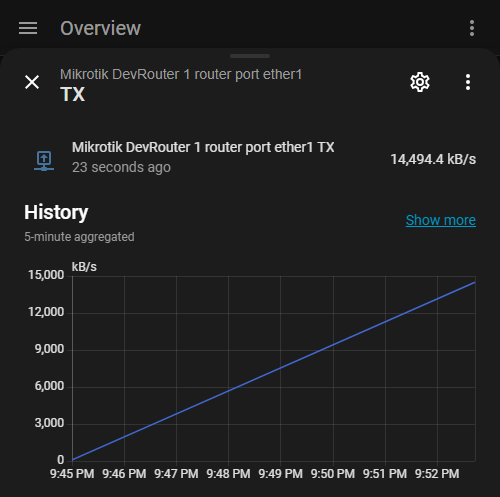
MikroTik Extended is an integration for managing MikroTik routers running RouterOS 7 or newer from Home Assistant. It talks to the router locally and covers system readings such as temperatures, voltage, power use and UPS status, plus a reboot button for each router. Interface monitoring includes link status, port switches, traffic rates, and PoE output control with a power cycle button per port. Individual NAT, Mangle, Filter, Raw and Routing rules can each get a switch, and device trackers follow connected devices. Optional sensors cover LTE and 5G modems, containers, Netwatch entries and Kid Control profiles, with presets that limit which entities are created. Several routers can be used at once, and setup is done in the UI, either by scanning the network or entering host details.
Automatic summary of the README and code of Csontikka/ha-mikrotik-extended. Something wrong, or are you the maintainer and want your own text here? Get in touch
Supports
Works locally Talks to your devices on your own network. No vendor cloud in between.
From the Marketplace Installed through the Marketplace, formerly HACS.
Actively maintained Its author released or pushed a change in the last six months.
Provides
- Switches
- Sensors
- Presence
Setting it up
Install it from the Marketplace and restart Home Assistant, then add it under Settings, Devices and services.
Set up MikroTik Extended
- Name of the integration
- Host
- PortRouterOS API port. Leave at 0 to use the default: 8728 (no SSL) or 8729 (SSL).
- Username
- Password
- Connection security
Add MikroTik Router
- Scan network for MikroTik routers
MikroTik Extended setup (2/4)
- Scan interval (seconds)Minimum: 10s. Default: 30s. Lower values increase RouterOS API load.
- Device tracker interval (seconds)How often tracked devices are pinged and their trackers refreshed. Minimum: 5s. Maximum: 300s. Default: 10s. Raise it on large networks to lower the load. Never longer than half the tracking timeout. Home/away changes can lag by up to one interval.
- Track network devices timeout (seconds)Wired devices only. Seconds before a device is considered offline if not seen in ARP. Default: 180s.
- Zone for device trackerHome Assistant zone name to use when a tracked device is connected. Default: home.
MikroTik routers found
- Select router
MikroTik Extended setup (3/4)
- Sensor presetRecommended enables the most useful sensors with minimal entity count. Full enables everything, use with caution on large networks.
MikroTik Extended setup (4/4)
- Captive portal dataAdds hotspot authorization status to tracked devices. Only useful if a captive portal (hotspot) is configured.
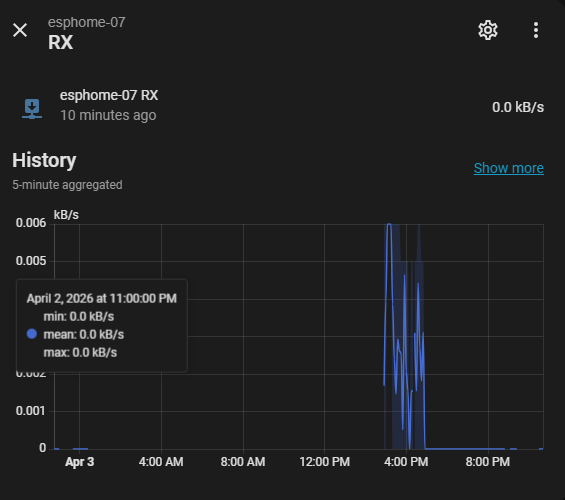
- Client traffic sensors2 sensors per tracked device (TX/RX speed). Requires RouterOS 7 with Kid Control. The integration automatically creates a 'ha-monitoring' profile on the router when enabled. Sensors appear only for devices actively tracked by Kid Control. Note: RouterOS 6 is not supported.
- Container sensorsSensor and switch per container to monitor and start/stop Docker-like containers.
- Environment variable sensorsSensors for RouterOS environment variables.
- Filter switchesSwitch per Filter rule to enable/disable firewall filter rules from HA. Warning: creates one entity per filter rule.
- Interface entitiesCreate entities for network interfaces (port switches, port trackers, traffic sensors, IP addresses). Disable to monitor only the core device, which also skips the per-port link queries. Port tracker and port traffic sensors are only created while this is enabled. Warning: disabling removes these entities and their per-port devices, so a renamed port or an assigned area is not restored when you enable it again.
- Kid controlSwitches for Kid Control device profiles (pause/resume internet access).
- LTE / 5G modem sensorsSensors per LTE or 5G modem: operator, access technology, signal levels (RSSI, RSRP, RSRQ, SINR, CQI) and bands. One extra query per modem on every poll; nothing is asked on a router without a modem.
- Mangle switchesSwitch per Mangle rule to enable/disable packet marking rules from HA. Warning: creates one entity per Mangle rule.
- NAT switchesSwitch per NAT rule to enable/disable rules from HA. Warning: creates one entity per NAT rule.
- Netwatch tracker sensorsBinary sensor per Netwatch entry showing reachability status.
- Port error counters4 sensors per interface (RX/TX errors and RX/TX drops), for spotting a bad cable or a failing port. Warning: creates 4 entities per interface.
- Port switchesSwitch per port to enable/disable the port from HA. Turn this off to keep a port from being disabled by accident; the other entities of the port stay.
- Port tracker sensorsBinary sensor per port showing link up/down state.
- Port traffic sensors4 sensors per interface (TX/RX bytes and totals). Warning: creates 4 entities per interface, disable if traffic graphs are not needed.
Re-authenticate MikroTik Extended
- Username
- Password
Reconfigure MikroTik Extended
- Name of the integration
- Host
- PortRouterOS API port. Leave at 0 to use the default: 8728 (no SSL) or 8729 (SSL).
- Username
- PasswordLeave empty to keep the stored password.
- Connection security
After setup
- Scan intervalMinimum: 10s. Default: 30s. Lower values increase RouterOS API load.
- Show client MAC and IP on interfaces
- Unit of measurement
- Device tracker interval (seconds)How often tracked devices are pinged and their trackers refreshed. Minimum: 5s. Maximum: 300s. Default: 10s. Raise it on large networks to lower the load. Never longer than half the tracking timeout. Home/away changes can lag by up to one interval.
- Track network devices timeout (seconds)Wired devices only. Seconds before a device is considered offline if not seen in ARP. Default: 180s.
- Zone for device trackerHome Assistant zone name to use when a tracked device is connected. Default: home.
- Sensor presetSelect a preset to quickly configure which sensors and switches are enabled, or choose Custom to configure individually.
- Captive portal dataAdds hotspot authorization status to tracked devices. Only useful if a captive portal (hotspot) is configured.
- Client traffic sensors2 sensors per tracked device (TX/RX speed). Requires RouterOS 7 with Kid Control. The integration automatically creates a 'ha-monitoring' profile on the router when enabled. Sensors appear only for devices actively tracked by Kid Control. Note: RouterOS 6 is not supported.
- Container sensorsSensor and switch per container to monitor and start/stop Docker-like containers.
- Environment variable sensorsSensors for RouterOS environment variables.
- Filter switchesSwitch per Filter rule to enable/disable firewall filter rules from HA. Warning: creates one entity per filter rule.
- Interface entitiesCreate entities for network interfaces (port switches, port trackers, traffic sensors, IP addresses). Disable to monitor only the core device, which also skips the per-port link queries. Port tracker and port traffic sensors are only created while this is enabled. Warning: disabling removes these entities and their per-port devices, so a renamed port or an assigned area is not restored when you enable it again.
- Kid controlSwitches for Kid Control device profiles (pause/resume internet access).
- LTE / 5G modem sensorsSensors per LTE or 5G modem: operator, access technology, signal levels (RSSI, RSRP, RSRQ, SINR, CQI) and bands. One extra query per modem on every poll; nothing is asked on a router without a modem.
- Mangle switchesSwitch per Mangle rule to enable/disable packet marking rules from HA. Warning: creates one entity per Mangle rule.
- NAT switchesSwitch per NAT rule to enable/disable rules from HA. Warning: creates one entity per NAT rule.
- Netwatch tracker sensorsBinary sensor per Netwatch entry showing reachability status.
- Port error counters4 sensors per interface (RX/TX errors and RX/TX drops), for spotting a bad cable or a failing port. Warning: creates 4 entities per interface.
- Port switchesSwitch per port to enable/disable the port from HA. Turn this off to keep a port from being disabled by accident; the other entities of the port stay.
- Port tracker sensorsBinary sensor per port showing link up/down state.
- Port traffic sensors4 sensors per interface (TX/RX bytes and totals). Warning: creates 4 entities per interface, disable if traffic graphs are not needed.
Texts from the code of Csontikka/ha-mikrotik-extended.
Entities
- Binary sensorsUPS, PPP, Connection, Netwatch, Connected
- ButtonsConfiguration backup, PoE power cycle, Reboot
- SelectsPoE out
- SensorsTemperature, Voltage, CPU temperature, SFP temperature, Switch temperature, Board temperature, PHY temperature, Power consumption, PoE out power consumption, PoE out power, PoE out voltage, PoE out current, and 28 more
- SwitchesPort, PPP secret, Paused
Troubleshooting
- DiagnosticsDownloads a diagnostics file to attach to a bug report.
From the README
Note: For best viewing experience, read this documentation on GitHub.
Full-featured Home Assistant integration for MikroTik routers running RouterOS 7+. Monitor system resources, control firewall rules, track network devices, manage WireGuard peers, containers, and more — all from your HA dashboard. Supports multiple routers simultaneously.
- NAT rules
- Mangle rules
- Filter rules
- Raw rules
- Routing rules

Shows in Vulpo
Quick Toggle card, Button card, Select card, Chart card, Apple Watch, Control Center.Information
- Installs
- 205 sharing analytics
- GitHub stars
- 38
- Connection
- Works locally
- Upkeep
- Updated in the last 6 months
- Version
- v0.14.0,
- Category
- Computers and network, Routers and network
- Kind
- Marketplace integration
- Brand
- MikroTik
- Needs
- Needs the Marketplace (HACS on 2026.10 and older)
- Domain
mikrotik_extended- Issues
- Report an issue