

HASS.Agent .NET10 Integration
v1k70rk4
On Home Assistant 2026.11 or newer? Open it in the Marketplace
- Installs
- 7.3k sharing analytics
- GitHub stars
- 16
- Connection
- Works locally
- Upkeep
- Updated in the last 6 months
- Version
- v10.10.2,
- Category
- Computers and network
- Kind
- Marketplace integration
- Needs
- Needs the Marketplace (HACS on 2026.10 and older)
- Domain
hass_agent- Issues
- Report an issue
Independent directory, made by the developer of Vulpo. Not affiliated with Home Assistant or the Open Home Foundation.
Screenshots From the README of v1k70rk4/HASS.Agent.NET10-Integration.
About
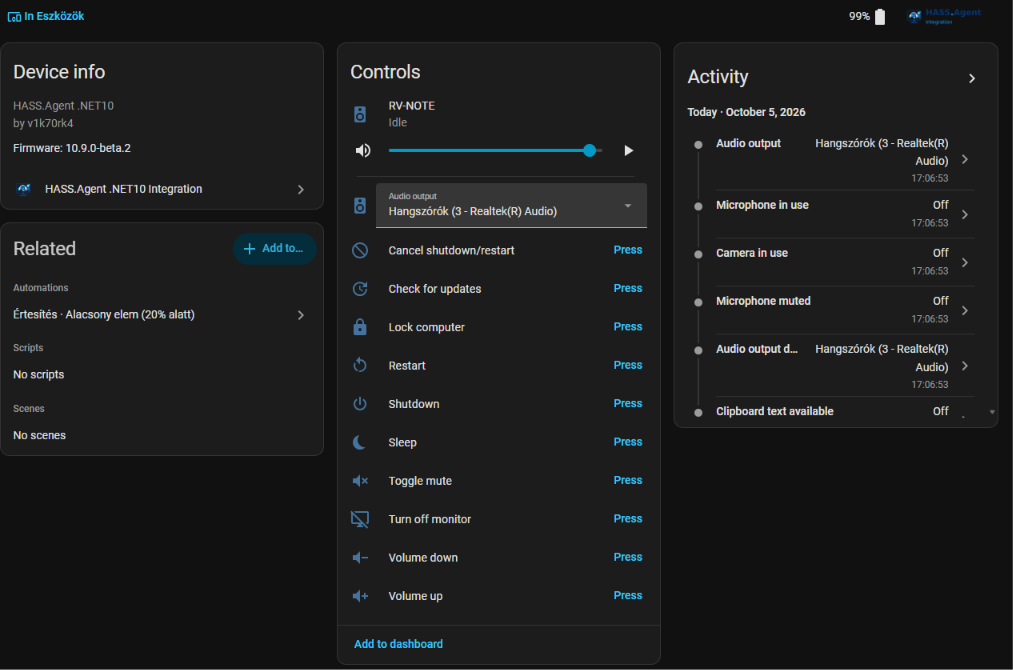
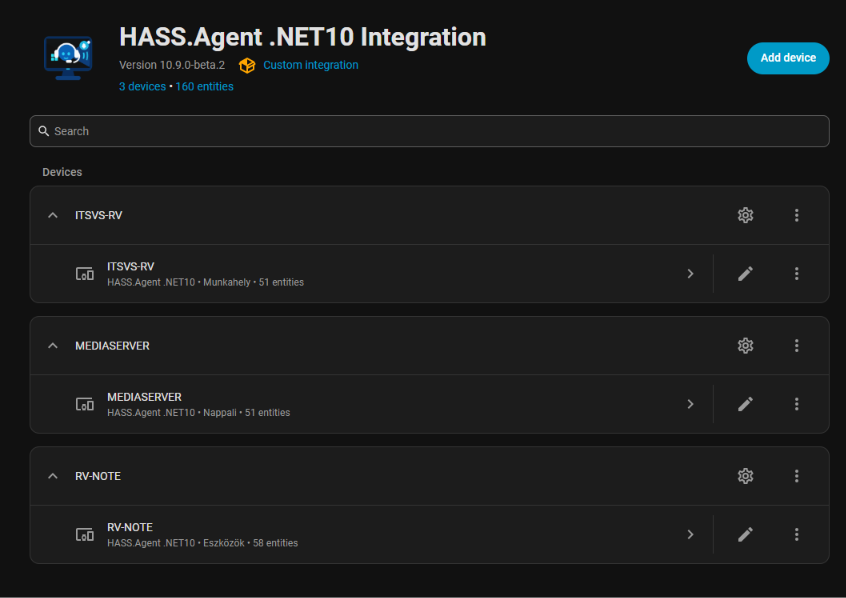
HASS.Agent .NET10 Integration connects Windows devices running the HASS.Agent .NET10 client to Home Assistant. Devices connect through MQTT or the Home Assistant WebSocket API, and a local HTTP API setup supports notifications only. It adds a media player, a notifier, sensors, buttons for Windows commands, a display light, audio input and output selects, and an update check. Actions send notifications with pictures, buttons and text fields, run system commands such as lock, sleep or shutdown, and set the volume of a single app. Notification actions and hotkeys appear as events and as device triggers for automations, and the media player turn on and turn off requests can run a chosen script. Devices using MQTT are found automatically, and repair notices appear when the client is an older version that is not compatible.
Automatic summary of the README and code of v1k70rk4/HASS.Agent.NET10-Integration. Something wrong, or are you the maintainer and want your own text here? Get in touch
Supports
Works locally Talks to your devices on your own network. No vendor cloud in between.
Found by itself Home Assistant spots it on the network and offers to add it.
Device triggers Its devices can start automations directly.
From the Marketplace Installed through the Marketplace, formerly HACS.
Actively maintained Its author released or pushed a change in the last six months.
Provides
- Lights
- Media
- Sensors
Setting it up
Install it from the Marketplace and restart Home Assistant, then add it under Settings, Devices and services.
HASS.Agent .NET10 Local HTTP API
- Host
- Port
- Use SSL
- API key (from agent General settings)
After setup
- Default notification title. Space to disable.
- Media player: turn on and offThe media player shows the PC as off instead of unavailable when the app is not running, and can be turned on and off. Both fire a device trigger ("Turn on was requested", "Turn off was requested") for your automations, and run the script chosen below, if any. Wake the PC from there: Wake on LAN, a smart plug, ...
- Media player: unavailable while the Windows service still reportsWhen the Windows service still reports, the PC is on and only the app is closed: the player is unavailable then, not off. Without the service the PC cannot tell the two apart and the player is off.
- Media player: script to run on turn onGets serial_number, device_id and entity_id as variables.
- Media player: turn off doesThe script below, or a command the PC runs. Shutdown waits 60 seconds, like the button. A command has to be switched on in the Windows app.
- Media player: script to run on turn offRuns when turn off is set to Script, with the same variables as the turn on script.
Texts from the code of v1k70rk4/HASS.Agent.NET10-Integration.
Entities
- ButtonsCheck for updates
- EventsNotification actions, Hotkeys
- LightsDisplay
- SelectsAudio output, Audio input
Actions
- Send notificationShows a notification on the Windows PC, with an optional picture, buttons and text fields.Fields: Message, Title, Picture, Buttons, Text fields, Style, Duration, Data
- Run system commandRuns a system command on the Windows PC (lock, sleep, shutdown and so on), or cancels a pending shutdown or restart.Fields: Device name, Command, Comment, Force, Delay, Cancel shutdown or restart
- Set app volumeSets the volume or mute of one app in the Windows volume mixer (client 10.9.0+, Audio sessions sensor enabled).Fields: Device name, App, Volume, Muted
Troubleshooting
- Repair noticesNotices it can show in Settings, Repairs:Device renamed - restart required, Runs the old HASS.Agent, Needs a newer HASS.Agent .NET10
From the README
Custom Home Assistant integration for HASS.Agent devices.
This integration exposes a Windows HASS.Agent device as Home Assistant entities. Devices can connect through MQTT or Home Assistant's WebSocket API (HA API). Notification actions are exposed both as device automation triggers and as a modern Home Assistant event entity.
- MQTT auto-discovery for HASS.Agent.NET10 devices
- Media player entity for playback control, volume control, media browsing, TTS, and album art
- Notify entity for sending notifications to the Windows client
- Notification action triggers for automations
- Notification action event entity for newer Home Assistant automation workflows
- Button entities for Windows commands: lock, sleep, monitor off, volume, shutdown, restart, restart cancel
- Custom command button entities: user-defined programs, PowerShell scripts, key presses, links and popup windows advertised by the Windows client
- System sensor entities for Windows machine state (CPU, memory, disk, battery, network, session, etc.)
- Custom sensor entities: process running, service status, disk free, built-in attribute extraction, command output, LibreHardwareMonitor values
- Dynamic sensor handling based on what the Windows client advertises
- Automatic removal of disabled command and sensor entities
- Service-aware command routing for system commands handled by the Windows service

Shows in Vulpo
Light card, Media Player card, Button card, Select card, Apple Watch, Control Center.Information
- Installs
- 7.3k sharing analytics
- GitHub stars
- 16
- Connection
- Works locally
- Upkeep
- Updated in the last 6 months
- Version
- v10.10.2,
- Category
- Computers and network
- Kind
- Marketplace integration
- Needs
- Needs the Marketplace (HACS on 2026.10 and older)
- Domain
hass_agent- Issues
- Report an issue











