

e-data
uvejota
Not in the Marketplace catalog. Add https://github.com/uvejota/homeassistant-edata as a custom repository in the Marketplace.
- Installs
- 912 sharing analytics
- GitHub stars
- 338
- Connection
- Uses the vendor's cloud
- Upkeep
- Updated in the last 6 months
- Version
- 2026.10.4,
- Category
- Energy, Meters and monitoring
- Kind
- Marketplace integration
- Needs
- Added as a custom repository in the Marketplace
- Domain
edata- Issues
- Report an issue
Independent directory, made by the developer of Vulpo. Not affiliated with Home Assistant or the Open Home Foundation.
Screenshots From the README of uvejota/homeassistant-edata.
About
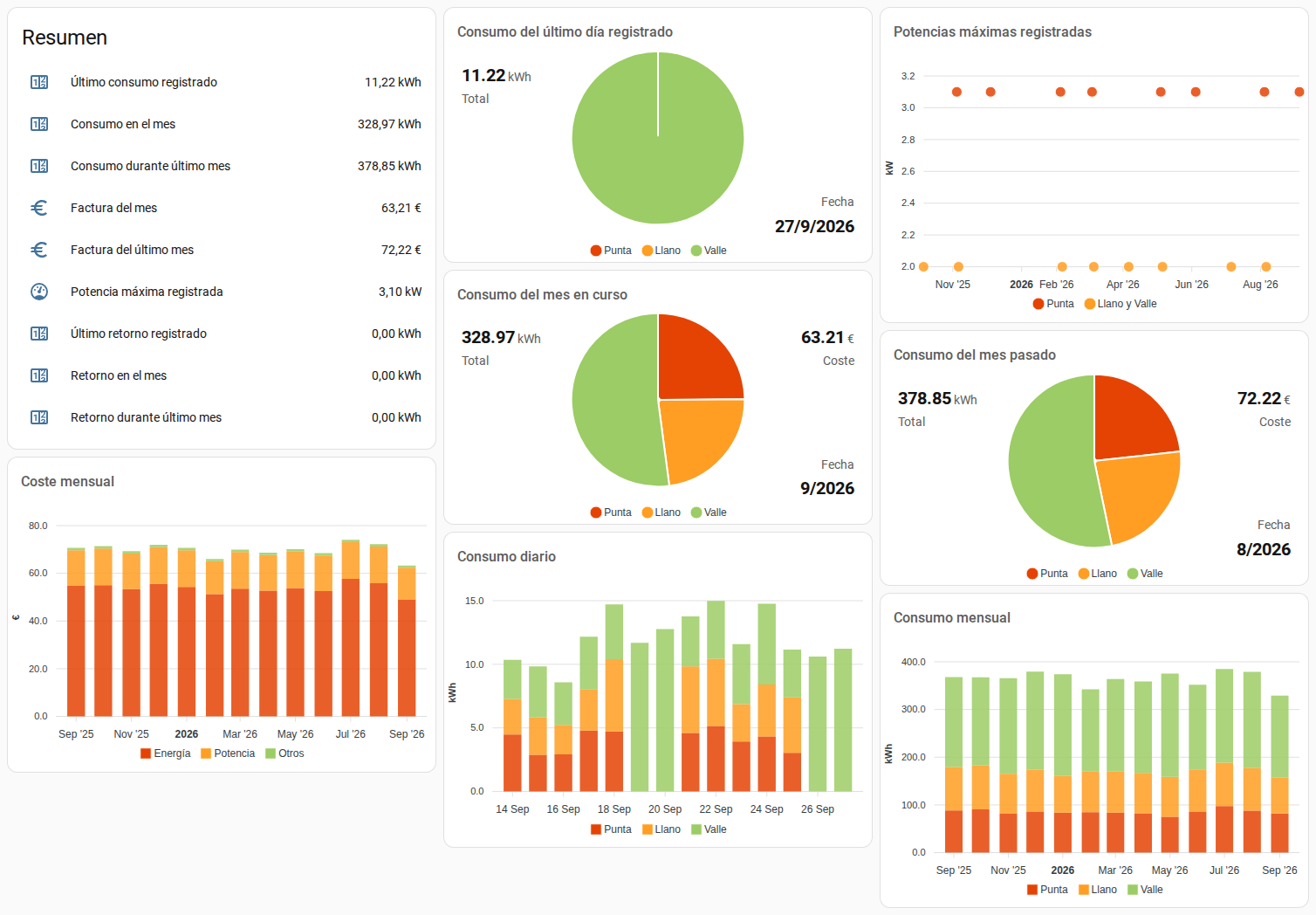
e-data is an integration that brings Spanish electricity data from Datadis into Home Assistant. It reads consumption, surplus and the highest registered power for a supply, using Datadis credentials and a chosen supply (CUPS), with an authorized NIF only when the user is not the holder. Sensors cover monthly, last month, yesterday and last registered consumption and surplus, plus maximum power, cost and supply information, and two buttons force a sync or repair statistics. Data syncs once a day, either automatically or at a fixed time, and arrives with at least a couple of days of delay. Optional billing estimates support PVPC or fixed prices split into peak, flat and valley periods, with a simulation of the resulting bill. It depends on the Datadis cloud, is set up in the UI, and is added as a custom repository in the Marketplace.
Automatic summary of the README and code of uvejota/homeassistant-edata. Something wrong, or are you the maintainer and want your own text here? Get in touch
Supports
Uses the vendor's cloud Needs an internet connection and an account with the vendor.
From the Marketplace Installed through the Marketplace, formerly HACS.
Actively maintained Its author released or pushed a change in the last six months.
Provides
- Sensors
Setting it up
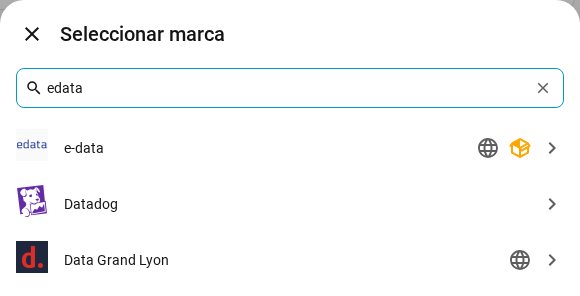
Add its repository to the Marketplace as a custom repository and install it, then restart Home Assistant and add it under Settings, Devices and services.
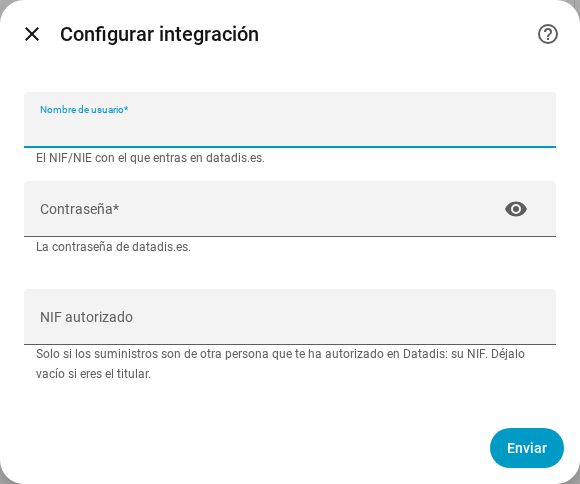
Set up integration
- PasswordYour datadis.es password.
- UsernameThe NIF/NIE you log in to datadis.es with.
- Authorized NIFOnly if the supplies belong to someone who has authorized you in Datadis: their NIF. Leave it empty if you are the holder.
Select the CUPS
- CUPSThe supply to add. Those already configured are not listed.
Re-authenticate with Datadis
- PasswordYour datadis.es password.
After setup
- Datadis syncData is synced once a day, since Datadis does not repeat a query within 24 h. Automatic: if yesterday's data is not there, it tries 30 minutes later the next day, until it finds the time when Datadis has it. At a fixed time: always at the time you choose. ⚠️ After changing this option, the next sync may take 24 to 48 h.
- First day of your billing cycle (from 1 to 30)
- Enable billing
- PVPC
- Enable debugging
- Compute surplus (unsupported for PVPC)
- TimeIf Datadis does not have yesterday's data yet at that time, it will arrive with the next day's sync.
- Power P1 (€/kW·year)Price of the contracted power in the peak period, without taxes. If your bill shows €/kW·day, multiply it by 365.
- Power P2 (€/kW·year)Price of the contracted power in the valley period, without taxes. If your bill shows €/kW·day, multiply it by 365.
- Meter rental (€/month)Metering equipment rental, without VAT. If your bill shows it per day, multiply it by 30.
- Retail margin (€/kW·year)Retail margin per contracted kW, without taxes. The default formula adds it to the P1 power.
- Electricity tax (multiplier)Special electricity tax as a multiplier: 1.0511 means 5.11 %.
- VAT (multiplier)VAT as a multiplier: 1.21 means 21 % and 1.10 means 10 %.
- Energy P1, peak (€/kWh)Energy price in peak hours, without taxes.
- Energy P2, flat (€/kWh)Energy price in flat hours, without taxes.
- Energy P3, valley (€/kWh)Energy price in valley hours, without taxes.
- Energy term calculus (EUR)
- Power term calculus (EUR)
- Others term calculus (EUR)
- Simulated period (hours with data / hours in the month)
- Factura (€)
- Energy term (€)
- Power term (€)
- Others term (e.g., meter, €)
- Update bills since...
- Confirm changes
Texts from the code of uvejota/homeassistant-edata.
Entities
- ButtonsRepair Home Assistant statistics, Force sync
- SensorsMonth consumption, Last month consumption, Yesterday consumption, Last registered consumption, Month surplus, Last month surplus, Yesterday surplus, Last registered surplus, Max power registered, Month cost, Last month cost, Supply Information
From the README
Esta integración para Home Assistant te permite seguir de un vistazo tu consumo, generación y máximas potencias registradas (maxímetro) configurando tu usuario de Datadis.

Shows in Vulpo
Button card, Chart card, Apple Watch.Information
- Installs
- 912 sharing analytics
- GitHub stars
- 338
- Connection
- Uses the vendor's cloud
- Upkeep
- Updated in the last 6 months
- Version
- 2026.10.4,
- Category
- Energy, Meters and monitoring
- Kind
- Marketplace integration
- Needs
- Added as a custom repository in the Marketplace
- Domain
edata- Issues
- Report an issue











