
On Home Assistant 2026.10 or older? Open it in HACS
- Installs
- 56 sharing analytics
- GitHub stars
- 26
- Connection
- Works locally
- Upkeep
- Updated in the last 6 months
- Version
- v3.5.1,
- Category
- Media and entertainment, TV and streaming
- Kind
- Marketplace integration
- Needs
- Needs the Marketplace (HACS on 2026.10 and older)
- Domain
vidaa- Issues
- Report an issue
Shows in Vulpo Quick Toggle card, Button card, Select card, Apple Watch, Control Center.


Scan with your iPhone
DownloadIndependent directory, made by the developer of Vulpo. Not affiliated with Home Assistant or the Open Home Foundation.
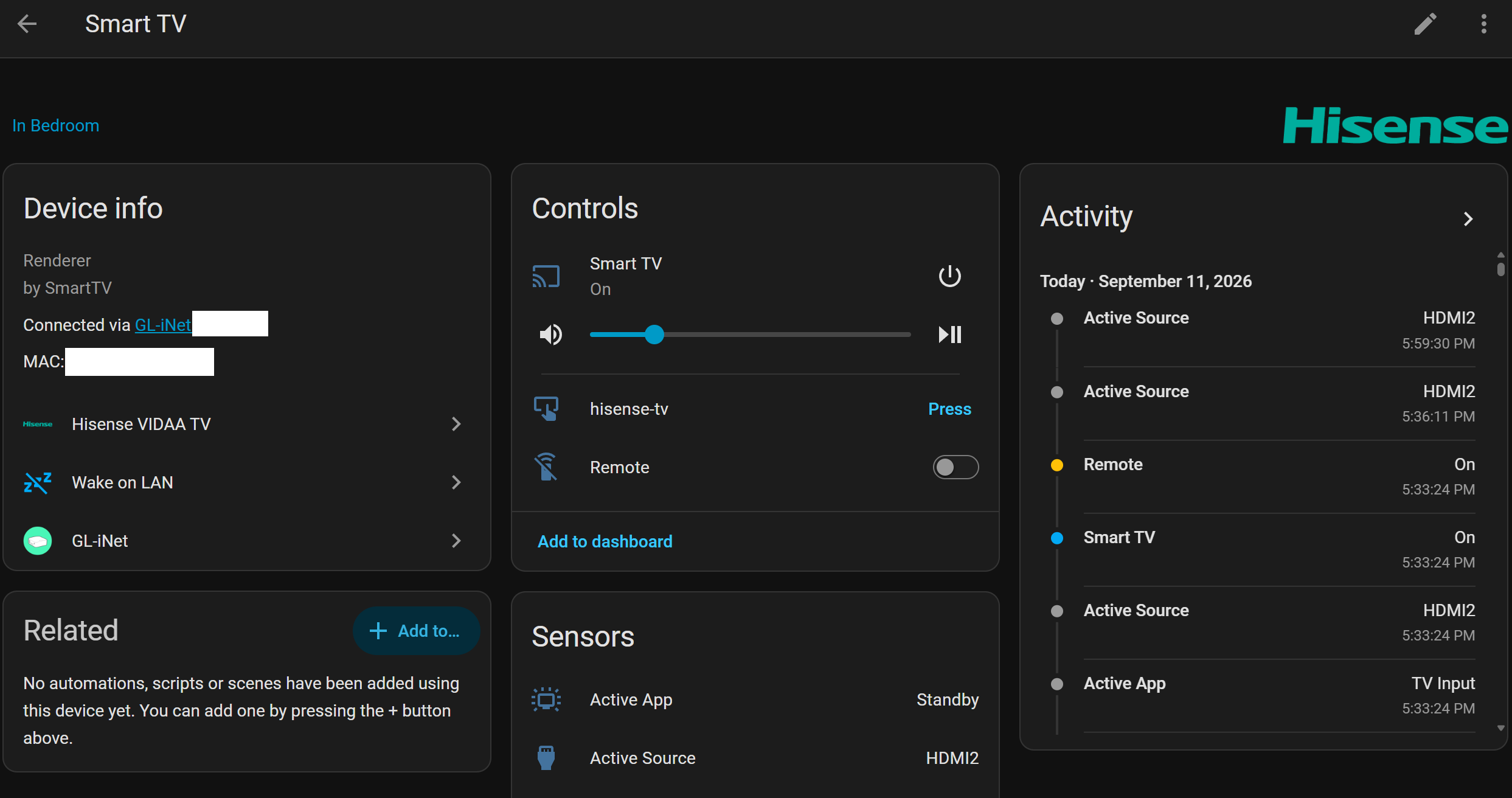
Screenshots From the README of stevene1919/vidaa.
About
VIDAA Smart TV Home Assistant Integration
Description from stevene1919/vidaa

Shows in Vulpo
Quick Toggle card, Button card, Select card, Apple Watch, Control Center.Supports
- Works locallyTalks to your devices on your own network. No vendor cloud in between.
- Found by itselfHome Assistant spots it on the network and offers to add it.
- Device triggersIts devices can start automations directly.
- From the MarketplaceInstalled through the Marketplace, formerly HACS.
- Actively maintainedIts author released or pushed a change in the last six months.
Provides
- Remotes
- Switches
Setting it up
Install it from the Marketplace and restart Home Assistant, then add it under Settings, Devices and services.
Configure VIDAA Smart TV
- IP Address
- Authentication / Certificate Profile
- TV Brand (VIDAA OS Ecosystem)
Also asked when changing the connection.
Enter TV PIN Code
- PIN Code
Client Certificates
- Use Encrypted SSL/TLS Connection
- Certificate File Path (.crt / .pem)
- Private Key File Path (.key / .pem)
Device Features & Options
- Enable dedicated Remote entity
- Enable Wake-on-LAN power on
- Include Smart TV Apps in Media Player source list
- Enable media transport controls (play/pause, stop, skip)
- Enable Picture Mode and calibration sliders (Backlight, Brightness, Contrast)
- Enable Sound Mode equalizer selector
- Enable Audio-Only (Screen Off) display switch
After setup
- Enable Wake-on-LAN power on
- Secondary MAC Address (Wi-Fi or Ethernet)
- Renew access tokens while the TV is in standbyEnable if the TV keeps its network connection when switched off (e.g. Fast Power On / Quick Start). The 2-day access token is then renewed even if the TV is not turned on, so the pairing survives Home Assistant restarts. Leave off for TVs that fully power down in standby.
- Include Smart TV Apps in Media Player source list
- Enabled sources and applications (empty for all)
- Enable media transport controls (play/pause, stop, skip)
- Show connected HDMI-CEC device names in sources (e.g. 'HDMI 2 (PlayStation 5)')
- Playback state settle window / debounce (seconds)Duration in seconds to filter out rapid transient state flickers when streaming apps launch or buffer.
- Enable dedicated Remote entity
- Enable Picture Mode select and calibration sliders (Backlight, Brightness, Contrast)
- Enable Sound Mode equalizer preset selector
- Enable Audio-Only (Screen Off) display toggle switch
- Default Key Delay (seconds)
- Default Key Repeat Count
- Authentication / Certificate Profile
- TV OEM Brand
- Use Encrypted SSL/TLS Connection
- Certificate File Path (.crt / .pem / .p12)
- Private Key File Path (.key / .pem)
Texts from the code of stevene1919/vidaa.
Entities
- Binary sensorsMQTT connection, In use
- ButtonsForce reconnect, Sync clock, Probe capabilities, Trigger re-pairing
- NumbersBacklight, Brightness, Contrast
- SelectsPicture mode, Sound mode
- SensorsSession status, Active app, Active source, Reported name, Clock drift
- SwitchesAudio only, Debug logging
Actions
- Send KeySend a key press or sequence of key presses to the TV.
- Key
- Repeat
- Delay
- Send Key SequenceSend a sequence of remote key commands with configurable delay between keys.
- Key Sequence
- Delay
- Change ChannelDirectly tune to a numeric TV channel by dispatching sequential number keys.
- Channel Number
- Confirm
- Delay
- Launch AppLaunch a Smart TV application by name or direct URL.
- Application Name or URL
- Application ID
- Application Name Override
- Launch URL
- Set Picture SettingChange a specific TV picture menu setting or calibration parameter.
- Menu ID
- Menu Value
- Set Sound SettingChange a specific TV sound menu setting or equalizer preset.
- Menu ID
- Menu Value
- Send Text InputSend virtual keyboard text to an active on-screen input field or browser search bar.
- Text
- Action
Troubleshooting
- DiagnosticsDownloads a diagnostics file to attach to a bug report.
- Repair noticesNotices it can show in Settings, Repairs:Legacy integration folder detected, Missing VIDAA Client Certificates, VIDAA TV: Reauthentication Required
From the README
A native Home Assistant integration for smart TVs and projectors running VIDAA OS (Hisense, Toshiba, Loewe, Philips, Sharp, JVC, TOPTRO, and partner brands).
Connects directly to the TV's internal MQTT broker (TLS port 36669) using client certificates, providing instant local push updates, media player controls, app launching, Wake-on-LAN, and virtual remote navigation without external bridges or cloud dependencies.
- 100% Local LAN Control (iot_class: local_push): Connects directly to the TV's hardware MQTT broker over your local network with zero cloud dependencies, zero external API calls, and full support for…
- Local Push Updates: Instant feedback for power state, volume, mute, source input, and active app.
- Media Player Platform: Full power toggle, volume stepping, input source switcher, dynamic app artwork, deep linking, and configurable media transport controls. Exposes MediaPlayerDeviceClass.TV for…
- Pluggable Turn-On Automations (device_trigger): Intercepts media_player.turn_on via standard Home Assistant PluggableAction triggers, enabling custom power-on sequences (smart plugs, relays, IR…
- Dedicated Remote Platform: Fast key command dispatching, key aliases (home, menu, back, ok, etc.), configurable repeat counts, and inter-key delay options.
- Picture & Display Adjustments (number & select): Fine-tune Backlight, Brightness, and Contrast slider entities (0–100) and switch Picture Modes (Standard, Cinema Day, Cinema Night, Dynamic, Sports,…
Information
- Installs
- 56 sharing analytics
- GitHub stars
- 26
- Connection
- Works locally
- Upkeep
- Updated in the last 6 months
- Version
- v3.5.1,
- Category
- Media and entertainment, TV and streaming
- Kind
- Marketplace integration
- Needs
- Needs the Marketplace (HACS on 2026.10 and older)
- Domain
vidaa- Issues
- Report an issue
You might also like










Try it with your own Home Assistant.
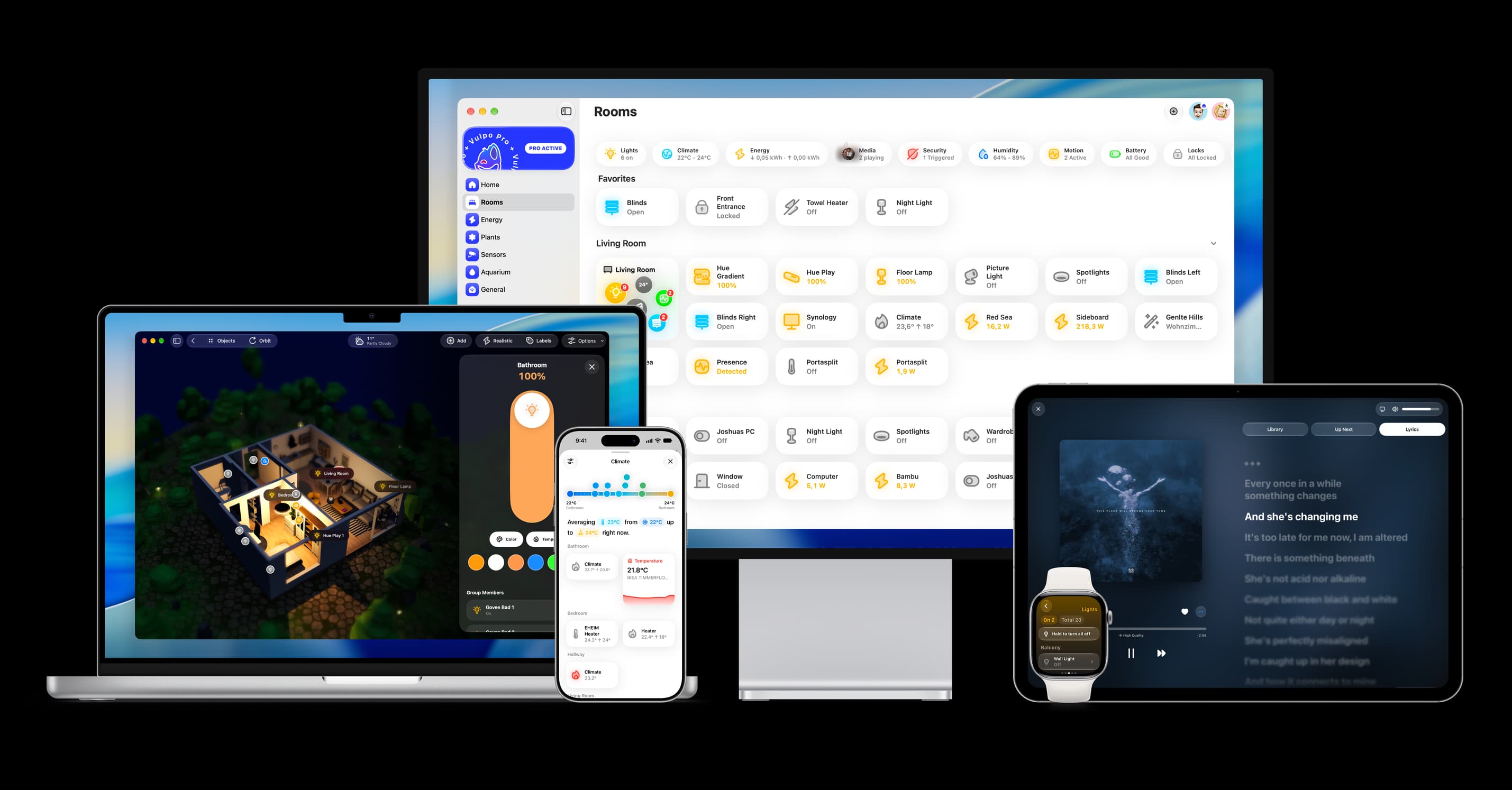
- Free to download
- iPhone, iPad, Mac and Apple Watch
- 40+ native card types
- Connects to your own Home Assistant