
Ember Mug
sopelj
On Home Assistant 2026.11 or newer? Open it in the Marketplace
- Installs
- 343 sharing analytics
- GitHub stars
- 159
- Connection
- Works locally
- Upkeep
- Updated in the last 6 months
- Version
- 1.5.0,
- Category
- Appliances and cleaning, Cooking
- Kind
- Marketplace integration
- Needs
- Needs the Marketplace (HACS on 2026.10 and older)
- Domain
ember_mug- Issues
- Report an issue
Independent directory, made by the developer of Vulpo. Not affiliated with Home Assistant or the Open Home Foundation.
Screenshots From the README of sopelj/hass-ember-mug-component.
About
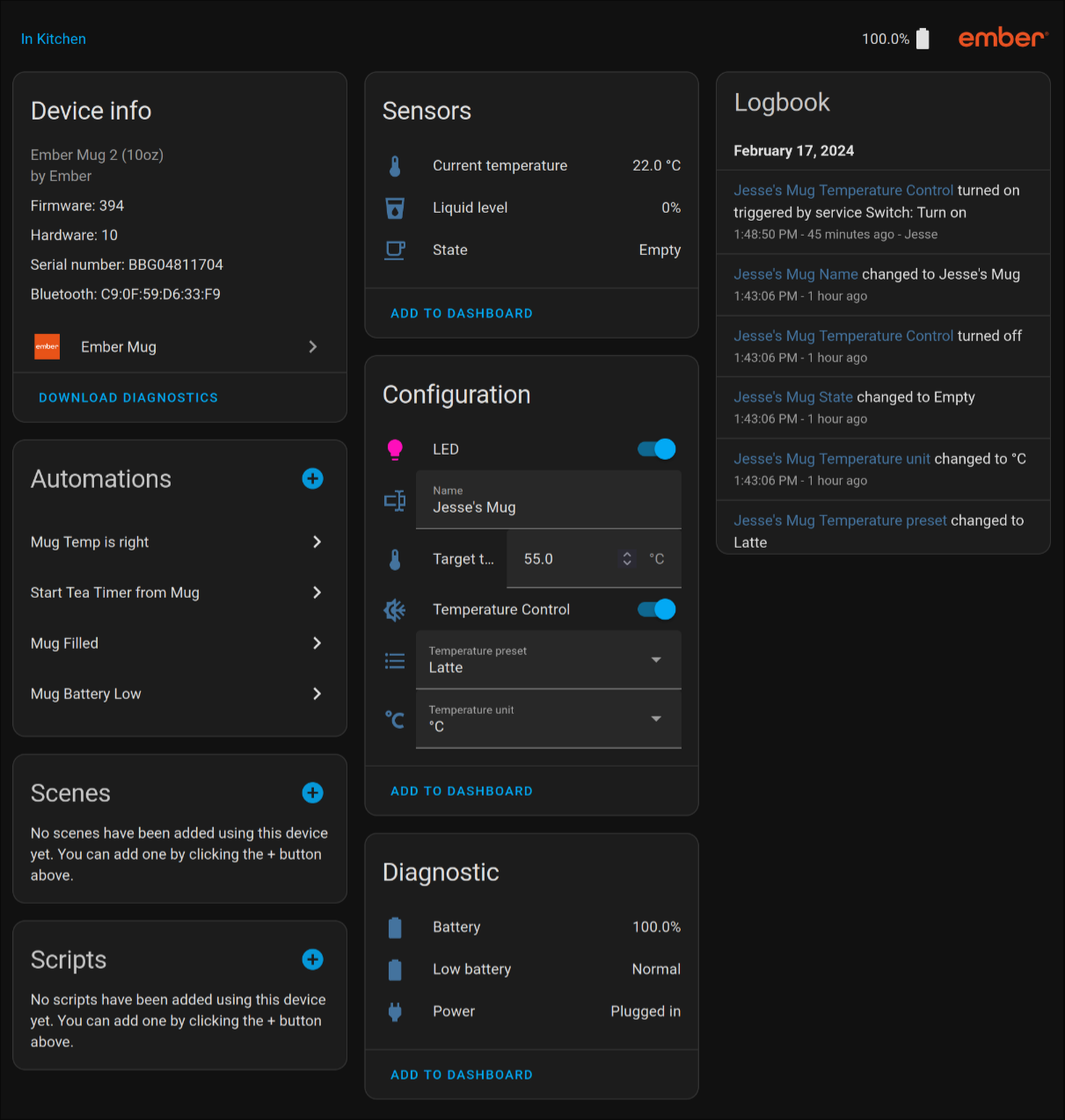
Ember Mug is an integration that connects Ember mugs, cups, tumblers and travel mugs to Home Assistant. It talks to the device locally over Bluetooth, using either a Bluetooth proxy or a supported adapter. Home Assistant can discover the device on its own and offer to add it, and setup is done in the UI. It adds sensors for battery, current temperature, liquid level and state, plus binary sensors for low battery and power. The mug can be controlled through a target temperature number, a temperature control switch, an LED light, and selects for temperature preset, temperature unit and volume level. Options let the user define named temperature presets and turn on debug logging, and a diagnostics file can be downloaded for bug reports.
Automatic summary of the README and code of sopelj/hass-ember-mug-component. Something wrong, or are you the maintainer and want your own text here? Get in touch
Supports
Works locally Talks to your devices on your own network. No vendor cloud in between.
Found by itself Home Assistant spots it on the network and offers to add it.
From the Marketplace Installed through the Marketplace, formerly HACS.
Actively maintained Its author released or pushed a change in the last six months.
Provides
- Lights
- Switches
- Sensors
Setting it up
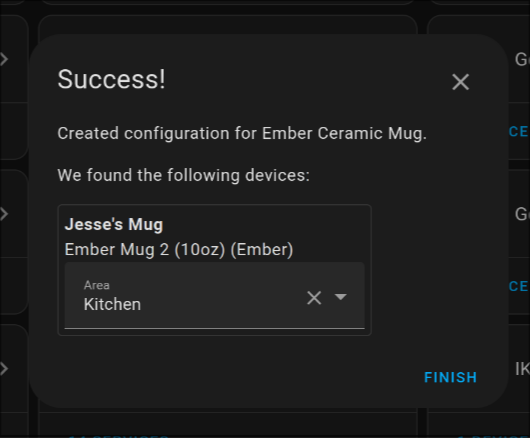
Install it from the Marketplace and restart Home Assistant, then add it under Settings, Devices and services.
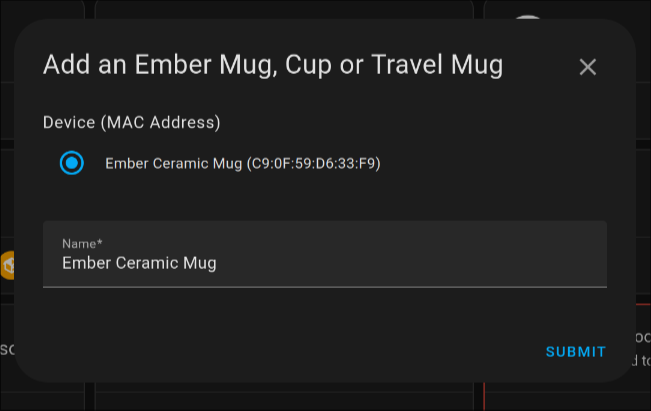
Add an Ember Mug, Cup or Travel Mug
- Device (MAC Address)
- Name
- Temperature Unit
After setup
- Enable debug mode to log extra attributes and values for debugging.
- A key/value mapping of preset names to target temperatures (in above unit)
- Temperature unit used for the below presets (!important: if you change this you need to update the numbers in the presets accordingly)
Texts from the code of sopelj/hass-ember-mug-component.
Entities
- Binary sensorsLow battery, Power
- LightsLED
- NumbersTarget temperature
- SelectsTemperature preset, Temperature unit, Volume Level
- SensorsBattery, Current temperature, Liquid level, State
- SwitchesTemperature Control
- TextsName
Troubleshooting
- DiagnosticsDownloads a diagnostics file to attach to a bug report.
From the README
A custom integration for Ember Mugs, Cups, Tumblers and Travel Mugs for Home Assistant. All known devices are tested and working. If I missed one, or you have new feature ideas or issues, please create an issue if it does not already exist. The actual device logic is in an external library as per the guidelines in Home Assistant. So if you have an issue not specifically related to the Home Assistant part, please raise the issue there instead:)
Note The latest version should always work on the latest version of Home Assistant. However, some older versions only work on certain versions of Home Assistant. Please see Changelog.md for details if you need an older one.

Shows in Vulpo
Light card, Quick Toggle card, Select card, Chart card, Apple Watch, Control Center.Information
- Installs
- 343 sharing analytics
- GitHub stars
- 159
- Connection
- Works locally
- Upkeep
- Updated in the last 6 months
- Version
- 1.5.0,
- Category
- Appliances and cleaning, Cooking
- Kind
- Marketplace integration
- Needs
- Needs the Marketplace (HACS on 2026.10 and older)
- Domain
ember_mug- Issues
- Report an issue