
On Home Assistant 2026.10 or older? Open it in HACS
- Installs
- 50 sharing analytics
- GitHub stars
- 9
- Connection
- Uses the vendor's cloud
- Upkeep
- Updated in the last 6 months
- Version
- v1.3.1,
- Category
- Vehicles and transport, Cars and EVs
- Kind
- Marketplace integration
- Needs
- Needs the Marketplace (HACS on 2026.10 and older)
- Domain
tomtom- Issues
- Report an issue


Independent directory, made by the developer of Vulpo. Not affiliated with Home Assistant or the Open Home Foundation.
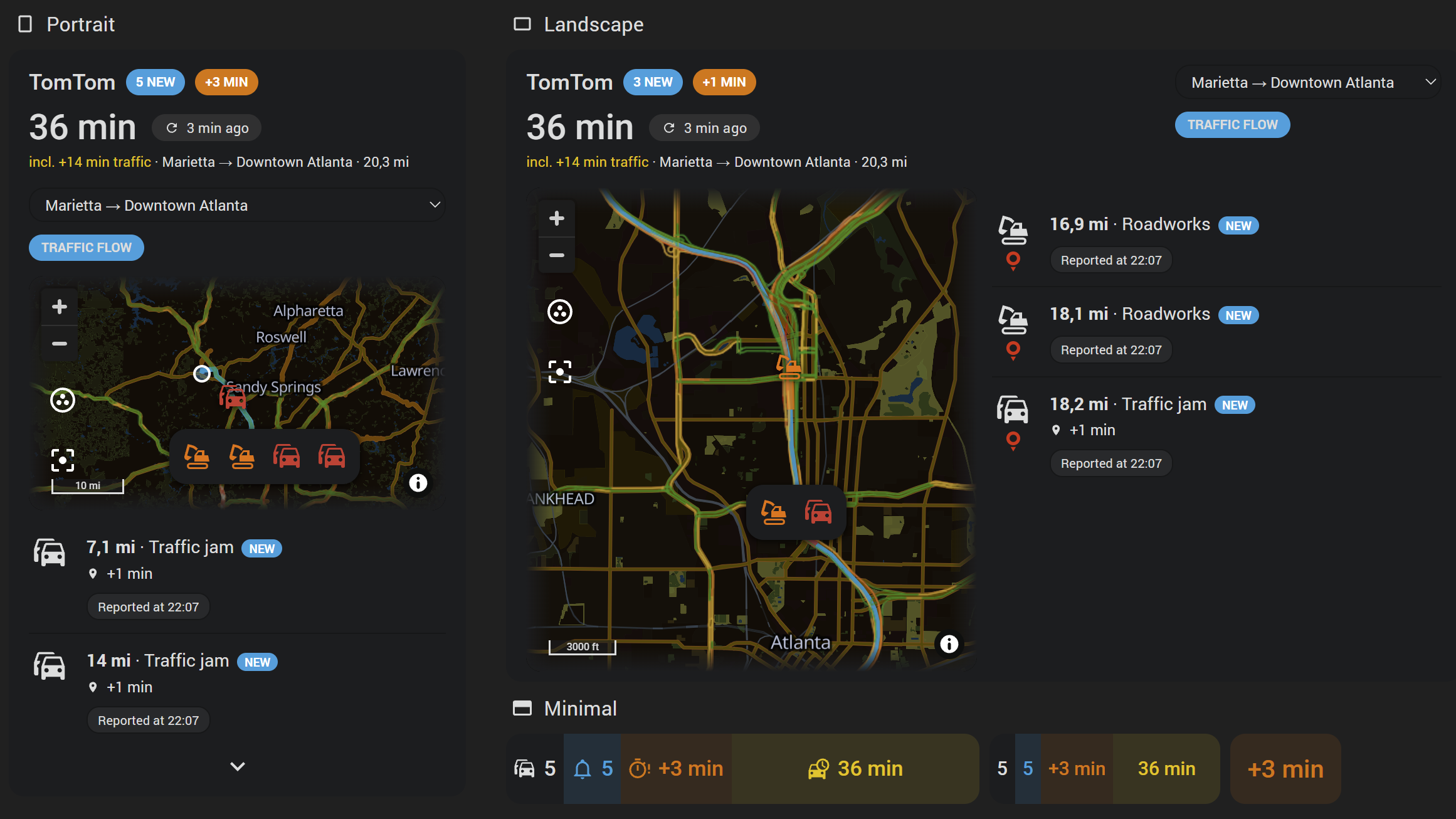
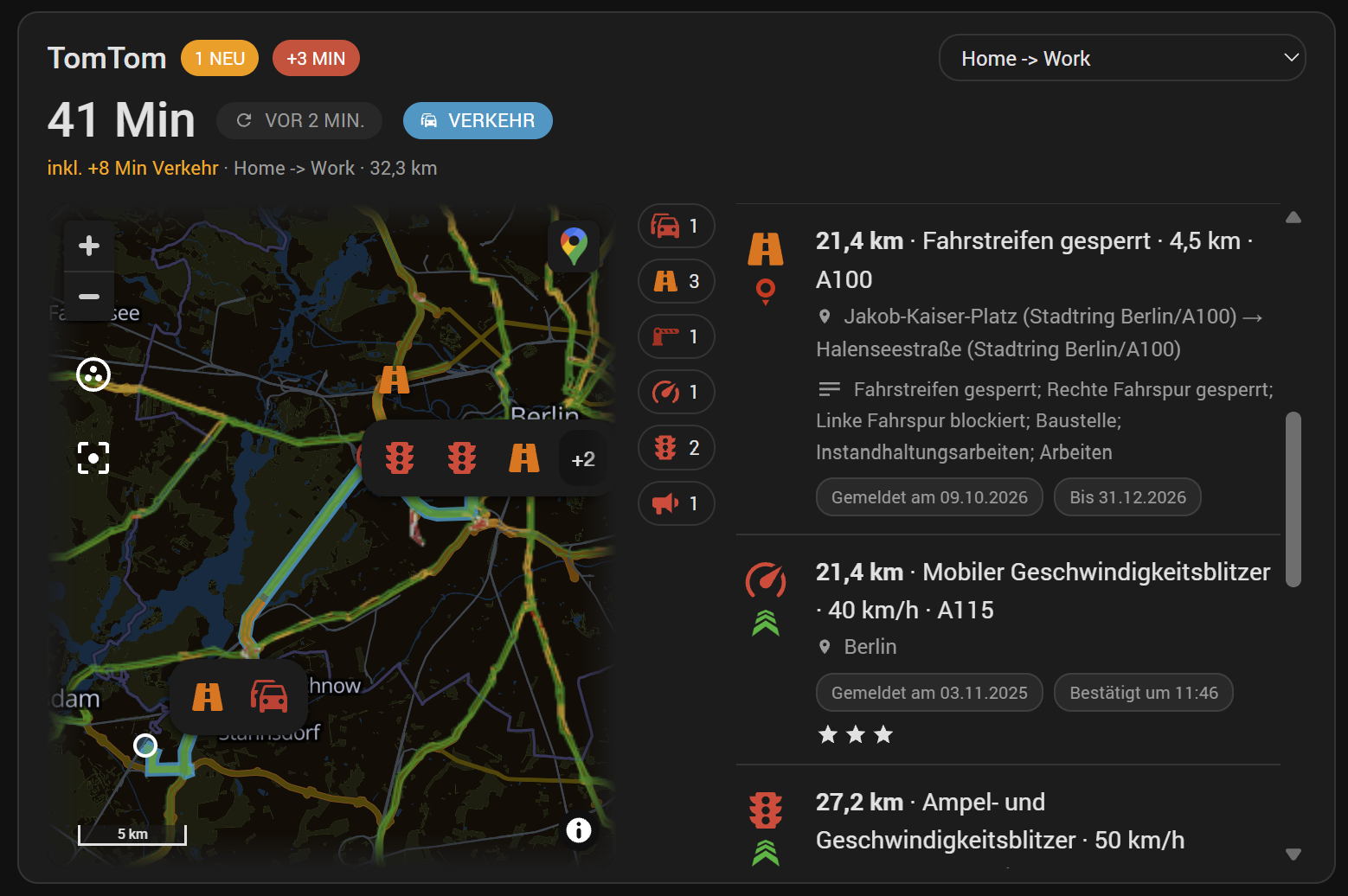
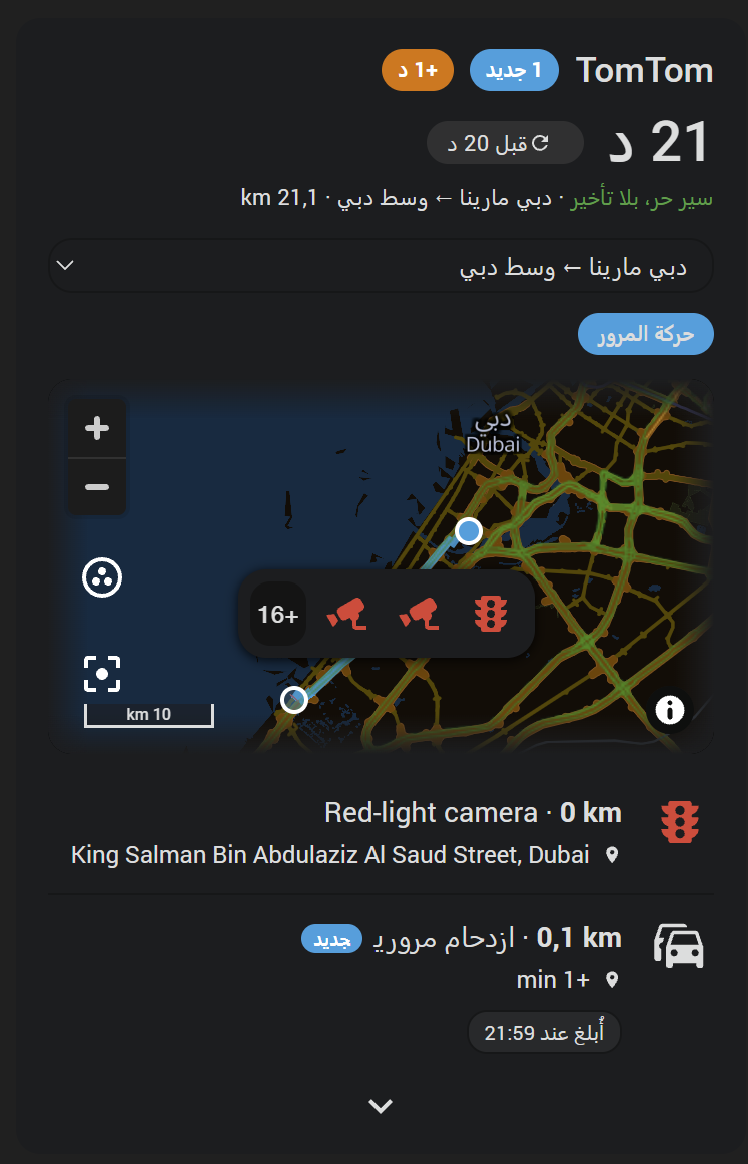
Screenshots From the README of somansch/tomtom.
About
TomTom integration for Home Assistant - traffic reports and your commute's travel time, with a dashboard card
Description from somansch/tomtom

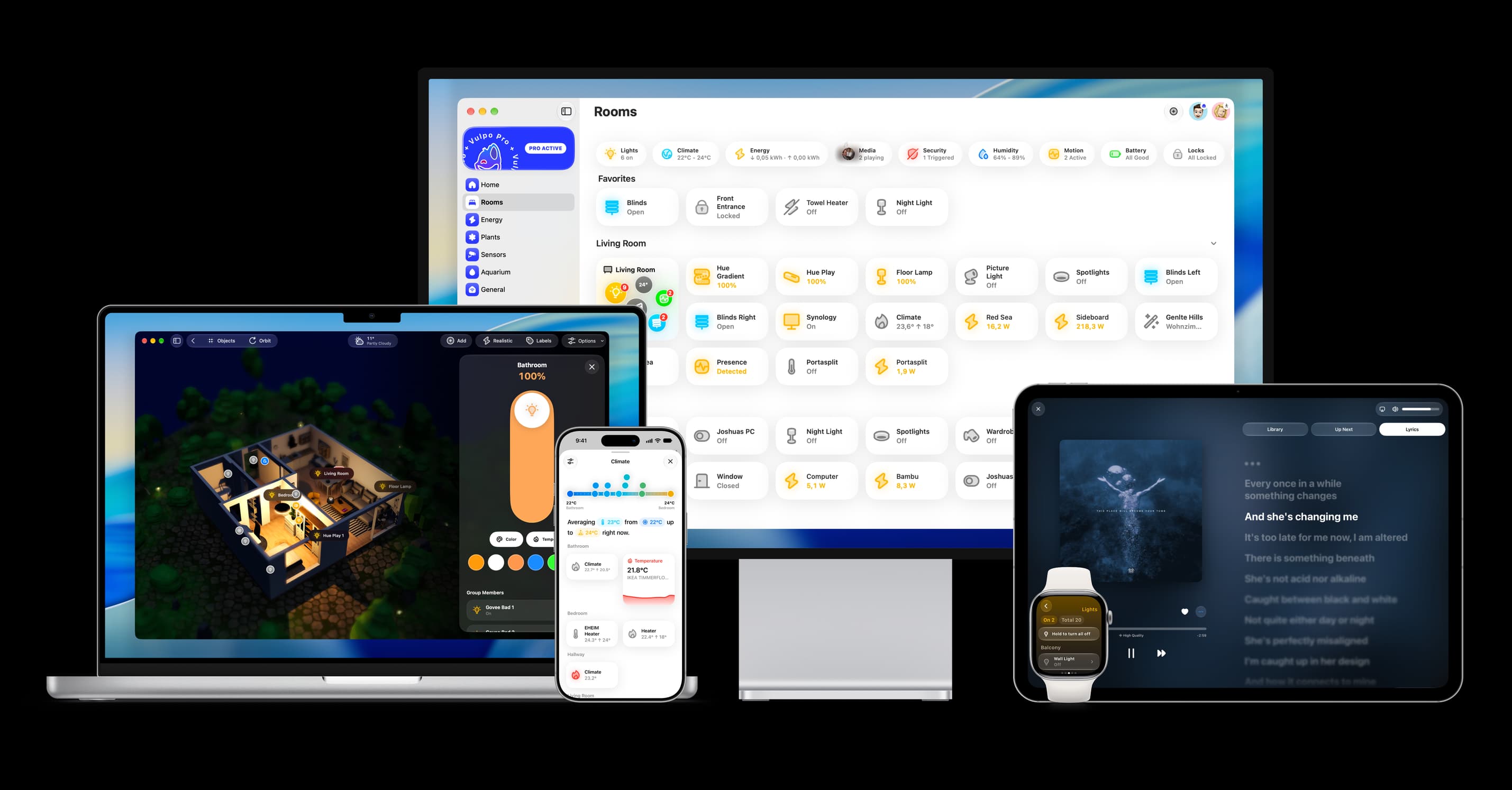
Shows in Vulpo
Chart card, Apple Watch.Installs over time
#1,624 of 1,632 Marketplace integrations. Installs sharing analytics.
Supports
- Uses the vendor's cloudNeeds an internet connection and an account with the vendor.
- From the MarketplaceInstalled through the Marketplace, formerly HACS.
- Actively maintainedIts author released or pushed a change in the last six months.
Provides
- Sensors
Setting it up
Install it from the Marketplace and restart Home Assistant, then add it under Settings, Devices and services.
TomTom Setup
- Display name
- Search mode
TomTom API key
- API key
Defaults for new routes
- Start for routes planned on the card (optional)
- Also create the way backA second entry, destination to start - on a motorway the way back is the other carriageway, and a jam on one is not one on the other. Named after this entry, with "return" added.
- Days the route is kept up to date
- From
- Until
- From (way back)
- Until (way back)
- Look up the reports' detailsA route names what it runs through - kind, place and delay. With this on, Incident Details is asked for the rest of a new report: the whole stretch, where it starts and ends, the road numbers, TomTom's wording and its times - one request per five new reports, of 2,500 free a month. Only reports this entry shows are looked up. Off, the route costs no Incident Details request at all.
- Minutes between detail lookups (empty = with every poll)How often the details are asked for, apart from how often the route itself is polled. With 30, a new report shows at once as the route tells it, and its details follow within half an hour - several reports in one request, and none for a jam that has gone again meanwhile.
- Reports
- blitzer.de
- Lufop
- blitzer.de
- Lufop
- blitzer.de
Area (radius)
- Area
- Reports
- blitzer.de
- Lufop
- blitzer.de
- Lufop
- blitzer.de
- Lufop
- blitzer.de
- Lufop
- Only reports TomTom is sure ofTomTom rates every report: certain, probable, risk_of or improbable. A jam measured from moving cars is certain, a roadwork from a road authority probable, a driver's single report a risk. On, the first two are kept; off, the uncertain ones come along too.
- Jam from this delay (minutes, 0 = every jam)A jam is reported once TomTom's figure for the delay it costs reaches this many minutes. 0 reports every jam, a few seconds' as well; 5 keeps the ones worth a detour. A jam TomTom sends no delay for counts as none.
- Number of reports
- Update interval (minutes, 0 = manual only)
- Counts as new for (minutes, 0 = off)
Device tracker (radius)
- Device tracker
- Radius (meters)
- Reports
- blitzer.de
- Lufop
- blitzer.de
- Lufop
- blitzer.de
- Lufop
- blitzer.de
- Lufop
- Only reports TomTom is sure ofTomTom rates every report: certain, probable, risk_of or improbable. A jam measured from moving cars is certain, a roadwork from a road authority probable, a driver's single report a risk. On, the first two are kept; off, the uncertain ones come along too.
- Jam from this delay (minutes, 0 = every jam)A jam is reported once TomTom's figure for the delay it costs reaches this many minutes. 0 reports every jam, a few seconds' as well; 5 keeps the ones worth a detour. A jam TomTom sends no delay for counts as none.
- Number of reports
- Update interval (minutes, 0 = manual only)
Start: zone
- Zone
Start: point on the map
- Start
Start: address
- Address
After setup
- Start for routes planned on the card (optional)
- Also create the way backA second entry, destination to start - on a motorway the way back is the other carriageway, and a jam on one is not one on the other. Named after this entry, with "return" added.
- Days the route is kept up to date
- From
- Until
- From (way back)
- Until (way back)
- Look up the reports' detailsA route names what it runs through - kind, place and delay. With this on, Incident Details is asked for the rest of a new report: the whole stretch, where it starts and ends, the road numbers, TomTom's wording and its times - one request per five new reports, of 2,500 free a month. Only reports this entry shows are looked up. Off, the route costs no Incident Details request at all.
- Minutes between detail lookups (empty = with every poll)How often the details are asked for, apart from how often the route itself is polled. With 30, a new report shows at once as the route tells it, and its details follow within half an hour - several reports in one request, and none for a jam that has gone again meanwhile.
- Reports
- blitzer.de
- Lufop
- blitzer.de
- Lufop
- blitzer.de
- Warn when the month's requests run low or will not last
- Warn from this share of the month's requestsThe first warning comes when the projection reaches this share; a second one when it reaches 100 %.
- Incident Details requests a day, at most (0 = no limit)All entries together, counted from midnight to midnight UTC. Once the day's limit is reached no more are sent until the next day: areas and trackers show no TomTom reports meanwhile, and a route's new reports come without their details. 80 a day makes the 2,500 free requests last the month.
- Warn when the day's requests run low or out
- Warn from this share of the day's requestsThe first warning comes at this share; a second one when all are used.
- blitzer.de
- Lufop
- Lufop API keyChecked when it is given and when Lufop is switched on; one already saved is kept by leaving the field empty.
- Lufop: countryThe one country every entry asks Lufop for - the free plan allows France, Belgium and Switzerland.
- API key
- Area
- Reports
- blitzer.de
- Lufop
- blitzer.de
- Lufop
- blitzer.de
- Lufop
- blitzer.de
- Lufop
- Only reports TomTom is sure ofTomTom rates every report: certain, probable, risk_of or improbable. A jam measured from moving cars is certain, a roadwork from a road authority probable, a driver's single report a risk. On, the first two are kept; off, the uncertain ones come along too.
- Jam from this delay (minutes, 0 = every jam)A jam is reported once TomTom's figure for the delay it costs reaches this many minutes. 0 reports every jam, a few seconds' as well; 5 keeps the ones worth a detour. A jam TomTom sends no delay for counts as none.
- Number of reports
- Update interval (minutes, 0 = manual only)
- Counts as new for (minutes, 0 = off)
- Device tracker
- Radius (meters)
- Reports
- blitzer.de
- Lufop
- blitzer.de
- Lufop
- blitzer.de
- Lufop
- blitzer.de
- Lufop
- Only reports TomTom is sure ofTomTom rates every report: certain, probable, risk_of or improbable. A jam measured from moving cars is certain, a roadwork from a road authority probable, a driver's single report a risk. On, the first two are kept; off, the uncertain ones come along too.
- Jam from this delay (minutes, 0 = every jam)A jam is reported once TomTom's figure for the delay it costs reaches this many minutes. 0 reports every jam, a few seconds' as well; 5 keeps the ones worth a detour. A jam TomTom sends no delay for counts as none.
- Number of reports
- Update interval (minutes, 0 = manual only)
- Zone
- Start
Texts from the code of somansch/tomtom.
Entities
- Binary sensorsQuota at risk
- NumbersNew for
- SensorsReports, All speed cameras, New speed cameras, Travel time, Traffic delay, Route length, TomTom requests this month, All requests this month, Incident Details this month, Routing this month, Geocoding this month, Reverse Geocoding this month, and 4 more
Actions
- RefreshImmediately fetch the latest reports for one TomTom area, route or tracker, instead of waiting for its next scheduled poll - and, for a live route, the route itself first. Returns the reports.
- Area, route or tracker
Troubleshooting
- Repair noticesNotices it can show in Settings, Repairs:Is not delivering, Is not answering, The day's Incident Details requests are used
From the README
Unofficial. Not affiliated with, endorsed by or supported by TomTom. "TomTom" and its logo are trademarks of TomTom International B.V.
Available languages: English, Deutsch, Français, Español, Italiano, Nederlands, Polski, Português, Čeština, Dansk, Eesti, Suomi, Ελληνικά, Magyar, Bahasa Indonesia, 日本語, 한국어, Lietuvių, Latviešu, Norsk bokmål, Română, Русский, Slovenčina, Svenska, ไทย, Türkçe, Català, 繁體中文, العربية, עברית - AI-translated apart from English and German; corrections are welcome as pull requests.
Information
- Installs
- 50 sharing analytics
- GitHub stars
- 9
- Connection
- Uses the vendor's cloud
- Upkeep
- Updated in the last 6 months
- Version
- v1.3.1,
- Category
- Vehicles and transport, Cars and EVs
- Kind
- Marketplace integration
- Needs
- Needs the Marketplace (HACS on 2026.10 and older)
- Domain
tomtom- Issues
- Report an issue
You might also like


 Kia Uvo / Hyundai Bluelink6.9k installs · A Home Assistant HACS integration that supports Kia Connect(Uvo…Open

 Tesla Custom Integration4.4k installs · Tesla custom integration for Home Assistant. This requires a re…Open



Try it with your own Home Assistant.
- Free to download
- iPhone, iPad, Mac and Apple Watch
- 40+ native card types
- Connects to your own Home Assistant