
Screenshots From the README of rhizomatics/remote_logger.
About
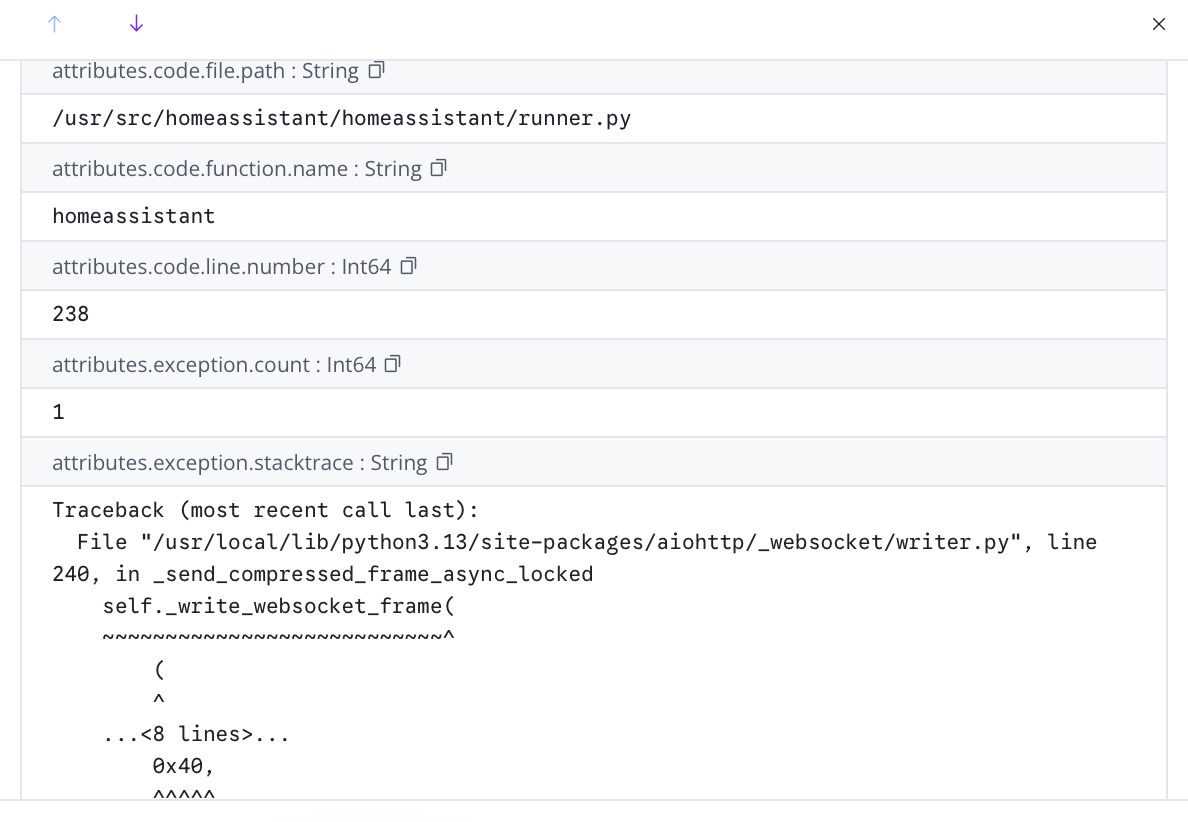
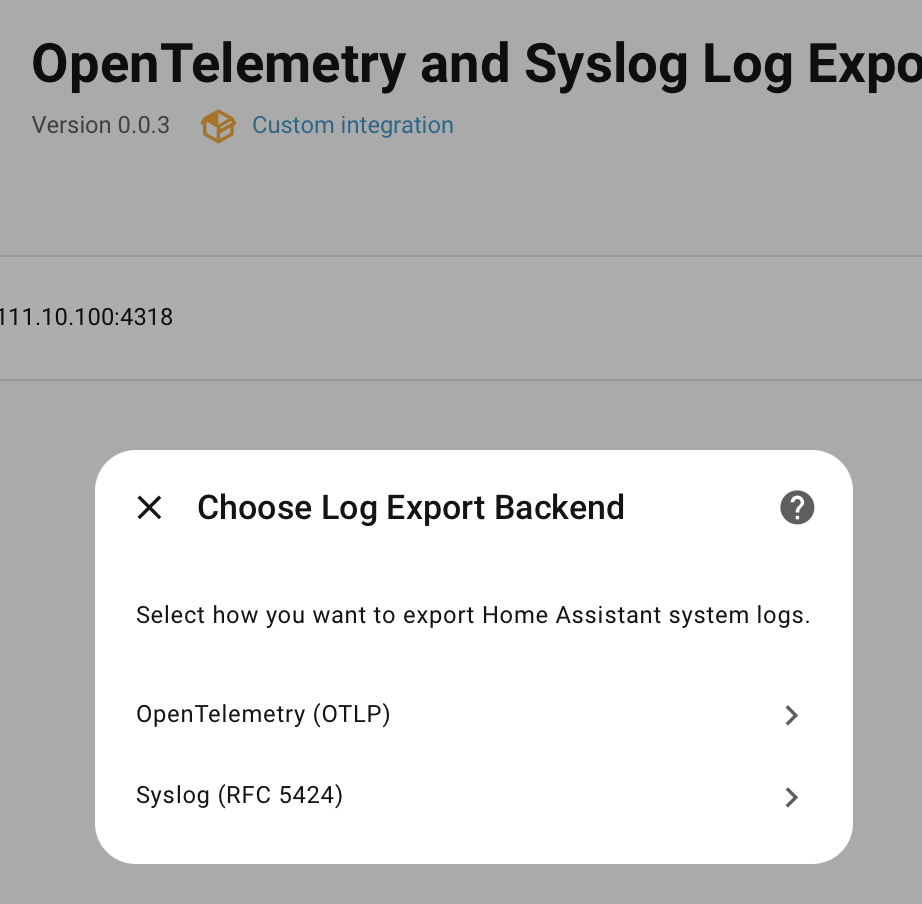
Remote Logger for OpenTelemetry and Syslog sends Home Assistant logs to a remote Syslog or OTLP collector. It listens to the Python root logger or the system log event, so multi-line logs and stacktraces stay as single entries. OTLP output goes over HTTP as JSON or protobuf, with optional TLS, token authentication, extra headers and custom resource attributes, while Syslog uses RFC 5424 messages over UDP or TCP. Other Home Assistant events can be forwarded as well, including lifecycle events, core changes, service calls, automation runs and state changes, plus any custom event names. Sensors report formatting errors, posting errors, log events and postings, and the integration leaves out its own log entries to avoid loops. It runs locally and is set up in the UI after installing it through the Marketplace or HACS.
Automatic summary of the README and code of rhizomatics/remote_logger. Something wrong, or are you the maintainer and want your own text here? Get in touch
Supports
Works locally Talks to your devices on your own network. No vendor cloud in between.
From the Marketplace Installed through the Marketplace, formerly HACS.
Actively maintained Its author released or pushed a change in the last six months.
Provides
- Sensors
Setting it up
Install it from the Marketplace and restart Home Assistant, then add it under Settings, Devices and services.
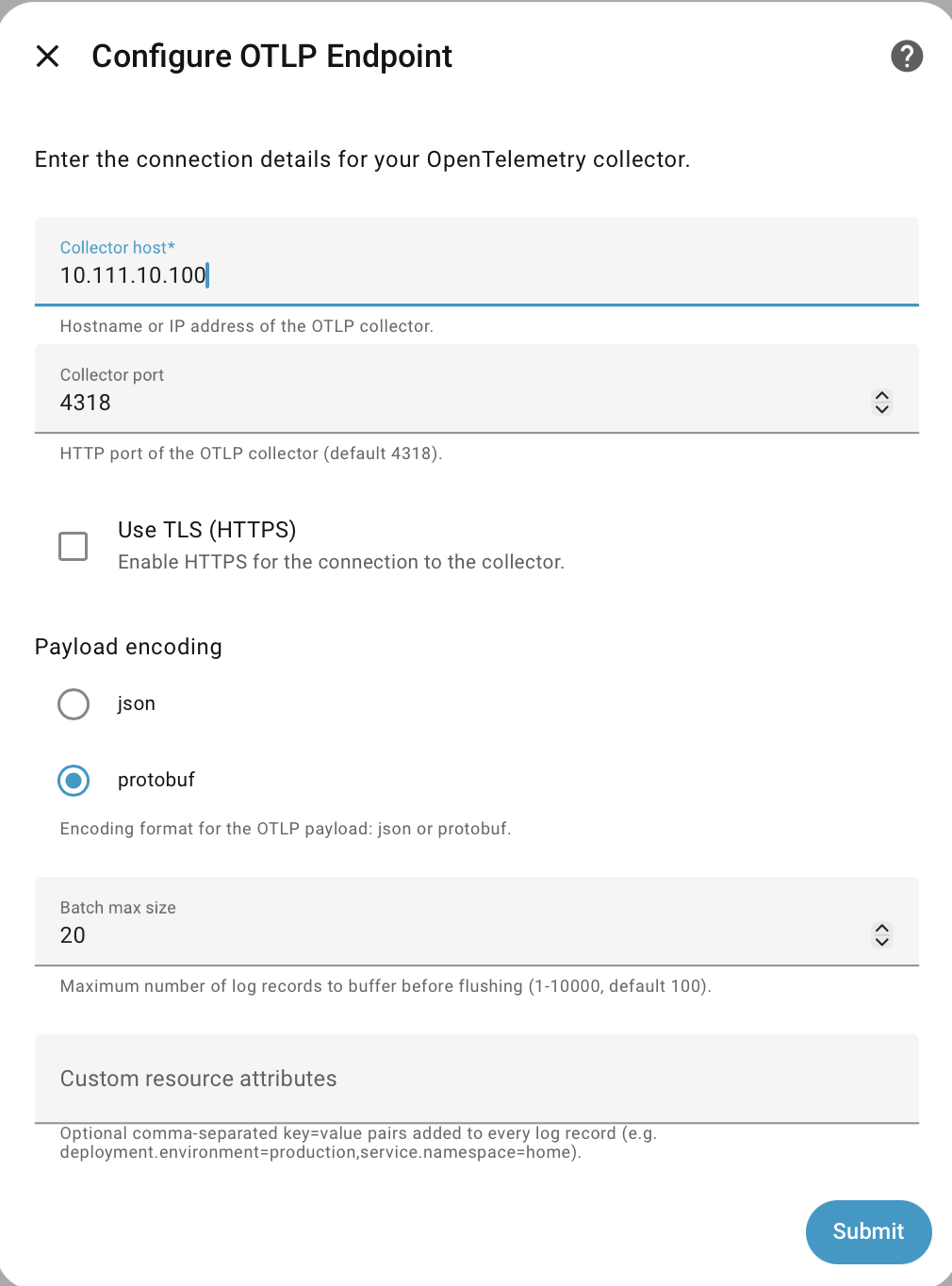
Configure OTLP Endpoint
- Collector hostHostname or IP address of the OTLP collector.
- Collector portHTTP port of the OTLP collector (default 4318).
- Use TLS (HTTPS)Enable HTTPS for the connection to the collector.
- Payload encodingEncoding format for the OTLP payload: json or protobuf.
- Batch max sizeMaximum number of log records to buffer before flushing (1-10000, default 100).
- Custom resource attributesOptional comma-separated key=value pairs added to every log record (e.g. deployment.environment=production,service.namespace=home).
- Token typeAuthentication scheme: Bearer sends the token as-is; Basic base64-encodes it as 'username:password'.
- Access token for Authorization headerOptional token. Sent in the 'Authorization' header.
- Additional headersOptional extra HTTP headers in 'Name: value' format (e.g. stream-name: my-stream). Enter one header per entry.
- Logs endpoint pathPath appended to host:port for the logs endpoint (default /v1/logs). Prefix with any API-specific path (e.g. /api/otlp/v1/logs).
Configure Syslog Endpoint
- Syslog server hostHostname or IP address of the syslog server.
- Syslog server portPort of the syslog server (default 514).
- Transport protocolTransport protocol: UDP (fire-and-forget) or TCP (reliable delivery).
- Use TLS (TCP only)Enable TLS encryption for TCP connections. Ignored for UDP.
- Application nameThe APP-NAME field in RFC 5424 messages (default: homeassistant).
- Syslog facilitySyslog facility code used to calculate the PRI value (default: user).
Additional Home Assistant Events
- Use System Log events in place of Python root loggerUse standard Home Assistant log event as alternative to capture via Python root logger, limited to warning and error logs available
- Minimum log level (root logger mode only)Minimum severity forwarded to the remote endpoint. Only applies when root logger mode is active (system_log_event disabled). Default: INFO.
- Serialize event data into log bodyWhen enabled, the full event data is serialized as JSON into the log body. Only entity_id, domain, and service are retained as structured attributes.
- Suppress system_log_event as event nameWhen enabled, system_log_event records are exported without an eventName field. Disable when using remote_logger as a general event recorder so all event types can be distinguished.
- One or more eventsOptional list of additional Home Assistant event names to subscribe to (e.g. zha_event). Enter one event name per entry.
- Home Assistant lifecycle eventsSubscribe to homeassistant_start, homeassistant_started, and homeassistant_stop events.
- Home Assistant core change eventsSubscribe to component_loaded, core_config_updated, service_registered, service_removed, lovelace_updated, panels_updated, themes_updated, labs_updated, user_added, user_updated, and user_removed events.
- Home Assistant core activityHome Assistant core activity, including service calls, automation and script execution.
- Home Assistant state changes, without attributes or contextHome Assistant state changes (without attributes or context) and logbook entries
- Home Assistant state changesHome Assistant state changes (complete event) and logbook entries
Re-authenticate OTLP Endpoint
- Token typeAuthentication scheme: Bearer sends the token as-is; Basic base64-encodes it as 'username:password'. Raw Basic sends as configured. ApiKey sends with 'ApiKey' prefix.
- TokenNew token to authenticate with the OTLP collector.
After setup
- Collector hostHostname or IP address of the OTLP collector.
- Collector portHTTP port of the OTLP collector (default 4318).
- Use TLS (HTTPS)Enable HTTPS for the connection to the collector.
- Payload encodingEncoding format for the OTLP payload: json or protobuf.
- Batch max sizeMaximum number of log records to buffer before flushing (1-10000, default 100).
- Custom resource attributesOptional comma-separated key=value pairs added to every log record (e.g. deployment.environment=production,service.namespace=home).
- Token typeAuthentication scheme: Bearer sends the token as-is; Basic base64-encodes it as 'username:password'.
- Access token for Authorization headerOptional token. Sent in the 'Authorization' header.
- Additional headersOptional extra HTTP headers in 'Name: value' format (e.g. stream-name: my-stream). Enter one header per entry.
- Logs endpoint pathPath appended to host:port for the logs endpoint (default /v1/logs). Prefix with any API-specific path (e.g. /api/otlp/v1/logs).
- Syslog server hostHostname or IP address of the syslog server.
- Syslog server portPort of the syslog server (default 514).
- Transport protocolTransport protocol: UDP (fire-and-forget) or TCP (reliable delivery).
- Use TLS (TCP only)Enable TLS encryption for TCP connections. Ignored for UDP.
- Application nameThe APP-NAME field in RFC 5424 messages (default: homeassistant).
- Syslog facilitySyslog facility code used to calculate the PRI value (default: user).
- Use system_log_event instead of Python root loggerUse standard Home Assistant log event as alternative to capture via Python root logger, limited to warning and error logs available.
- Minimum log level (root logger mode only)Minimum severity forwarded to the remote endpoint. Only applies when root logger mode is active (system_log_event disabled). Default: INFO.
- Custom event namesOptional list of additional Home Assistant event names to subscribe to (e.g. zha_event). Enter one event name per entry.
- Serialize event data into log bodyWhen enabled, the full event data is serialized as JSON into the log body. Only entity_id, domain, and service are retained as structured attributes. Alternatively, preserve single JSON structure, which will mean a log database generates a column for every possible field.
- Suppress system_log_event as event nameWhen enabled, system_log_event records are exported without an eventName field. Disable when using remote_logger as a general event recorder so all event types can be distinguished.
- Home Assistant lifecycle eventsSubscribe to homeassistant_start, homeassistant_started, and homeassistant_stop events.
- Home Assistant core change eventsSubscribe to component_loaded, core_config_updated, service_registered, service_removed, lovelace_updated, panels_updated, themes_updated, labs_updated, user_added, user_updated, and user_removed events.
- Home Assistant core activityHome Assistant core activity, including service calls, automation and script execution.
- Home Assistant state changes, without attributes or contextHome Assistant state changes (without attributes or context) and logbook entries
- Home Assistant state changesHome Assistant state changes (complete event) and logbook entries
Texts from the code of rhizomatics/remote_logger.
Entities
- SensorsFormatting Errors, Posting Errors, Log Events, Postings
From the README
Use log aggregation and analysis tools to get a complete picture of your home automation. Remote Logger for Home Assistant listens to Home Assistant logging at source and sends structured log events to a remote Syslog or OpenTelemetry (OTLP) collector. Optionally forwards other Home Assistant events, such as lifecycle events, service calls, configuration updates, state changes.

Shows in Vulpo
Chart card, Apple Watch.Information
- Installs
- 62 sharing analytics
- GitHub stars
- 13
- Connection
- Works locally
- Upkeep
- Updated in the last 6 months
- Version
- v2.0.7,
- Category
- Computers and network, Monitoring
- Kind
- Marketplace integration
- Needs
- Needs the Marketplace (HACS on 2026.10 and older)
- Domain
remote_logger- Issues
- Report an issue











