

INA219 UPS Hat
odya
On Home Assistant 2026.11 or newer? Open it in the Marketplace
- Installs
- 57 sharing analytics
- GitHub stars
- 19
- Connection
- Works locally
- Upkeep
- No update in over 18 months
- Version
- v0.3.12-1,
- Category
- Energy, Backup power
- Kind
- Marketplace integration
- Needs
- Needs the Marketplace (HACS on 2026.10 and older)
- Domain
ina219_ups_hat- Issues
- Report an issue
Independent directory, made by the developer of Vulpo. Not affiliated with Home Assistant or the Open Home Foundation.
Screenshots From the README of odya/hass-ina219-ups-hat.

About
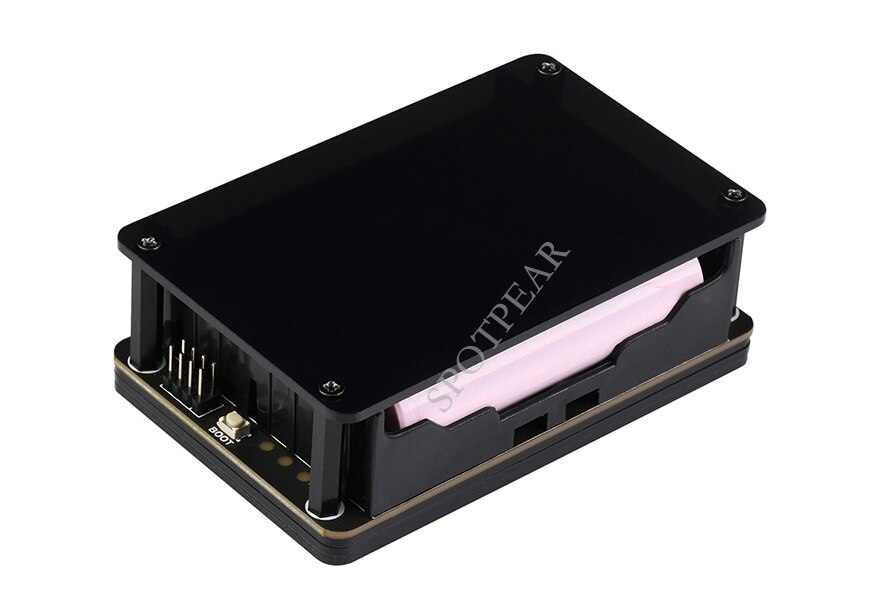
INA219 UPS Hat monitors UPS hats based on the INA219 chip, such as the Waveshare UPS Hat and its clones. It runs locally and adds sensors and binary sensors for state of charge, voltage, current, power, charging status, online status, remaining capacity and remaining time. Settings cover the number of batteries in series, total battery capacity, the moving average window applied to readings, and a maximum state of charge value for packs that never read full. State of charge is estimated from a typical open-circuit voltage curve for 18650 cells. The hat is read over the I2C bus, so that interface must be enabled on the host, and the integration is configured in the YAML configuration file. Example automations are included in the repository.
Automatic summary of the README of odya/hass-ina219-ups-hat. Something wrong, or are you the maintainer and want your own text here? Get in touch
Supports
Works locally Talks to your devices on your own network. No vendor cloud in between.
From the Marketplace Installed through the Marketplace, formerly HACS.
Provides
- Sensors
Setting it up
Install it from the Marketplace and restart Home Assistant. It is then set up in configuration.yaml.
From the README
This integration allows you to monitor any INA219 based UPS hat (e.g. Waveshare UPS Hat or its clones) status in your Home Assistant instance.

Shows in Vulpo
Chart card, Apple Watch.Information
- Installs
- 57 sharing analytics
- GitHub stars
- 19
- Connection
- Works locally
- Upkeep
- No update in over 18 months
- Version
- v0.3.12-1,
- Category
- Energy, Backup power
- Kind
- Marketplace integration
- Needs
- Needs the Marketplace (HACS on 2026.10 and older)
- Domain
ina219_ups_hat- Issues
- Report an issue











