

Anycubic Cloud & LAN
Nino6689
On Home Assistant 2026.11 or newer? Open it in the Marketplace
- Installs
- 363 sharing analytics
- GitHub stars
- 28
- Connection
- Uses the vendor's cloud
- Upkeep
- Updated in the last 6 months
- Version
- v2.9.10,
- Category
- Computers and network, Printers
- Kind
- Marketplace integration
- Needs
- Needs the Marketplace (HACS on 2026.10 and older)
- Domain
anycubic_cloud- Issues
- Report an issue
Independent directory, made by the developer of Vulpo. Not affiliated with Home Assistant or the Open Home Foundation.
Screenshots From the README of Nino6689/hass-anycubic.
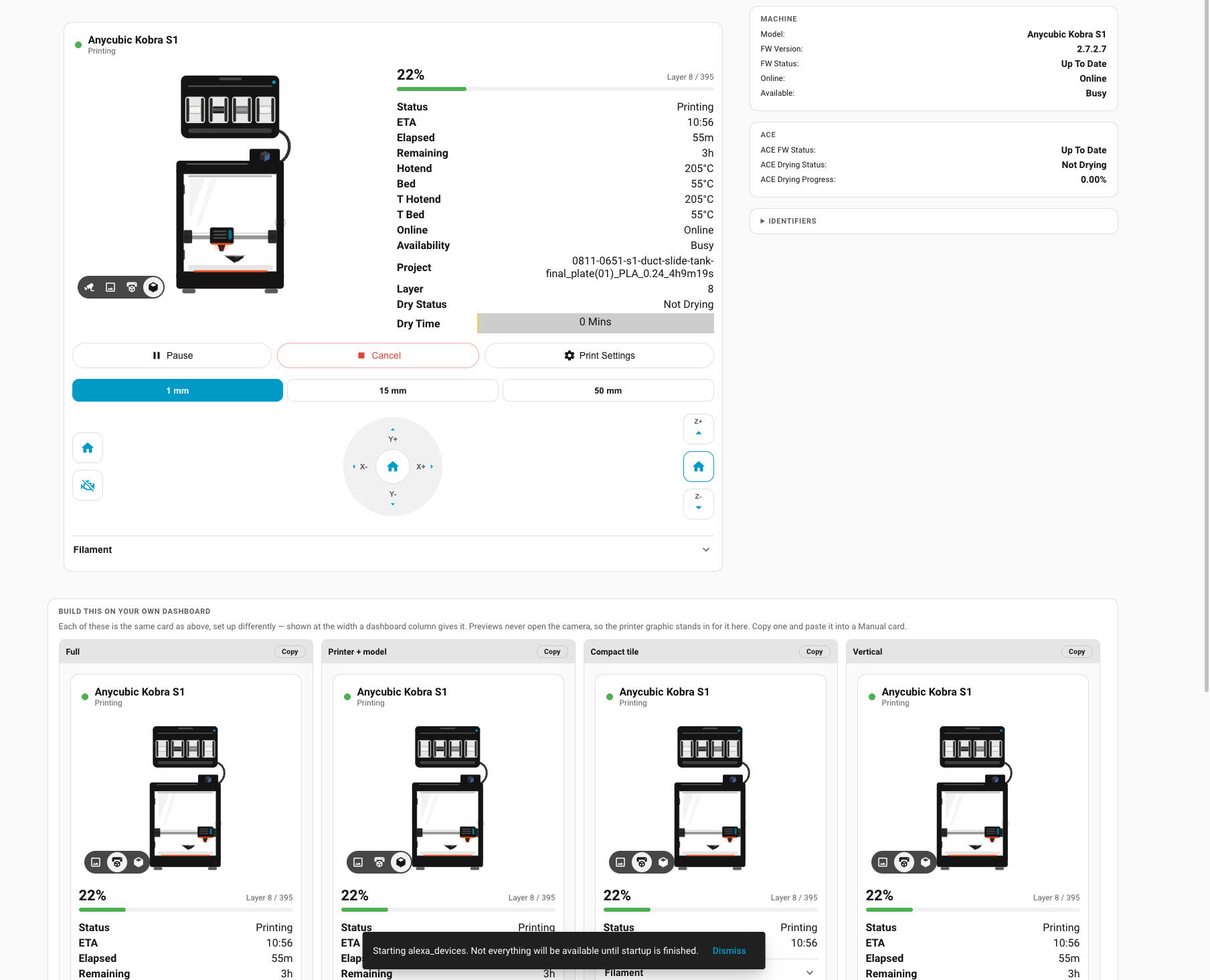
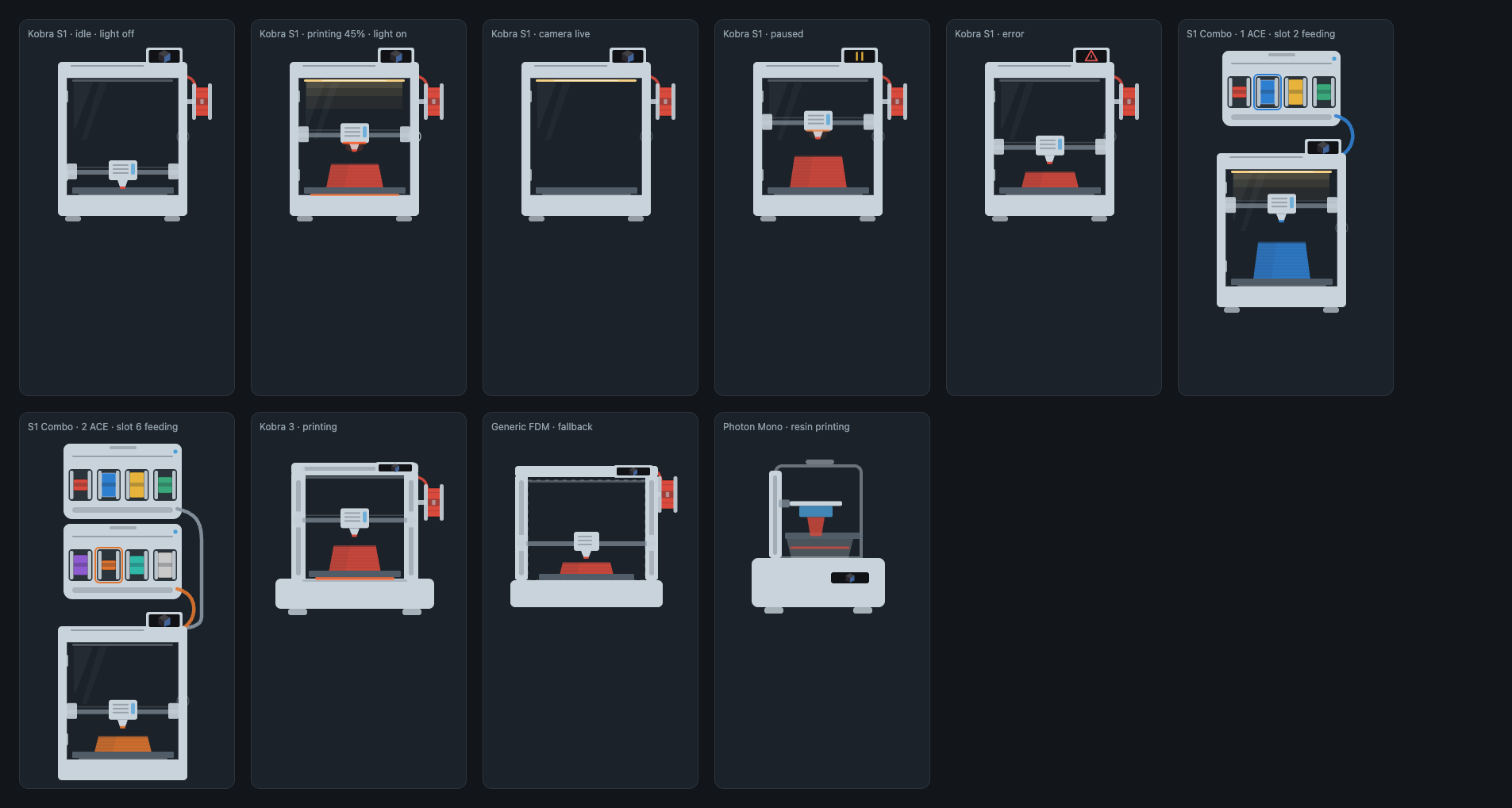
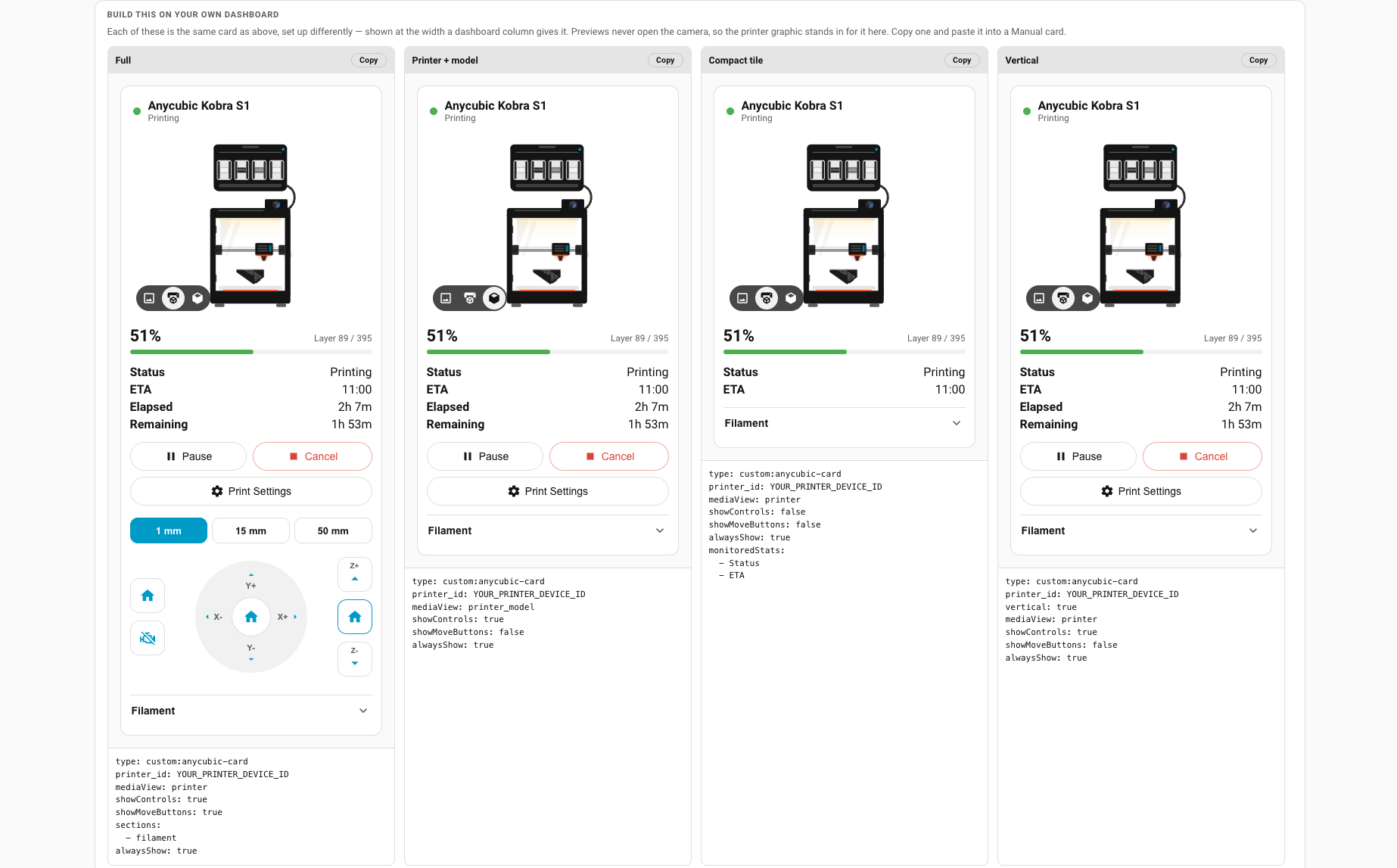
About
Anycubic Cloud & LAN connects Anycubic Kobra and Photon 3D printers to Home Assistant through the vendor cloud or directly over the local network. It adds sensors, a camera, a job preview image, a printer light, and controls for fans, temperatures, print speed and axis movement. A notable part is support for the ACE filament unit, which appears as a child device with per-slot filament tracking, spool weight and price entries, feed and retract buttons, and drying controls. Actions cover setting slot material, starting a print with upload, deleting files from local, USB or cloud storage, and changing nozzle, hotbed and fan settings during a print. Setup happens in the UI with a copied account token, and the local option needs the printer address; the integration also offers firmware updates for the printer and ACE. Movement and heater commands were derived from watching the vendor slicer and tested only on a Kobra S1 with an ACE Pro.
Automatic summary of the README and code of Nino6689/hass-anycubic. Something wrong, or are you the maintainer and want your own text here? Get in touch
Supports
Uses the vendor's cloud Needs an internet connection and an account with the vendor.
Found by itself Home Assistant spots it on the network and offers to add it.
From the Marketplace Installed through the Marketplace, formerly HACS.
Actively maintained Its author released or pushed a change in the last six months.
Provides
- Lights
- Cameras
- Switches
- Sensors
Setting it up
Install it from the Marketplace and restart Home Assistant, then add it under Settings, Devices and services.
Authentication Mode - Android App
- User Token
- Device ID (Required for Android)
Authentication Mode - Slicer Next
- Slicer Access Token
Authentication Mode - Web
- User Token
Connect your Anycubic account
- Paste your token hereA slicer token gives live, second-by-second updates and the control buttons. A web token gives status only. Whichever you paste, it's detected automatically.
- Device ID (only for the Android method — leave blank otherwise)Leave this empty unless you extracted a token from the Android app's network traffic.
- Which Anycubic service is your account on?Anycubic runs two separate services and they do not share accounts. Almost everyone should leave this on International. Choose China only if you signed up inside the Chinese app or at a .cn address — an account from one service does not exist on the other, so the wrong choice here reports your login as invalid.
Connection
- Use the local connection (LAN Mode)
- Printer address on your networkFor example 10.0.0.42. Only needed for the local connection.
Connect directly to the printer
- Printer IP address
Choose your printers.
- Monitored Printers
After setup
- MQTT Connection Mode
- Dry Preset 1 Duration
- Dry Preset 1 Temperature
- Dry Preset 2 Duration
- Dry Preset 2 Temperature
- Dry Preset 3 Duration
- Dry Preset 3 Temperature
- Dry Preset 4 Duration
- Dry Preset 4 Temperature
- Panel Card Config (YAML format)
- Debug Log all MQTT messages
- Debug Log all API calls
- Use the local connection
- Printer address on your networkFor example 10.0.0.42. A fixed address is strongly recommended.
Texts from the code of Nino6689/hass-anycubic.
Entities
- Binary sensorsAxis move refused, Axis moving, Drying Active, External spool loaded, Is Available, Is Busy, Job Complete, Job Failed, Filament insufficient for job, Job In Progress, Job Paused, MQTT Connection Active, and 2 more
- ButtonsRefresh ACE Spools, ACE retract filament, ACE slot 1 feed, ACE slot 1 reset spool, ACE slot 2 feed, ACE slot 2 reset spool, ACE slot 3 feed, ACE slot 3 reset spool, ACE slot 4 feed, ACE slot 4 reset spool, Home all axes, Home X and Y, and 30 more
- CamerasCamera, Cloud camera
- ImagesJob Preview
- LightsPrinter Light
- NumbersACE slot 1 spool price per kg, ACE slot 1 spool weight, ACE slot 2 spool price per kg, ACE slot 2 spool weight, ACE slot 3 spool price per kg, ACE slot 3 spool weight, ACE slot 4 spool price per kg, ACE slot 4 spool weight, Drying duration, Drying temperature, Set auxiliary fan speed, Set chamber fan level, and 3 more
- SelectsAxis step size, Print speed mode
- SensorsACE Current Temperature, ACE Humidity, ACE Loaded Slot, ACE Slot 1, ACE slot 1 filament remaining, ACE slot 1 filament remaining percent, ACE Slot 2, ACE slot 2 filament remaining, ACE slot 2 filament remaining percent, ACE Slot 3, ACE slot 3 filament remaining, and 69 more
- SwitchesAI failure detection, Manual MQTT Connection Enabled, ACE Run-out Refill, Secondary ACE Run-out Refill
- UpdatesPrinter Firmware, ACE Firmware, Secondary ACE Firmware
Actions
- ACE Set Slot - PLASets PLA slot properties in ACE unit.Fields: Config Entry, Printer Device, Printer ID, Box ID, Slot Number, Slot Color Red, Slot Color Green, Slot Color Blue
- ACE Set Slot - PETGSets PETG slot properties in ACE unit.Fields: Config Entry, Printer Device, Printer ID, Box ID, Slot Number, Slot Color Red, Slot Color Green, Slot Color Blue
- ACE Set Slot - ABSSets ABS slot properties in ACE unit.Fields: Config Entry, Printer Device, Printer ID, Box ID, Slot Number, Slot Color Red, Slot Color Green, Slot Color Blue
- ACE Set Slot - PACFSets PACF slot properties in ACE unit.Fields: Config Entry, Printer Device, Printer ID, Box ID, Slot Number, Slot Color Red, Slot Color Green, Slot Color Blue
- ACE Set Slot - PCSets PC slot properties in ACE unit.Fields: Config Entry, Printer Device, Printer ID, Box ID, Slot Number, Slot Color Red, Slot Color Green, Slot Color Blue
- ACE Set Slot - ASASets ASA slot properties in ACE unit.Fields: Config Entry, Printer Device, Printer ID, Box ID, Slot Number, Slot Color Red, Slot Color Green, Slot Color Blue
- ACE Set Slot - HIPSSets HIPS slot properties in ACE unit.Fields: Config Entry, Printer Device, Printer ID, Box ID, Slot Number, Slot Color Red, Slot Color Green, Slot Color Blue
- ACE Set Slot - PASets PA slot properties in ACE unit.Fields: Config Entry, Printer Device, Printer ID, Box ID, Slot Number, Slot Color Red, Slot Color Green, Slot Color Blue
- ACE Set Slot - PLA SESets PLA SE slot properties in ACE unit.Fields: Config Entry, Printer Device, Printer ID, Box ID, Slot Number, Slot Color Red, Slot Color Green, Slot Color Blue
- ACE Filament ExtrudeActivate filament extrude on ACE.Fields: Config Entry, Printer Device, Printer ID, Box ID, Slot Number, Extrude Finished
- ACE Filament RetractActivate filament retract on ACE.Fields: Config Entry, Printer Device, Printer ID, Box ID
- Print and upload (save in user cloud).Print and upload, save in user cloud store.Fields: Config Entry, Printer Device, Printer ID, Slot Number List, Gcode File
- Print and upload (no cloud save).Print and upload, but don't save in user cloud store.Fields: Config Entry, Printer Device, Printer ID, Slot Number List, Gcode File
- Delete file (Local)Delete a file from printer local storage.Fields: Config Entry, Printer Device, Printer ID, File Name
- Delete file (USB Disk)Delete a file from printer USB disk.Fields: Config Entry, Printer Device, Printer ID, File Name
- Delete file (Cloud)Delete a file from user cloud store.Fields: Config Entry, Printer Device, Printer ID, File ID
- Change Print Speed ModeChange Print Speed ModeFields: Config Entry, Printer Device, Printer ID, Speed Mode
- Change Print Nozzle TemperatureChange Print Nozzle TemperatureFields: Config Entry, Printer Device, Printer ID, Nozzle Temperature
- Change Print Hotbed TemperatureChange Print Hotbed TemperatureFields: Config Entry, Printer Device, Printer ID, Hotbed Temperature
- Change Print Fan SpeedChange Print Fan SpeedFields: Config Entry, Printer Device, Printer ID, Fan Speed
Troubleshooting
- DiagnosticsDownloads a diagnostics file to attach to a bug report.
From the README
Home Assistant integration for Anycubic 3D printers
Monitor and control your Anycubic Kobra or Photon from Home Assistant —

Shows in Vulpo
Light card, Quick Toggle card, Camera card, Button card, Apple Watch, Control Center.Information
- Installs
- 363 sharing analytics
- GitHub stars
- 28
- Connection
- Uses the vendor's cloud
- Upkeep
- Updated in the last 6 months
- Version
- v2.9.10,
- Category
- Computers and network, Printers
- Kind
- Marketplace integration
- Needs
- Needs the Marketplace (HACS on 2026.10 and older)
- Domain
anycubic_cloud- Issues
- Report an issue











