

EG4 Web Monitor
joyfulhouse
On Home Assistant 2026.11 or newer? Open it in the Marketplace
- Installs
- 279 sharing analytics
- GitHub stars
- 85
- Connection
- Works locally
- Upkeep
- Updated in the last 6 months
- Version
- v3.5.0,
- Category
- Energy, Solar and batteries
- Kind
- Marketplace integration
- Needs
- Needs the Marketplace (HACS on 2026.10 and older)
- Domain
eg4_web_monitor- Issues
- Report an issue
Independent directory, made by the developer of Vulpo. Not affiliated with Home Assistant or the Open Home Foundation.
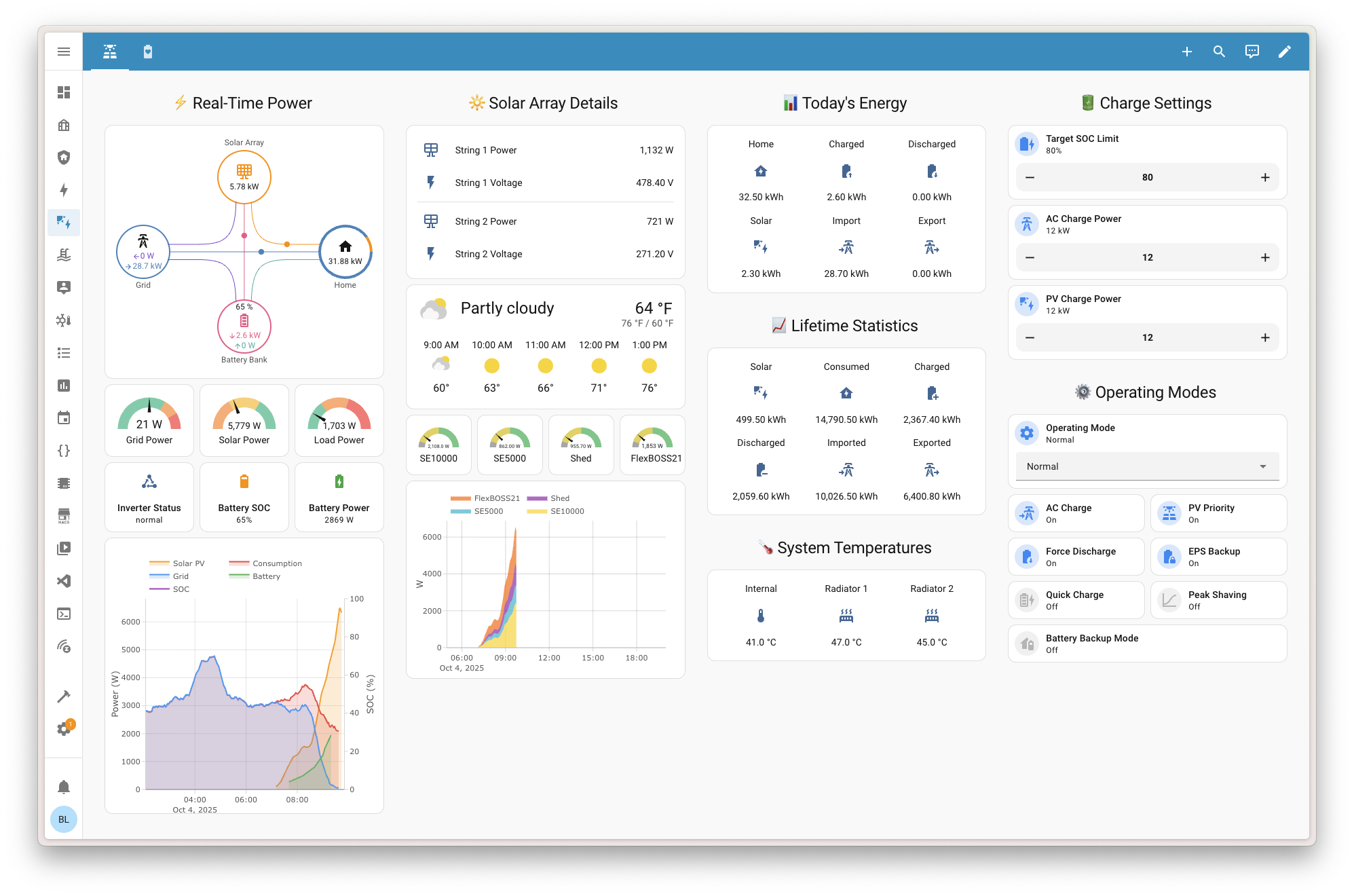
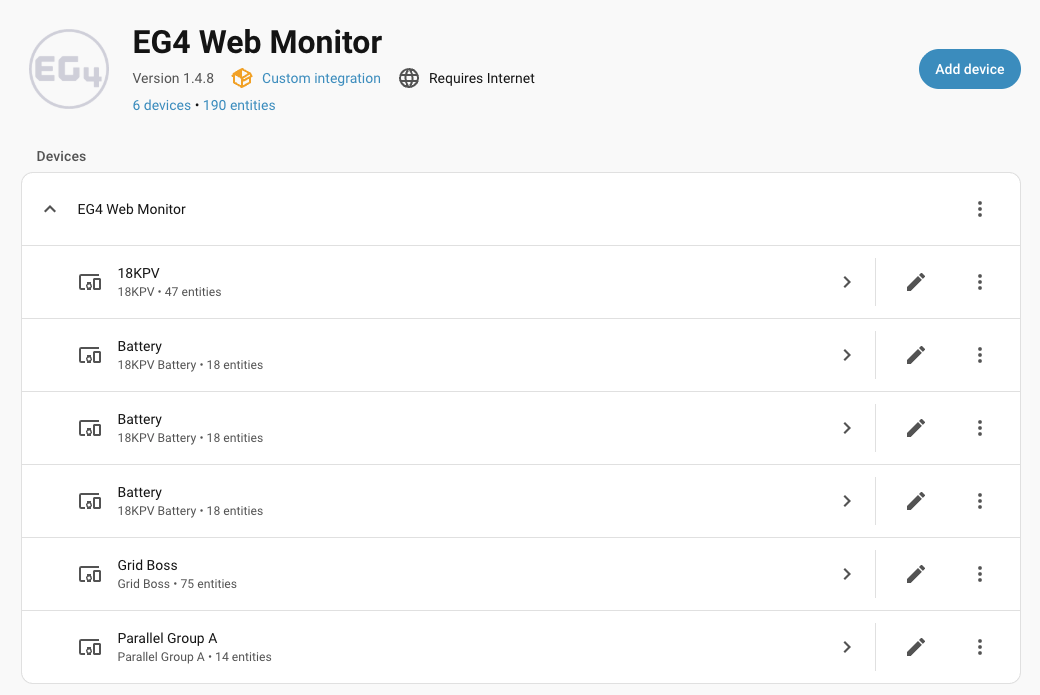
Screenshots From the README of joyfulhouse/eg4_web_monitor.
About
EG4 Web Monitor connects EG4 and Luxpower inverters, GridBOSS units and batteries to Home Assistant. It can read data locally over Modbus TCP, a WiFi dongle or USB/RS485 serial, through the cloud API, or in a hybrid mode that combines both. In hybrid mode, local data is enriched with cloud-only features such as daylight saving time sync, and control writes fall back to the cloud when the local link is down. It provides sensors for power, voltage, current, frequency, battery state and more, plus controls for quick charge, battery backup, operating mode, charge schedules and SOC limits. Data validation options guard against corrupt local register reads, and an action fetches the portal event log for faults and warnings. Setup is done in the UI, and polling intervals can be adjusted in the options.
Automatic summary of the README and code of joyfulhouse/eg4_web_monitor. Something wrong, or are you the maintainer and want your own text here? Get in touch
Supports
Works locally Talks to your devices on your own network. No vendor cloud in between.
From the Marketplace Installed through the Marketplace, formerly HACS.
Actively maintained Its author released or pushed a change in the last six months.
Provides
- Switches
- Sensors
Setting it up
Install it from the Marketplace and restart Home Assistant, then add it under Settings, Devices and services.
Cloud API Credentials
- Username
- Password
- Base URL
- Verify SSL CertificateEnable SSL certificate verification for secure connections
- DST SynchronizationAutomatically synchronize Daylight Saving Time settings to your inverter based on your Home Assistant timezone
Select Station
- Station/PlantSelect the solar installation you want to monitor
Network Scan Settings
- IP Range (CIDR)Network range in CIDR notation (e.g., 192.168.1.0/24). Auto-detected from your Home Assistant network.
- Scan for Modbus TCP (port 502)
- Scan for WiFi Dongles (port 8000)
- Connection Timeout (seconds)How long to wait for each device to respond. Lower = faster scan, higher = more reliable.
Network scan results
- Select Device
Connect via Modbus TCP
- Gateway IP AddressIP address of your RS485-to-Ethernet adapter (e.g., 192.168.1.100)
- PortTCP port (default: 502)
- Unit IDModbus slave ID (default: 1)
Connect via WiFi Dongle
- Dongle IP AddressIP address of your WiFi dongle on your local network
- Dongle Serial Number10-character dongle serial (BJ/BA for inverters, DJ for GridBOSS)
- Inverter Serial Number10-character serial from device nameplate (required for authentication)
- PortTCP port (default: 8000)
Connect via USB Serial
- Serial PortSelect your USB serial adapter or enter manually
- Baud RateCommunication speed (default: 19200)
- ParityParity bit setting (default: None)
- Stop BitsNumber of stop bits (default: 1)
- Unit IDModbus slave ID (default: 1)
Enter Serial Port Path
- Serial Port Pathe.g., /dev/ttyUSB0 (Linux), COM1 (Windows), /dev/tty.usbserial-* (macOS), or esphome://host:6053 for an ESPHome serial proxy
After setup
- Sensor Update Interval (seconds)
- Modbus Update Interval (seconds)
- WiFi Dongle Update Interval (seconds)
- HTTP/Cloud Polling Interval (seconds)
- Parameter Refresh Interval (minutes)
- Library Debug LoggingEnable DEBUG logging for the pylxpweb library (shows API requests, responses, and internal library operations)
- Register Data ValidationEnable corruption detection for local register reads. Validates physical bounds (SoC, frequency, smart port status) and energy monotonicity. Only enable if you experience unstable register reads (ghost entities, energy spikes, invalid values).
- Modbus Read Block SizeHow many registers to read per Modbus request when polling locally. Conservative uses small grouped reads that every dongle and firmware supports. Fast reads up to 120 registers at once for faster polling, but older dongle firmware only supports ~40-register reads — if a large read fails, the integration automatically falls back to Conservative (with a warning) until the next reload.
- Include AC-Coupled PV in TotalsAdd AC-coupled solar inverter power (from GridBOSS smart ports) to parallel group PV totals
- Battery Charge ControlHow your battery decides when to STOP charging: SOC (closed-loop, BMS lithium) or Voltage (open-loop, lead-acid / no BMS). The non-selected limit controls are hidden by default. ⚠️ Changing this also reconfigures your inverter.
- Battery Discharge ControlHow your battery decides when to STOP discharging: SOC (closed-loop, BMS lithium) or Voltage (open-loop, lead-acid / no BMS). The non-selected cutoff controls are hidden by default. ⚠️ Changing this also reconfigures your inverter.
- Polling interval (seconds)
Texts from the code of joyfulhouse/eg4_web_monitor.
Entities
- Binary sensorsDongle Connectivity, Off-Grid, AC Charge Schedule Active, AC First Schedule Active
- ButtonsRefresh Data, Clear AC Charge Schedule, Clear AC First Schedule
- NumbersSystem Charge SOC Limit, AC Charge Power, PV Charge Power, PV Start Voltage, AC Charge SOC Limit, AC Couple Start SOC, AC Couple End SOC, Quick Charge Duration, SOC Cut-Off, Grid Sell Back Power, Grid Peak Shaving Power 2, Grid Peak Shaving SOC 1, and 10 more
- SelectsOperating Mode, PV Input Mode
- SensorsAC Power, AC Voltage, AC Current, Frequency, DC Power, DC Voltage, DC Current, Battery Power, Battery Voltage, Battery Current, State of Charge, State of Health, and 75 more
- SwitchesQuick Charge, Battery Backup (EPS), Off Grid Mode, Fast Zero Export, Share Battery, AC Couple, Grid Always On, Smart Load
- TimesAC Charge Start Time 1, AC Charge End Time 1, AC Charge Start Time 2, AC Charge End Time 2, AC Charge Start Time 3, AC Charge End Time 3, AC First Start Time 1, AC First End Time 1, AC First Start Time 2, AC First End Time 2, AC First Start Time 3, AC First End Time 3, and 26 more
Actions
- Refresh DataFields: Configuration Entry ID
- Reconcile Energy HistoryFields: Lookback Hours, Start Date, End Date, Configuration Entry ID
- Import Historical DataFields: Config Entry, Start Date, End Date, Dry Run
- Fetch EventsFetch the recent portal event log (faults, warnings, notices) for one device or every inverter/GridBOSS in a configuration entry, and return it as response data. Some events exist only in the portal's event log, so this complements the register-backed fault/warning sensors. Requires cloud credentials (HTTP or Hybrid connection mode).Fields: Config Entry, Device Serial, Event Count
Troubleshooting
- DiagnosticsDownloads a diagnostics file to attach to a bug report.
- Repair noticesNotices it can show in Settings, Repairs:Data validation recommended for WiFi dongle, Duplicate cloud configuration could not be migrated
From the README
Monitor and control EG4 solar inverters, GridBOSS, and batteries in Home Assistant over local Modbus, WiFi dongle, serial, cloud API, or hybrid connectivity.
- Local & cloud connectivity: Modbus TCP, WiFi dongle, USB/RS485 serial, cloud API, or hybrid mode.
- Broad device support: FlexBOSS21, FlexBOSS18, 18kPV, 12kPV, XP inverters, LXP-EU (three-phase), LXP-LB-BR (Brazil 10kW), GridBOSS, and individual batteries.
- Real-time monitoring: power, voltage, current, temperature, frequency, and energy statistics with split-phase per-leg detail.
- Fast local polling: 5-second updates over Modbus TCP or serial (30 seconds over the WiFi dongle, whose reads are slower) — no internet dependency.
- Hybrid mode: enrich local data with cloud-only features such as DST auto-sync, and fall back to the cloud for control writes when the local link is down.
- Data integrity: WiFi dongle cross-request validation, canary checks, and energy monotonicity guards protect against corrupt readings.
- Control & automation: quick charge, battery backup (EPS), operating modes, SOC limits, charge/discharge currents, and GridBOSS smart port configuration.
- BMS diagnostics: bank-level cell voltage, temperature, current limits, and cycle count — always available, no CAN bus needed.
- Battery tracking: round-robin battery cache with per-battery last-seen timestamps for systems with more than four batteries.
- Multi-station support: monitor multiple solar installations from one account.

Shows in Vulpo
Quick Toggle card, Button card, Select card, Chart card, Apple Watch, Control Center.Information
- Installs
- 279 sharing analytics
- GitHub stars
- 85
- Connection
- Works locally
- Upkeep
- Updated in the last 6 months
- Version
- v3.5.0,
- Category
- Energy, Solar and batteries
- Kind
- Marketplace integration
- Needs
- Needs the Marketplace (HACS on 2026.10 and older)
- Domain
eg4_web_monitor- Issues
- Report an issue











