

Auto Backup
jcwillox
On Home Assistant 2026.11 or newer? Open it in the Marketplace
- Installs
- 3k sharing analytics
- GitHub stars
- 465
- Connection
- Works locally
- Upkeep
- Updated in the last 6 months
- Version
- v1.9.1,
- Category
- Computers and network, NAS and servers
- Kind
- Marketplace integration
- Needs
- Needs the Marketplace (HACS on 2026.10 and older)
- Domain
auto_backup- Issues
- Report an issue
Independent directory, made by the developer of Vulpo. Not affiliated with Home Assistant or the Open Home Foundation.
Screenshots From the README of jcwillox/hass-auto-backup.
About
Auto Backup is an integration that extends Home Assistant's backup service with automatic removal of old backups. It adds more configurable service calls that can exclude add-ons and folders from a backup, which the built-in services do not allow. Each backup can be given its own retention time, and expired backups are deleted automatically, with support for generational backup schemes. Backups can go to custom locations such as network storage, or be copied to a chosen directory such as a USB drive after completion. It provides a sensor for monitoring backup status and fires events when backups start, are created, fail or are deleted. It runs locally, is set up in the UI, and has an option for the backup timeout in minutes.
Automatic summary of the README and code of jcwillox/hass-auto-backup. Something wrong, or are you the maintainer and want your own text here? Get in touch
Supports
Works locally Talks to your devices on your own network. No vendor cloud in between.
From the Marketplace Installed through the Marketplace, formerly HACS.
Actively maintained Its author released or pushed a change in the last six months.
Provides
- Sensors
Setting it up
Install it from the Marketplace and restart Home Assistant, then add it under Settings, Devices and services.
After setup
- Automatically delete expired backups
- Backup Timeout (minutes)
Texts from the code of jcwillox/hass-auto-backup.
From the README
Auto Backup is an Improved Backup Service for Home Assistant that can Automatically Remove Backups and Supports Generational Backup Schemes.
While Home Assistant does provide built-in services for creating backups, they do not provide the ability to exclude items from a backup, or a way to automatically remove them, this custom component aims to fix that.
- Provides more advanced and configurable service calls.
- Exclude addons/folders from a backup.
- Automatically delete backups after an individually specified amount of time.
- Backup to custom locations such as network storage.
- Download backups to a specified directory after completion (for example a usb drive).
- Allows the use of addon names instead of slugs.
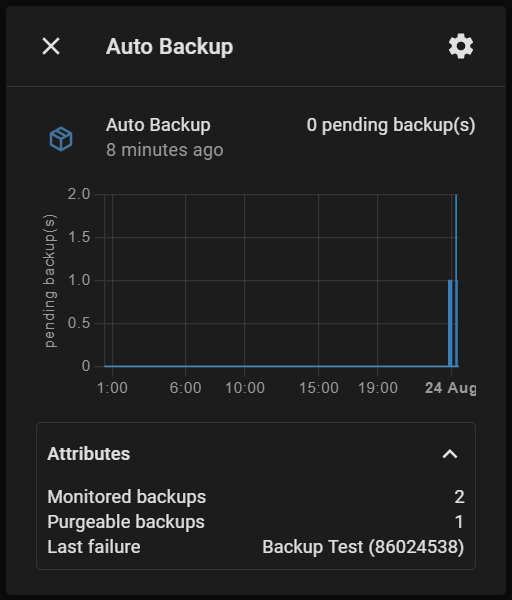
- Provides a sensor to monitor the status of your backups.
- Creates events for when backups are started/created/failed/deleted.
- Supports generational backup schemes.

Shows in Vulpo
Button card, Chart card, Apple Watch.Information
- Installs
- 3k sharing analytics
- GitHub stars
- 465
- Connection
- Works locally
- Upkeep
- Updated in the last 6 months
- Version
- v1.9.1,
- Category
- Computers and network, NAS and servers
- Kind
- Marketplace integration
- Needs
- Needs the Marketplace (HACS on 2026.10 and older)
- Domain
auto_backup- Issues
- Report an issue











