

Blueprint Studio
ha-china
On Home Assistant 2026.11 or newer? Open it in the Marketplace
- Installs
- 1.7k sharing analytics
- GitHub stars
- 136
- Connection
- Works locally
- Upkeep
- Updated in the last 6 months
- Version
- v3.0.3,
- Category
- Computers and network, Cloud and developer tools
- Kind
- Marketplace integration
- Needs
- Needs the Marketplace (HACS on 2026.10 and older)
- Domain
blueprint_studio- Issues
- Report an issue
Independent directory, made by the developer of Vulpo. Not affiliated with Home Assistant or the Open Home Foundation.
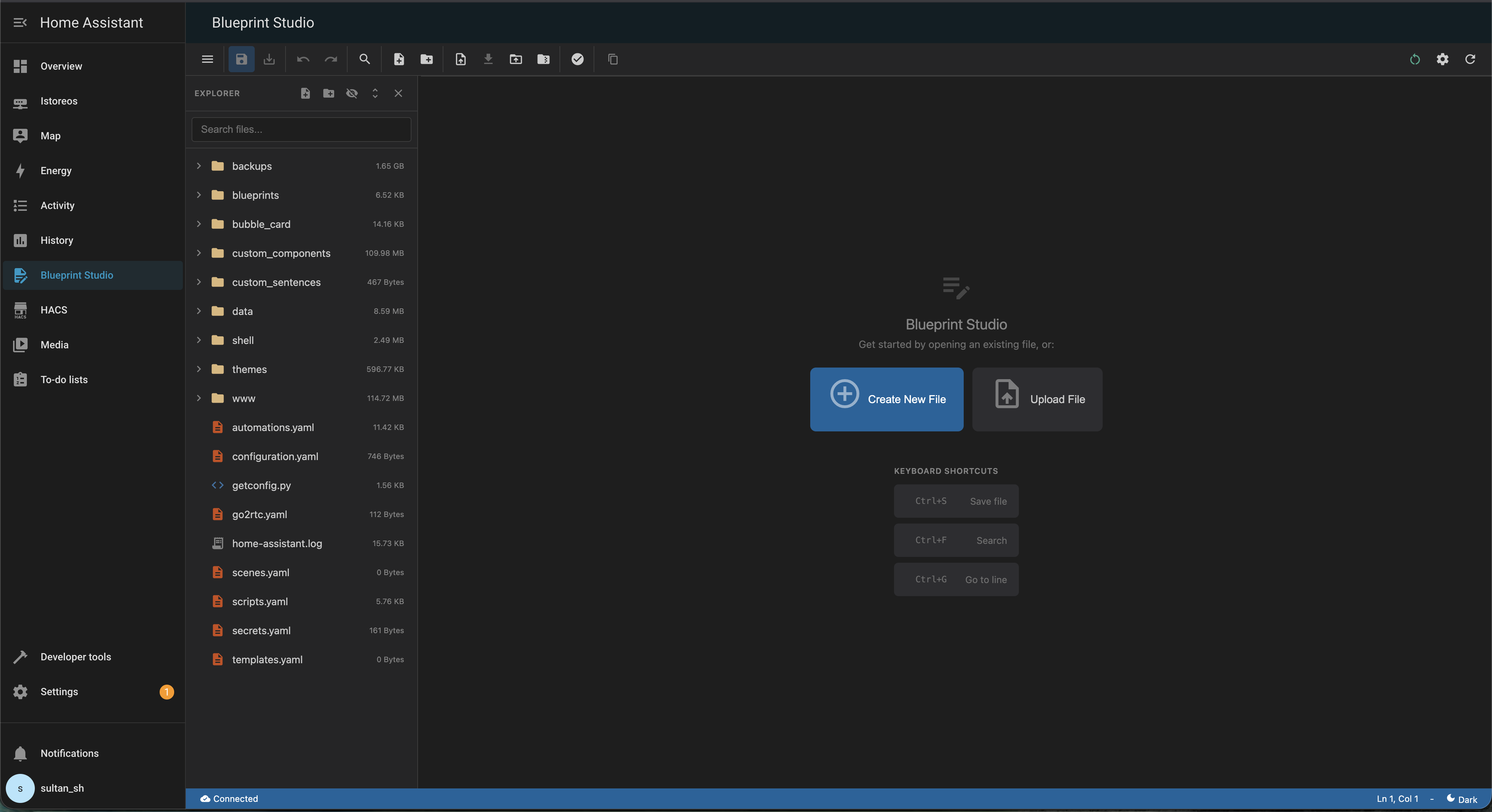
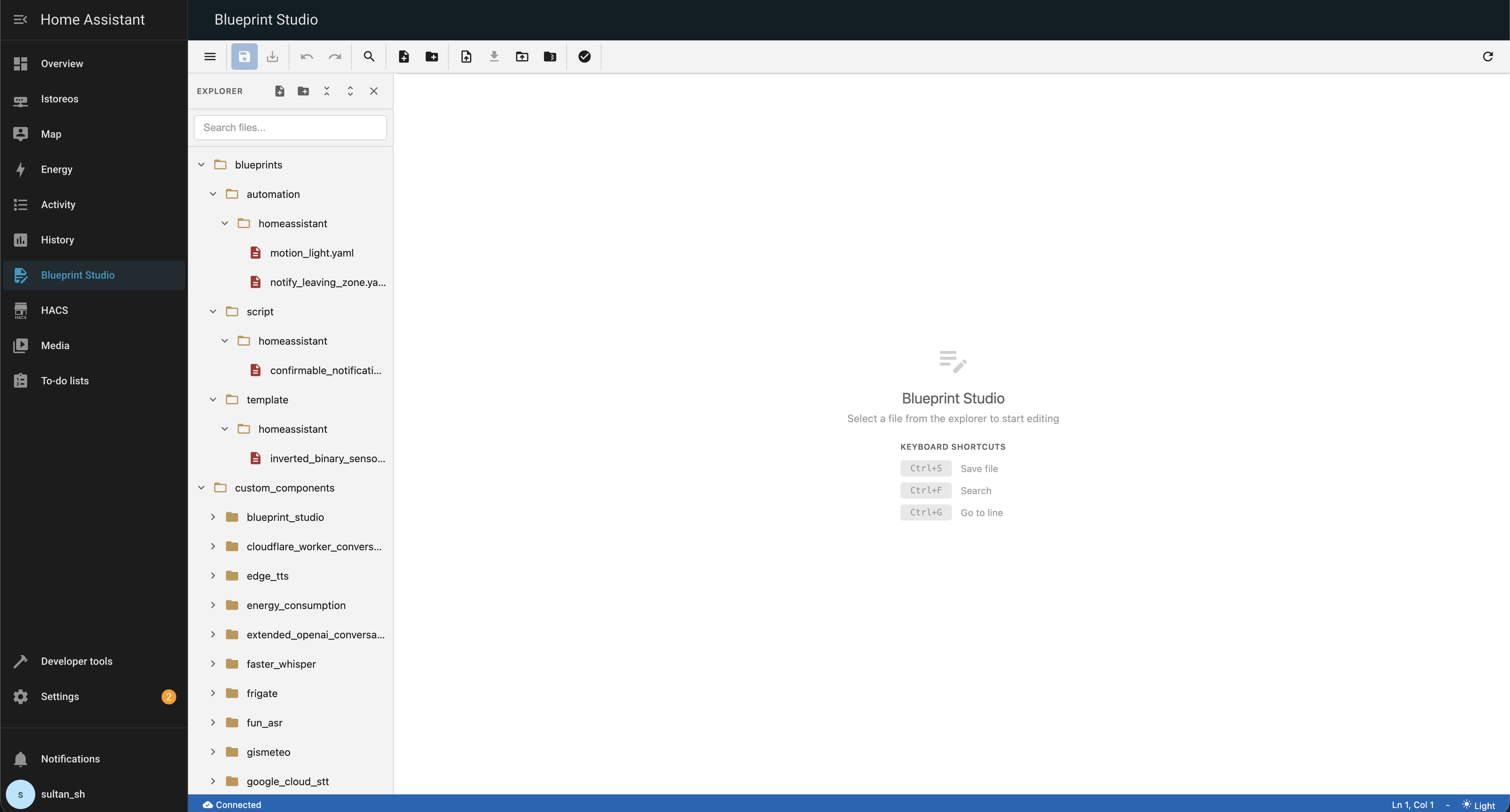
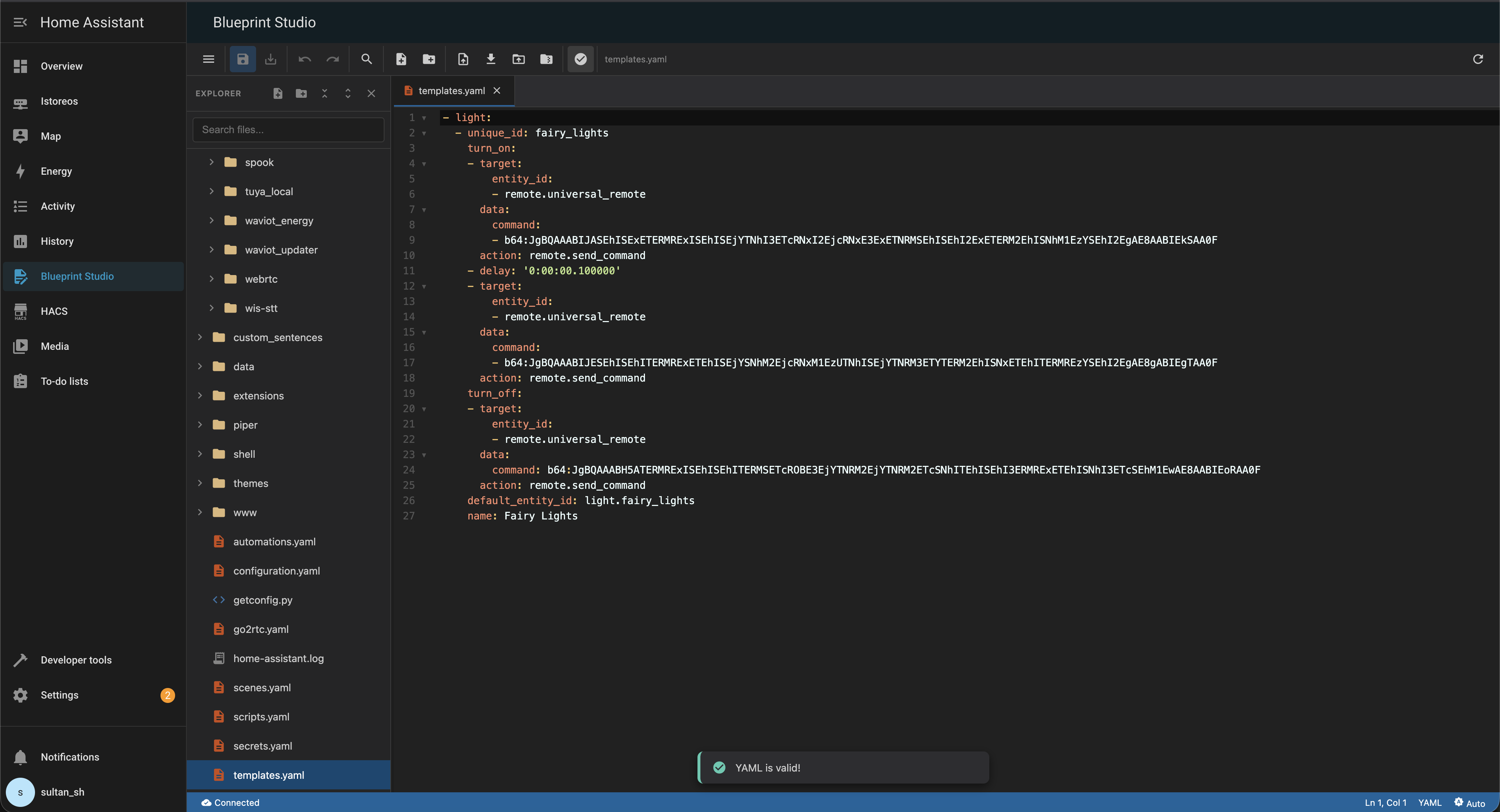
Screenshots From the README of ha-china/blueprint-studio.
About
Blueprint Studio is a file editor inside Home Assistant for editing configuration files in a VS Code-like interface. It opens local config files in tabs, with syntax highlighting for YAML, JSON, Python, JavaScript, HTML, CSS, Markdown and shell scripts, plus live YAML linting and Jinja template highlighting. Autocomplete suggests Home Assistant entities, keys and values, and snippets cover common patterns such as automations and sensors. Search covers single files and all files, with an entity explorer mode that shows states and copies IDs, and a split view allows two files side by side. File management covers create, rename, copy, delete, upload and download, and Git features handle staging, committing and pushing. An optional AI assistant shows proposed edits as before and after changes that need an explicit Apply action, and setup is done in the UI.
Automatic summary of the README and code of ha-china/blueprint-studio. Something wrong, or are you the maintainer and want your own text here? Get in touch
Supports
Works locally Talks to your devices on your own network. No vendor cloud in between.
From the Marketplace Installed through the Marketplace, formerly HACS.
Actively maintained Its author released or pushed a change in the last six months.
Setting it up
Install it from the Marketplace and restart Home Assistant, then add it under Settings, Devices and services.
Troubleshooting
- DiagnosticsDownloads a diagnostics file to attach to a bug report.
From the README
- AI Studio Copilot - Home Assistant-aware deterministic generation and optional Home Assistant, local, or cloud AI providers. Generated edits are parsed, validated, and shown as before/after…
- Syntax Highlighting - Support for YAML, JSON, Python, JavaScript, HTML, CSS, Markdown, and Shell scripts 🌈
- Code Folding - Collapse and expand code sections for better focus 📜
- Line Numbers - Easy navigation with line numbers 🔢
- Active Line Highlighting - See your cursor position clearly 🎯
- Bracket Matching - Automatic bracket highlighting 🧩
- Auto-close Brackets - Automatic bracket completion ⌨️
- Smart Autocomplete - Intelligent suggestions for Home Assistant entities (type light. to see lights), keys, and values 🧠
- YAML Snippets - Templates for common HA patterns like Automations and Sensors (type snip:) 🧩
- YAML Linting - Real-time YAML syntax validation with error highlighting ❌
- Jinja Template Support - Full syntax highlighting for Jinja2 templates with distinct coloring for brackets, keywords, and variables 📝
- Command Palette - Instant access to all features with Ctrl+K ⌨️
Information
- Installs
- 1.7k sharing analytics
- GitHub stars
- 136
- Connection
- Works locally
- Upkeep
- Updated in the last 6 months
- Version
- v3.0.3,
- Category
- Computers and network, Cloud and developer tools
- Kind
- Marketplace integration
- Needs
- Needs the Marketplace (HACS on 2026.10 and older)
- Domain
blueprint_studio- Issues
- Report an issue











