On Home Assistant 2026.10 or older? Open it in HACS
- Installs
- 365 sharing analytics
- GitHub stars
- 48
- Connection
- Uses the vendor's cloud
- Upkeep
- Updated in the last 6 months
- Version
- v4.1.0,
- Category
- Media and entertainment
- Kind
- Marketplace integration
- Needs
- Needs the Marketplace (HACS on 2026.10 and older)
- Domain
toniebox- Issues
- Report an issue
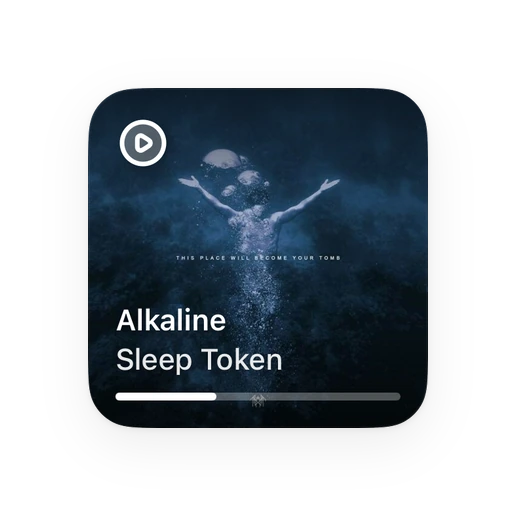
Shows in Vulpo Quick Toggle card, Media Player card, Button card, Select card, Apple Watch, Control Center.
Independent directory, made by the developer of Vulpo. Not affiliated with Home Assistant or the Open Home Foundation.
About
Unofficial Home Assistant integration for Toniebox / Tonie Cloud
Description from git4sim/HA-Toniebox

Shows in Vulpo
Quick Toggle card, Media Player card, Button card, Select card, Apple Watch, Control Center.Supports
- Uses the vendor's cloudNeeds an internet connection and an account with the vendor.
- From the MarketplaceInstalled through the Marketplace, formerly HACS.
- Actively maintainedIts author released or pushed a change in the last six months.
Provides
- Media
- Switches
- Sensors
Setting it up
Install it from the Marketplace and restart Home Assistant, then add it under Settings, Devices and services.
Toniebox Cloud Login
- E-Mail Address
- Password
Also asked when signing in again.
Texts from the code of git4sim/HA-Toniebox.
Entities
- Binary sensorsOnline, LED Active, Currently Active, Locked to Household, Transcoding Active, Charging, Connected, Sleep Timer Active
- ButtonsRefresh All, Clear All Chapters, Sort by Title, Sort by Filename, Sort by Date, Shuffle Chapters, Refresh, Factory Reset, Remove Tune
- ImagesImage
- NumbersRing Brightness, Bedtime Ring Brightness, Bedtime Max. Box Volume, Bedtime Max. Headphone Volume, Max. Box Volume, Max. Headphone Volume
- SelectsLED Brightness, Ear Direction for Skipping, Tap Direction, Age Mode, Box Language
- SensorsCurrent Figure, Current Figure ID, Account, Creative Tonies, Content Tonies, Content Discs, Tonieboxes, Children, Members, Notifications, Pending Invitations, Firmware, and 24 more
- SwitchesSkip with Ear Press, Tilt to Scrub, Offline Mode, Tilt & Tap, Play in This Household Only, Live Mode, Shuffle on swap, Lock to Household
Actions
- Clear ChaptersRemove all chapters from a Creative Tonie.
- Creative Tonie
- Sort ChaptersSort the chapters on a Creative Tonie.
- Creative Tonie
- Sort By
- Remove ChapterRemove a single chapter by its ID.
- Creative Tonie
- Chapter ID
- Move ChapterMove a chapter one position up or down.
- Creative Tonie
- Chapter ID
- Direction
- Upload AudioUpload a local audio file as a new chapter to a Creative Tonie. Supported formats: mp3, ogg, wav, flac, m4a, aac, opus.
- Creative Tonie
- File Path
- Chapter Title
- Rename TonieRename a Creative Tonie.
- Creative Tonie
- New Name
- Rename TonieboxRename a Toniebox device.
- Toniebox
- New Name
- Redeem Content TokenRedeem a free content token onto a Creative Tonie.
- Creative Tonie
- Token
- Apply TuneApply a purchased Tune to a Tonie.
- Tonie
- Tune ID
- Remove TuneRemove the active Tune from a Tonie (restores original content).
- Tonie
- Redeem VoucherRedeem a Tunes voucher code.
- Voucher Code
- Dismiss All NotificationsClear all Toniebox account notifications.
- Accept InvitationAccept a pending household invitation.
- Invitation ID
- Decline InvitationDecline a pending household invitation.
- Invitation ID
From the README
Unofficial Home Assistant Integration for Toniebox / Tonie Cloud
Inoffizielle Home Assistant Integration für Toniebox / Tonie Cloud
- 🧸 Each Creative Tonie as its own device with media player, cover image and chapter list
- 📻 Each Toniebox as its own device — shows the currently placed figure with name and cover
- ▶️ Full playback control on the Toniebox 2 (TNG) — play/pause, next/previous chapter, jump to any chapter (browse), volume, and put to sleep — live via the Tonie Cloud's real-time channel
- 🎚️ Live "now playing" — current chapter title, progress bar and play/pause state
- ⏲️ Sleep timer — start a timer via the toniebox.sleeptimer action, with a sleeptimer_active binary sensor and the alarm that fires at the end of the timer
- ⏰ Weekday alarms — manage the recurring bedtime schedules of the tonies app, with a next_alarm sensor and an on/off switch per schedule
- 📊 Sensors for chapter count, total duration, firmware version, online status, battery level, active figure and figure ID
- 🔘 Buttons to sort (title / filename / date), shuffle, clear and refresh
- 🔀 Shuffle the chapter order on demand (sort_chapters with sort_by: random) or automatically on swap — a per-Creative-Tonie switch that reshuffles a Tonie once a different one replaces it on a box
- 🔴 Binary Sensors for transcoding, live mode, household lock, active figure and running sleep timer
- 🎛️ Switches for LED, chapter skipping, scrubbing, offline mode, household lock
- 🌐 Select entities for language, LED level, tap direction, age mode
Information
- Installs
- 365 sharing analytics
- GitHub stars
- 48
- Connection
- Uses the vendor's cloud
- Upkeep
- Updated in the last 6 months
- Version
- v4.1.0,
- Category
- Media and entertainment
- Kind
- Marketplace integration
- Needs
- Needs the Marketplace (HACS on 2026.10 and older)
- Domain
toniebox- Issues
- Report an issue