

MyJDownloader
doudz
On Home Assistant 2026.11 or newer? Open it in the Marketplace
- Installs
- 244 sharing analytics
- GitHub stars
- 43
- Connection
- Uses the vendor's cloud
- Upkeep
- Updated in the last 6 months
- Version
- 3.0.0,
- Category
- Computers and network
- Kind
- Marketplace integration
- Needs
- Needs the Marketplace (HACS on 2026.10 and older)
- Domain
myjdownloader- Issues
- Report an issue
Independent directory, made by the developer of Vulpo. Not affiliated with Home Assistant or the Open Home Foundation.
Screenshots From the README of doudz/homeassistant-myjdownloader.
About
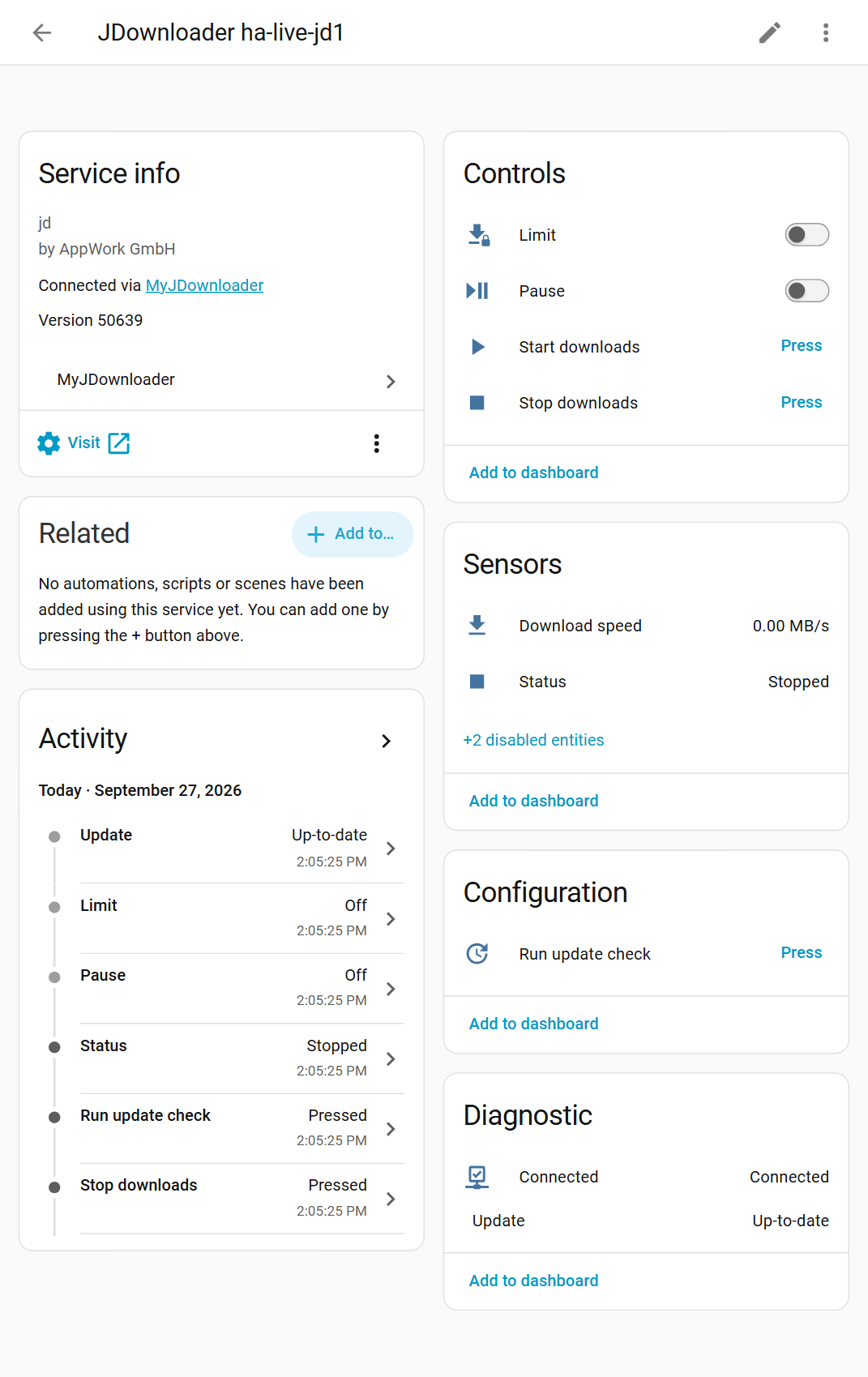
MyJDownloader monitors and controls JDownloader instances from Home Assistant through the MyJDownloader remote access service. Each JDownloader connected to the account appears as a device, with a connection sensor, status, download speed, package and link sensors, and a count of JDownloaders online. Switches pause downloads and limit speed, buttons start and stop downloads or run an update check, and an update entity installs JDownloader updates. An action adds links to the LinkGrabber, which makes it usable from automations. Several MyJDownloader accounts can be added as separate entries, and setup in the UI asks for the account email and password. The integration polls the service every 60 seconds, and requests go directly to a JDownloader on the same network when possible.
Automatic summary of the README and code of doudz/homeassistant-myjdownloader. Something wrong, or are you the maintainer and want your own text here? Get in touch
Supports
Uses the vendor's cloud Needs an internet connection and an account with the vendor.
From the Marketplace Installed through the Marketplace, formerly HACS.
Actively maintained Its author released or pushed a change in the last six months.
Provides
- Switches
- Sensors
Setting it up
Install it from the Marketplace and restart Home Assistant, then add it under Settings, Devices and services.
Connect
- EmailThe email address of your MyJDownloader account.
- PasswordThe password of your MyJDownloader account.
Also asked when changing the connection.
Sign in again
- PasswordThe password of your MyJDownloader account.
Texts from the code of doudz/homeassistant-myjdownloader.
Entities
- Binary sensorsConnected
- ButtonsStart downloads, Stop downloads, Run update check
- SensorsStatus, Download speed, Packages, Links, JDownloaders online
- SwitchesPause, Limit
- UpdatesUpdate
Actions
- Add linksAdd links to LinkGrabber.Fields: JDownloader, Auto extract archives, Autostart, Destination folder, Download password, Extract password, Links, Overwrite packagizer rules, Package name, Priority
- Restart and update (deprecated)Restarts and updates JDownloader. Deprecated, will be removed in 3.2. Use the install action of the update entity instead.Fields: JDownloader
- Run update check (deprecated)Checks for updates. Deprecated, will be removed in 3.2. Use the Run update check button instead.Fields: JDownloader
- Start downloads (deprecated)Starts downloading. Deprecated, will be removed in 3.2. Use the Start downloads button instead.Fields: JDownloader
- Stop downloads (deprecated)Stops downloading. Deprecated, will be removed in 3.2. Use the Stop downloads button instead.Fields: JDownloader
Troubleshooting
- DiagnosticsDownloads a diagnostics file to attach to a bug report.
From the README
Monitor and control your JDownloader instances from Home Assistant through MyJDownloader, the remote access service of JDownloader. See what your JDownloaders are doing, pause or start downloads, limit the download speed, add links from automations and install JDownloader updates.

Shows in Vulpo
Quick Toggle card, Button card, Chart card, Apple Watch, Control Center.Information
- Installs
- 244 sharing analytics
- GitHub stars
- 43
- Connection
- Uses the vendor's cloud
- Upkeep
- Updated in the last 6 months
- Version
- 3.0.0,
- Category
- Computers and network
- Kind
- Marketplace integration
- Needs
- Needs the Marketplace (HACS on 2026.10 and older)
- Domain
myjdownloader- Issues
- Report an issue











