Screenshots From the README of Clahen86/ha-replace-device.
About
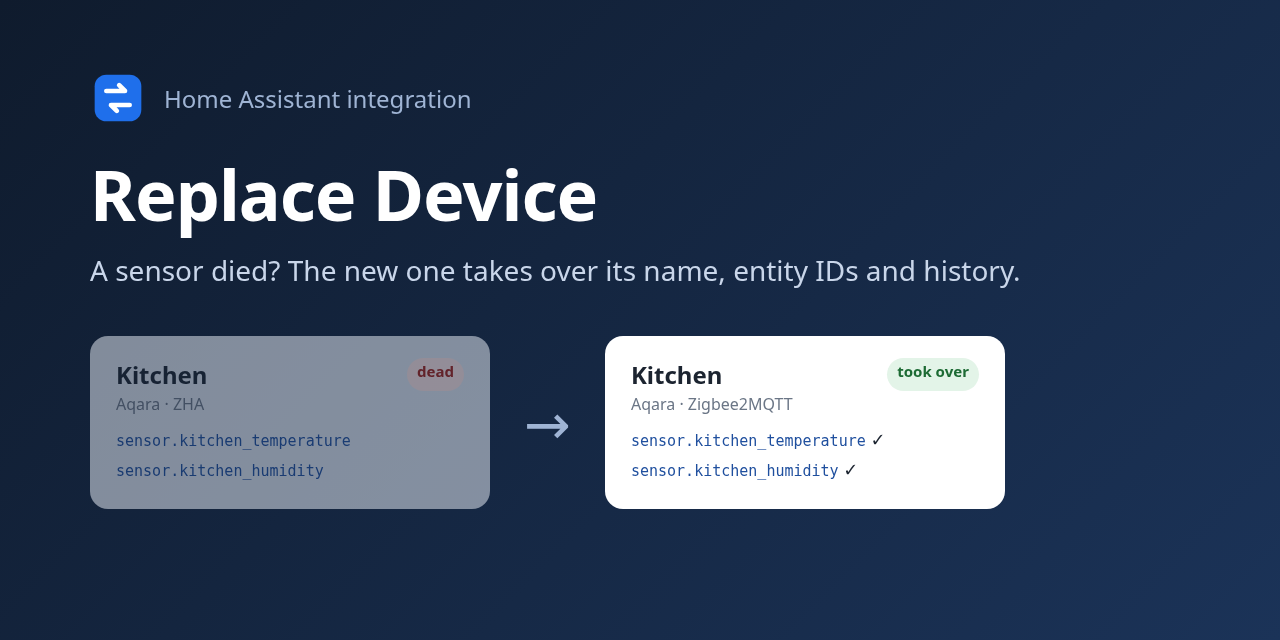
Replace a dead device or move many from ZHA to Zigbee2MQTT – the new one takes over names, entity IDs and history
Description from Clahen86/ha-replace-device
Supports
- Works locallyTalks to your devices on your own network. No vendor cloud in between.
- From the MarketplaceInstalled through the Marketplace, formerly HACS.
- Actively maintainedIts author released or pushed a change in the last six months.
Setting it up
Install it from the Marketplace and restart Home Assistant, then add it under Settings, Devices and services.
After setup
- AI Task entityLeave empty to not use AI. Tip: give it its own free Gemini key, so it doesn't share the daily quota with other things.
Texts from the code of Clahen86/ha-replace-device.
Troubleshooting
- Repair noticesNotices it can show in Settings, Repairs:Sends no values
From the README
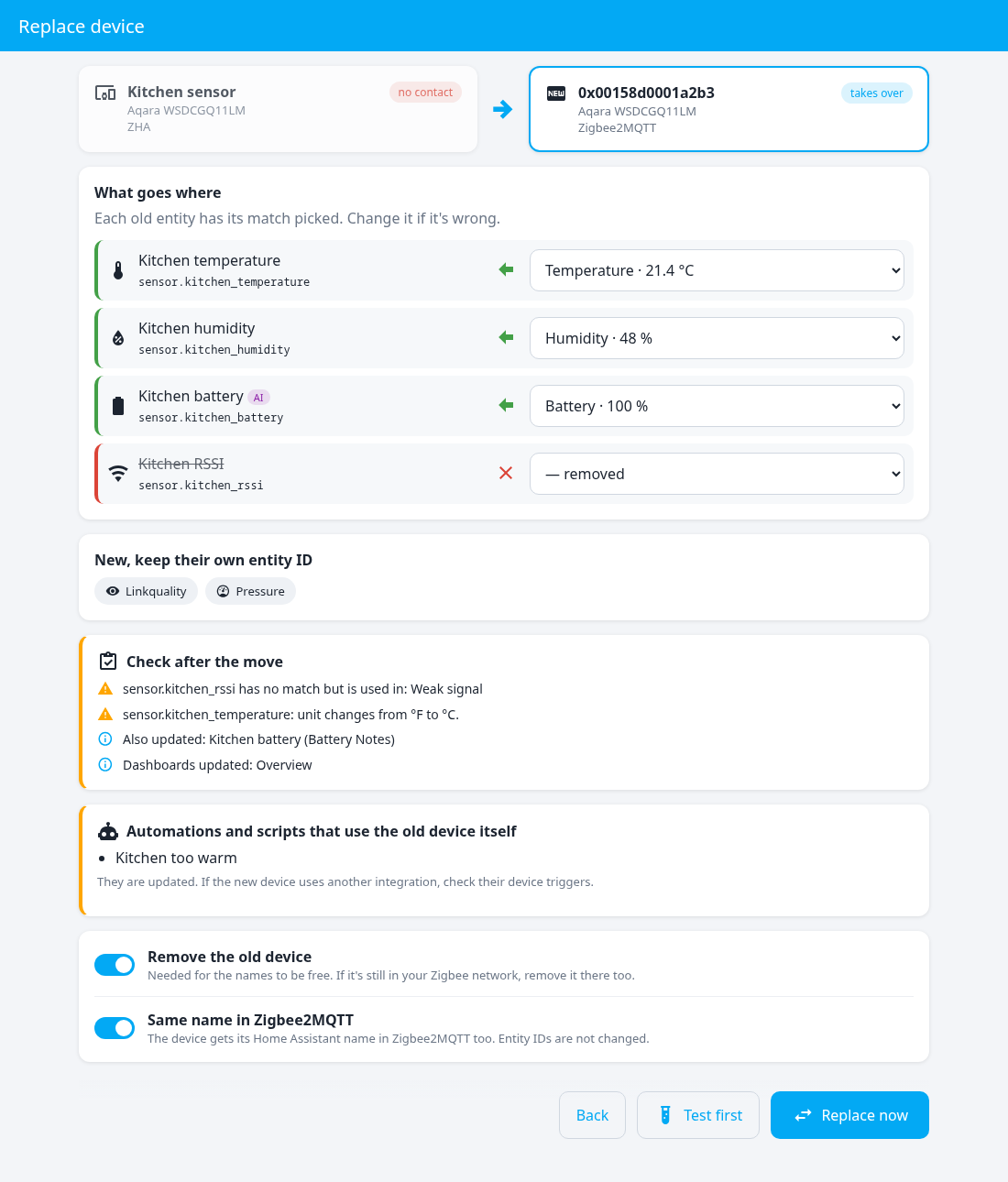
A sensor died? Pair the new one – it takes over the old one's name, entity IDs and history. Your automations and dashboards keep working.
Feedback welcome. It has been tested on real moves between ZHA, Zigbee2MQTT, HomeKit and Matter, and checked against how Hue, Z-Wave JS and Shelly name their devices – but not yet on real Hue, Z-Wave or Shelly devices, and every home is different. If something doesn't move over as it should, please open an issue and say which integration you moved from and to. You can always fix names afterwards with Change.
Information
- Installs
- 52 sharing analytics
- GitHub stars
- 41
- Connection
- Works locally
- Upkeep
- Updated in the last 6 months
- Version
- v1.6.1,
- Category
- Hubs and protocols, Wireless protocols
- Kind
- Marketplace integration
- Needs
- Needs the Marketplace (HACS on 2026.10 and older)
- Domain
replace_device- Issues
- Report an issue