
Screenshots From the README of Chance-Konstruktion/ha-powerline.
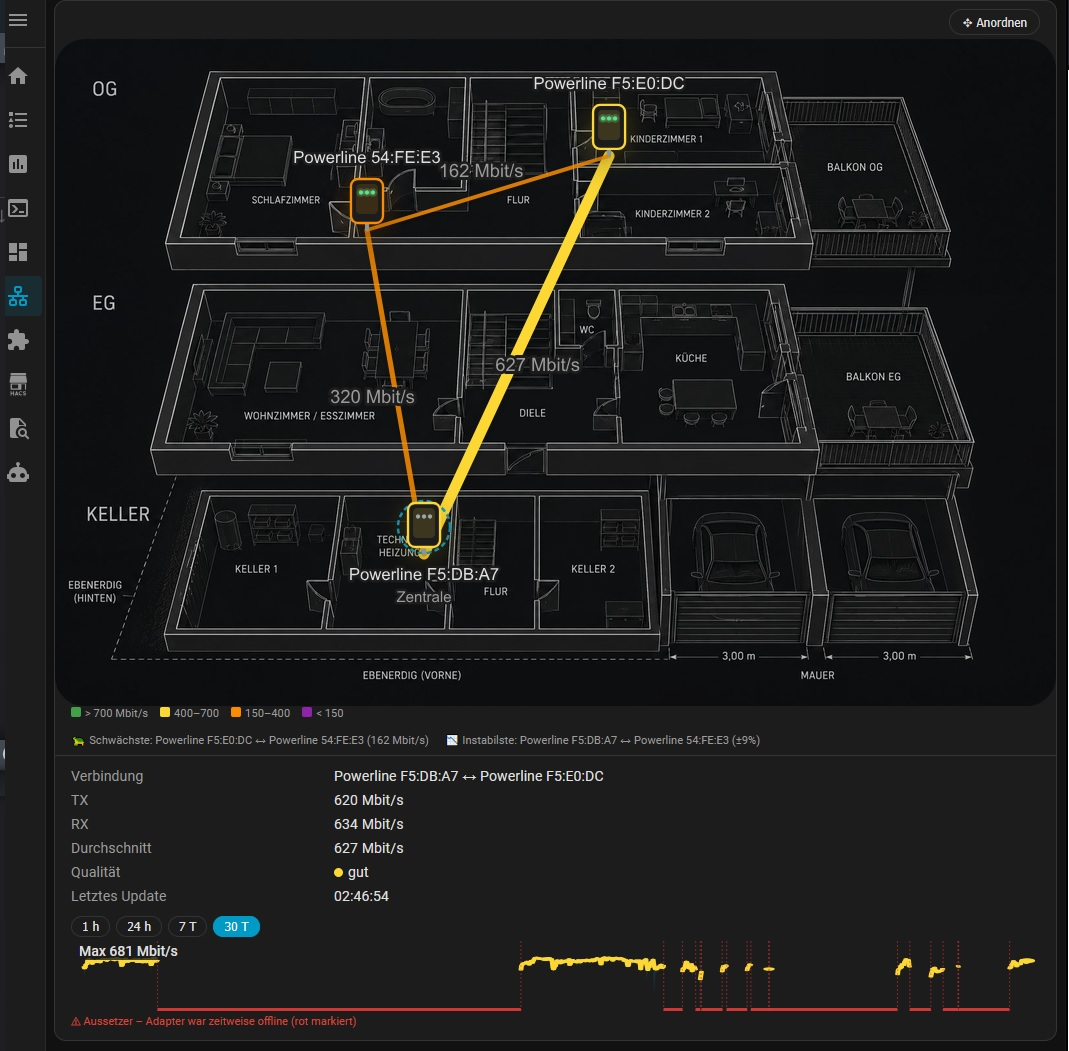
About
Powerline Network monitors and controls HomePlug AV and AV2 powerline adapters directly over the wired network. It talks to adapters at Layer 2 using raw Ethernet frames, so adapters without an IP address or web interface can still appear in Home Assistant. It adds sensors for adapters online, slowest link, and transmit and receive rates, plus switches for the adapter LED and power saving. There is also a QoS priority select, buttons for restart, diagnostics and turning all LEDs on or off, and status and network problem binary sensors. Options cover the scan interval, a sidebar topology panel, smart alerts for slow links and adapter changes, and data for a floor plan view. Setup is done in the UI, and the host needs a wired Ethernet path to an adapter, since WiFi cannot carry these frames.
Automatic summary of the README and code of Chance-Konstruktion/ha-powerline. Something wrong, or are you the maintainer and want your own text here? Get in touch
Supports
Works locally Talks to your devices on your own network. No vendor cloud in between.
From the Marketplace Installed through the Marketplace, formerly HACS.
Actively maintained Its author released or pushed a change in the last six months.
Provides
- Remotes
- Switches
- Sensors
Setting it up
Install it from the Marketplace and restart Home Assistant, then add it under Settings, Devices and services.
Powerline Network
- Network interface'auto' picks the first wired interface. Choose a specific one if your adapters live on another network segment (e.g. a VLAN interface).
Remote probe
- Probe addresse.g. http://192.168.1.2:8765
- Token (optional)The same token the probe was started with (--token-file). Leave empty if it runs without one.
After setup
- Scan interval (seconds)
- Show 'Powerline' sidebar panel (topology view)
- Smart alerts (slow link, adapter added/removed)
- Provide data to Spatial Hub (network layer on the floor plan)
Texts from the code of Chance-Konstruktion/ha-powerline.
Entities
- Binary sensorsStatus, Network Problem
- ButtonsDiagnose, All LEDs On, All LEDs Off, Restart
- SelectsQoS Priority
- SensorsAdapters Online, Slowest Link, TX Rate, RX Rate
- SwitchesLED, Power Saving
Troubleshooting
- DiagnosticsDownloads a diagnostics file to attach to a bug report.
From the README
Monitor & control your HomePlug AV / AV2 powerline adapters — no IP, no WiFi, just Layer 2.
Talks directly to pure PLC adapters over raw Ethernet (HomePlug AV 0x88E1 + Broadcom MEDIAXTREAM 0x8912) — exactly like the official tpPLC app, but native in Home Assistant. Works with adapters that have no IP address and no web UI.

Shows in Vulpo
Quick Toggle card, Button card, Select card, Chart card, Apple Watch, Control Center.Information
- Installs
- 78 sharing analytics
- GitHub stars
- 8
- Connection
- Works locally
- Upkeep
- Updated in the last 6 months
- Version
- 261016,
- Category
- Computers and network, Routers and network
- Kind
- Marketplace integration
- Needs
- Needs the Marketplace (HACS on 2026.10 and older)
- Domain
powerline- Issues
- Report an issue











