On Home Assistant 2026.10 or older? Open it in HACS
- Installs
- 66 sharing analytics
- GitHub stars
- 26
- Connection
- Works locally
- Upkeep
- Updated in the last 6 months
- Version
- v1.0.55,
- Category
- Hubs and protocols, Building automation
- Kind
- Marketplace integration
- Needs
- Needs the Marketplace (HACS on 2026.10 and older)
- Domain
bacnet- Issues
- Report an issue
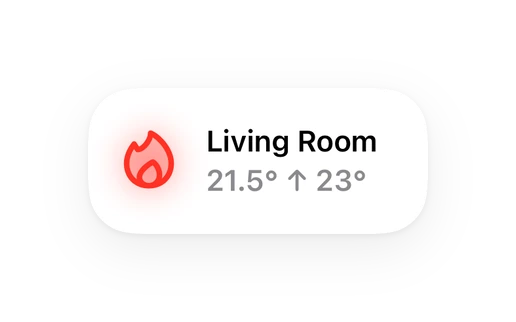
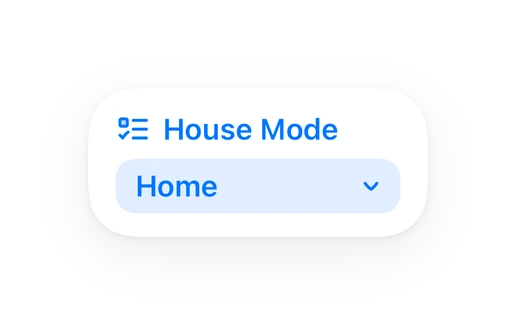
Shows in Vulpo Quick Toggle card, Climate card, Button card, Select card, Apple Watch, Control Center, Climate Live Activity.
Independent directory, made by the developer of Vulpo. Not affiliated with Home Assistant or the Open Home Foundation.
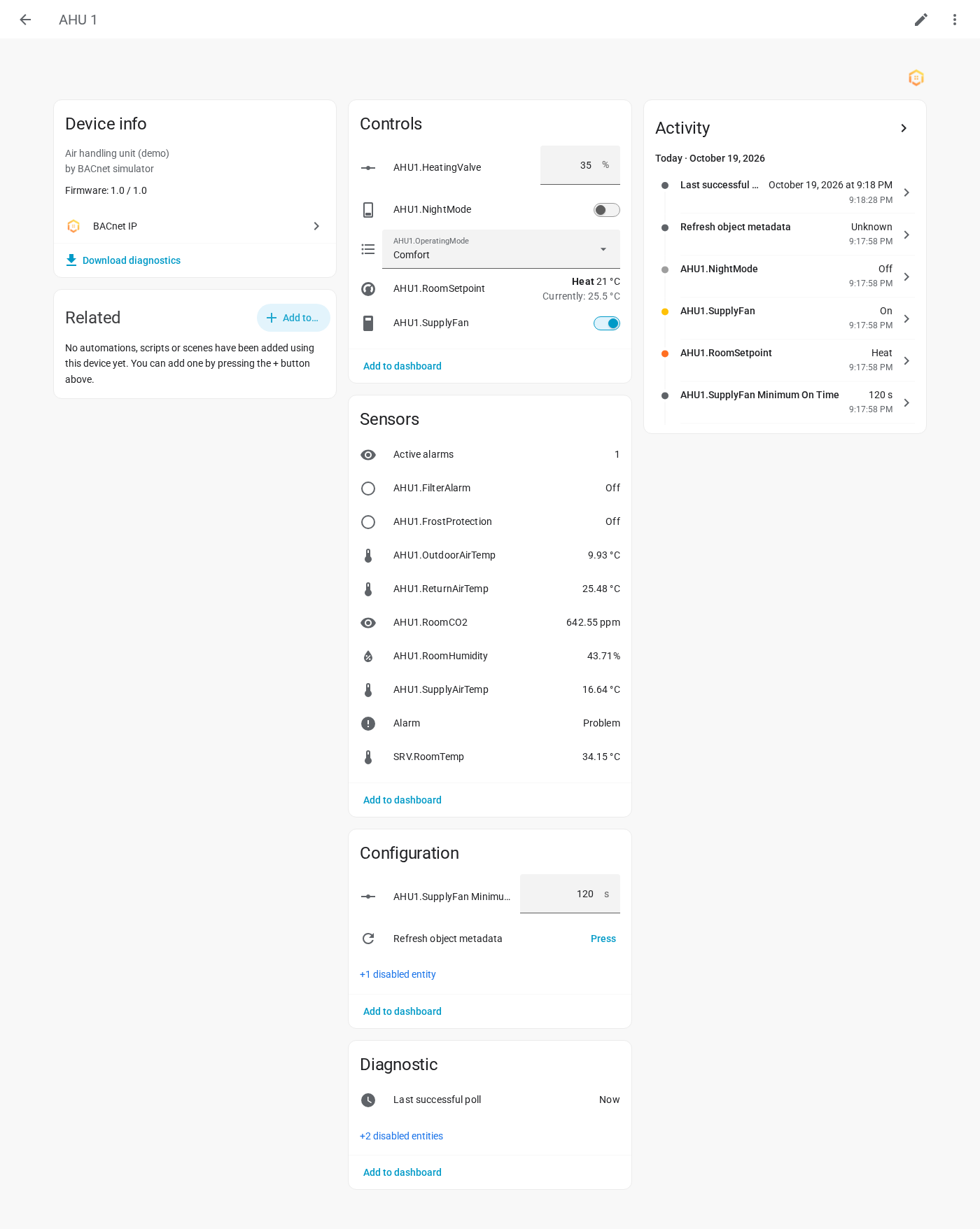
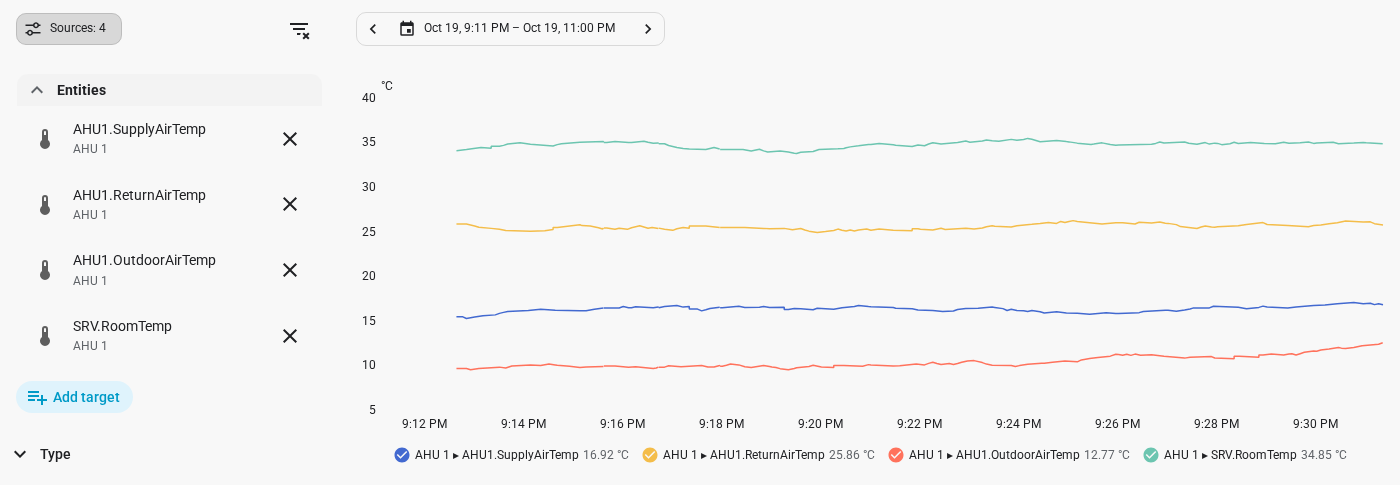
Screenshots From the README of CervezaStallone/Home-Assistant-BACnet-integration.
About
BACnet IP integration by BRDC.nl
Description from CervezaStallone/Home-Assistant-BACnet-integration

Shows in Vulpo
Quick Toggle card, Climate card, Button card, Select card, Apple Watch, Control Center, Climate Live Activity.Supports
- Works locallyTalks to your devices on your own network. No vendor cloud in between.
- From the MarketplaceInstalled through the Marketplace, formerly HACS.
- Actively maintainedIts author released or pushed a change in the last six months.
Provides
- Climate
- Switches
- Sensors
Setting it up
Install it from the Marketplace and restart Home Assistant, then add it under Settings, Devices and services.
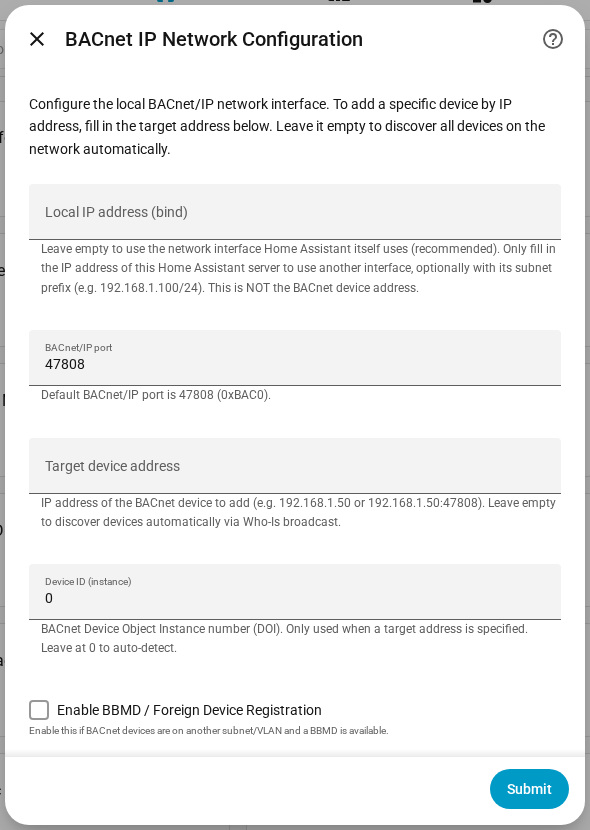
BACnet IP Network Configuration
- Local IP address (bind)Leave empty to use the network interface Home Assistant itself uses (recommended). Only fill in the IP address of this Home Assistant server to use another interface, optionally with its subnet prefix (e.g. 192.168.1.100/24). This is NOT the BACnet device address.
- BACnet/IP portDefault BACnet/IP port is 47808 (0xBAC0).
- Target device addressIP address of the BACnet device to add (e.g. 192.168.1.50 or 192.168.1.50:47808). Leave empty to discover devices automatically via Who-Is broadcast.
- Device ID (instance)BACnet Device Object Instance number (DOI). Only used when a target address is specified. Leave at 0 to auto-detect.
- Enable BBMD / Foreign Device RegistrationEnable this if BACnet devices are on another subnet/VLAN and a BBMD is available.
- BBMD address (IP:port)IP address and port of the BBMD (e.g. 192.168.2.1:47808).
- Foreign Device TTL (seconds)Time-to-live for the Foreign Device Registration in seconds.
Device Discovery
- Select a BACnet deviceChoose the device you want to add to Home Assistant.
Select BACnet Objects
- Device nameName for this device in Home Assistant. Pre-filled with the BACnet objectName.
- Select all objects
- Import all objects of these typesEvery object of a ticked type is imported, together with the objects you pick below.
- BACnet objectsType to search by object type (for example AI or BO), instance or name, and pick the objects you want in Home Assistant.
- Share usage statistics
Reconfigure BACnet connection
- Local IP address (bind)Leave empty to use the network interface Home Assistant itself uses (recommended). Only fill in the IP address of this Home Assistant server to use another interface, optionally with its subnet prefix (e.g. 192.168.1.100/24). This is NOT the BACnet device address.
- BACnet/IP portDefault BACnet/IP port is 47808 (0xBAC0).
- Enable BBMD / Foreign Device RegistrationEnable this if BACnet devices are on another subnet/VLAN and a BBMD is available.
- BBMD address (IP:port)IP address and port of the BBMD (e.g. 192.168.2.1:47808).
- Foreign Device TTL (seconds)Time-to-live for the Foreign Device Registration in seconds.
- Device addressIP address (and optional port) of the BACnet device, e.g. 192.168.1.50 or 192.168.1.50:47808, or a routed address such as 20000:1.
After setup
- Enable COV (Change of Value) subscriptionsWhen enabled, the integration subscribes to COV notifications. If the device does not support COV or subscription fails, polling is used as fallback.
- COV increment for analog objectsMinimum value change on the device before a COV notification is sent (applies to analog objects only). Set to 0 to use the device's default. Example: 0.5 means a notification is sent when the value changes by at least 0.5.
- Polling interval (seconds)How often all objects are polled, in seconds (minimum 10). Polling always runs; COV only adds faster updates in between.
- Use description (property id 28) instead of nameWhen checked, entities will be named using the BACnet 'description' property (ID 28) instead of 'objectName' (ID 77).
- Live metadata propertiesProperties that get their own live COV-Property subscription instead of the periodic re-read. Each one is an extra subscription on the device, and not every device supports it.
- Share usage statistics
- Objects to addObjects not imported yet; those marked NEW. Type to search by abbreviation (AI, BO 3), instance or name.
- Add all objects of these typesEvery object of a ticked type that is not imported yet is added. The number is how many that are.
- Objects to removeImported objects to remove. Type to search.
- Objects to customize
Texts from the code of CervezaStallone/Home-Assistant-BACnet-integration.
Entities
- Binary sensorsAlarm
- ButtonsRefresh object metadata
- SelectsWrite Priority
- SensorsLast successful poll, COV subscriptions, Consecutive failed polls, Active alarms
Actions
- RelinquishRelease Home Assistant's command on a BACnet object (writes Null at a priority level), so lower priorities or the Relinquish Default take over.
- Priority
- Write valueWrite a value once: an object's present value at a chosen priority (without changing the device's Write Priority setting), or any other property.
- Value
- Priority
- Property
- Object type
- Object instance
- Device
- Read scheduleRead a BACnet Schedule object: weekly schedule, exception schedule (with the dates of referenced calendars), default value, effective period and the objects it controls. Returns the data as a response.
- Write scheduleChange parts of a BACnet Schedule object, using the same data shape read_schedule returns. Fields left out are not touched. The schedule is read back afterwards; the action fails if the device rejected the change or stored something different.
- Weekly schedule
- Exception schedule
- Default value
- Effective period
- Allow removal
- Read propertyRead any property of a BACnet object and return it as response data.
- Property
- Array index
- Object type
- Object instance
- Device
- Read trend logRead the records of a BACnet Trend Log and return them as response data. Target a Trend Log entity, or pick the device and give the instance for a Trend Log that isn't imported. Only records with a time and a value are returned.
- Device
- Trend Log instance
- Start
- Count
Troubleshooting
- DiagnosticsDownloads a diagnostics file to attach to a bug report.
- Repair noticesNotices it can show in Settings, Repairs:Is not responding, Help grow the tested devices list
From the README
Connect your building automation system to Home Assistant — no YAML, no hassle.
Monitor sensors, control outputs, and automate your BACnet/IP devices through a simple GUI.
Information
- Installs
- 66 sharing analytics
- GitHub stars
- 26
- Connection
- Works locally
- Upkeep
- Updated in the last 6 months
- Version
- v1.0.55,
- Category
- Hubs and protocols, Building automation
- Kind
- Marketplace integration
- Needs
- Needs the Marketplace (HACS on 2026.10 and older)
- Domain
bacnet- Issues
- Report an issue