
Marketplace integration
Degree Days
On Home Assistant 2026.10 or older? Open it in HACS
- Installs
- 161 sharing analytics
- GitHub stars
- 1
- Connection
- Uses the vendor's cloud
- Upkeep
- Updated in the last 6 months
- Version
- v0.4.1,
- Category
- Energy, Meters and monitoring
- Kind
- Marketplace integration
- Needs
- Needs the Marketplace (HACS on 2026.10 and older)
- Domain
degree_days- Issues
- Report an issue
Independent directory, made by the developer of Vulpo. Not affiliated with Home Assistant or the Open Home Foundation.
About
Home Assistant integration that calculates (weighted) degree days, gas/energy usage per degree day, and compares periods
Description from benedictvantrigt/home-assistant-degree-days

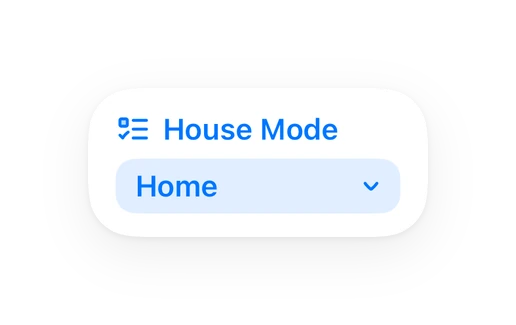
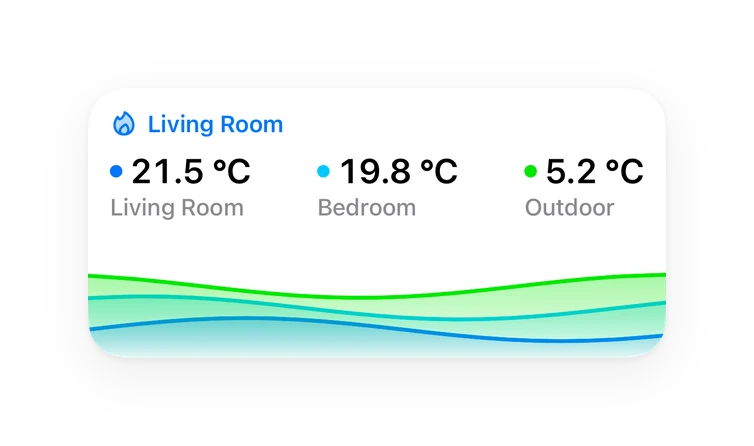
Shows in Vulpo
Select card, Chart card, Apple Watch.Supports
- Uses the vendor's cloudNeeds an internet connection and an account with the vendor.
- From the MarketplaceInstalled through the Marketplace, formerly HACS.
- Actively maintainedIts author released or pushed a change in the last six months.
Provides
- Sensors
Setting it up
Install it from the Marketplace and restart Home Assistant, then add it under Settings, Devices and services.
Select sensors
- Name
- Consumption meterOptional gas or energy meter (state class total or total_increasing), e.g. the gas meter of a P1/DSMR reader or a heat pump energy sensor.
- Temperature sourceWhere the outdoor temperature comes from: your own sensor, Open-Meteo (no account, worldwide, model data) or a KNMI weather station (Netherlands, free API key needed).
Calculation settings
- Base temperatureReference indoor temperature. Degree days for a day = base temperature minus the mean outdoor temperature (18 °C in the Netherlands).
- Heating limitA day only counts when its mean outdoor temperature is below this limit (stookgrens). Usually equal to the base temperature.
- WeightingDutch weighting multiplies degree days by 1.1 (Nov-Feb), 1.0 (Mar, Oct) and 0.8 (Apr-Sep) to correct for solar gain, as used by Mindergas and Dutch energy suppliers.
- Non-heating usage per dayConsumption per day not related to heating (hot water, cooking), in the meter's unit. It is subtracted before calculating usage per degree day.
- Indoor temperature sensorOptional. Corrects degree days for how warm you keep your home: on each day the base temperature and heating limit move by the day's mean indoor temperature minus the indoor reference temperature. Being home more and heating longer then no longer raises usage per degree day. Days without indoor data use the base temperature as is.
- Indoor reference temperatureMean indoor temperature the base temperature belongs to: your home's mean indoor temperature in a period you consider normal. Days at this temperature get the base temperature as configured. Only used with an indoor temperature sensor.
- First month of the yearMonth in which the yearly totals start, e.g. January for calendar years or July/August for heating seasons.
- Read history fromOldest date read from the recorder statistics. Leave empty to read the last 10 years.
- Write degree day statisticsStore (weighted) degree days as long-term statistics so they can be shown and compared per day/week/month/year in the statistics graph card.
Outdoor temperature sensor
- Outdoor temperature sensorSensor measuring the outdoor temperature. It needs long-term statistics (state class measurement).
Open-Meteo location
- LocationDefaults to your Home Assistant home location.
KNMI API key
- API key
Also asked when signing in again.
KNMI weather station
- StationSorted by distance from your Home Assistant home location.
After setup
- Base temperatureReference indoor temperature. Degree days for a day = base temperature minus the mean outdoor temperature (18 °C in the Netherlands).
- Heating limitA day only counts when its mean outdoor temperature is below this limit (stookgrens). Usually equal to the base temperature.
- WeightingDutch weighting multiplies degree days by 1.1 (Nov-Feb), 1.0 (Mar, Oct) and 0.8 (Apr-Sep) to correct for solar gain, as used by Mindergas and Dutch energy suppliers.
- Non-heating usage per dayConsumption per day not related to heating (hot water, cooking), in the meter's unit. It is subtracted before calculating usage per degree day.
- Indoor temperature sensorOptional. Corrects degree days for how warm you keep your home: on each day the base temperature and heating limit move by the day's mean indoor temperature minus the indoor reference temperature. Being home more and heating longer then no longer raises usage per degree day. Days without indoor data use the base temperature as is.
- Indoor reference temperatureMean indoor temperature the base temperature belongs to: your home's mean indoor temperature in a period you consider normal. Days at this temperature get the base temperature as configured. Only used with an indoor temperature sensor.
- First month of the yearMonth in which the yearly totals start, e.g. January for calendar years or July/August for heating seasons.
- Read history fromOldest date read from the recorder statistics. Leave empty to read the last 10 years.
- Write degree day statisticsStore (weighted) degree days as long-term statistics so they can be shown and compared per day/week/month/year in the statistics graph card.
- Temperature source
- Outdoor temperature sensorSensor measuring the outdoor temperature. It needs long-term statistics (state class measurement).
- LocationDefaults to your Home Assistant home location.
- API key
- StationSorted by distance from your Home Assistant home location.
Texts from the code of benedictvantrigt/home-assistant-degree-days.
Entities
- DatesPeriod A start, Period A end, Period B start, Period B end
- SelectsComparison
- SensorsMean outdoor temperature today, Mean outdoor temperature yesterday, Mean indoor temperature today, Mean indoor temperature yesterday, Degree days today, Degree days yesterday, Weighted degree days today, Weighted degree days yesterday, Weighted degree days this month, Weighted degree days this year, Weighted degree days last year to date, Weighted degree days previous year, and 20 more
Actions
- Compare periodsCompares consumption and (weighted) degree days of two periods and corrects period B for the weather of period A.
- Entry
- Period A start
- Period A end
- Period B start
- Period B end
- Get dataReturns temperature, degree days and consumption per day, week, month or year.
- Entry
- Start
- End
- Group by
- Rebuild historyReads the complete history from the recorder again and rewrites the degree day statistics.
- Entry
From the README
A Home Assistant integration that calculates (weighted) heating degree days from your own outdoor temperature sensor, relates them to your gas or energy consumption, and lets you compare periods the way Mindergas does — using the history that is already in your Home Assistant recorder.
- Degree days and weighted degree days per day, month and year. Dutch weighting (gewogen graaddagen): Nov–Feb × 1.1, Mar & Oct × 1.0, Apr–Sep × 0.8. Base temperature (default 18 °C) and heating limit…
- Consumption per day/month/year from any gas or energy meter with long-term statistics (DSMR/P1 gas meter, heat pump kWh, …).
- Usage per weighted degree day (yesterday, last 30 days, this year, previous year), optionally excluding a fixed daily non-heating usage (hot water, cooking).
- Year-to-date comparison with last year, corrected for the weather.
- Uses your existing history. Everything is calculated from the recorder's long-term statistics, which Home Assistant keeps indefinitely, so results go back as far as your sensors have been recorded…
- Degree days as long-term statistics (degree_days:entry_degree_days and degree_days:entry_weighted_degree_days), so you can plot and compare them per day/week/month/year next to your gas usage in the
- Actions (services) to compare arbitrary periods and to retrieve the data per day, week, month or year.
Information
- Installs
- 161 sharing analytics
- GitHub stars
- 1
- Connection
- Uses the vendor's cloud
- Upkeep
- Updated in the last 6 months
- Version
- v0.4.1,
- Category
- Energy, Meters and monitoring
- Kind
- Marketplace integration
- Needs
- Needs the Marketplace (HACS on 2026.10 and older)
- Domain
degree_days- Issues
- Report an issue