Screenshots From the README of anker-charging/ha-anker-solix-official.
About
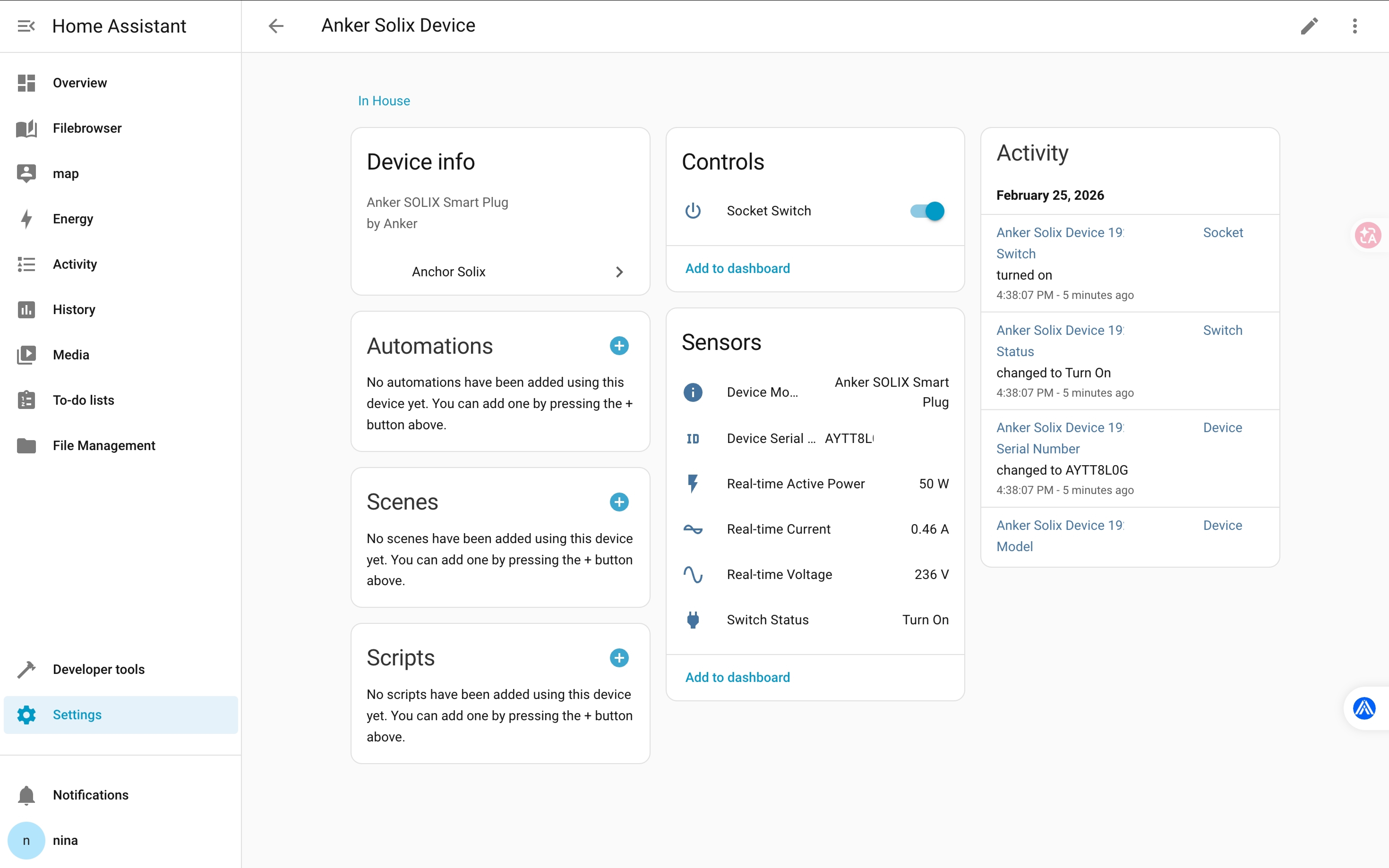
Anker SOLIX Official connects Anker Solix devices to Home Assistant over local Modbus TCP, without a cloud service. It adds sensors for device model, serial number, firmware, battery charge level and health, solar power, battery charging and discharging power, home load, and grid import and export. Numbers cover the charge and discharge setpoint, charging and discharge limits, backup reserve, and power control. Selects set the operating mode, grid flow, export power control method, and power on or off, and two switches handle the output and the socket. Data is polled locally every 5 seconds, and in Third-Party Controlled mode the device follows commands from Home Assistant instead of the mode set in the Anker app. Modbus TCP must first be enabled on the device, and setup in the interface asks for the device IP address.
Automatic summary of the README and code of anker-charging/ha-anker-solix-official. Something wrong, or are you the maintainer and want your own text here? Get in touch
Supports
Works locally Talks to your devices on your own network. No vendor cloud in between.
From the Marketplace Installed through the Marketplace, formerly HACS.
Actively maintained Its author released or pushed a change in the last six months.
Provides
- Switches
- Sensors
Setting it up
Install it from the Marketplace and restart Home Assistant, then add it under Settings, Devices and services.
Anker Solix
- IP Address
Reconfigure Anker Solix
- IP Address
- Port
Texts from the code of anker-charging/ha-anker-solix-official.
Entities
- NumbersBattery Charge/Discharge Setpoint, Power Control, Charging Limit, Discharge Limit, Backup Reserve, Active Power Adjust Percentage
- SelectsOperating Mode (Device runs by command in Third-Party Controlled), Grid Flow, Export Power Control Method, Power On/Off Control
- SensorsDevice Model, Device Serial Number, Firmware Version, Device PN, SOC, Battery SOH, Solar Power, Battery Charging Power, Battery Discharging Power, Home Load, Grid Import Power, Grid Export Power, and 56 more
- SwitchesOutput Switch, Socket Switch
Troubleshooting
- DiagnosticsDownloads a diagnostics file to attach to a bug report.
From the README
The official Home Assistant integration for Anker Solix devices, developed and maintained by Anker Innovations.
This integration connects to your Anker Solix devices locally via Modbus TCP on your home network. All communication stays on your LAN — no cloud servers, no API keys, no internet dependency.
- Local Modbus TCP — Direct communication over LAN, no cloud dependency, no internet required
- Real-time monitoring — Live device status, power metrics, and diagnostics updated every 5 seconds
- Device control — Operating mode switching, power setpoints, and output control via Home Assistant UI

Shows in Vulpo
Quick Toggle card, Select card, Chart card, Apple Watch, Control Center.Information
- Installs
- 1.1k sharing analytics
- GitHub stars
- 264
- Connection
- Works locally
- Upkeep
- Updated in the last 6 months
- Version
- v1.5.0,
- Category
- Energy, Solar and batteries
- Kind
- Marketplace integration
- Brand
- Anker
- Needs
- Needs the Marketplace (HACS on 2026.10 and older)
- Domain
anker_solix_official- Issues
- Report an issue