

Creality WebSocket Integration
3dg1luk43
On Home Assistant 2026.11 or newer? Open it in the Marketplace
- Installs
- 1.6k sharing analytics
- GitHub stars
- 100
- Connection
- Works locally
- Upkeep
- Updated in the last 6 months
- Version
- v0.9.9,
- Category
- Computers and network, Printers
- Kind
- Marketplace integration
- Needs
- Needs the Marketplace (HACS on 2026.10 and older)
- Domain
ha_creality_ws- Issues
- Report an issue
Independent directory, made by the developer of Vulpo. Not affiliated with Home Assistant or the Open Home Foundation.
Screenshots From the README of 3dg1luk43/ha_creality_ws.
About
Creality WebSocket Integration connects Creality K-series and compatible 3D printers to Home Assistant over a local WebSocket. It receives pushed updates without cloud access and adds sensors, buttons, fans, a light, number controls for speed, flow and temperature targets, and a print preview image. The camera type, MJPEG or WebRTC, is detected from the printer model, and a custom camera URL or external go2rtc can be set in the options. A power switch entity can be linked so the printer shows as off correctly, and actions cover CFS filament info and settings plus a diagnostic dump. Phone notifications can show a live print card, with choices for finish, error and pre-end alerts. A bundled Lovelace card is included, and setup is done in the UI by entering the printer IP address and a name, or through network discovery.
Automatic summary of the README and code of 3dg1luk43/ha_creality_ws. Something wrong, or are you the maintainer and want your own text here? Get in touch
Supports
Works locally Talks to your devices on your own network. No vendor cloud in between.
Found by itself Home Assistant spots it on the network and offers to add it.
From the Marketplace Installed through the Marketplace, formerly HACS.
Actively maintained Its author released or pushed a change in the last six months.
Provides
- Lights
- Fans
- Cameras
- Sensors
Setting it up
Install it from the Marketplace and restart Home Assistant, then add it under Settings, Devices and services.
Connect to Creality Printer
- IP Address
- Friendly Name
After setup
- Camera Streaming Mode
- External go2rtc Host/URL (if needed)
- External go2rtc Port
- go2rtc RTSP Port (0 = auto: 18554 built-in, 8554 external)
- Custom Camera URL (http(s) MJPEG/snapshot or rtsp://)
- Send notifications toPick one or more. Only Home Assistant companion app targets can show the live print card, the G-code preview or the buttons; any other notify platform receives the title and message only.
- Live print cardOne notification for the whole print that updates in place, with a progress bar and a countdown that ticks on the phone.
- When a print endsCovers both endings: a print that finished, and one that was stopped, whether from the printer, the Creality app or Home Assistant.
- Errors and filament runoutA printer error, or a spool that has run out.
- Shortly before a print endsA reminder to go and watch the last layers, on its own so the live card cannot replace it.
- How long before
- Pause, Resume and Stop buttonsStop asks for device authentication, so a mis-tap on a lock screen cannot end a long print.
- G-code preview as the iconSkipped when the printer has no preview to serve, rather than sending an empty grey box.
- Camera snapshot when a print endsWhat the bed actually looks like. Skipped on printers whose camera cannot take a still.
- Dashboard path to open on tapFor example /lovelace/printer. Left empty, an Android tap opens the printer camera and an iOS tap opens the app; this is the only way to make an iOS tap go anywhere specific.
- Live print card
- Print finished
- Print stopped
- Shortly before the end
- Printer error
- Enable Power Switch Detection
- Power Switch Entity
- Printer IP Address
- Polling Rate (seconds, 0 = real-time)
Texts from the code of 3dg1luk43/ha_creality_ws.
Entities
- ButtonsHome (XY then Z), Pause Print, Resume Print, Stop Print, Reconnect
- CamerasPrinter Camera
- FansModel Fan, Case Fan, Side Fan
- ImagesCurrent Print Preview
- LightsLight
- NumbersSpeed Factor, Flow Factor, Nozzle Target, Bed Target, Chamber Target
- SensorsBed Temperature, Chamber Temperature, Nozzle Temperature, Print Progress, Total Layers, Working Layer, Position X, Position Y, Position Z, Print Speed, Flow Rate, Real-Time Speed, and 20 more
Actions
- Diagnostic DumpCollect diagnostics for every Creality printer and return them as the response, for troubleshooting. Also written to the log.Fields: Include Sensitive Data
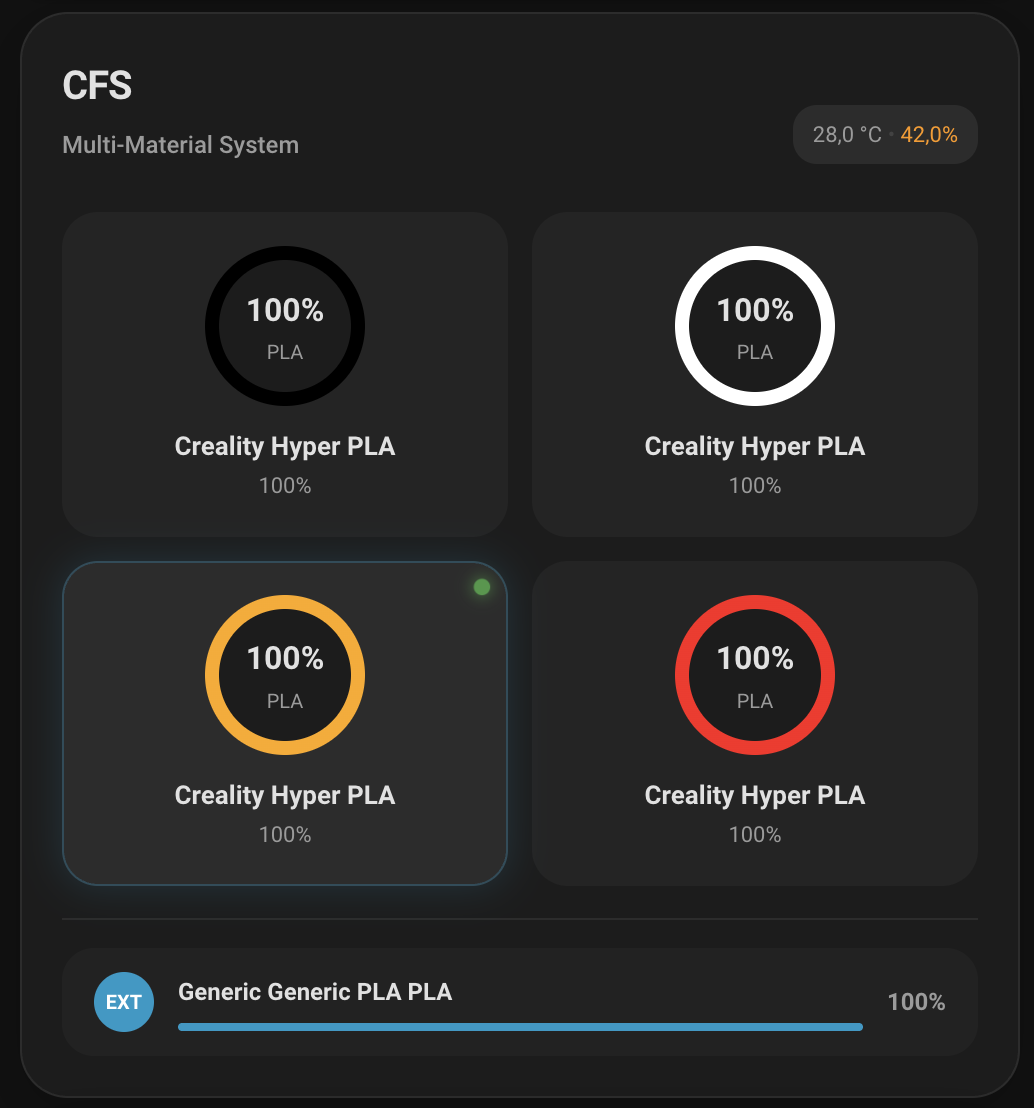
- Request CFS InfoManually request the printer to send the latest CFS (multifilament) information including temperatures, humidity, and filament details.Fields: Device
- Set CFS MaterialWrite filament settings to one CFS slot. Only the fields you supply are changed; leave a field out to keep the value the printer already has. Material type is required and cannot be blank, and a color, if you give one, must be six hex digits.Fields: Device, Box ID, Slot ID, Material Type, Material Name, Vendor, Color, Minimum Temperature, Maximum Temperature, Pressure Advance
Troubleshooting
- DiagnosticsDownloads a diagnostics file to attach to a bug report.
From the README
This custom Home Assistant integration provides native, low-latency WebSocket control and telemetry for Creality K‑series and compatible 3D printers. It exposes live state, sensors, controls, a camera stream, and a printer‑local Current Print Preview image. A standalone Lovelace card (no external card dependencies) is bundled.
- Direct WebSocket connection (local, no cloud).
- Push updates; no polling.
- States: idle, processing, printing, paused, stopped, completed, error, self-testing.
- Optional power switch binding to a switch entity for accurate "Off" handling.
- Entities: status, progress, time left, temperatures (nozzle/bed/chamber), current layer/total layers, etc.
- Image (print preview): shows the current model image for all supported printers when available; falls back to a tiny placeholder when not applicable.
- Controls: pause, resume, stop, light toggle, fan speeds (model / case / side), temperature targets.
- Camera: auto-detects stream type (MJPEG or WebRTC) from the model and what the printer reports.
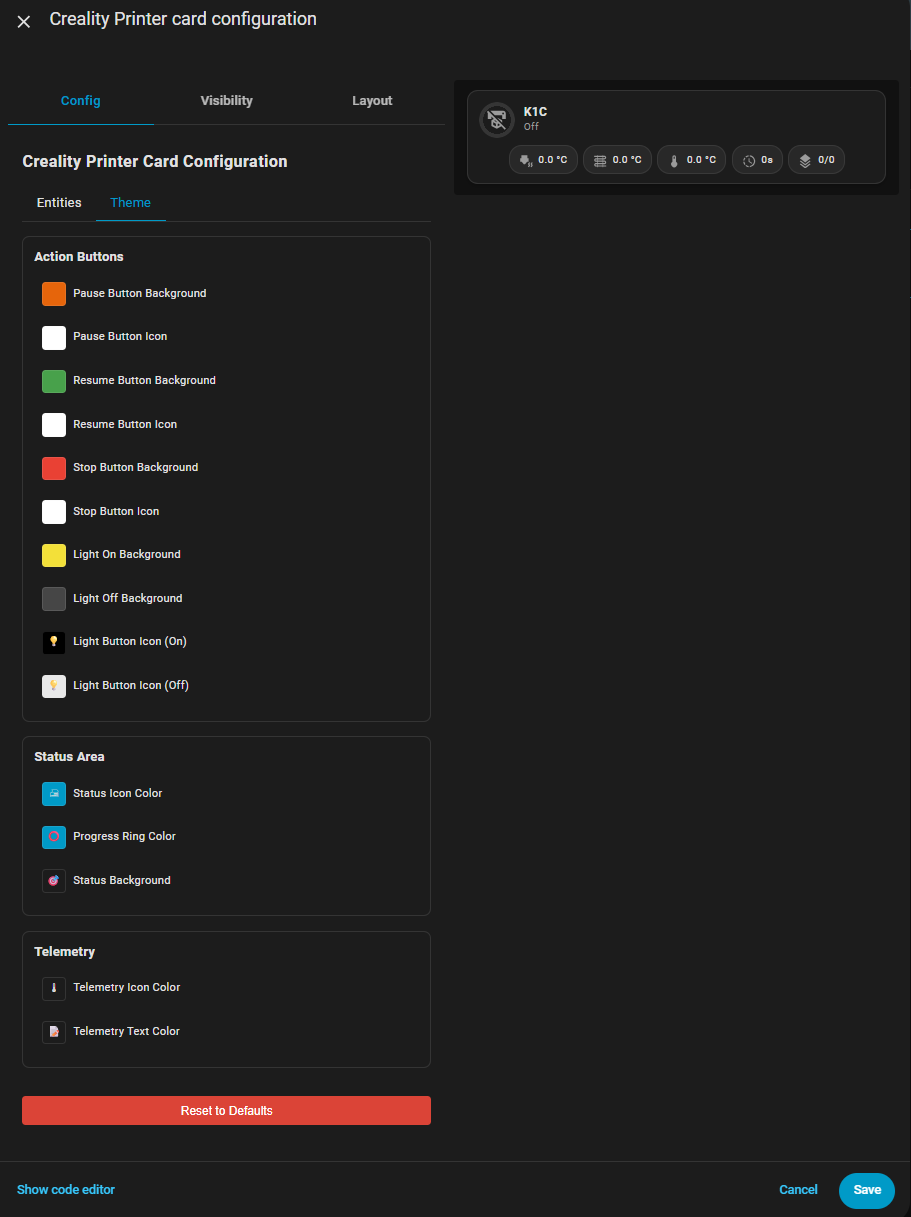
- Lovelace card: dependency-free, uses HA fonts, progress ring, contextual chips, telemetry pills.
- Style Editor: Built-in theme customization for every card element, with a device picker that wires up all the entities in one go.
- Live print notifications to any number of phones: a countdown timer and progress bar on the iOS Lock Screen and the Android status bar, the G-code preview as the icon, a camera snapshot when a print…

Shows in Vulpo
Light card, Fan card, Camera card, Button card, Apple Watch, Control Center.Information
- Installs
- 1.6k sharing analytics
- GitHub stars
- 100
- Connection
- Works locally
- Upkeep
- Updated in the last 6 months
- Version
- v0.9.9,
- Category
- Computers and network, Printers
- Kind
- Marketplace integration
- Needs
- Needs the Marketplace (HACS on 2026.10 and older)
- Domain
ha_creality_ws- Issues
- Report an issue











