
The 2026.12 beta redraws your covers and buttons learn double presses
The 2026.12 beta brings a cover dialog you drag and new button triggers, plus breaking changes to check, the 2026.11.3 fixes and HausPanel.
The 2026.12 beta gives covers a dialog you can actually grab
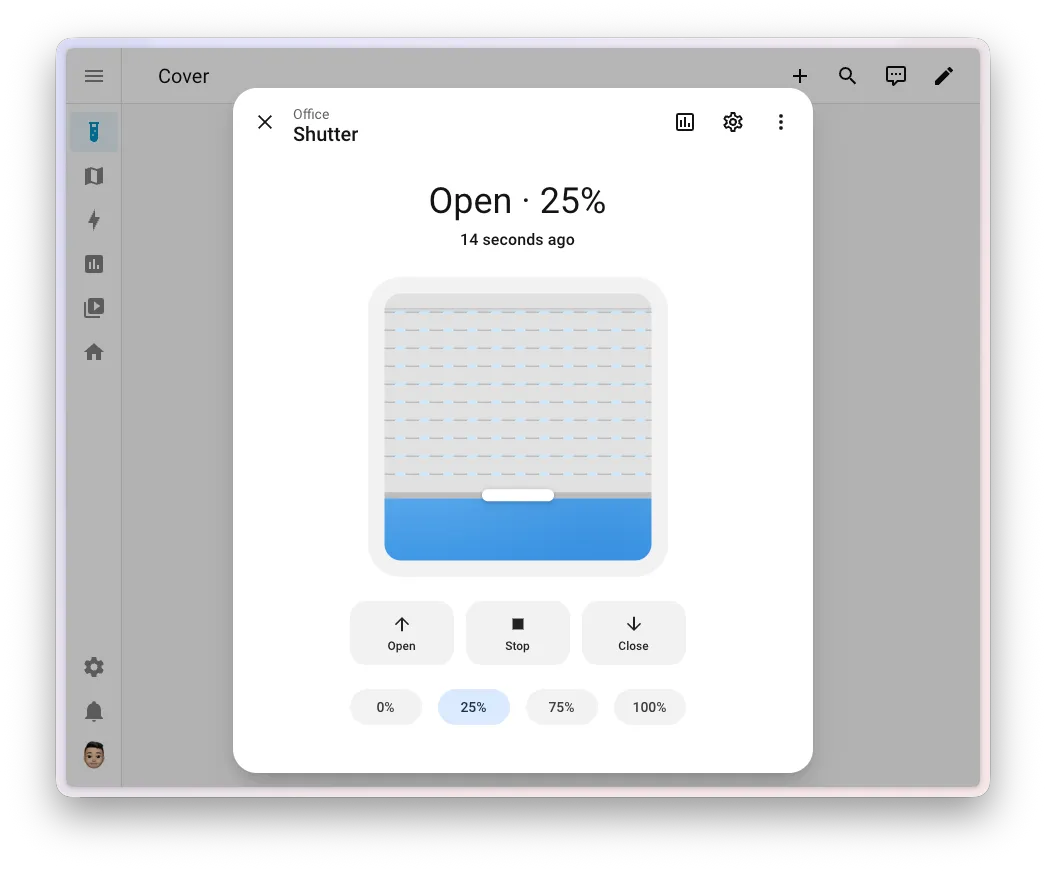
Anyone who has opened a garage door with that upside-down slider will get why the 2026.12 beta matters. The new cover dialog draws your actual cover, picked from its type, and the drawing is the control: tap a spot and the shutter heads there, or grab it and pull. A cover that only knows open and closed needs a swipe beyond the middle. Doors, windows and dampers get a plainer panel, since those types also end up on pet flaps and car windows.
Two details make it more than a new coat of paint. The drawing sticks to what the cover reports, so while a blind is travelling, your target appears separately until the motor catches up. And you can save favourite positions, which turns half open into one tap. Tilt covers get a position and tilt switch, much like the light dialog flips between brightness and colour, and open covers now glow blue on tiles.
The automation change is just as interesting. Button pressed now works on physical remotes and wall switches, with a number of presses for double, triple or quadruple. New Button held (with a repeat interval, handy for dimming) and Button hold ended triggers join it, plus a Button is being held condition that turns one button into a shift key for another. Don't tear out your device triggers yet, though: only Universal Devices ISY/IoX supports the full set so far, and Lutron Caséta and OpenDisplay handle presses only, with more integrations moving over in later releases.
So, install it? On a test box, go ahead. The notes are still a work in progress and features can drop out before the final release on Wednesday, December 2, so your main install is better off waiting for that, and maybe the first patch after it.
Picks
Read the 2026.12 breaking changes before you update
The longest section of the beta notes is the one to read first if you run Matter, ZHA, HomeKit Device or UniFi Network. Power strips, multi-gang switches and dual plugs now get a child device per outlet or channel. Entity IDs stay the same, so automations keep running, but displayed names change: on an Eve Energy dual outlet under Matter, a socket you renamed Kettle becomes Bottom Kettle. Templates and notifications that read friendly_name will pick up the new names, and UniFi templates calling device_entities() on the parent lose their ports and outlets.
Z-Wave needs zwave-js-server 3.12.0 or newer, which means at least 1.11.0 of the Z-Wave JS app. If you use the community Home Assistant Matter Hub app, move to 2.1.0 or later, since older versions won't open from the sidebar anymore. ISY994 button automations need their renamed event types too.
Home Assistant will tell you why your database is so big
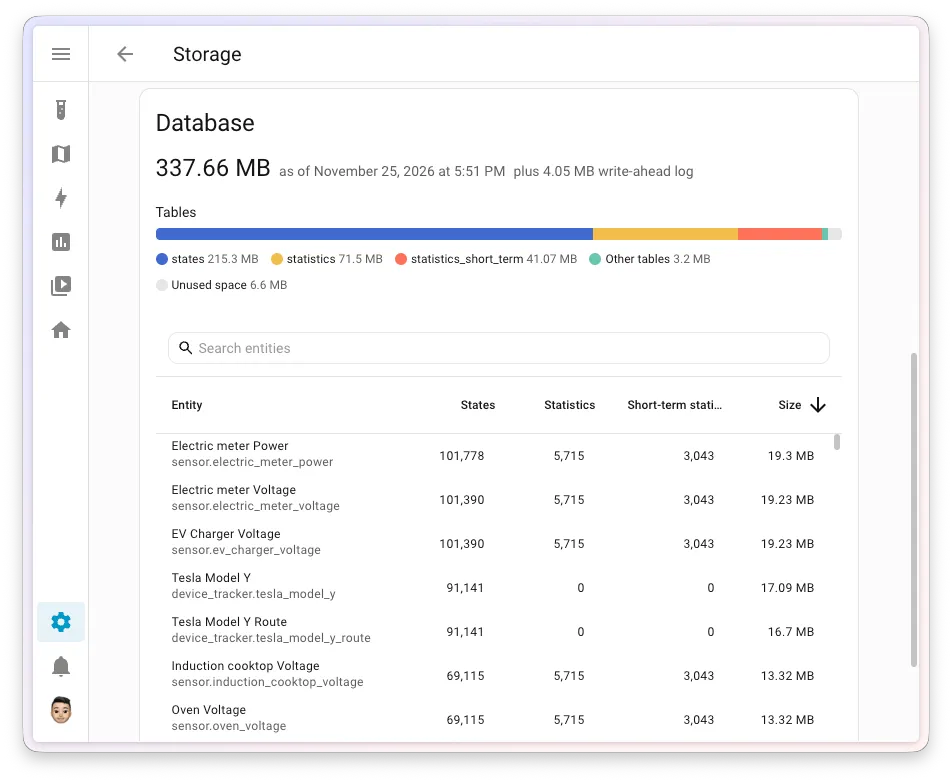
Three quieter features in the 2026.12 beta answer questions that used to send you digging through logs. The Storage page gets a Database card: select Calculate and it shows which tables and, more usefully, which entities take up the space, each linking to its settings. That power sensor reporting every second has nowhere left to hide. Container users get the Storage page for the first time too.
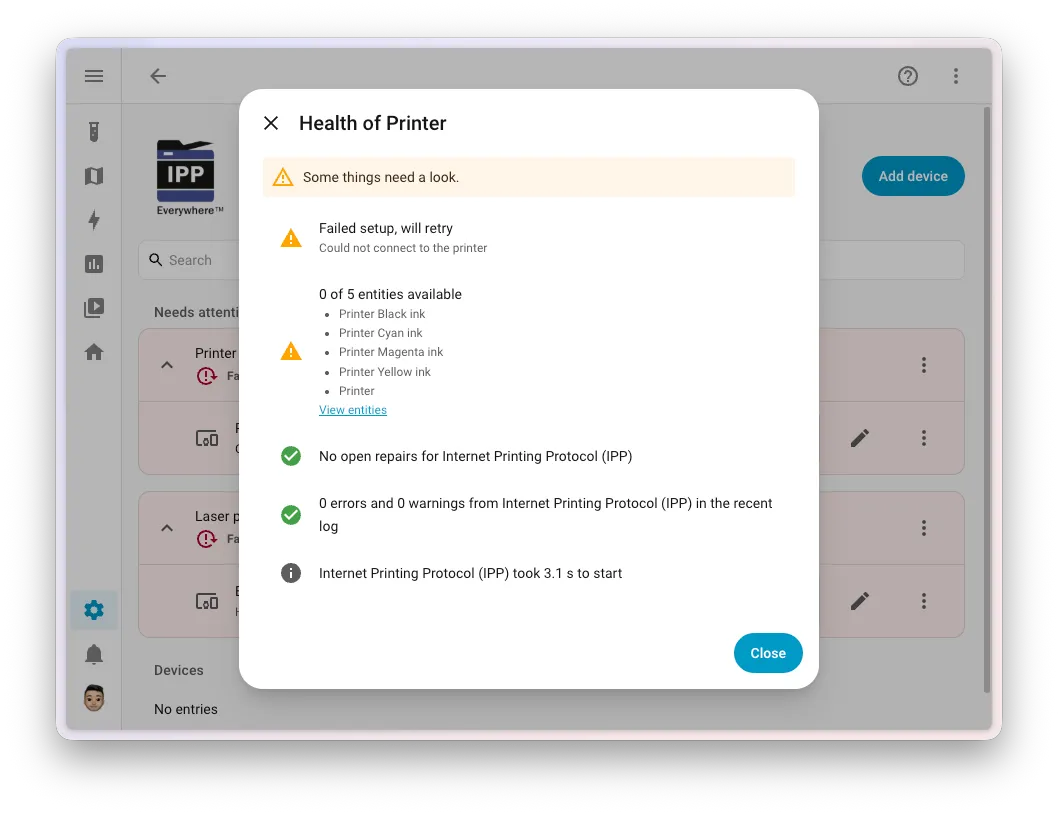
Each integration entry also gains a Health item in its menu, pulling together available entities, open repairs, recent log errors and setup time. And while Home Assistant restarts, the info button on the startup message shows which integrations are still setting up and for how long, so a slow restart finally has a name attached.
2026.11.3 fixes Marketplace installs and camera streams
Staying on stable until December? 2026.11.3 landed on Monday, and it's an easy one to take. Frenck fixed two Marketplace snags: the resolved content now sticks when a catalog install falls back, and a card's gzip file gets the same file mode as the card. go2rtc stops re-adding streams with credentials in their URL, and Blink now stores every token refresh instead of only the first.
One fix deserves a look if you put API keys in headers: RESTful Command no longer writes header values to the log. FRITZ!Box Tools owners get a batch of fixes as well, including fewer API calls and working profile switches.
HausPanel builds a wall tablet dashboard from your areas
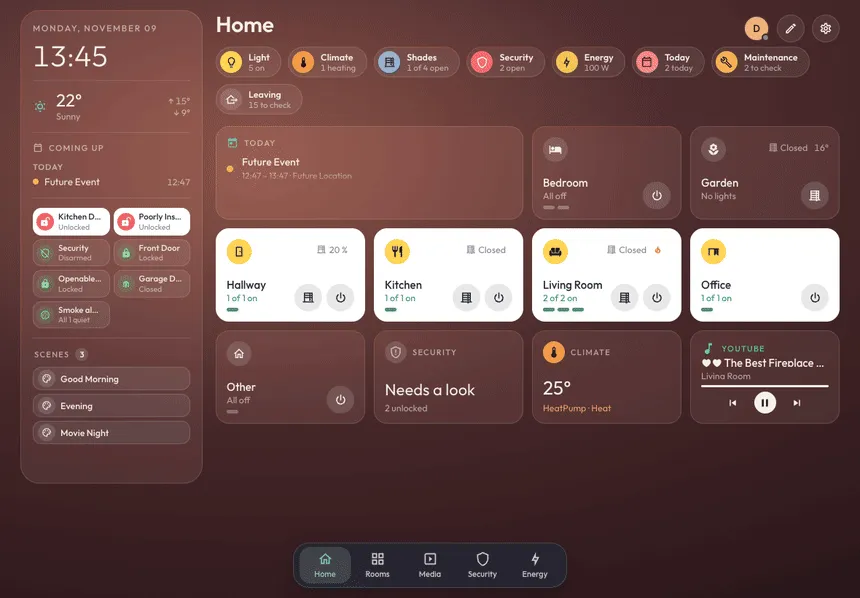
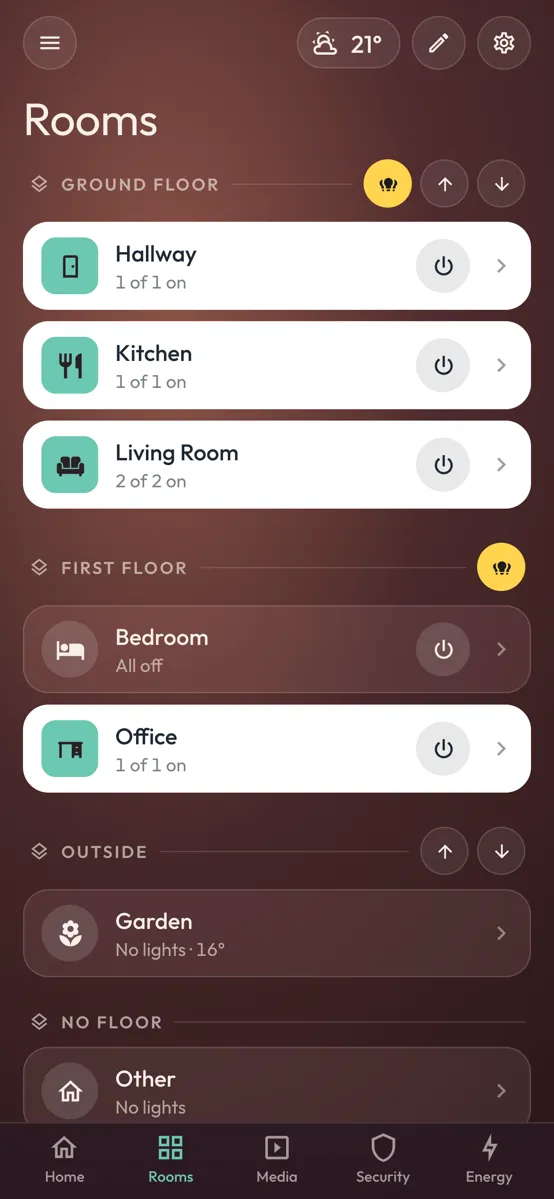
New to the directory this week, HausPanel skips the card stacking. It reads your floors, areas and devices and lays out the screens itself, so a lamp you add to the kitchen just appears in the kitchen. Installing it adds three sidebar panels: one for wall tablets and computers, a MobilePanel for phones, and a SecurityPanel for a small camera touchscreen like a Raspberry Pi.
The details show someone with a family in mind. Scenes take two taps, so Good night never fires by accident. Leaving home takes a snapshot before switching things off, so Undo puts it all back. And any measuring socket can be set to meter only (goodbye, accidentally switched-off fridge). The repository says it runs on your own Home Assistant without reaching out anywhere else, and it's MIT licensed.
From the community
Spook 5.12 stops the freeze on big setups
Spook 5.12.0
If Home Assistant hung for a few seconds after a reload on your larger install, Spook may have been the cause, and 5.12.0 fixes it: Spook now reads less, checks less often and only looks again after something changed. There's also a new repair for files in your www folder that anyone can download, fewer false alarms, and a rebuilt spook.boo site in nine languages. Worth updating for anyone running it.

Powercalc gets ready for 2026.12
Powercalc 1.27.1
If you use composite conditions in Powercalc, take 1.27.1 before the December release: it keeps them compatible with Home Assistant 2026.12. It also stops cost spikes when energy readings briefly drop, keeps the group name on group energy sensors, adds a battery-rate power strategy and 14 new power profiles. It now needs Home Assistant 2026.6 or newer.
Calendar Card Pro 6 adds a month view
Calendar Card Pro 6.0.0
Version 6.0.0 adds view: month, a six-week wall calendar that narrows on phones, a rebuilt visual editor with search, undo and redo, and private: true to hide what a calendar's events say on a shared screen. It's a major release that changes existing cards: a tap on an event now opens it in every layout. Back up your dashboard YAML first, and set the action of event_tap_action to none if you want the old behaviour.