
On Home Assistant 2026.10 or older? Open it in HACS
- Installs
- 279 sharing analytics
- GitHub stars
- 41
- Connection
- Works locally
- Upkeep
- Updated in the last 6 months
- Version
- v4.4.0,
- Category
- Weather and alerts, Forecasts
- Kind
- Marketplace integration
- Needs
- Needs the Marketplace (HACS on 2026.10 and older)
- Domain
hestia_weather- Issues
- Report an issue


Independent directory, made by the developer of Vulpo. Not affiliated with Home Assistant or the Open Home Foundation.
Screenshots From the README of hestiaFB/hestia-weather-integration.
About
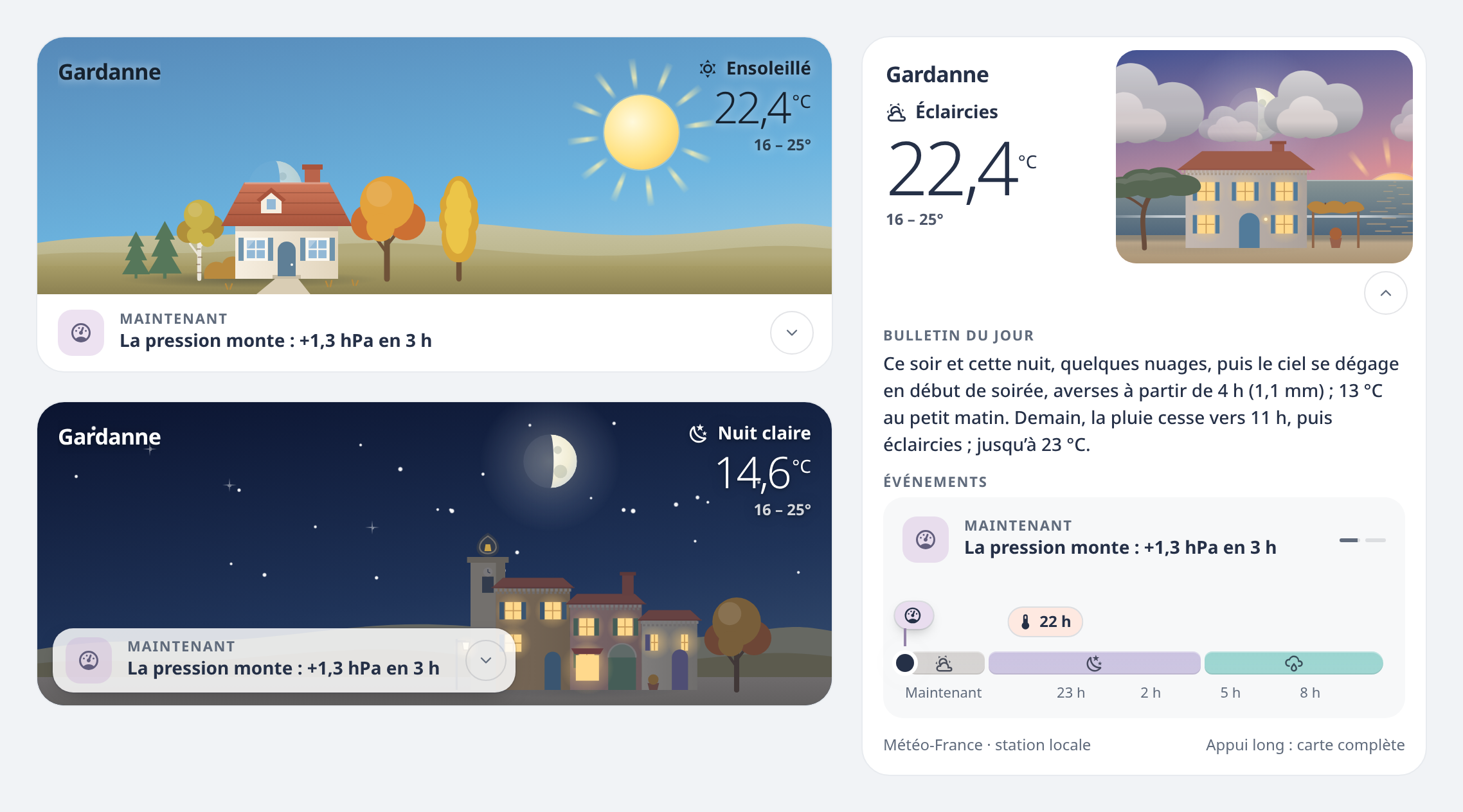
Hestia Weather is an integration that combines weather forecasts, a weather station and air quality data into computed values. It adds weather, sensor and binary sensor entities such as feels-like temperature, dew point, a daily bulletin, rain-in timing, pressure and temperature trends, and flags for frost, fog, heavy rain, strong wind and heatwave. Optional inputs include official weather warnings, lightning, wildfire, river level, water restriction, air quality and pollen sources. Rain totals, temperature trend and the strongest gust of the day can be computed from history when the station does not provide them. A weather card ships with it, and an action returns the forecast between two moments as rain, sky, temperature, wind and a ready-made sentence. It works locally and is set up in the interface, through a sidebar panel with no YAML.
Automatic summary of the README and code of hestiaFB/hestia-weather-integration. Something wrong, or are you the maintainer and want your own text here? Get in touch

Shows in Vulpo
Chart card, Lumen sky, Apple Watch.Supports
- Works locallyTalks to your devices on your own network. No vendor cloud in between.
- From the MarketplaceInstalled through the Marketplace, formerly HACS.
- Actively maintainedIts author released or pushed a change in the last six months.
Provides
- Sensors
- Weather
Setting it up
Install it from the Marketplace and restart Home Assistant, then add it under Settings, Devices and services.
Start from a card
- Card
Step 1 of 4 · Weather
- Weather forecastMétéo-France, MeteoSwiss, Pirate Weather or another provider.
- Place nameShown at the top of the card.
- Official weather warningsOptional: Météo-France or MeteoSwiss (aggregate warnings sensor).
- SeasonOptional. Without a sensor, the season follows the date.
- Water restrictions (Vigieau)Optional: the alert level of the Vigieau integration, drinking water zone (AEP).
- Lightning (Blitzortung)Optional: the distance sensor of the Blitzortung integration. Within 30 km, the Storm sensor turns on.
- Wildfires (PyroVeille)Optional: the « Alerte incendie proche » sensor of the PyroVeille integration. Fires reported around your home, and whether their smoke comes towards the house.
- River (CrueVeille, beta)Optional: the « Alerte inondation » sensor of the CrueVeille integration (beta). The river height measured at the nearest Vigicrues station.
- Sun
- Sun elevation
- Name of the forecast source
Step 2 of 4 · Weather station
- Model
- Device
- Compute from historyRain totals, temperature trend and the day’s strongest gust, when the station does not provide them.
Step 2 of 4 · Station sensors
- Outdoor temperature
- Outdoor humidity
- Rain rate
- Total rain counter
- Rain since midnight
- Rain over 24 h
- Rain this week
- Rain this month
- Rain this year
- Rain this event
- Average wind
- Gusts
- Wind direction
- Strongest gust today
- Illuminance
Pollen sensors
- Species
- Overall allergy riskOptional. Without it, Hestia-FB uses the highest species.
Step 4 of 4 · Sensors and automations
- Families
Step 3 of 4 · Air quality
- Source
Step 3 of 4 · Pollen
- Pollen source
After setup
- Weather forecastMétéo-France, MeteoSwiss, Pirate Weather or another provider.
- Place nameShown at the top of the card.
- Official weather warningsOptional: Météo-France or MeteoSwiss (aggregate warnings sensor).
- SeasonOptional. Without a sensor, the season follows the date.
- Water restrictions (Vigieau)Optional: the alert level of the Vigieau integration, drinking water zone (AEP).
- Lightning (Blitzortung)Optional: the distance sensor of the Blitzortung integration. Within 30 km, the Storm sensor turns on.
- Wildfires (PyroVeille)Optional: the « Alerte incendie proche » sensor of the PyroVeille integration. Fires reported around your home, and whether their smoke comes towards the house.
- River (CrueVeille, beta)Optional: the « Alerte inondation » sensor of the CrueVeille integration (beta). The river height measured at the nearest Vigicrues station.
- Sun
- Sun elevation
- Name of the forecast source
- Model
- Device
- Compute from historyRain totals, temperature trend and the day’s strongest gust, when the station does not provide them.
- Outdoor temperature
- Outdoor humidity
- Rain rate
- Total rain counter
- Rain since midnight
- Rain over 24 h
- Rain this week
- Rain this month
- Rain this year
- Rain this event
- Average wind
- Gusts
- Wind direction
- Strongest gust today
- Illuminance
- Species
- Overall allergy riskOptional. Without it, Hestia-FB uses the highest species.
- Now
- Alerts
- Next hours
- Garden
- Building
- Energy
- Everyday
- Records
- Weather entity
- Source
- Pollen source
- Atmo France zone
Texts from the code of hestiaFB/hestia-weather-integration.
Entities
- Binary sensorsRaining now, Fog likely, Thunderstorm nearby, Strong wind, Heavy rain, Frost, Snow risk, Black ice risk, Heatwave, High UV, Windscreen frost
- SensorsFeels like, Dew point, Frost point, Humidex, Station alert, In brief, Today’s bulletin, Rain in, Pressure trend, Rain over 24 h, Strongest gust today, Temperature trend, and 33 more
Actions
- Forecast for a time windowThe weather between two moments: rain, sky, temperature, feel, wind, and a sentence ready to send.
- Start
- End
- Place
Troubleshooting
- DiagnosticsDownloads a diagnostics file to attach to a bug report.
- Repair noticesNotices it can show in Settings, Repairs:Hestia Weather: a few things to change yourself, Hestia Weather: restart Home Assistant, Hestia Weather: the move to the new name did not finish, Hestia Weather: download it again once to keep getting updates
From the README
Le cerveau de la météo chez vous. L’intégration lit vos prévisions, votre station et la qualité de l’air. Elle calcule ce qu’ils veulent dire: ressenti, alertes, bulletin du jour, pluie à venir, tendances, bilans.
Elle donne le résultat à sa carte, fournie avec elle, et à vos automatisations.
Information
- Installs
- 279 sharing analytics
- GitHub stars
- 41
- Connection
- Works locally
- Upkeep
- Updated in the last 6 months
- Version
- v4.4.0,
- Category
- Weather and alerts, Forecasts
- Kind
- Marketplace integration
- Needs
- Needs the Marketplace (HACS on 2026.10 and older)
- Domain
hestia_weather- Issues
- Report an issue
You might also like











Try it with your own Home Assistant.
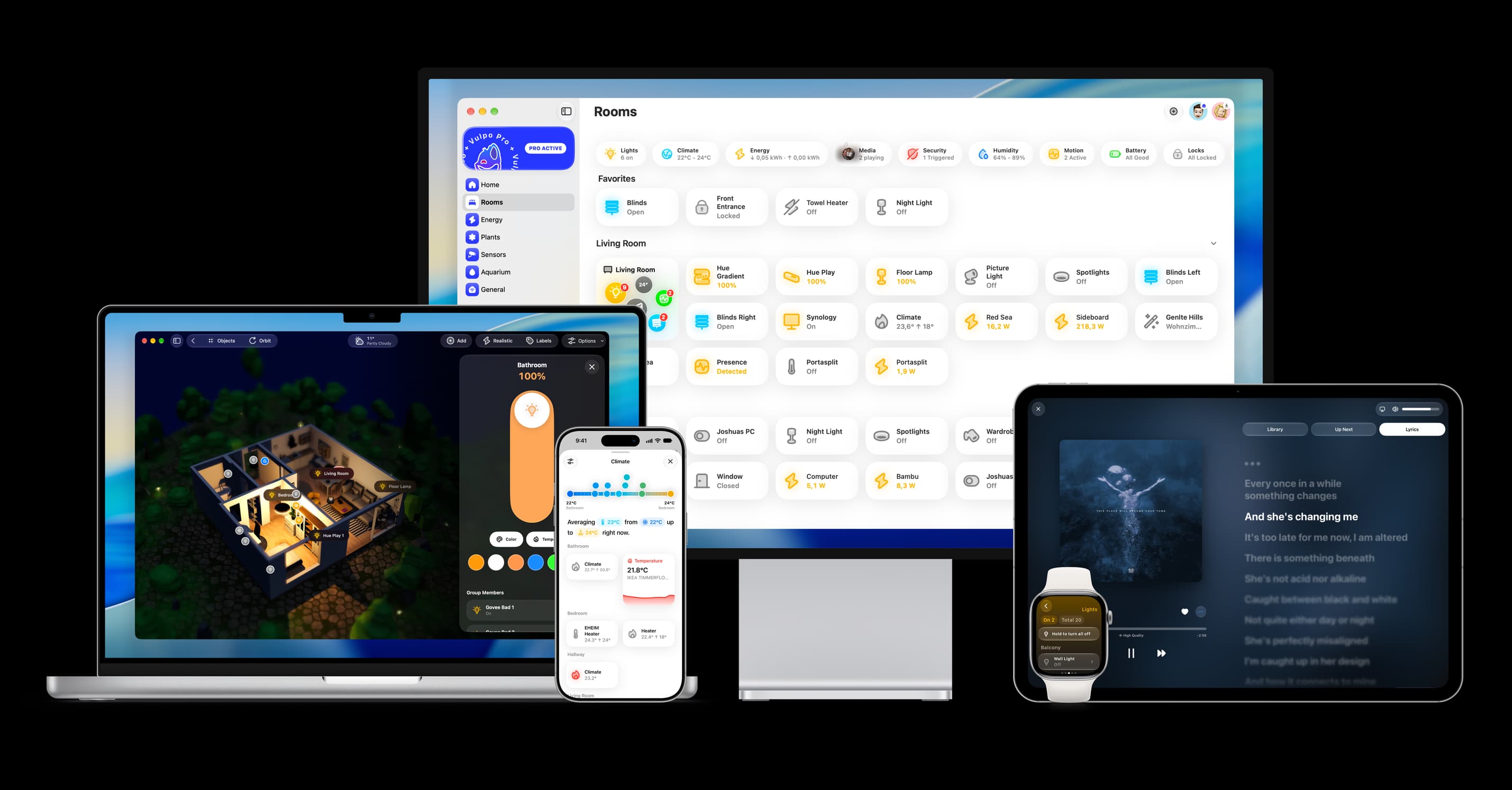
- Free to download
- iPhone, iPad, Mac and Apple Watch
- 40+ native card types
- Connects to your own Home Assistant