
Home Assistant 2026.11 is out, and your dashboard names will change
Home Assistant 2026.11 changes the names on your dashboards and adds exclusions, action history, Matter cameras and LoRaWAN. Plus updates to install first.
Home Assistant 2026.11 is out, and your dashboard names will change
Home Assistant 2026.11 landed on Wednesday, and the thing you'll notice first isn't the Marketplace (that had its turn here last week). It's the names on your dashboards. Entity naming got the rethink it's been chasing for four years: you name a sensor for what it is, say Temperature, and Home Assistant adds the device name, plus the area when a card asks for it, wherever the context helps.
Cards, badges and rows without a name of their own now show the device name followed by the entity name. Entity IDs stay put, so automations, scripts and scenes keep finding their targets. Home Assistant migrates the names you set yourself: when a name already starts with its device name, that part gets trimmed, and when it doesn't, the device name lands in front. That second case is where things get odd. A switch you called Coffee machine on a plug called Smart plug 3 now reads Smart plug 3 Coffee machine, and the fix, as the naming post explains, is to rename the plug and turn on Main entity of the device for the switch.
Not everyone's taking it well. In the forum thread on the change, one user with names like Master Bedroom Bedroom Light rolled back to 2026.10 and called it a forced workflow. If you run a big install with years of hand-tuned names, set aside an afternoon before updating. Update your custom cards first, since Home Assistant sent fixes to dozens of card authors, and swap friendly_name in templates for entity_name(), device_name() and area_name(), because friendly_name is headed for deprecation.
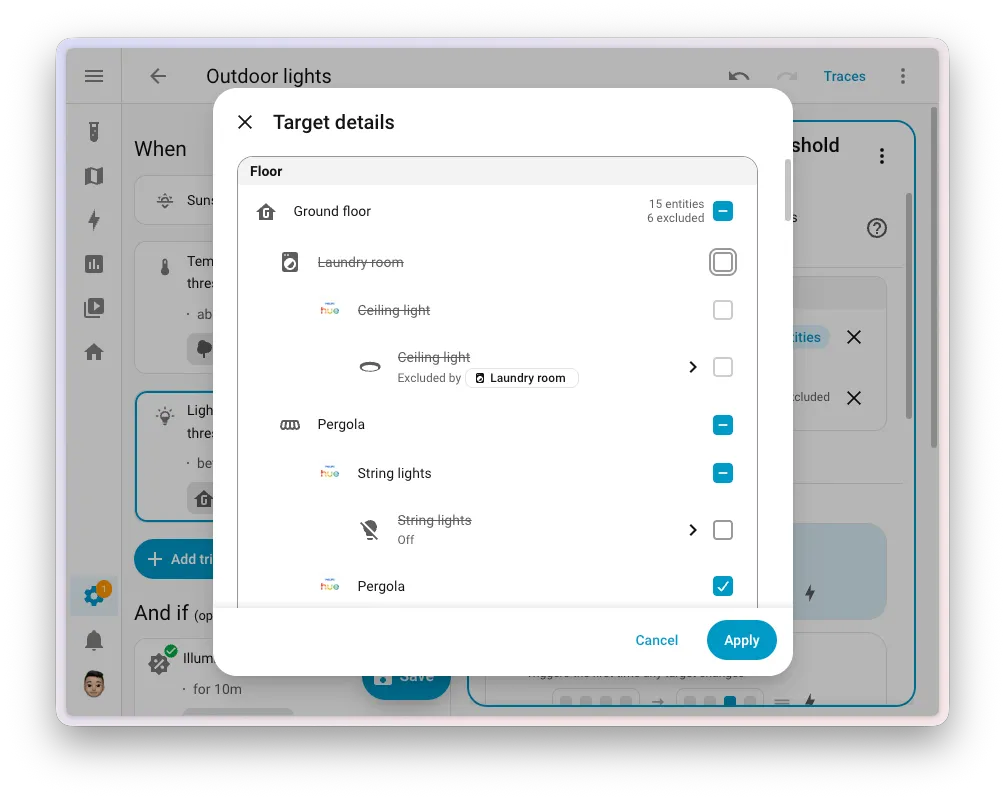
The payoff in the same release is exclusions. Target the ground floor, leave out the kitchen, and a light you add to the kitchen next month is skipped too, because Home Assistant works the exclusions out on every run. Of everything in 2026.11, that's the one to try first.
Picks
Finding out why a light came on by itself just got easier
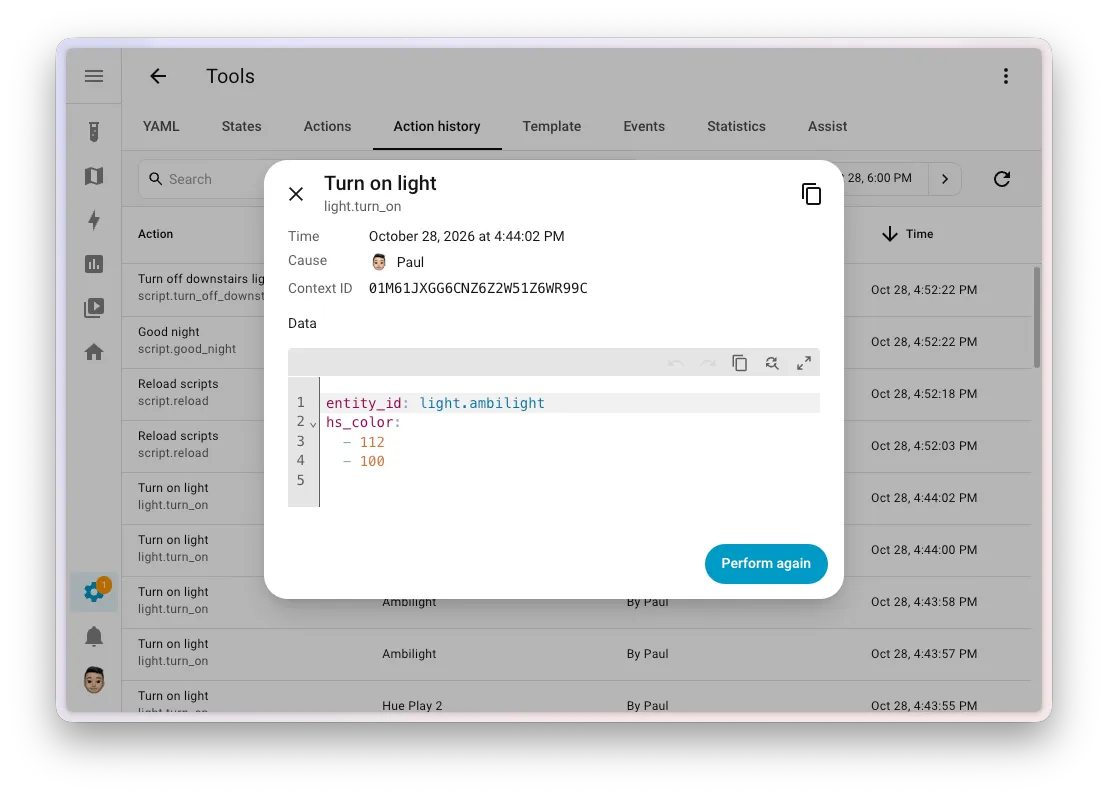
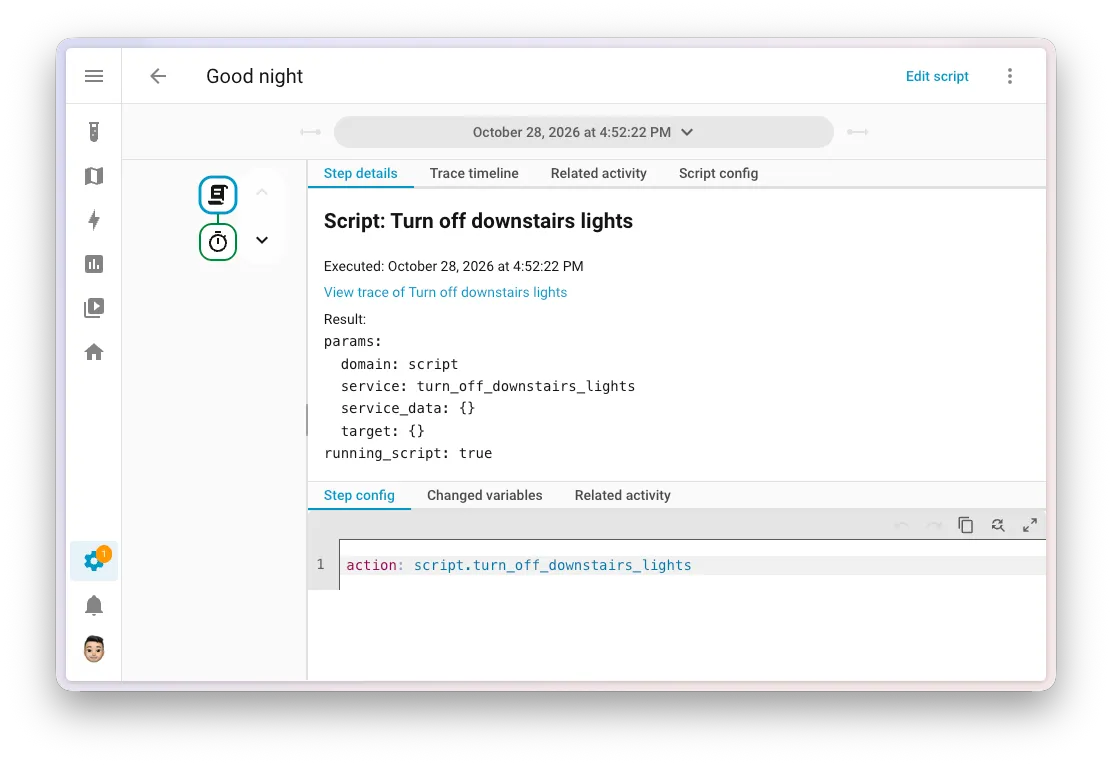
Ever had a light switch on with nobody near it? 2026.11 gives you better ways to chase that down. Settings > Tools has a new Action history tab that lists every action called, with its targets, what caused it and which user, plus a View trace button when a trace exists. In traces, a step that runs another script now links straight to that exact run, so you're done matching timestamps by hand. The Activity panel also gained a Triggered by filter that separates people, automations and integrations such as HomeKit.
And when one bad reading wrecks a temperature graph, you can now delete a time range of its statistics instead of the whole history. One forum user couldn't find that option until scrolling the table sideways, so look to the right.
Matter cameras show up, and your cameras can talk back
Matter 1.5 made cameras part of the standard, and the Matter integration in 2026.11 supports them: live video over WebRTC straight between your browser and the camera, snapshots, and a camera entity that reflects privacy mode. Home Assistant only discovers them when your Matter server is new enough, so update the Matter Server app first. It topped the directory's movers this week, with 2,286 new installs.
Two-way audio is a Labs preview you switch on under Settings > System > Labs. It adds a talk button to the live stream for Matter cameras and Reolink, which has to use RTSP for it. For now it only works when you open Home Assistant over HTTPS, because browsers won't share the microphone on a plain connection.
LoRaWAN sensors can now reach Home Assistant from the far end of the garden
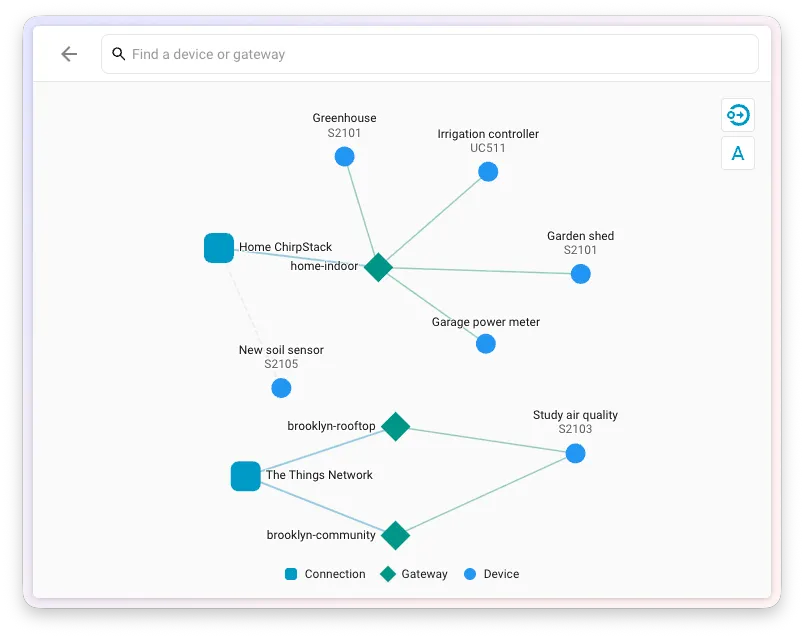
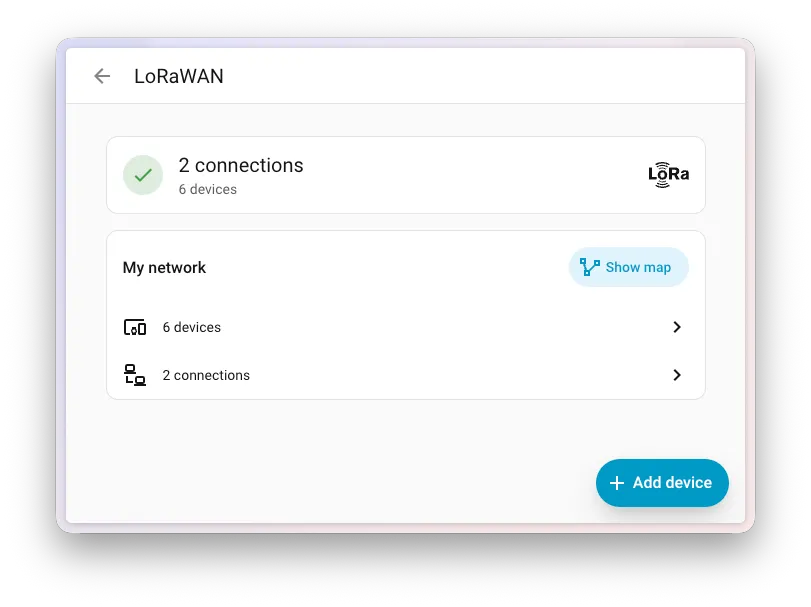
If your Wi-Fi gives up halfway to the shed, 2026.11 has an answer: Home Assistant now speaks LoRaWAN, the long-range, low-power protocol. Connect a network server, ChirpStack or The Things Network, and Home Assistant offers the matching device integration, SenseCAP for now, when a supported sensor shows up. A new LoRaWAN page under Settings > Connectivity holds a device table and a map of which gateways hear which devices, and each device page shows signal strength, last check-in and battery.
The device list is short today, though a sensor Home Assistant can't handle yet still appears with a note on what's missing. In the same release, ZHA learned Zigbee Green Power, so batteryless switches like the Friends of Hue ones finally pair.
NextFloor builds a live 3D model of your home inside Home Assistant
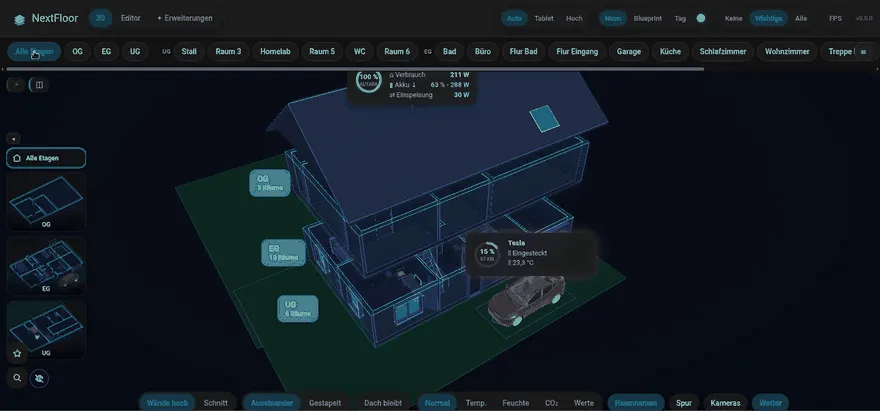
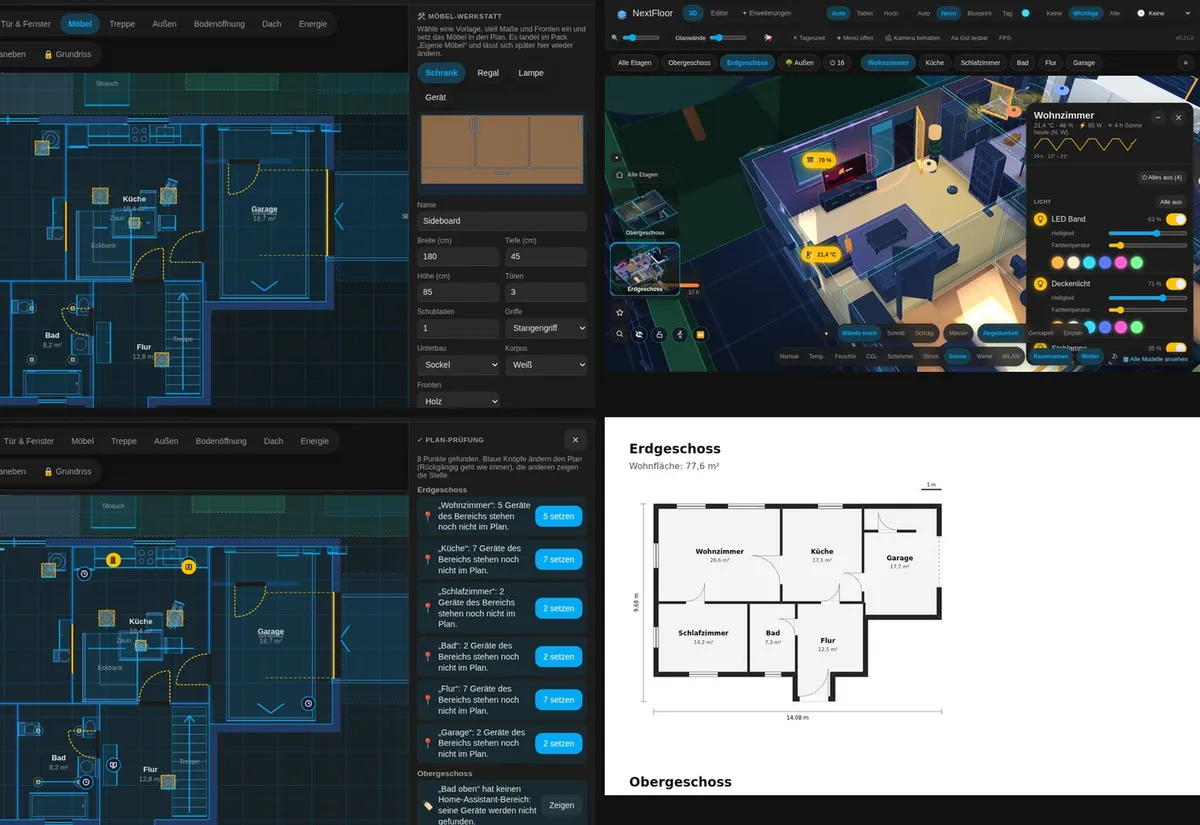
The one to play with among this week's new directory entries is NextFloor, a custom integration where you draw your home in Home Assistant and then see it running live in 3D. You sketch floors, rooms, doors, windows and stairs in a plan editor, with the 3D view running alongside. Switch a lamp on and its room lights up in the lamp's colour, blinds follow their position and doors swing. You can tap a lamp in the model to toggle it or swipe to dim it.
According to its repository, it needs no account or cloud, it's MIT licensed, and it borrows your theme's colours and font, which helps if it's headed for a wall tablet. There's a browser demo with invented data if you'd rather look before installing.
From the community
Better Thermostat 1.9.4 has to go in before 2026.11
Better Thermostat 1.9.4
If you run Better Thermostat, install 1.9.4 and restart before you update Home Assistant. 2026.11 removed an internal the integration used to restore its child-lock switch, and on older versions that can keep the thermostat from starting. The release also fixes a batch of TRV quirks, including closing the valve of a direct-valve TRV when Better Thermostat switches off.

Pyscript 2.1.1 gets it setting up again on 2026.11
Pyscript Python scripting 2.1.1
Changes inside 2026.11 make older Pyscript versions fail to set up with an error about RestoreStateData. Version 2.1.1 fixes that and supports 2026.5 onwards. It also reloads scripts properly when your editor saves through a temporary file and a rename. Anyone with Pyscript automations should update it alongside Home Assistant, or just before.
Bubble Card 3.4.3 makes pop-ups tappable again
Bubble Card 3.4.3
On 2026.11, Bubble Card pop-ups opened behind their own backdrop, dimmed and impossible to tap, and the pop-up editor stopped adding or editing cards. Version 3.4.3 fixes both, so update it together with Home Assistant. If you skipped 3.4.0, the developer asks you to read that announcement before updating.