

JellyHA
zupancicmarko
On Home Assistant 2026.11 or newer? Open it in the Marketplace
- Installs
- 776 sharing analytics
- GitHub stars
- 84
- Connection
- Works locally
- Upkeep
- Updated in the last 6 months
- Version
- v1.7.1,
- Category
- Media and entertainment
- Kind
- Marketplace integration
- Needs
- Needs the Marketplace (HACS on 2026.10 and older)
- Domain
jellyha- Issues
- Report an issue
Independent directory, made by the developer of Vulpo. Not affiliated with Home Assistant or the Open Home Foundation.
Screenshots From the README of zupancicmarko/JellyHA.
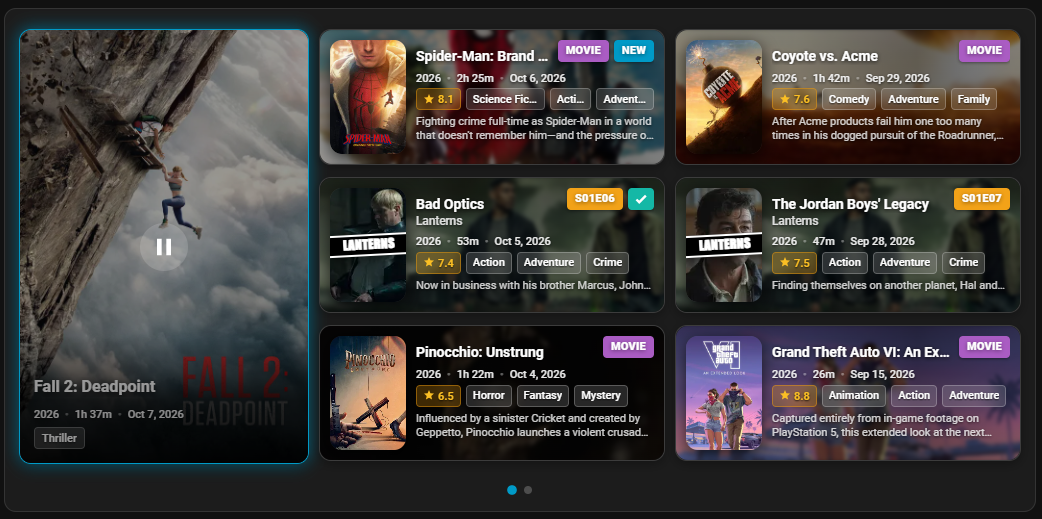
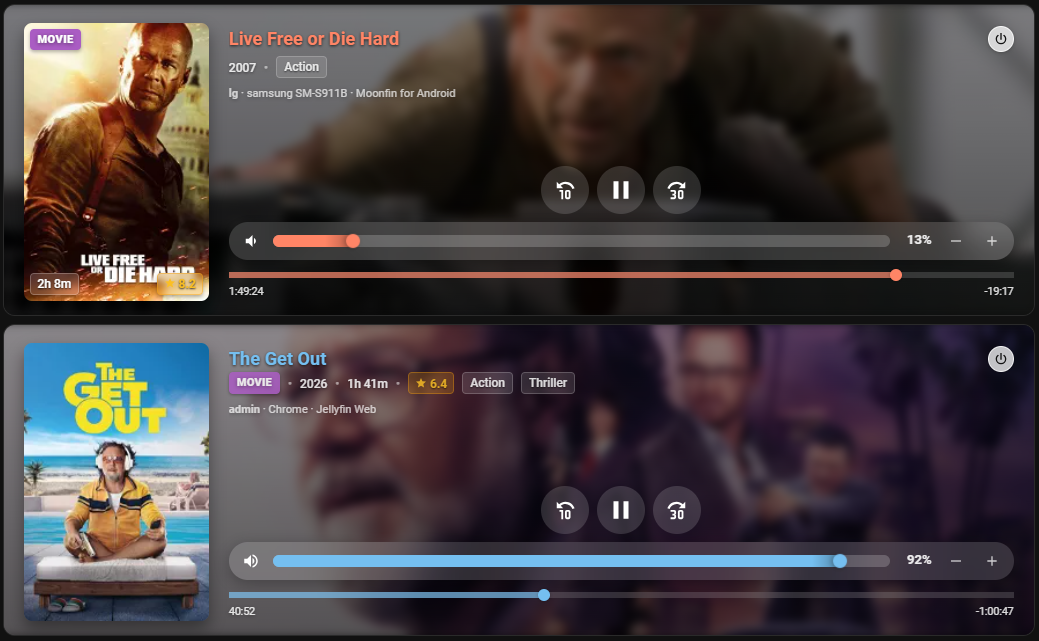
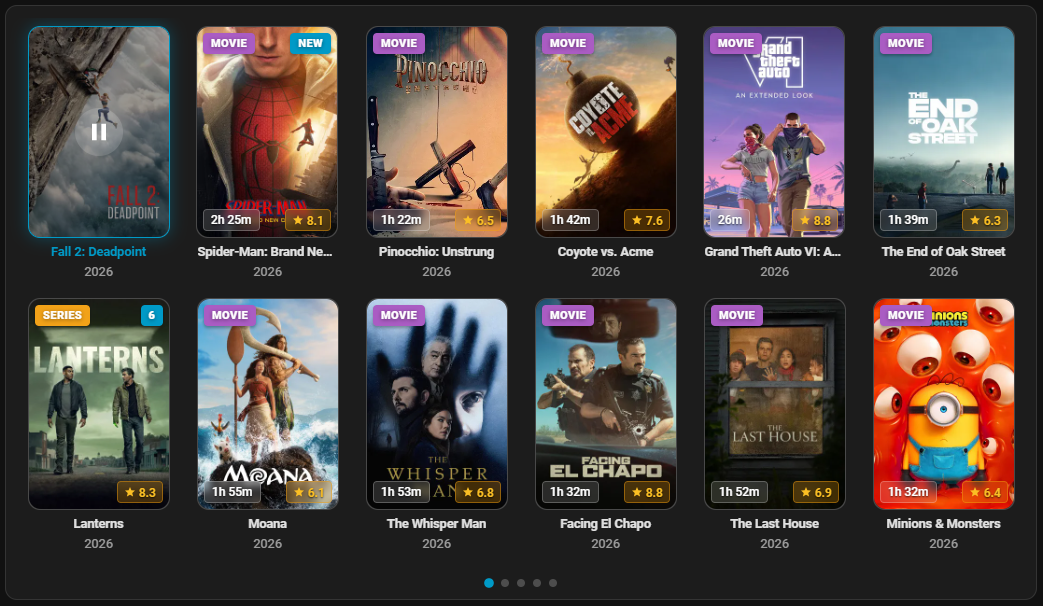
About
JellyHA is a Jellyfin integration that connects Home Assistant to a Jellyfin server over the local network. It adds a library browser in the media browser and media players per user and per client device, with playback controls such as play, pause, seek and shuffle. Sensors cover libraries, favorites, unwatched items, Live TV channels, active sessions, server version and WebSocket status. Actions can play music, playlists and Live TV channels, cast an item to a Chromecast, refresh the library, delete an item, and fetch playlists or collections. Several servers can run side by side using an instance label, and sign-in works with a username and password or an API key. Setup is done in the UI, and the integration comes with two dashboard cards.
Automatic summary of the README and code of zupancicmarko/JellyHA. Something wrong, or are you the maintainer and want your own text here? Get in touch
Supports
Works locally Talks to your devices on your own network. No vendor cloud in between.
Device triggers Its devices can start automations directly.
From the Marketplace Installed through the Marketplace, formerly HACS.
Actively maintained Its author released or pushed a change in the last six months.
Provides
- Media
- Sensors
Setting it up
Install it from the Marketplace and restart Home Assistant, then add it under Settings, Devices and services.
Connect to Jellyfin
- Server URLFull URL to your Jellyfin server (e.g., http://192.168.1.100:8096)
- External URL (Optional, for UI links)
- Authentication Method
API Key Authentication
- API KeyAPI key from Jellyfin Dashboard → API Keys
Jellyfin Login
- Username
- Password
Select User
- User
Select Libraries
- Libraries
- Library Refresh Interval
Select Client Devices
- Client Devices
Configure Instance
- Instance LabelThis integration supports Multi-Instance configurations. Add a label to distinguish this instance (e.g., *Movies*, *Music*, *Server01*, *Server02*). Your device will be named 'JellyHA Movies', 'JellyHA Music', 'JellyHA Server01', 'JellyHA Server02', etc., making it easier to identify entities across multiple servers or libraries. Leave empty for the default 'JellyHA'.
Re-authenticate Jellyfin
- Server URLFull URL to your Jellyfin server (e.g., http://192.168.1.100:8096)
- Authentication Method
After setup
- Server URL
- External URL (Optional, for UI links)
- Libraries
- Library Refresh Interval
- Client/Device Media Players (Optional)Select client devices (e.g. Smart TVs, Android TV boxes) to create dedicated media player entities for. These maintain state and attributes per device regardless of which user is watching.
- Refresh fetched data immediately
- Update Credentials / Switch User
- Enable Live TVEnable Live TV channels, dedicated services, and Media Browser tuning.
- API Request Timeout (seconds)Maximum timeout in seconds for requests to Jellyfin. Increase this (e.g. 45-60s) for very large libraries or slower server hardware.
- Method
- API Key
- Username
- Password
- User
- Libraries
Texts from the code of zupancicmarko/JellyHA.
Entities
- MediaLibrary Browser
- SensorsLibrary, Live TV Channels, Favorites, Unwatched, Unwatched Movies, Unwatched Series, Unwatched Episodes, Last Refresh, Last Library Update, WebSocket Status, Jellyfin Version, Active Sessions, and 17 more
Actions
- Play on ChromecastPlay a Jellyfin item on a Chromecast deviceFields: Media Player, Item ID, Use Series Poster, Subtitle Mode, Subtitle Languages
- Refresh LibraryForce refresh library data from Jellyfin
- Delete ItemDelete an item from Jellyfin libraryFields: Item ID
- Get Live TV ChannelsRetrieve available Jellyfin Live TV channels with optional search filtering.Fields: Search Query, Limit
- Play Live TV ChannelResolve a Live TV channel by number or normalized name and play it.Fields: Channel Number, Channel Name
- Music SearchSearch Jellyfin music library for tracks, albums, or artists with FLAC and Hi-Res audio specifications.Fields: Search Query, Search Type, Artist, Album, Genre, Year, Audio Codec / Format, Hi-Res Audio Only, Lossless Audio Only, Limit
- Play MusicSearch and play a music track or album from Jellyfin on any Home Assistant media player (e.g. Kitchen Speaker, Sonos, Cast).Fields: Media Player, Search Query / Song Title, Artist, Album
- Play PlaylistPlay a playlist from Jellyfin on any Home Assistant media player or directly on a Jellyfin client session, with optional shuffle.Fields: Media Player, Playlist Name or ID, Shuffle
- Get PlaylistsFetch all user playlists from Jellyfin with track count, duration, and thumbnail to response_variable.Fields: Query, Limit
- Get CollectionsFetch all BoxSets / Movie Collections from Jellyfin with item count and contained movies to response_variable.Fields: Query, Limit, Include Items
Troubleshooting
- DiagnosticsDownloads a diagnostics file to attach to a bug report.
From the README
- 🎬 Display movies and TV shows from your library
- ▶️ In-Dashboard Browser Playback: Stream media directly within your Home Assistant dashboards with native Closed Captions (CC) and subtitle track support
- 📱 Native Jellyfin Client Remote Control: 1-tap playback to official Jellyfin apps (Android TV, Google TV, Fire TV, Web, etc.) via native session control without Chromecast transcoding overhead
- 🎯 Configurable Play Actions: Instant Browser playback, Native Jellyfin Client playback, Chromecast casting, or custom scripts in More Info
- 📺 Cast media directly to Chromecast (Gen 1 supported)
- 📡 Live TV Support: Visual channel browsing in Media Browser
- 🎵 Music Support
- 📂 Full integration with Home Assistant Media Browser
- ⏯️ Full playback control: Play, Pause, Stop, Seek, Next/Previous Track, Shuffle, Repeat
- 🎮 Per-user media players with transport and volume controls
- 📺 Dedicated per-device media players with custom Jellyfin nicknames
- 🌈 Real-time Dynamic Range detection: Reporting of SDR, HDR10, HDR10+, Dolby Vision, and HLG

Shows in Vulpo
Media Player card, Chart card, Apple Watch.Information
- Installs
- 776 sharing analytics
- GitHub stars
- 84
- Connection
- Works locally
- Upkeep
- Updated in the last 6 months
- Version
- v1.7.1,
- Category
- Media and entertainment
- Kind
- Marketplace integration
- Needs
- Needs the Marketplace (HACS on 2026.10 and older)
- Domain
jellyha- Issues
- Report an issue










