

Dantherm
Tvalley71
On Home Assistant 2026.11 or newer? Open it in the Marketplace
- Installs
- 91 sharing analytics
- GitHub stars
- 33
- Connection
- Works locally
- Upkeep
- Updated in the last 6 months
- Version
- 1.4.0,
- Category
- Climate, Fans and ventilation
- Kind
- Marketplace integration
- Needs
- Needs the Marketplace (HACS on 2026.10 and older)
- Domain
dantherm- Issues
- Report an issue
Independent directory, made by the developer of Vulpo. Not affiliated with Home Assistant or the Open Home Foundation.
Screenshots From the README of Tvalley71/dantherm.
About
Dantherm is a local integration that connects Dantherm ventilation units to Home Assistant over Modbus TCP/IP. It adds a fan for ventilation, a bypass damper cover, switches for away, night, fireplace, summer, boost, eco and home modes, plus sensors for temperatures, humidity, air quality and alarms. Numbers, selects and texts cover filter lifetime, humidity setpoints, bypass temperatures and night mode times, and buttons reset the filter and alarms. Adaptive triggers can link boost, eco and home modes to other entities, and a calendar entity handles scheduling. Actions set the unit state and configuration, reset the filter or alarm, and clear the adaptive event stack. Setup runs in the UI with optional automatic discovery, and the interface is available in Danish, Dutch, English, German and French.
Automatic summary of the README and code of Tvalley71/dantherm. Something wrong, or are you the maintainer and want your own text here? Get in touch
Supports
Works locally Talks to your devices on your own network. No vendor cloud in between.
From the Marketplace Installed through the Marketplace, formerly HACS.
Actively maintained Its author released or pushed a change in the last six months.
Provides
- Fans
- Covers
- Switches
- Sensors
- Calendars
Setting it up
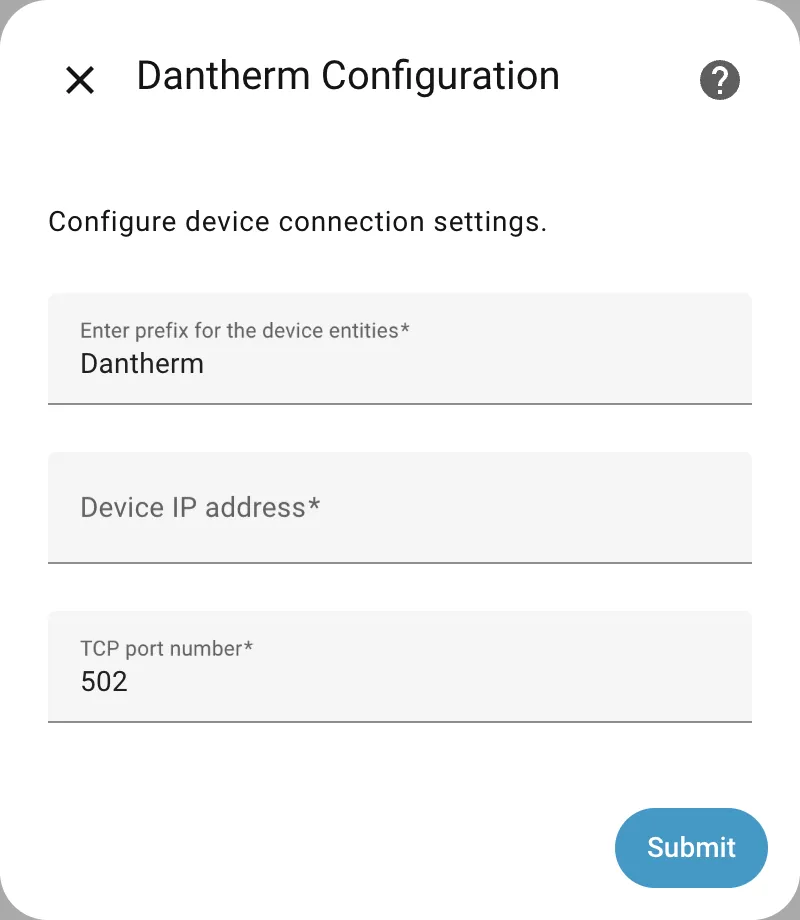
Install it from the Marketplace and restart Home Assistant, then add it under Settings, Devices and services.
Dantherm Configuration
- Device IP address
- Enter prefix for the device entities
- TCP port number
Select Manufacturer
- Manufacturer
Discovery
- Use automatic device discovery
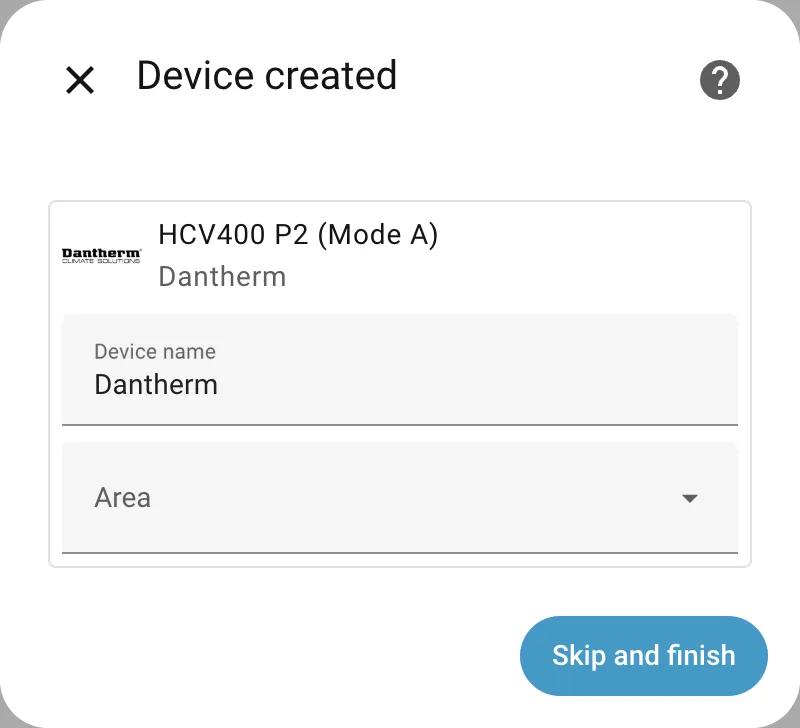
After setup
- Continue
- Device IP address
- TCP port number
- Data update frequency
- Boost mode trigger entity
- Eco mode trigger entity
- Home mode trigger entity
- Link calendar to primary device
- Disable setting temperature sensors to unknown in bypass/summer modes
- Disable notifications
- Enable sensor filtering
- Enable time synchronization
Texts from the code of Tvalley71/dantherm.
Entities
- Binary sensorsActions Pending
- ButtonsReset Filter, Reset Alarm
- CalendarsCalendar
- CoversBypass Damper
- EventsAlarm Event, Filter Event
- FansVentilation
- NumbersFilter Lifetime, Humidity Setpoint, Humidity Setpoint (Summer), Air Quality Low Threshold, Air Quality Middle Threshold, Air Quality High Threshold, Bypass Minimum Temperature, Bypass Maximum Temperature, Manual Bypass Duration, Bypass Minimum Temperature (Summer), Bypass Maximum Temperature (Summer), Boost Mode Timeout, and 2 more
- SelectsOperation Selection, Fan Selection, Week Program, Boost Operation Selection, Eco Operation Selection, Home Operation Selection, Default Operation Selection
- SensorsOperation Mode, Alarm, Adaptive State, Fan Level, Fan Speed 1, Fan Speed 2, Humidity, Humidity Level, Air Quality, Air Quality Level, Exhaust Temperature, Extract Temperature, and 8 more
- SwitchesAway Mode, Night Mode, Fireplace Mode, Manual Bypass Mode, Summer Mode, Boost Mode, Eco Mode, Home Mode, Disable Bypass Damper
- TextsStart Time for Night Mode, End Time for Night Mode
Actions
- Set stateControl the state of the ventilation unit with an action call.Fields: Device, Operation Selection, Fan Selection, Away Mode, Summer Mode, Fireplace Mode, Manual Bypass Mode
- Set configurationAdjust the configuration settings for the Dantherm device.Fields: Device, Filter Lifetime, Night Mode, Start Time for Night Mode, End Time for Night Mode, Week Program Selection, Air Quality Low Threshold, Air Quality Middle Threshold, Air Quality High Threshold
- Set configuration 2Adjust the configuration settings for the Dantherm device. Note: The following fields are only supported on device's with firmware version 2.70 or above.Fields: Device, Bypass Minimum Temperature, Bypass Maximum Temperature, Humidity Setpoint, Manual Bypass Duration, Disable Bypass Damper
- Set configuration 3Adjust the configuration settings for the Dantherm device. Note: The following fields are only supported on device's with firmware version 3.08 or above.Fields: Device, Bypass Minimum Temperature (Summer), Bypass Maximum Temperature (Summer), Humidity Setpoint (Summer)
- Filter resetReset the filter remaining days to its filter lifetime.Fields: Device
- Alarm resetReset first pending alarm.Fields: Device
- Clear adaptive event stackClear all events from the adaptive event stack. This will remove all active adaptive events and reset the adaptive state to "none".Fields: Device
Troubleshooting
- DiagnosticsDownloads a diagnostics file to attach to a bug report.
From the README
Home Assistant integration for Dantherm ventilation units.

Shows in Vulpo
Quick Toggle card, Cover card, Fan card, Button card, Apple Watch, Control Center.Information
- Installs
- 91 sharing analytics
- GitHub stars
- 33
- Connection
- Works locally
- Upkeep
- Updated in the last 6 months
- Version
- 1.4.0,
- Category
- Climate, Fans and ventilation
- Kind
- Marketplace integration
- Needs
- Needs the Marketplace (HACS on 2026.10 and older)
- Domain
dantherm- Issues
- Report an issue










