

Frisquet Connect
TheGui01
On Home Assistant 2026.11 or newer? Open it in the Marketplace
- Installs
- 135 sharing analytics
- GitHub stars
- 48
- Connection
- Uses the vendor's cloud
- Upkeep
- Updated in the last 6 months
- Version
- v2.5.6,
- Category
- Climate
- Kind
- Marketplace integration
- Needs
- Needs the Marketplace (HACS on 2026.10 and older)
- Domain
frisquet_connect- Issues
- Report an issue
Independent directory, made by the developer of Vulpo. Not affiliated with Home Assistant or the Open Home Foundation.
Screenshots From the README of TheGui01/Frisquet-connect-for-home-assistant.
About
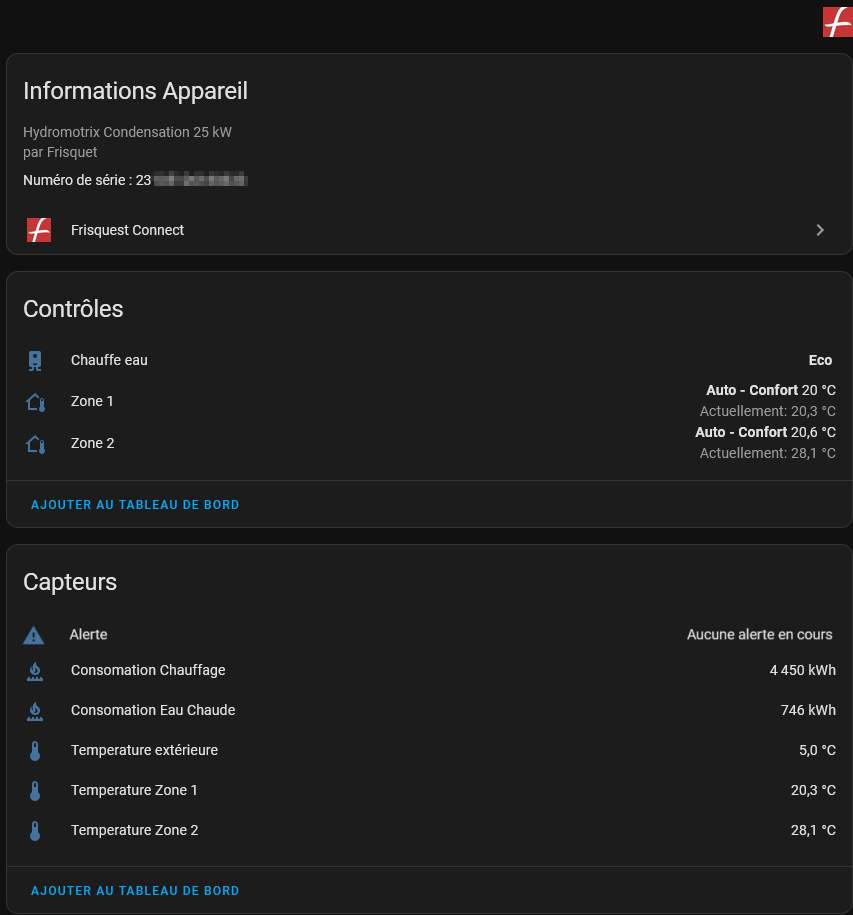
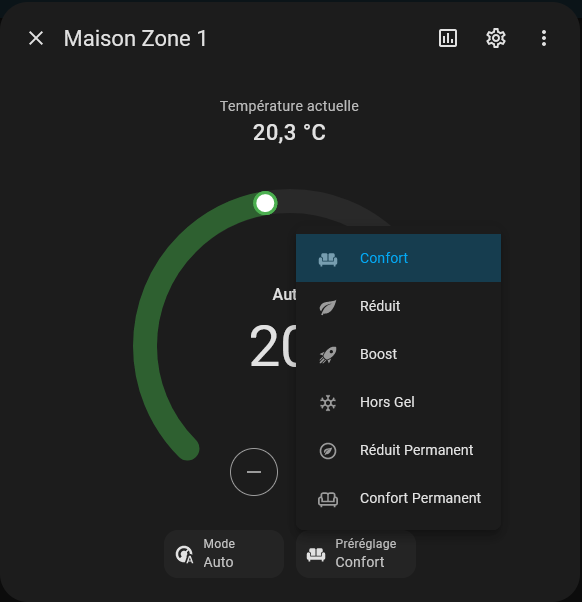
Frisquet Connect is an integration that controls a Frisquet boiler from Home Assistant. It adds climate, sensor and water heater entities, and it covers two heating zones plus the water heater. Temperature sensors are provided, including an external temperature sensor when the boiler has one. Climate entities offer Auto, Chauffe and Off modes along with presets such as Réduit, Confort, Hors Gel and a boost mode. Two consumption sensors report total gas use and can be added to the energy dashboard, though Frisquet updates values once per day, so readings lag by one day. It relies on the vendor's cloud and is set up in the UI with the account e-mail and password.
Automatic summary of the README and code of TheGui01/Frisquet-connect-for-home-assistant. Something wrong, or are you the maintainer and want your own text here? Get in touch
Supports
Uses the vendor's cloud Needs an internet connection and an account with the vendor.
From the Marketplace Installed through the Marketplace, formerly HACS.
Actively maintained Its author released or pushed a change in the last six months.
Provides
- Climate
- Water heaters
- Sensors
Setting it up
Install it from the Marketplace and restart Home Assistant, then add it under Settings, Devices and services.
Vos infos de connexion
- E-mail (Identifiant)
- mot de passe
Plusieurs installations trouvées
- Site
Texts from the code of TheGui01/Frisquet-connect-for-home-assistant.

Shows in Vulpo
Climate card, Chart card, Apple Watch, Climate Live Activity.Information
- Installs
- 135 sharing analytics
- GitHub stars
- 48
- Connection
- Uses the vendor's cloud
- Upkeep
- Updated in the last 6 months
- Version
- v2.5.6,
- Category
- Climate
- Kind
- Marketplace integration
- Needs
- Needs the Marketplace (HACS on 2026.10 and older)
- Domain
frisquet_connect- Issues
- Report an issue










