

BenQ Projector
rrooggiieerr
Open in Home Assistant
On Home Assistant 2026.11 or newer? Open it in the Marketplace
- Installs
- 50 sharing analytics
- GitHub stars
- 58
- Connection
- Works locally
- Upkeep
- Updated in the last 6 months
- Version
- 0.1.4,
- Category
- Media and entertainment, TV and streaming
- Kind
- Marketplace integration
- Needs
- Needs the Marketplace (HACS on 2026.10 and older)
- Domain
benqprojector- Issues
- Report an issue
Independent directory, made by the developer of Vulpo. Not affiliated with Home Assistant or the Open Home Foundation.
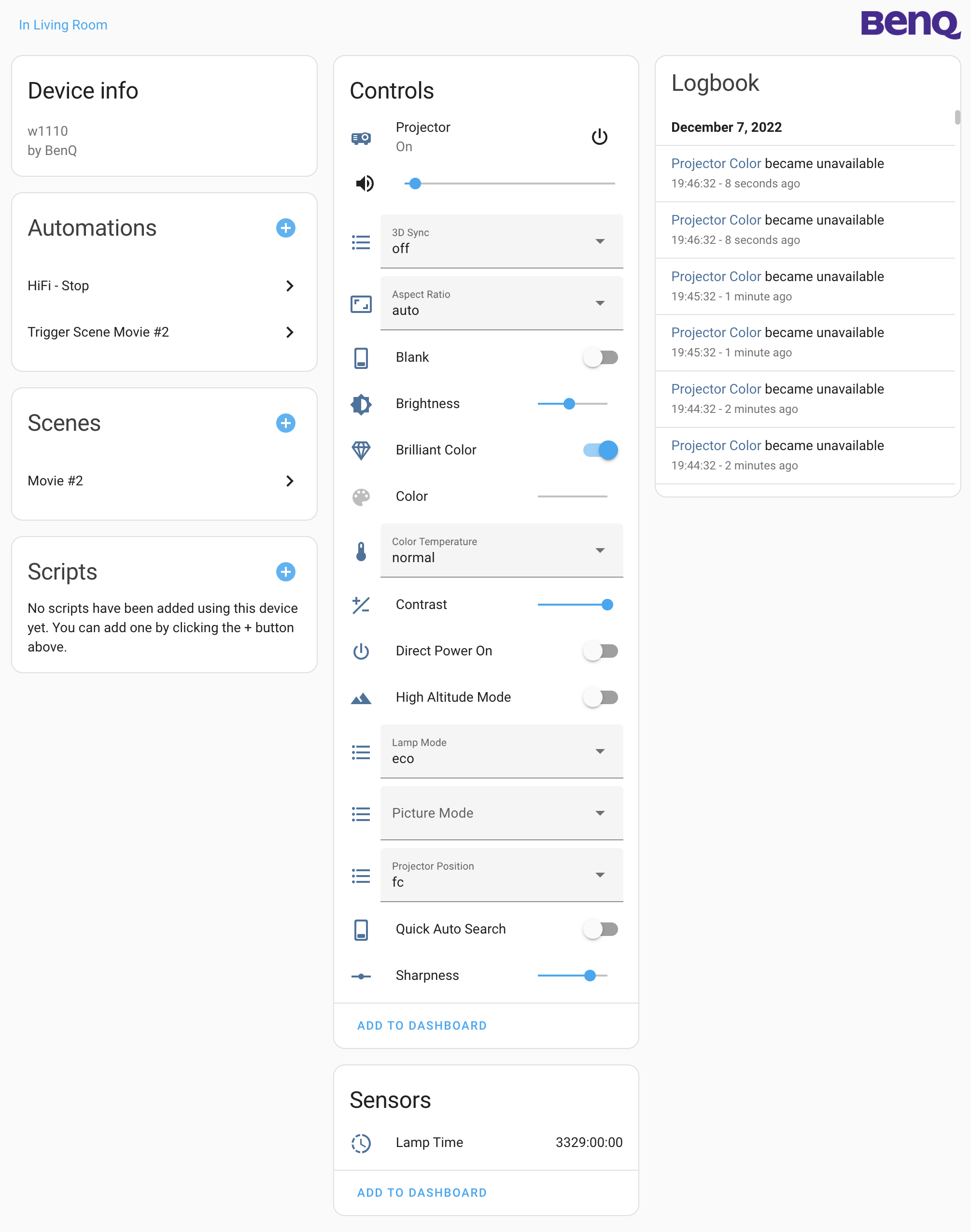
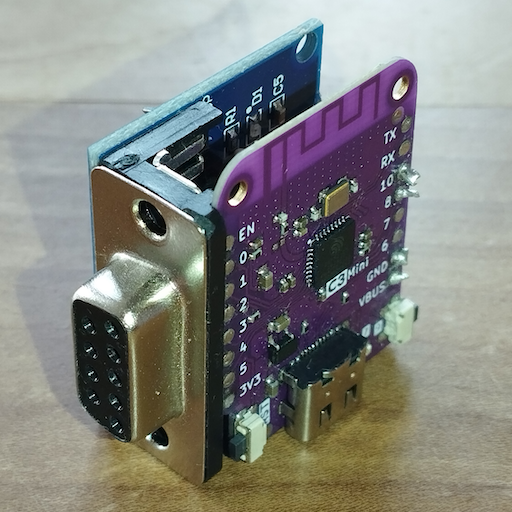
Screenshots From the README of rrooggiieerr/homeassistant-benqprojector.
About
Home Assistant integration for BenQ projectors over the serial and network interface
Description from rrooggiieerr/homeassistant-benqprojector
Supports
Works locally Talks to your devices on your own network. No vendor cloud in between.
From the Marketplace Installed through the Marketplace, formerly HACS.
Actively maintained Its author released or pushed a change in the last six months.
Provides
- Media
- Switches
- Sensors
Setting it up
Install it from the Marketplace and restart Home Assistant, then add it under Settings, Devices and services.
Serial Projector
- Serial PortThe serial port the BenQ projector is connected to.
- Baud rateThe configured baud rate of the projector.
Network Projector
- HostThe hostname or IP address of the BenQ projector.
- PortThe port number needed to communicate with the projector. 8000 is the default port for projectors with an integrated network interface but if a serial to network bridges like esp-link is used port 23 might need to be selected.
After setup
- Interval
Texts from the code of rrooggiieerr/homeassistant-benqprojector.
Entities
- NumbersContrast, Brightness, Color, Sharpness, Microphone Volume, Keystone, Horizontal Keystone, Vertical Keystone, Red Gain, Green Gain, Blue Gain, Red Offset, and 4 more
- SelectsAudio Source, Picture Mode, Color Temperature, Aspect Ratio, Lamp Mode, 3D Sync, Remote Receiver, Projector Position, Menu Position
- SensorsLamp Time, Lamp 1 Time, Lamp 2 Time
- SwitchesBrilliant Color, Quick Auto Search, Direct Power, Signal Power, Standby Settings Network, Standby Settings Microphone, Standby Settings Monitor Out, Blank, Freeze, Instant On, Lamp Saver Mode, Projection Log In Code, and 4 more
From the README
- Connects to a BenQ projector over serial or network interface
- Sending commands to projectors
- Reading the projector status
- Uses asynchronous IO

Shows in Vulpo
Quick Toggle card, Media Player card, Select card, Chart card, Apple Watch, Control Center.Information
- Installs
- 50 sharing analytics
- GitHub stars
- 58
- Connection
- Works locally
- Upkeep
- Updated in the last 6 months
- Version
- 0.1.4,
- Category
- Media and entertainment, TV and streaming
- Kind
- Marketplace integration
- Needs
- Needs the Marketplace (HACS on 2026.10 and older)
- Domain
benqprojector- Issues
- Report an issue










